AudiartistAudiartist
  • Home
  • Freebie
    • Free FL Studio template
    • Free Kontakt sound
    • Free Preset
    • Free Sample Pack
    • Free Serum Preset
    • FREE VST
  • Music
    • Afro Music
    • Cinematic
    • Classical Music
    • Electro / House
    • Jazz
    • Latina Music
    • Lo-fi
    • New music release
    • Pop Music
    • Rock
    • Synthwave
  • Breaking News
  • Music Production
  • Music Promotion
  • Free Submission to Our Spotify Playlists
Font ResizerAa
AudiartistAudiartist
Font ResizerAa
  • Home
  • Freebie
  • Music
  • Breaking News
  • Music Production
  • Music Promotion
  • Free Submission to Our Spotify Playlists
Search
  • Home
  • Freebie
    • Free FL Studio template
    • Free Kontakt sound
    • Free Preset
    • Free Sample Pack
    • Free Serum Preset
    • FREE VST
  • Music
    • Afro Music
    • Cinematic
    • Classical Music
    • Electro / House
    • Jazz
    • Latina Music
    • Lo-fi
    • New music release
    • Pop Music
    • Rock
    • Synthwave
  • Breaking News
  • Music Production
  • Music Promotion
  • Free Submission to Our Spotify Playlists
Follow US
Audiartist > Music Promotion > From Home Studio to YouTube
Music Promotion

From Home Studio to YouTube

audiartist
Last updated: 2 avril 2025 11h45
audiartist
Share
3 Min Read
SHARE


Contents
  • From Home Studio to YouTube: How to Turn a Beat into a Viral Video
    • Introduction
    • Step-by-Step: Bringing Your Beat to Life Visually
      • 1. Produce with Purpose
      • 2. Visualize the Mood
      • 3. Edit Like a Creator
      • 4. Upload with Intention
      • 5. Engage & Repurpose
    • Conclusion
  • AUDIARTIST

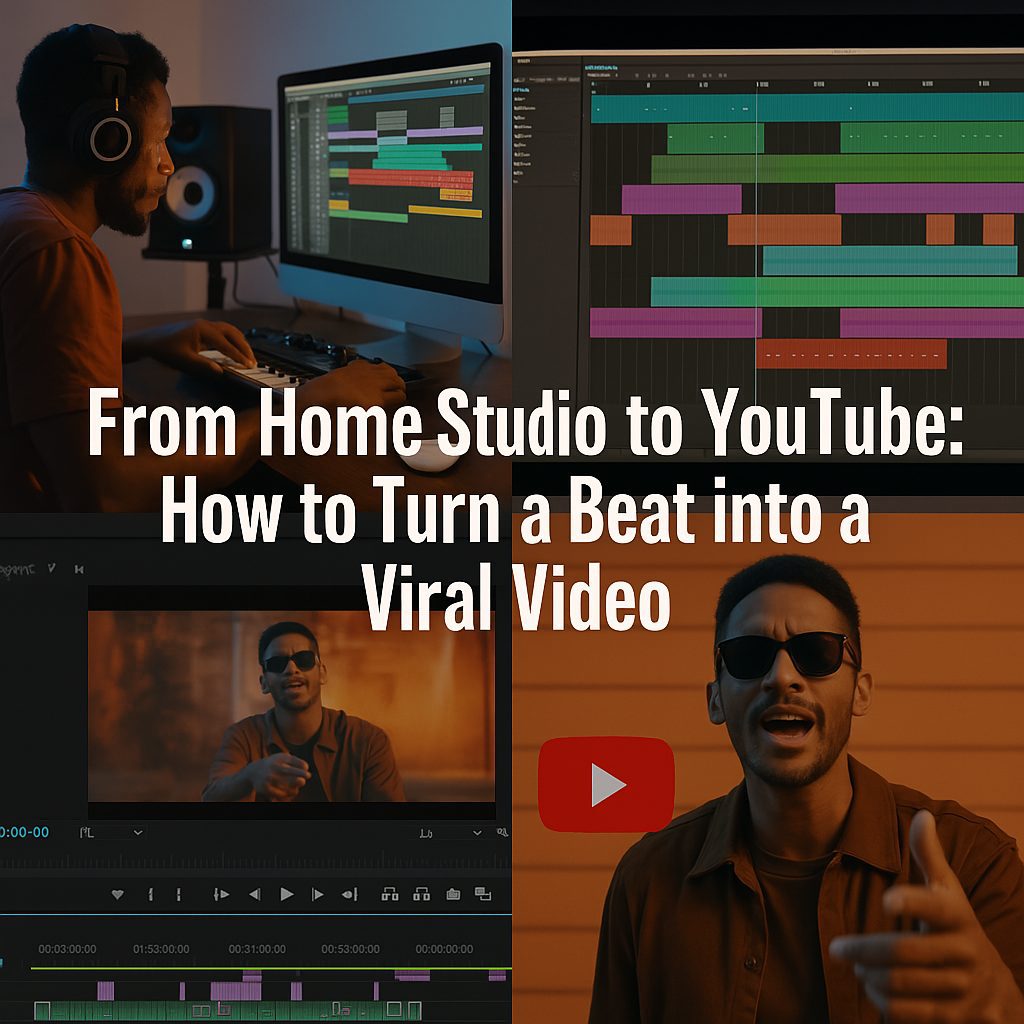
From Home Studio to YouTube: How to Turn a Beat into a Viral Video

Introduction

You’ve crafted a fire beat in your bedroom studio—but now what? In today’s music scene, a great sound isn’t enough. To truly make waves, your beat needs a visual identity that captures attention on platforms like YouTube, Instagram Reels, and TikTok. Turning a beat into a viral video isn’t about luck—it’s about strategy, creativity, and smart execution. Here’s how to take your track from DAW to digital domination.

Step-by-Step: Bringing Your Beat to Life Visually

1. Produce with Purpose

Every viral beat starts in the DAW. Choose a vibe that tells a story—melancholic piano, Afro-house groove, or trap with attitude. Think ahead: what visuals would pair well with this mood?

Use high-quality samples and structure your beat with dynamic transitions to keep listeners hooked even before visuals are added.

🎛️ Try Splice for fresh loops
🎚️ Mix with Ableton Live

2. Visualize the Mood

Before filming or editing, determine the visual concept. Is your beat made for night drives? City rooftops? Anime edits? Build your identity from that emotion.

Use tools like Canva or Adobe After Effects to design motion graphics, or capture your own footage with a smartphone and natural lighting.

➡️ Need free stock footage? Try Pexels or Pixabay

3. Edit Like a Creator

Sync the visuals to your beat. Use fast cuts, zooms, glitch effects, or motion typography to create impact. Keep it short (under 60 seconds) for Reels and Shorts, or go cinematic for YouTube.

🎬 Software to try:

  • CapCut (mobile)
  • DaVinci Resolve (free desktop)

Make your video loopable for even higher watch time—key for triggering YouTube and TikTok algorithms.
4. Upload with Intention

Thumbnail, title, and timing matter. For YouTube, create a bold thumbnail that reflects the energy of the beat. Use keywords and hashtags to improve discoverability.

Examples:

  • “Hard Trap Beat | Street Vibes | Free Download”
  • “Lo-fi Chill Beat | Sunset Edition | Relax & Study”

💡 Add your beat to:

  • YouTube
  • Instagram Reels
  • TikTok

5. Engage & Repurpose

Once uploaded, respond to comments, pin your links, and share on socials. Turn one beat into multiple pieces of content:

  • Beat video
  • Lyric version
  • Behind-the-scenes making-of
  • Loop version for shorts

The more content you squeeze out of one creation, the more reach you gain.

Conclusion

Creating a viral video from your beat is a process of vision, strategy, and execution. It’s about understanding how visuals amplify sound and how to serve content to the right platform in the right way. With consistency, creativity, and a bit of post-production magic, your home studio beat can travel far beyond your desk—and hit the world stage.

🎵 Your sound deserves to be seen. Make it viral.


Loading

AUDIARTIST

Music news, production & promotion updates, the best VSTs, free presets.

We don’t spam! Check our privacy policy for more information.

Check your inbox or spam folder to confirm your subscription.

TAGGED:beat video creationbeatmaker video strategyDAW to YouTubehome studio to viral videohow to go viral with a beathow to promote a beat on YouTubemake music video from beatmusic producer visual contentpromote music instrumentalsviral music production tipsYouTube beats promotion
Share This Article
Facebook Pinterest Tumblr Reddit Copy Link Print

Support us by buying us a coffee.

Subscribe to our newsletter.

AUDIARTIST

Music news, production & promotion updates, the best VSTs, free presets.

We don’t spam! Check our privacy policy for more information.

Check your inbox or spam folder to confirm your subscription.

News

Why Artists Should Think Like Developers: Versioning, Release Notes, and A/B Testing in Modern Music Promotion
Music Promotion
Sebastian McQueen Makes Souls Speak on “Soulful Voices”
Afro Music Artists Electro / House Music New music release Sebastian McQueen We love
Dynamic EQ Explained: The “Smart EQ” That Only Moves When Needed
Music Production
Micro-Communities: The Most Powerful but Most Ignored Promotion Strategy of 2026
Music Promotion
Kyller: Marseille’s Northside Prospect Turning Urban Heat Into Melody
Music New music release Urban We love
Apostola lights up the season with “Christmas Smiles”
Music New music release Pop Music We love

Top Acticles

Top 7 Free Music Distributors in 2025 
Music Promotion
How Spotify Pays Artists in 2025: A Complete Breakdown
Music Promotion
NAM Universal
FREE VST Freebie
Spotify’s Free Tier Update
Music Promotion
You’ve Been On My Mind by #R!sK
Music New music release Pop Music Synthwave We love
Yuri Semenov’s Free VST Plugin Collection
FREE VST

You Might Also Like

Music Promotion

SEO for Musicians: How to Rank on Google

14 mai 2025
Music Promotion

How Much Does an Artist Earn for 1000 Audio Streams?

24 mai 2024
Music Promotion

Collaborative Playlists: Building a Community Around Your Music

20 mai 2025
Music Promotion

Spotify Experiments With a Built-In Messaging Feature

23 septembre 2025

Find Us on Socials

Artists

  • Nodachi
  • Snake Russell
  • Spycho Fox
  • Mister BoO
  • Sebastian McQueen

Freebie (Vst, Preset, Sample)

  • Freebie
  • Free FL Studio template
  • Free Kontakt sound
  • Free Preset
  • Free Sample Pack
  • Free Serum Preset
  • FREE VST

News

  • Why Artists Should Think Like Developers: Versioning, Release Notes, and A/B Testing in Modern Music Promotion
  • Sebastian McQueen Makes Souls Speak on “Soulful Voices”
  • Dynamic EQ Explained: The “Smart EQ” That Only Moves When Needed
  • Micro-Communities: The Most Powerful but Most Ignored Promotion Strategy of 2026
  • Kyller: Marseille’s Northside Prospect Turning Urban Heat Into Melody
Welcome Back!

Sign in to your account

Username or Email Address
Password

Lost your password?