
“Listening Activity” Goes Live, Plus “Request to Jam” Inside Messages
Spotify is quietly changing what “scrolling for a song” feels like on mobile. For years, the platform’s social layer has been oddly split: desktop users could peek at friend activity, while mobile listeners—aka most people—were left with shared links, screenshots, and “trust me, this track is insane” texts.
- What “Listening Activity” on Mobile Actually Is
- “Request to Jam”: Shared Listening Without the Logistics
- How to Enable It (and Keep It From Getting Weird)
- Rollout: Why You Might Not See It Yet
- Why Spotify Is Doing This Now
- What This Changes for Everyday Listeners
- What It Means for Artists, Labels, and Curators
- The Privacy Conversation Spotify Will Have to Get Right
- The Bottom Line
That gap is now closing. Spotify is rolling out Listening Activity on mobile, letting you see in real time what your friends are playing, and it’s pairing that with a new shortcut called Request to Jam—a one-tap way to launch a shared listening session directly inside Spotify Messages.
This isn’t just a cute add-on. It’s Spotify making a clear bet: music discovery works better when it’s happening between people, not just between you and an algorithm.
What “Listening Activity” on Mobile Actually Is
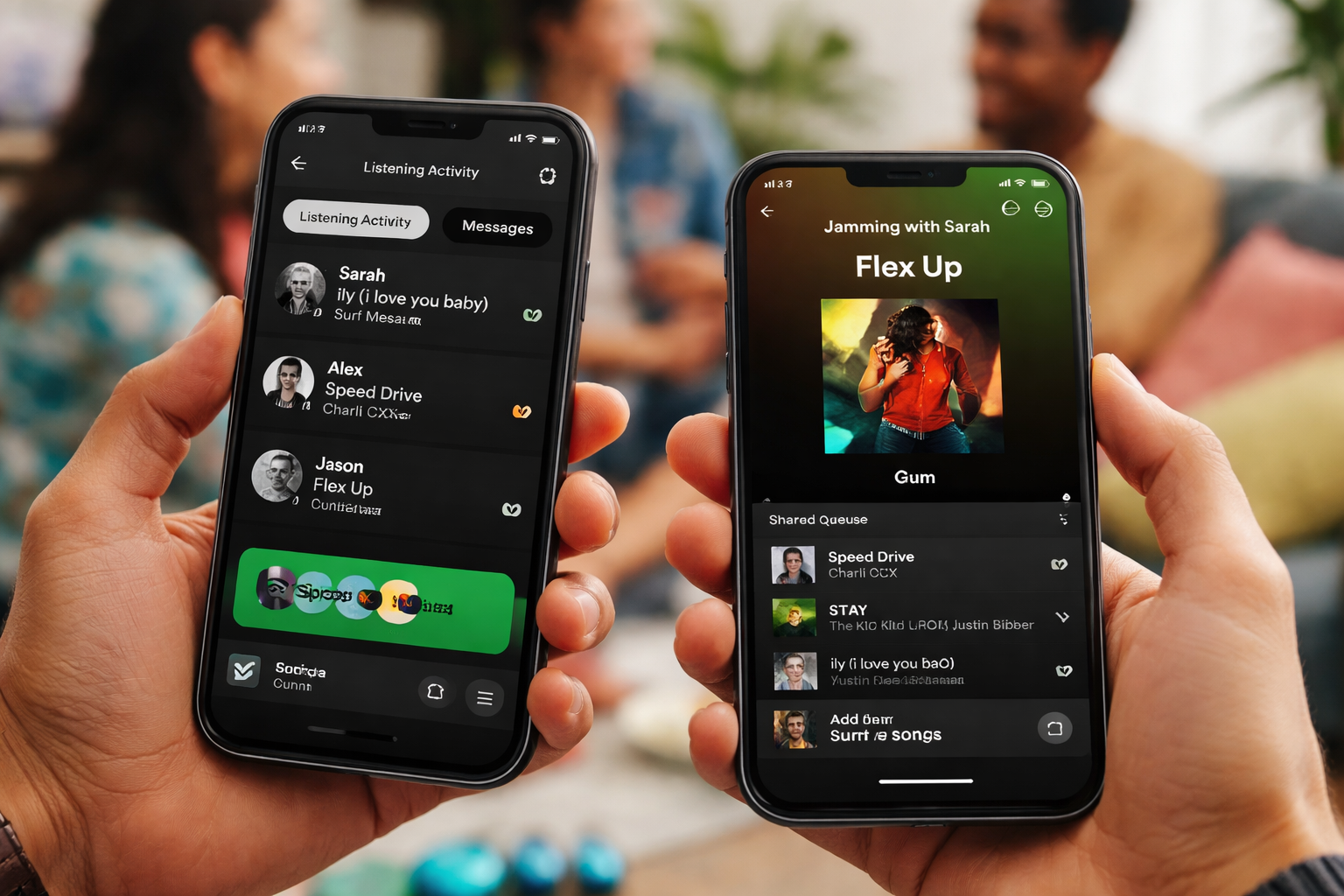
Listening Activity is a live feed showing what friends (or selected contacts) are listening to right now. It’s built for impulse discovery: you spot a track, tap it, save it, and suddenly your library has a new obsession—courtesy of someone else’s bad influence (the best kind).
Historically, this kind of “friend listening” visibility has been more common on desktop. Bringing it to mobile matters because mobile is where daily listening actually lives: commutes, gym sessions, late-night headphones, “one more track” loops.
Where you’ll see it
Spotify is tying these social upgrades to its in-app Messages environment. In practice, Listening Activity appears inside the messaging area as a quick-access view of what friends are playing, designed to turn “seeing” into “listening” in one or two taps.
“Request to Jam”: Shared Listening Without the Logistics
Spotify’s Jam feature already exists, but shared listening often comes with friction: links, QR codes, switching apps, awkward timing, the classic “can you see my invite?” routine.
Request to Jam is Spotify’s attempt to kill that friction. You’re already chatting in Spotify Messages. You’re already seeing what someone is playing. Now you can request a Jam right there—then, once accepted, you jump into a synchronized session where you can listen together and collaboratively build the queue.
In other words: less planning, more vibing.
Who can start it (and who can join)
Spotify is positioning this as a Premium-forward experience: Premium users typically get the most control to initiate and host, while invited friends can join depending on eligibility and availability in their region. The intent is clear: make the social moment easy to share, but keep Premium as the “power seat.”
How to Enable It (and Keep It From Getting Weird)
Real-time listening visibility is fun… right up until your friends catch you in a “sad piano covers at 2AM” phase. So Spotify is approaching Listening Activity with a key principle: it’s something you choose to share.
Privacy controls you should check
You’ll find Listening Activity settings under Spotify’s Privacy / Social controls (the exact naming can vary slightly by device and app version). The goal is simple: decide whether your listening shows to friends, and who you want in that circle.
Age and availability notes
Because these features sit inside Messages, availability depends on whether Spotify Messages is active in your market and on basic account eligibility rules (including minimum age requirements where applicable). If your Messages area doesn’t show the new options yet, you’re likely just ahead of the rollout curve—or in a region where Messages isn’t fully enabled.
Rollout: Why You Might Not See It Yet
Spotify doesn’t flip a global switch. It rolls out features in waves—region by region, account by account, sometimes even user group by user group.
So if you’re not seeing Listening Activity or Request to Jam on mobile:
- update the app,
- check the Messages section,
- verify your privacy/social settings,
- and keep in mind that staged releases are normal.
Why Spotify Is Doing This Now
For years, music sharing has happened outside Spotify: Instagram stories, TikTok clips, iMessage threads, Discord servers. Spotify benefited from that behavior, but it didn’t truly own the moment.
With Messages + Listening Activity + Request to Jam, Spotify is tightening the loop inside its app:
see what friends play → react → jump in → build a shared queue → discover more → repeat
That’s not just social polish. It’s strategy.
The upside for Spotify is obvious
- Longer sessions: checking friends’ activity and hopping into Jams keeps you in-app.
- Stronger retention: if your music friendships live inside Spotify, switching platforms feels like leaving your group chat behind.
- Better personalization signals: shared listening and queue decisions reveal taste in a more “human” way than solo listening alone.
What This Changes for Everyday Listeners
These features look small, but they change habits.
1) Discovery becomes ambient
Instead of actively hunting for new music, you discover passively. You open Messages, you see a friend’s track, you tap, you’re in. It’s discovery by proximity—like overhearing something great from the next room.
2) The algorithm gets a human co-sign
Recommendations are efficient, but emotionally neutral. A friend listening right now adds context: this track is working, in real life, for someone you know. That’s a powerful filter—sometimes better than any “For You” shelf.
3) Shared listening becomes casual
Request to Jam makes “listen together” feel more like sending a meme than organizing an event. Quick invite, quick yes, instant queue. Less “planning a session,” more “catch this vibe.”
What It Means for Artists, Labels, and Curators
From an industry angle, real-time social listening can amplify music through micro-communities, not just viral spikes.
A Jam is basically a mini listening party, and Listening Activity makes those moments visible. That can drive:
- more repeat plays (people re-queue what the group loved),
- more saves (instant “keep this” behavior),
- more playlist adds (taste spreads fastest inside friend clusters).
Genres built for shared energy—dance, electronic, hip-hop, pop hybrids, Afro house, club-driven sounds—stand to benefit because discovery happens in motion, not just in mood.
The Privacy Conversation Spotify Will Have to Get Right
Every real-time activity feature walks the same tightrope: discovery vs. surveillance.
Spotify’s challenge is to keep this social layer fun without making it feel like a scoreboard. That means:
- clear visibility controls,
- easy “off” switches,
- and a design that doesn’t punish people for keeping some listening private.
Because let’s be honest: everyone deserves at least one secret playlist.
The Bottom Line
Listening Activity on mobile and Request to Jam inside Messages aren’t flashy headline features. They’re behavioral infrastructure—tools that reshape how often you discover music, how quickly you share it, and how naturally you listen together.
Spotify is building a world where music isn’t just something you consume. It’s something you co-experience, in real time, without leaving the app.
And if that sounds like Spotify trying to become the DJ of your group chat… well. Exactly.