AudiartistAudiartist
  • Home
  • Freebie
    • Free FL Studio template
    • Free Kontakt sound
    • Free Preset
    • Free Sample Pack
    • Free Serum Preset
    • FREE VST
  • Music
    • Afro Music
    • Cinematic
    • Classical Music
    • Electro / House
    • Jazz
    • Latina Music
    • Lo-fi
    • New music release
    • Pop Music
    • Rock
    • Synthwave
  • Breaking News
  • Music Production
  • Music Promotion
  • Free Submission to Our Spotify Playlists
Font ResizerAa
AudiartistAudiartist
Font ResizerAa
  • Home
  • Freebie
  • Music
  • Breaking News
  • Music Production
  • Music Promotion
  • Free Submission to Our Spotify Playlists
Search
  • Home
  • Freebie
    • Free FL Studio template
    • Free Kontakt sound
    • Free Preset
    • Free Sample Pack
    • Free Serum Preset
    • FREE VST
  • Music
    • Afro Music
    • Cinematic
    • Classical Music
    • Electro / House
    • Jazz
    • Latina Music
    • Lo-fi
    • New music release
    • Pop Music
    • Rock
    • Synthwave
  • Breaking News
  • Music Production
  • Music Promotion
  • Free Submission to Our Spotify Playlists
Follow US
Audiartist > Music Production > Lo-Fi Sound Design: Dirtying Your Sound with Style
Music Production

Lo-Fi Sound Design: Dirtying Your Sound with Style

audiartist
Last updated: 30 mai 2025 11h29
audiartist
Share
4 Min Read
SHARE

In Lo-Fi music, imperfection isn’t a flaw — it’s the message. Each crackle, detuned synth, and fluttering delay brings warmth, nostalgia, and that oh-so-human feel. But there’s a fine line between a beautifully degraded sound… and a muddy mess. The secret? Dirtying your sound with taste.

Contents
  • 🧱 1. Choose the Right Source: Start Simple
  • 🌀 2. Add Texture: Hiss, Crackle & Noise
  • 🎛️ 3. Degrade Smartly: Bitcrush, Saturation, and Filtering
    • Recommended FX chain:
  • 🌫️ 4. Modulation & Imperfection: Movement Matters
  • 📼 5. Space, Not Shine: Reverbs & Delays
  • 🎹 Bonus: Lo-Fi Drum Sound Design
  • Final Word

Let’s explore how to design Lo-Fi textures and elements that hit all the right emotional frequencies — with free tools and timeless techniques.


🧱 1. Choose the Right Source: Start Simple

Before degrading anything, choose sounds that have space and character.

  • Use dry recordings of electric pianos, guitars, or mellow synths.
  • Avoid over-processed samples — leave room for FX.
  • Monophonic lines or chords often work better than rich polyphony in Lo-Fi.

Try this free instrument:
🔗 LABS Soft Piano – Emotional, intimate tone
🔗 Room Piano V3 by SampleScience


🌀 2. Add Texture: Hiss, Crackle & Noise

Lo-Fi thrives on background texture — not as a gimmick, but as a storytelling layer.

What to add:

  • Vinyl crackle
  • Tape hiss
  • Ambient room tone or field recordings

Free plugins:

  • 🔗 iZotope Vinyl – Add mechanical noise, dust, warp
  • 🔗 Tape Cassette 2 by Caelum Audio – Flutter + noise layers
  • 🔗 SampleScience Vinyl Crackles Generator

💡 Keep noise subtle. Let it “breathe” with the music instead of overpowering it.


🎛️ 3. Degrade Smartly: Bitcrush, Saturation, and Filtering

To “dirty” your sound tastefully, balance degradation with warmth.

Recommended FX chain:

  1. Saturation / Tape – Adds soft harmonic distortion
  2. Bitcrush – Reduces resolution for gritty edges
  3. EQ – Carve space, roll off highs/lows
  4. Filtering – Emulate old speakers or tape decks

Free plugins:

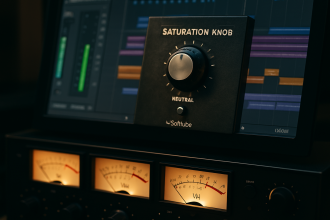
  • 🔗 Softube Saturation Knob
  • 🔗 Krush by Tritik – Bitcrusher + modulation
  • 🔗 TAL-Filter-2 – Rhythmic or sweeping filter

🌫️ 4. Modulation & Imperfection: Movement Matters

Add subtle movement with:

  • Wow & flutter (tape-style pitch instability)
  • Chorus (Juno-style analog warmth)
  • LFOs (slowly modulate filter or pitch)

Free tools:

  • 🔗 Chow Tape Model – Tape modeling, wow/flutter
  • 🔗 TAL-Chorus-LX – Iconic 80s chorus
  • 🔗 Blue Cat’s Chorus – Wide, lush modulation

💡 Use automation to let imperfection evolve over time.


📼 5. Space, Not Shine: Reverbs & Delays

Forget ultra-clean FX. Go for dark, smeared reverb and warm tape delays.

Free plugins:

  • 🔗 Valhalla Supermassive – Epic ambient tails
  • 🔗 Baby Comeback – Delay with ducking, ideal for lo-fi vox
  • 🔗 TAL-Reverb-4 – Retro plate style


🎹 Bonus: Lo-Fi Drum Sound Design

  • Layer a dry snare with a room reverb tail, then bitcrush it.
  • Use high-passed kicks to avoid heavy club low-end.
  • Add vinyl or field noise behind each hit to glue the rhythm.
  • Try A1TriggerGate for rhythmic glitch or tape bounce.

Final Word

Lo-Fi sound design is less about the tools — and more about intentional imperfection. It’s about telling a story, evoking a memory, or painting a feeling using grain, noise, and color.

So forget perfection. Color outside the lines.
Because Lo-Fi isn’t broken — it’s beautifully flawed.


Loading

TAGGED:ambient lo-fi toolsbitcrush vst freeChow Tape Modeldirty synth soundfilter vst freefree lo-fi pluginshow to make lo-fi musicizotope vinyl pluginkrush pluginlo-fi fx chainlo-fi music 2025lo-fi production tipslo-fi sound designlo-fi texture vsttape saturation free
Share This Article
Facebook Pinterest Tumblr Reddit Copy Link Print

Support us by buying us a coffee.

News

Sebastian McQueen: Deep Afro House Producer from Corsica
Afro Music Artists Electro / House Music Sebastian McQueen We love
Deezer vs the AI Deluge: How One Streaming Platform Is Drawing a Line in the Sand
Breaking News
Spotify’s New “Prompted Playlists”: When the Algorithm Starts Taking Orders
Breaking News
The Music Styles Set to Bloom in 2026
Music
SOL – Free Granular Reverb
FREE VST Freebie
Tyrian Tine
Free Kontakt sound Freebie

Top Acticles

Top 7 Free Music Distributors in 2025 
Music Promotion
How Spotify Pays Artists in 2025: A Complete Breakdown
Music Promotion
NAM Universal
FREE VST Freebie
Spotify’s Free Tier Update
Music Promotion
You’ve Been On My Mind by #R!sK
Music New music release Pop Music Synthwave We love
Yuri Semenov’s Free VST Plugin Collection
FREE VST

You Might Also Like

Music Production

The 5 Best VST Limiter Plugins for Music Production

27 mai 2024
Music Production

10 Simple Tips to Improve Your Mixes on a DAW

19 mai 2025
Music Production

The Most Popular Audio Formats in Music Production: What to Use and What to Avoid

17 avril 2025
Music Production

Free Saturation Plugins That Rival Paid Ones

30 mai 2025

Find Us on Socials

Artists

  • Nodachi
  • Snake Russell
  • Spycho Fox
  • Mister BoO
  • Sebastian McQueen

Freebie (Vst, Preset, Sample)

  • Freebie
  • Free FL Studio template
  • Free Kontakt sound
  • Free Preset
  • Free Sample Pack
  • Free Serum Preset
  • FREE VST
Welcome Back!

Sign in to your account

Username or Email Address
Password

Lost your password?