Free Stereo Widening Plugin
AV Spread: A Free Stereo Widener for Vocals and Instruments
Three simple widening modes for adding space, movement and layered stereo character without building a complex effects chain.
AV Spread by AngelicVibes is a free stereo-widening plugin designed for vocals, samples, melodies, synthesizers, drums and bass sounds. Released in July 2026, it focuses on quick results through three processing modes and three main controls.
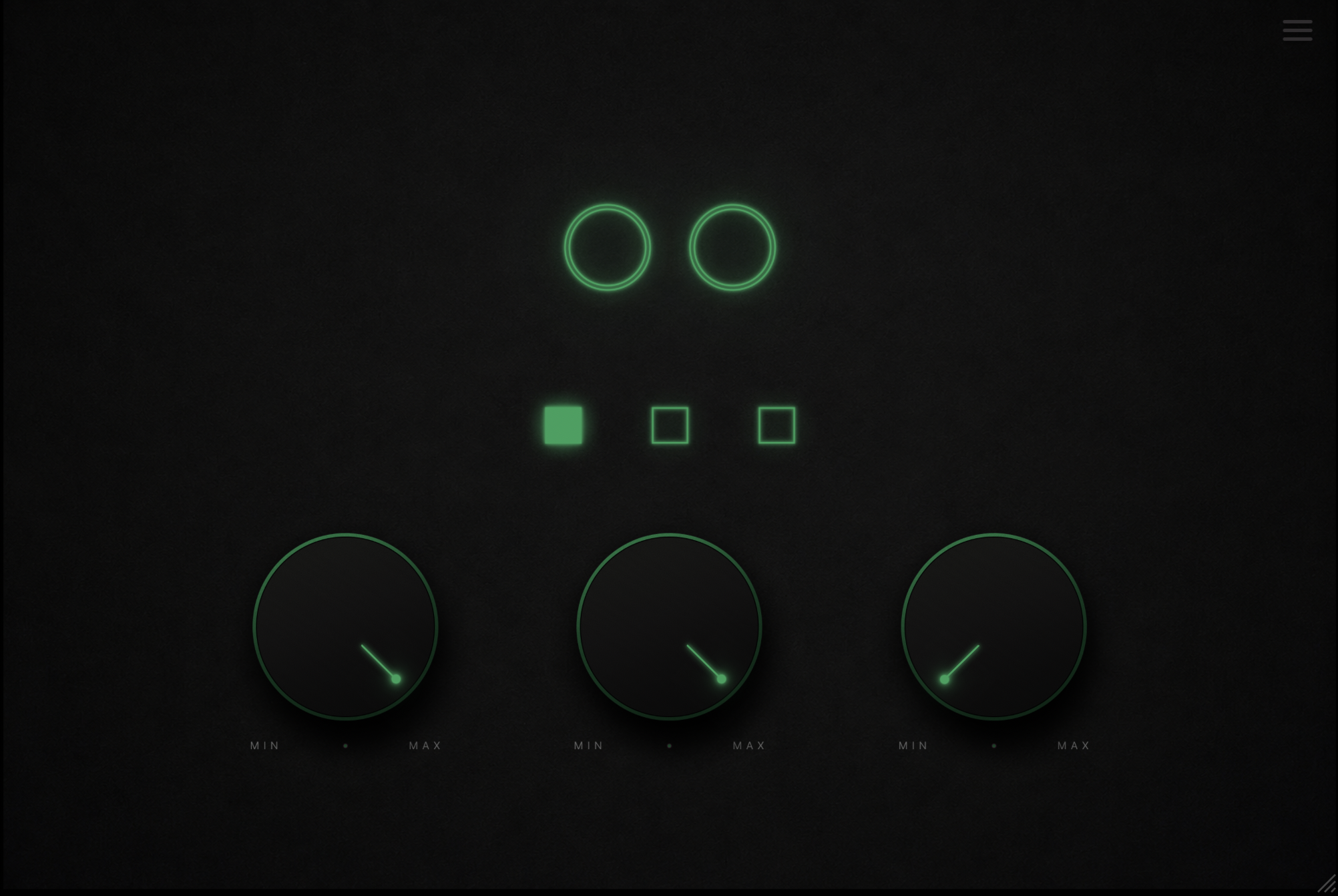
The plugin can create clean stereo separation, subtle pitch-based width or a thicker multi-voice effect. Instead of presenting producers with a large modulation system, AV Spread keeps the interface compact and changes the function of its third control according to the selected mode.
AV Spread is available for Windows and macOS in VST3 and Audio Unit formats. It is not a trial or time-limited demo, although a free AngelicVibes account is required to access the download.
AV Spread at a Glance
| Developer | AngelicVibes |
| Plugin type | Stereo widener and voice layering effect |
| Version | 1.0.1 |
| Formats | VST3 and Audio Unit |
| Platforms | Windows and macOS |
| Price | Free with an AngelicVibes account |
Three Different Widening Modes
AV Spread offers three modes rather than applying the same stereo process to every source. Each mode introduces width through a different combination of timing, pitch movement and voice layering.
Type 1: Spread
Spread is the main stereo-widening mode. It uses adjustable delay time to separate the left and right channels and make a mono or narrow source feel larger.
This mode is suitable for backing vocals, melodic samples, percussion and synthesizers that need additional space without an obvious modulation effect.
Type 2: Micro
Micro combines stereo width with subtle pitch shifting. The result is tighter and more controlled than a conventional chorus, making it useful for vocals, strings, pads and melodic layers.
The Detune control determines how much pitch difference is introduced. Lower values can provide gentle separation, while stronger settings create a more noticeable doubled character.
Type 3: Cloud
Cloud generates three stacked voices from the incoming signal and spreads them across the stereo field. Its Drift control introduces soft movement between the voices.
This is the most textural mode in the plugin. It can turn a simple lead, vocal phrase or pad into a thicker layer that feels closer to an ensemble or multi-tracked performance.
Three Main Controls
Spread controls the perceived width of the effect. Mix blends the original signal with the processed version. The third control becomes Time, Detune or Drift, depending on the selected mode.
All three knobs can be automated inside a compatible DAW, and the interface can be resized from its lower-right corner.
Where AV Spread Works Best
On backing vocals, the plugin can create separation between stacked takes and help the lead vocal remain centered. Type 2 is especially useful when a light doubling effect is required without recording another performance.
Pads, strings and sustained synthesizers can benefit from Type 3, which introduces additional voices and gentle movement. The Mix control makes it possible to retain the definition of the original patch while adding width behind it.
Short drum and percussion sounds can also become more spacious, although producers should monitor transient definition when using stronger settings. Hi-hats, shakers and claps generally tolerate stereo processing more easily than the main kick.
AV Spread can process bass sounds, but the lowest frequencies should usually remain stable and centered. Checking the result in mono is essential, particularly when delay or pitch differences are applied to low-frequency material.
Mono Compatibility and Mix Control
Stereo widening can create impressive results in headphones while introducing cancellation when the mix is played in mono. AV Spread should therefore be judged in both stereo and mono before a track is exported.
The Mix control is useful when a fully processed signal feels too diffuse. Blending a smaller amount of the widening effect often preserves the focus of the original source while adding enough space to make the arrangement feel larger.
For lead vocals and important melodic parts, subtle settings will usually translate better than maximum width. Wider is not automatically better, despite what every plugin interface with two glowing circles would like us to believe.
Compatibility and Installation
- Windows: VST3
- macOS: VST3 and Audio Unit
- Download size: Approximately 60 MB
- DAW support: Compatible with major hosts except Pro Tools
- Account required: Free AngelicVibes account
Run the supplied installer, reopen the DAW and rescan the plugin folders if AV Spread does not appear immediately. The developer recommends loading it as an effect on the relevant mixer or audio channel.
Licensing
AngelicVibes describes AV Spread and its other audio products as royalty-free. The plugin can be used while creating music for streaming releases, beats, client productions and audiovisual projects.
The licence does not transfer ownership of the plugin or its underlying content. Paid AngelicVibes products may not be shared or redistributed, while the developer’s FAQ currently permits sharing its free plugins.
Final Verdict
AV Spread is a focused free plugin for producers who want stereo width without opening a complicated modulation processor. Its three modes provide useful variation, moving from clean delay-based separation to pitch widening and stacked drifting voices.
The interface is approachable, the controls are automatable and the plugin can process a broad range of material. Careful mono checking remains important, but that applies to every stereo widener, including the expensive ones wearing more impressive gradients.
Download AV Spread from the official AngelicVibes website: