AudiartistAudiartist
  • Home
  • Freebie
    • Free FL Studio template
    • Free Kontakt sound
    • Free Preset
    • Free Sample Pack
    • Free Serum Preset
    • FREE VST
  • Music
    • Afro Music
    • Cinematic
    • Classical Music
    • Electro / House
    • Jazz
    • Latina Music
    • Lo-fi
    • New music release
    • Pop Music
    • Rock
    • Synthwave
  • Breaking News
  • Music Production
  • Music Promotion
  • Free Submission to Our Spotify Playlists
Font ResizerAa
AudiartistAudiartist
Font ResizerAa
  • Home
  • Freebie
  • Music
  • Breaking News
  • Music Production
  • Music Promotion
  • Free Submission to Our Spotify Playlists
Search
  • Home
  • Freebie
    • Free FL Studio template
    • Free Kontakt sound
    • Free Preset
    • Free Sample Pack
    • Free Serum Preset
    • FREE VST
  • Music
    • Afro Music
    • Cinematic
    • Classical Music
    • Electro / House
    • Jazz
    • Latina Music
    • Lo-fi
    • New music release
    • Pop Music
    • Rock
    • Synthwave
  • Breaking News
  • Music Production
  • Music Promotion
  • Free Submission to Our Spotify Playlists
Follow US
Audiartist > Music Production > How to Use Reverb in Music Production
Music Production

How to Use Reverb in Music Production

audiartist
Last updated: 1 avril 2025 16h13
audiartist
Share
4 Min Read
SHARE

How to Use Reverb in Music Production: A Beginner’s Guide to Depth and Space

Introduction
Reverb is one of the most powerful and emotional effects in music production. It can make a dry vocal sound like it’s in a cathedral or give drums a sense of distance and size. But if misused, it can muddy your mix fast. This beginner’s guide will help you understand how reverb works, the different types available, how to use it creatively and cleanly, and what settings matter most when adding depth and space to your tracks.

Contents
  • How to Use Reverb in Music Production: A Beginner’s Guide to Depth and Space
  • AUDIARTIST

What Is Reverb and Why Use It?
Reverb is the natural reflection of sound in a space. It occurs when sound bounces off surfaces before reaching your ears. In digital audio, reverb is used to simulate real or artificial environments—like a room, hall, or plate—and make elements in a mix feel more cohesive, spacious, or emotional.

Why reverb is essential:

  • Adds realism and atmosphere
  • Places instruments in a 3D space
  • Creates emotional impact
  • Helps glue elements together in the mix

Types of Reverb and When to Use Them

  1. Room Reverb – Small, tight spaces. Great for subtle presence and live feel.
  2. Hall Reverb – Big, lush sound. Perfect for vocals, pads, orchestral instruments.
  3. Plate Reverb – Bright, smooth, classic. Great on vocals and snares.
  4. Spring Reverb – Vintage, boingy feel. Common in guitar amps.
  5. Convolution Reverb – Uses impulse responses to replicate real-world spaces with high accuracy.
  6. Algorithmic Reverb – Generated mathematically, flexible and lightweight.

Key Reverb Parameters to Know

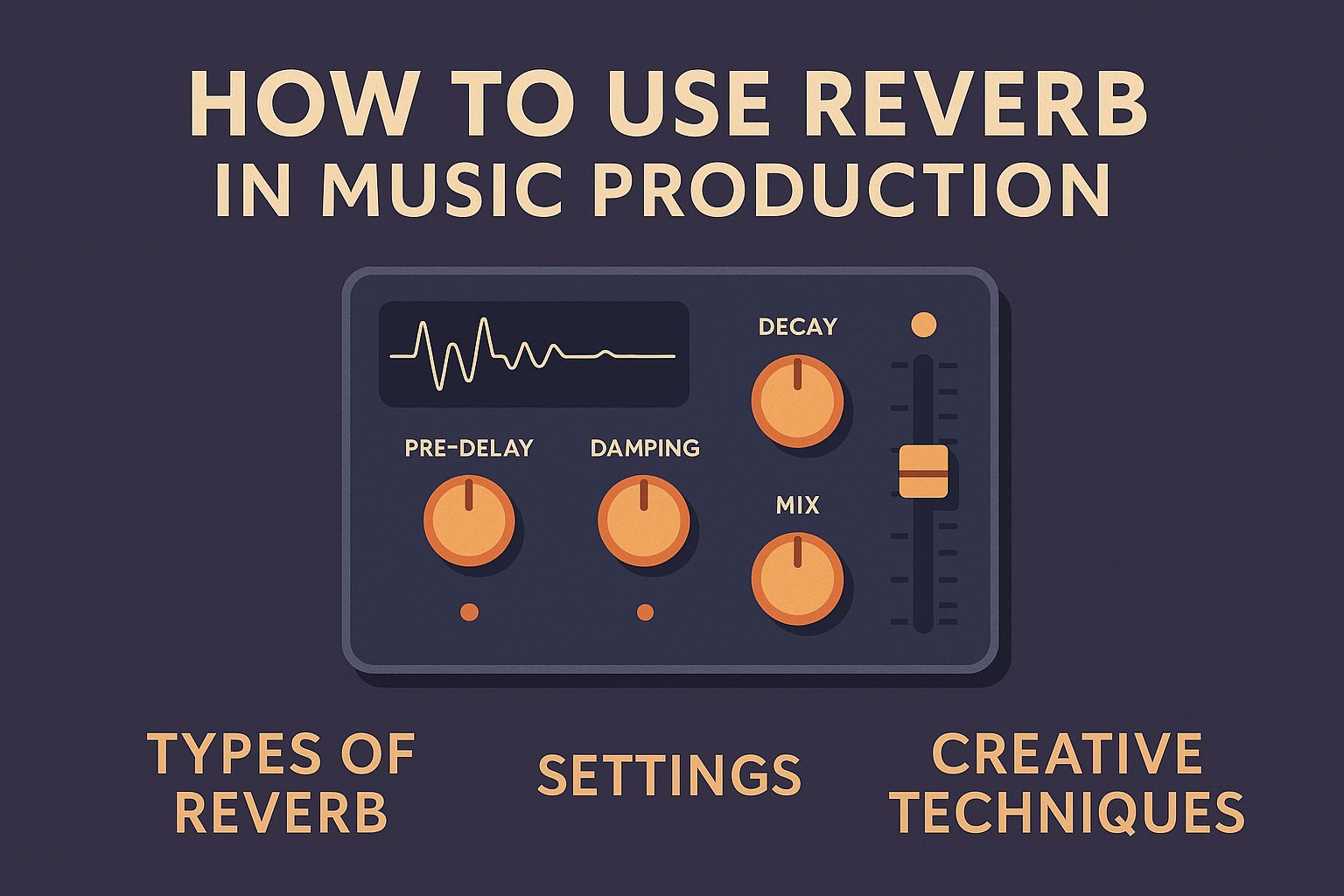
  • Pre-Delay: Time between dry signal and reverb start. Adds clarity.
    Example: 30ms on vocals helps them pop in the mix.
  • Decay/Time: How long the reverb lasts. Longer = bigger space.
    Example: 2s for hall, 0.5s for room.
  • Damping: Controls how quickly high frequencies fade. Use it to prevent harshness.
    Example: More damping = warmer reverb.
  • Wet/Dry Mix: Balance between original sound and reverb.
    Use sends/returns for better control in mixing.

Creative Reverb Techniques

  • Reverb Throw: Automate the reverb send on specific words (great for vocals).
  • Reverse Reverb: Reverb tail comes before the word—eerie and cool for effects.
  • Stereo Widening: Use reverb to add stereo width to mono sounds.
  • Reverb EQ: Always EQ your reverb return to remove mud (high-pass and low-pass).

Common Reverb Mistakes to Avoid

  • Using too much on every track → results in a washed-out mix
  • Not EQing the reverb tail → causes mud and clutter
  • Same reverb on all sounds → flattens your stereo image
  • No pre-delay on vocals → vocals sink into the mix

Free and Paid Reverb Plugins to Try

Free Plugins

  • Valhalla Supermassive (lush, modulated spaces)
    https://valhalladsp.com/shop/reverb/valhalla-supermassive/
  • OrilRiver (high-quality hall and room reverb)
    https://www.kvraudio.com/product/orilriver-by-denis-tihanov
  • TAL-Reverb-4 (vintage character reverb)
    https://tal-software.com/products/tal-reverb-4

Paid Plugins

  • Valhalla VintageVerb – Classic tones, clean and musical
    https://valhalladsp.com/shop/reverb/valhalla-vintage-verb/
  • FabFilter Pro-R – Highly tweakable and natural-sounding
    https://www.fabfilter.com/products/pro-r-reverb-plug-in
  • Seventh Heaven by LiquidSonics – Stunning convolution reverb
    https://www.liquidsonics.com/software/seventh-heaven/

Conclusion
Reverb is more than just an effect—it’s an essential mixing tool for depth, vibe, and emotion. Learn how each type sounds, use your ears to find the right balance, and always EQ your reverb for a clean result. Whether you’re making ambient tracks or tight pop mixes, reverb will help you place your sounds in space and give them life beyond the speakers.

Download a free reverb plugin today, and experiment with subtle and extreme settings. The space is yours to create.


 

Loading

AUDIARTIST

Music news, production & promotion updates, the best VSTs, free presets.

We don’t spam! Check our privacy policy for more information.

Check your inbox or spam folder to confirm your subscription.

TAGGED:ambient effects for vocalsbest reverb pluginscreative reverb techniquesEQ reverb returnhow to use reverbmusic production reverbreverb decay settingsreverb for beginnersreverb mixing tipstypes of reverb
Share This Article
Facebook Pinterest Tumblr Reddit Copy Link Print

Support us by buying us a coffee.

Subscribe to our newsletter.

AUDIARTIST

Music news, production & promotion updates, the best VSTs, free presets.

We don’t spam! Check our privacy policy for more information.

Check your inbox or spam folder to confirm your subscription.

News

Why Artists Should Think Like Developers: Versioning, Release Notes, and A/B Testing in Modern Music Promotion
Music Promotion
Sebastian McQueen Makes Souls Speak on “Soulful Voices”
Afro Music Artists Electro / House Music New music release Sebastian McQueen We love
Dynamic EQ Explained: The “Smart EQ” That Only Moves When Needed
Music Production
Micro-Communities: The Most Powerful but Most Ignored Promotion Strategy of 2026
Music Promotion
Kyller: Marseille’s Northside Prospect Turning Urban Heat Into Melody
Music New music release Urban We love
Apostola lights up the season with “Christmas Smiles”
Music New music release Pop Music We love

Top Acticles

Top 7 Free Music Distributors in 2025 
Music Promotion
How Spotify Pays Artists in 2025: A Complete Breakdown
Music Promotion
NAM Universal
FREE VST Freebie
Spotify’s Free Tier Update
Music Promotion
You’ve Been On My Mind by #R!sK
Music New music release Pop Music Synthwave We love
Yuri Semenov’s Free VST Plugin Collection
FREE VST

You Might Also Like

Music Production

The Best VSTi for Generating Bass Lines: A Comprehensive Guide

7 juin 2024
Music Production

Limiters, Compressors, and Clippers

31 mai 2024
Music Production

The 10 Best Grand Piano VST Plugins in 2025

3 juin 2025
Music Production

Discover the Rigid Grand by Rigid Audio!

7 juin 2024

Find Us on Socials

Artists

  • Nodachi
  • Snake Russell
  • Spycho Fox
  • Mister BoO
  • Sebastian McQueen

Freebie (Vst, Preset, Sample)

  • Freebie
  • Free FL Studio template
  • Free Kontakt sound
  • Free Preset
  • Free Sample Pack
  • Free Serum Preset
  • FREE VST

News

  • Why Artists Should Think Like Developers: Versioning, Release Notes, and A/B Testing in Modern Music Promotion
  • Sebastian McQueen Makes Souls Speak on “Soulful Voices”
  • Dynamic EQ Explained: The “Smart EQ” That Only Moves When Needed
  • Micro-Communities: The Most Powerful but Most Ignored Promotion Strategy of 2026
  • Kyller: Marseille’s Northside Prospect Turning Urban Heat Into Melody
Welcome Back!

Sign in to your account

Username or Email Address
Password

Lost your password?