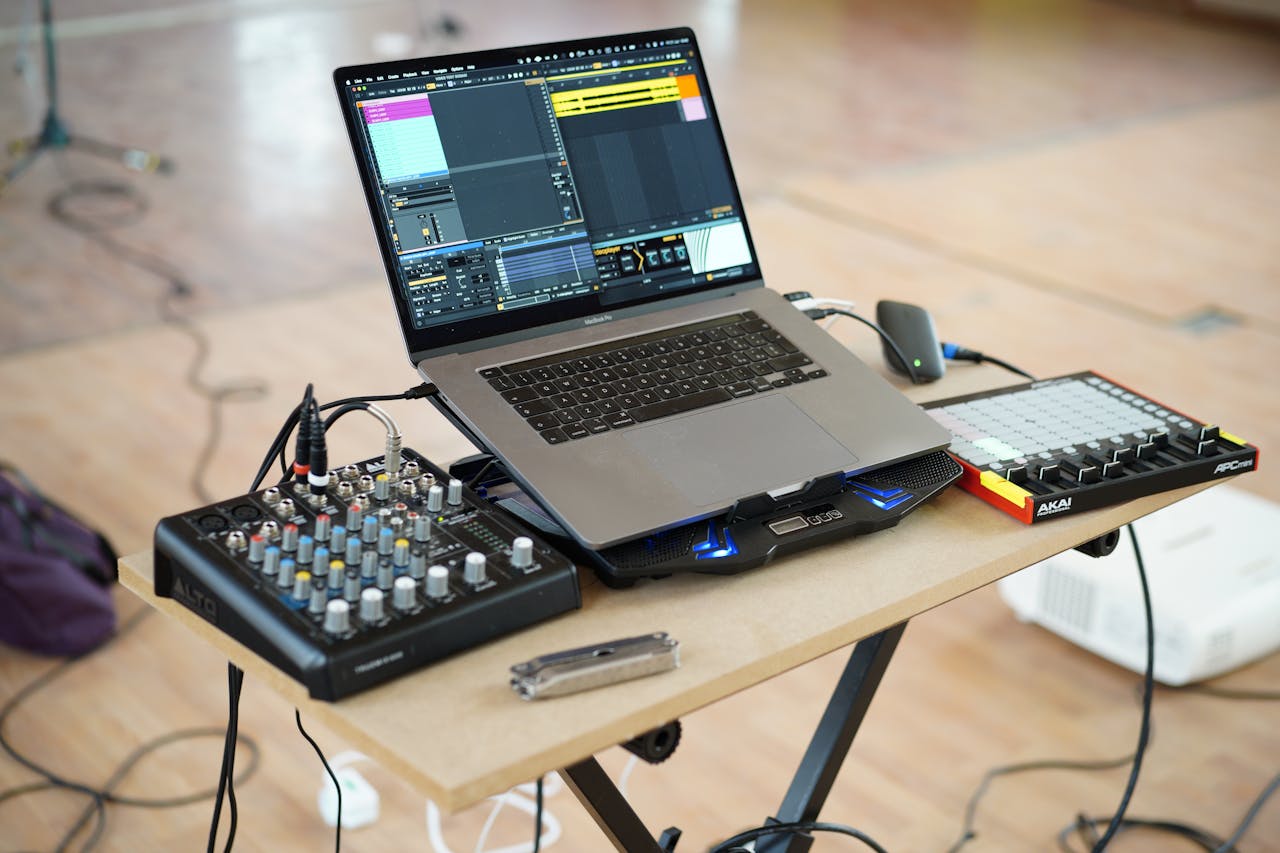

Starting music production in 2026 is easier than ever to enter—and harder than ever to focus. The tools are powerful, affordable, and everywhere. So the real challenge isn’t “Can I produce?” It’s “Can I build a simple setup and a repeatable workflow that actually leads to finished beats?”
This guide is a practical foundation: pick a DAW, choose a lean starter plugin kit (VSTs), build one reliable session template, and get your first week of music done without drowning in options.
The 2026 mindset: simple wins beat endless tools
The modern trap is not lack of gear—it’s unlimited gear. If you collect plugins like trading cards, your brain will stay in “shopping mode,” not “finishing mode.” Your goal for the first month is brutally simple:

- One DAW
- One core sound palette
- One repeatable workflow
- Short projects finished fast
Once you can finish a 90-second beat that knocks, you can scale up to full tracks, collaborations, and releases.
Step 1: Choose a DAW you’ll actually use
A DAW (Digital Audio Workstation) is your production cockpit. In 2026, most major DAWs can do everything—so pick based on workflow, not internet debates. Here are the best beginner-friendly options for beatmaking, with official links.
Ableton Live (fast workflow, sampling, performance mindset)
Ableton is famous for quick idea capture and a fluid “Session View” that makes building loops addictive—in a good way. Great for electronic music, hip-hop, and anything built from patterns and clips.
- Official: Ableton Live
- Free interactive basics (excellent for beginners): Ableton Learning Music
FL Studio (pattern-based beatmaking, classic hip-hop workflow)
FL Studio remains a beatmaking favorite because patterns, drums, and piano roll work feel immediate. If you want “start a loop in 5 minutes,” this is a strong pick.
- Official: FL Studio
Studio One (clean workflow, strong audio + song tools)
Studio One is a modern, streamlined DAW with fast arranging, good stock tools, and an interface that stays out of your way—great when you want to move from loop to full track without friction.
- Official: PreSonus Studio One
Logic Pro (Mac-only, great value, deep stock instruments)
If you’re on Mac, Logic is one of the best “buy once, get a whole studio” options. Its included instruments and effects can carry you for years.
- Official: Logic Pro
REAPER (budget-friendly, flexible, lightweight)
REAPER is powerful, stable, and affordable. It can be as simple or as deep as you want—excellent if you like customizing your setup.
- Official: REAPER
Bitwig Studio (creative modulation, modern sound design)
Bitwig is for producers who love experimentation and modular-style control, with a very modern workflow.
- Official: Bitwig Studio
Practical rule: Download trials, spend 60 minutes in each, and ask one question: Which one makes me finish a loop fastest? That’s your DAW.
Step 2: Build a minimal starter plugin kit (VSTs) that covers everything
You don’t need 200 plugins. You need a small toolkit that covers:
- one synth for leads/basses
- one drum source (samples or drum instrument)
- a few mix essentials (EQ, compressor, reverb, delay, limiter)
- metering so you don’t mix blind
Below is a clean, modern starter stack with official links—mix of free and paid—built for beatmaking.
Core instruments: synths and playable sounds
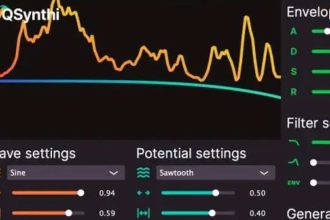
A modern free synth that can do almost anything
- Vital (free + paid tiers): sharp UI, modern sound, great for basses/leads/pads.
Vital
Another excellent free synth (open-source, massive)
- Surge XT: powerful, versatile, ideal for learning synthesis without limits.
Surge XT
A legendary “learn synthesis” classic (free)
- Dexed: FM-style sounds inspired by classic hardware, great for keys and retro textures.
Dexed
Realistic and weird-in-a-good-way instruments (free)
- Spitfire LABS: pianos, textures, guitars, cinematic colors—perfect for atmosphere and melodies.
Spitfire LABS
A free starter bundle from a major brand (free)
- Native Instruments Komplete Start: lots of usable instruments and sounds to begin quickly.
Komplete Start
The paid “workhorse synth” many producers swear by (optional)
- Xfer Serum: not required, but still a go-to for modern electronic and bass-heavy genres.
Serum
Drums and samples: where beats become beats
You can start with your DAW’s stock drum tools, but if you want a reliable sample pipeline:
- Splice Sounds (subscription, huge library):
Splice Sounds - Loopcloud (subscription/library options):
Loopcloud
If you prefer owning packs outright:
- Cymatics (lots of genre-focused packs):
Cymatics
Tip that saves your future self: Create a folder structure now:
Samples / Drums / KicksSamples / Drums / SnaresSamples / Drums / HatsSamples / FXSamples / One-shotsSamples / Loops
Your creativity likes speed. Your file system should be a good roadie, not a mystery novel.
Mix essentials: clean, modern tools (free first)
EQ (free)
- TDR Nova: dynamic EQ that can act like a smarter tone shaper.
TDR Nova
Metering (free)
- Voxengo SPAN: spectrum analyzer staple—see what your ears are guessing.
Voxengo SPAN
Loudness meter (free)
- Youlean Loudness Meter: helps you avoid “too loud, too crushed” exports.
Youlean Loudness Meter
Multi-effects bundle (free)
- MeldaProduction MFreeFXBundle: a toolbox of useful utilities.
MFreeFXBundle
Clean, minimal effects (free/paid)
- Kilohearts Essentials: lightweight, quick to use.
Kilohearts Essentials
Creative effects: reverb, delay, vibe (where personality lives)
- ValhallaDSP reverbs and delays (paid, beloved for a reason):
ValhallaDSP - Soundtoys (paid, character effects—delay, saturation, movement):
Soundtoys
If you’re on a tight budget, start with your DAW stock effects, add one “vibe” plugin later.
Optional upgrade: mastering-style finishing (don’t overdo it early)
- iZotope Ozone (paid, all-in-one finishing suite):
Ozone
Use tools like this to polish, not to rescue messy mixes. No plugin can fix a kick that’s fighting your bass like it owes money.
Step 3: Get your audio basics right (the unsexy part that changes everything)
Latency: the #1 beginner frustration
If your notes feel delayed, you won’t enjoy producing. Aim for low-latency settings while recording, and higher buffer sizes while mixing.
If you’re on Windows and need a basic driver layer:
Monitoring: headphones first, then speakers
A reliable headphone is often a better early investment than cheap speakers in a bad room. If you use speakers, place them symmetrically and reduce reflections (even basic room treatment helps).
Gain staging: stay out of the red
A clean habit: keep your master peaking below -6 dB while producing. It gives your mix room to breathe, and your limiter won’t panic.
Step 4: Create one “starter template” session and stop rebuilding your studio daily
Your first production template should load fast and cover the essentials:
Suggested track layout
- Drum bus
- Kick
- Snare/Clap
- Hats
- Percs
- Bass / 808
- Chords / Keys
- Lead
- FX (risers, impacts, ear candy)
- Vocal placeholder (even if you don’t have vocals yet)
- Reference track (muted by default)
Suggested buses and routing
- All drums → Drum Bus
- Music elements → Music Bus
- Everything → Pre-Master → Master
Starter processing (light, not heavy)
- On Drum Bus: gentle EQ + light glue compression (or none)
- On Music Bus: subtle EQ shaping
- On Pre-Master: a limiter disabled by default, used only for quick loudness checks
Templates aren’t about making music “generic.” They’re about removing friction so your ideas survive the first five minutes.
Step 5: The “first week” plan (so you actually produce)
Here’s a realistic 7-day foundation plan that builds skill fast:
Day 1: Build a drum loop you like (8 bars)
- Use only kick, snare/clap, hat.
- Focus on groove and spacing.
Day 2: Add a bass/808 that locks with the kick
- Keep it simple: root notes first.
- Then add movement only where the groove asks for it.
Day 3: Add chords or a melodic loop
- Use one sound source (Vital or LABS).
- Commit to a key and stay consistent.
Day 4: Arrange into a full structure (1:30 to 2:00)
- Intro → drop → variation → outro.
- Add two small variations, not ten big ideas.
Day 5: Clean mix pass (30 minutes)
- Volume balance first.
- Then EQ problems, not EQ “because.”
Day 6: Bounce and reference
- Export WAV.
- Compare with one reference track at a similar loudness.
- Fix only the biggest issue.
Day 7: Finish and archive
- Export stems.
- Save the project cleanly.
- Start the next beat. Momentum is the superpower.
Common beginner mistakes (and what to do instead)
Mistake: “I need better plugins.”
Instead: Learn your stock tools + one synth deeply. Your speed will multiply.
Mistake: “My mix sounds weak, so I’ll master harder.”
Instead: Fix the arrangement and low-end relationship first. Loudness comes after clarity.
Mistake: “I’ll start once my setup is perfect.”
Instead: Start with imperfect tools and a perfect routine. Consistency beats specs.
A clean starter stack you can copy today
If you want a simple “do-this-now” list:
Choose one DAW
- Ableton Live / FL Studio / Studio One / Logic Pro / REAPER
Install 5 key plugins
- Synth: Vital
- Instruments: Spitfire LABS
- EQ: TDR Nova
- Metering: Voxengo SPAN
- Loudness: Youlean Loudness Meter
Pick one sample source
That’s enough to start producing seriously—today, not “after one more plugin review.”
What “good progress” looks like in 30 days
If you follow the foundation approach, success is not owning a mountain of tools. It’s measurable output:
- 8–12 short finished beats
- 2–3 full arrangements
- A template that loads in seconds
- A sound palette you understand
- A workflow you can repeat on tired days
That’s how producers get dangerous—in the best way.
If you want, I can write the next article in the series (still foundations) as a companion piece: “Your First DAW Template for Beatmaking: Routing, Buses, and a 10-Minute Setup” with screenshots-style descriptions for your preferred DAW.