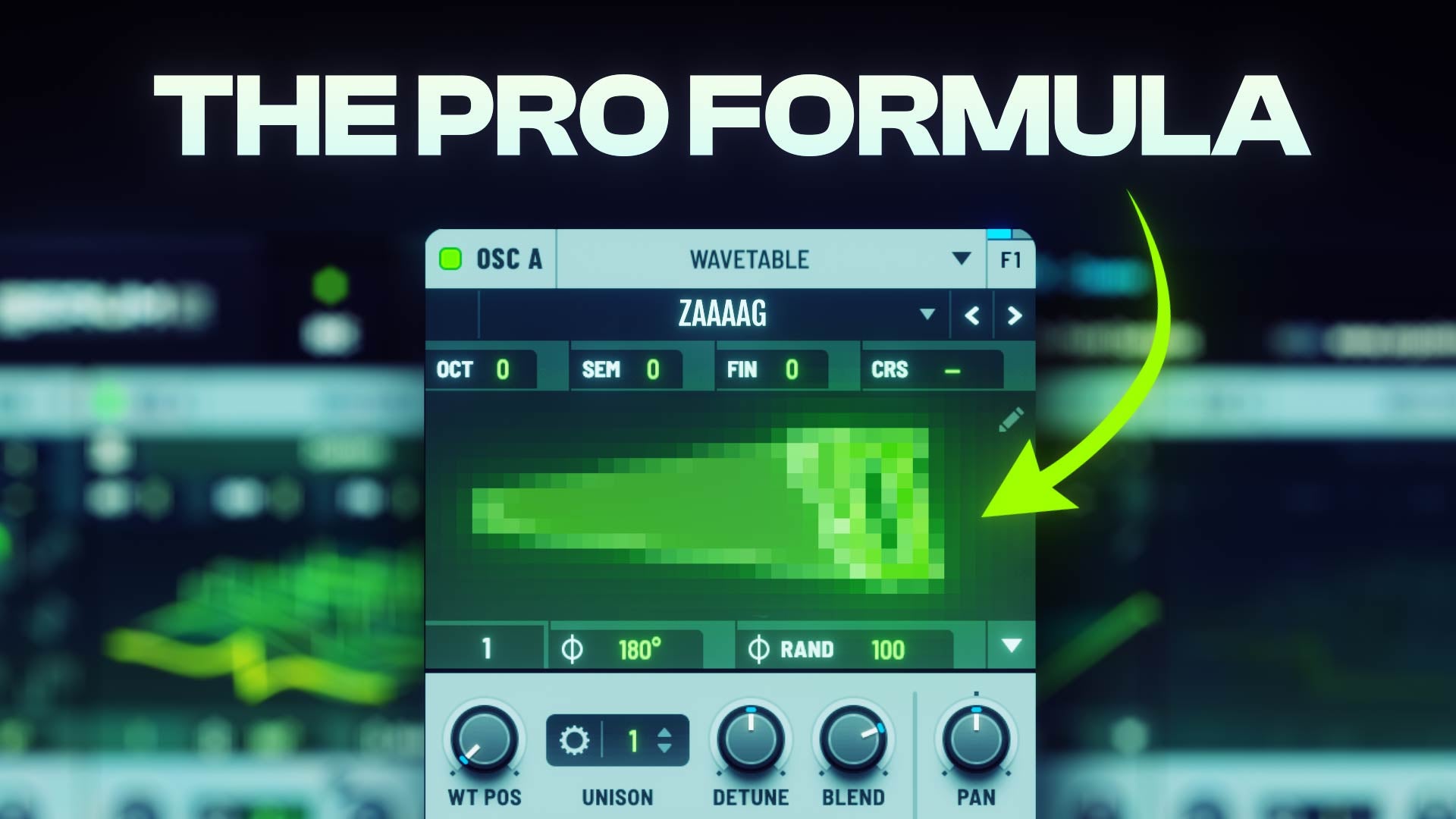

Free Serum 2 Zaag Kicks by On Point Samples is a free sound-design pack created for producers working on rawstyle, uptempo, hard techno and other harder electronic genres.
The collection includes more than 45 presets for Xfer Records Serum 2, alongside 20 rendered Zaag kicks, matching synth patches, a tutorial preset and an FL Studio project. Unlike many free sound packs, the download is available instantly from the official developer website without requiring an email signup.

What Is Included in Free Serum 2 Zaag Kicks?
The pack provides a focused collection of Serum 2 patches and rendered audio designed around modern Zaag kick production.
- 45+ Serum 2 presets
- 20 rendered Zaag kicks
- 20 matching Serum 2 kick presets
- 25+ additional Serum 2 presets
- One tutorial preset
- One FL Studio project file
- Instant download
- No email signup required
This combination makes the pack useful both as a ready-to-use sound library and as a learning resource. Producers can drag the rendered kicks directly into a project or open the corresponding presets to examine how the sounds were built inside Serum 2.
What Is a Zaag Kick?
A Zaag kick is a highly distorted electronic kick commonly associated with modern rawstyle and uptempo production. Its character is built around an aggressive tonal tail that often resembles a cutting, buzzing or sawing texture.
Unlike a conventional acoustic kick, a Zaag kick is usually designed as a complete rhythmic and tonal sound. The transient, body, distortion and moving tail all contribute to the groove of the drop.
The strongest Zaag kicks are not simply louder versions of standard hardstyle kicks. They rely on controlled distortion, harmonic movement, phase relationships and carefully shaped modulation.
Designed Specifically for Serum 2
The presets use the expanded architecture of Serum 2 rather than functioning as a simple collection of older Serum patches placed inside a new folder.
Serum 2 provides additional synthesis modes, more advanced effect routing, expanded warp processing and improved modulation options. These features make it particularly suitable for designing complex kicks with several layers of distortion and movement.
On Point Samples uses multiple distortion chains and a central LFO to control the overall movement of the Zaag sound. This approach gives producers more control over the kick tone than relying on a single static distortion stage.
Multiple Distortion Chains for Better Tone Control
One of the main concepts demonstrated by the pack is the separation of the Zaag sound into several processing chains.
Instead of sending the entire kick through one distortion unit, different parts of the sound can be processed independently. One chain may emphasize upper-mid aggression, while another preserves low-frequency weight or adds additional harmonic movement.
These chains are then controlled by a central modulation source, allowing the timbre to evolve over the duration of the kick.
This method gives producers greater control over:
- Midrange aggression
- High-frequency texture
- Low-end weight
- Distortion movement
- Tonal character
- Kick-tail rhythm
20 Rendered Zaag Kicks
The pack includes 20 audio renders that can be used immediately inside a DAW.
These WAV files are useful for producers who want quick results without loading Serum 2 or studying the complete sound-design chain. They can be placed directly into a sampler, audio track or drum rack.
Rendered kicks also reduce CPU usage compared with running several synthesizer and distortion stages in real time.
However, the matching Serum 2 presets provide significantly more flexibility because the sound can be adjusted before it is rendered.
20 Matching Serum 2 Presets
Each of the 20 main Zaag kicks is accompanied by a corresponding Serum 2 preset.
This allows producers to open the original patch and modify parameters such as modulation depth, distortion, filtering, pitch movement and effects.
A preset can therefore become the starting point for a completely new kick rather than remaining a fixed sound used by every producer who downloads the pack.
25 Additional Serum 2 Presets
Alongside the main Zaag kick patches, the collection contains more than 25 additional Serum 2 presets.
These extra sounds expand the creative value of the pack beyond the 20 rendered kicks. They can be used to explore alternative distortion structures, tonal variations and additional harder-style sound-design ideas.
For producers learning Serum 2, examining several related presets is often more useful than downloading a single finished patch because it reveals how different routing and modulation choices affect the result.
Tutorial Preset and FL Studio Project
The included tutorial preset and FL Studio project make this pack more educational than a conventional preset bank.
The project allows FL Studio users to examine the kick inside a complete production environment. They can inspect the MIDI triggering, arrangement context and additional processing used around the Serum 2 patch.
Users of Ableton Live, Studio One, Cubase, Logic Pro or another DAW cannot open the FL Studio project directly, but they can still use the presets and rendered WAV files.
The official tutorial explains the sound-design strategy behind the pack, including the use of several distortion chains and a central LFO to shape the movement of the kick.
How to Use the Presets in Serum 2
After downloading and extracting the pack, place the preset files inside the Serum 2 preset folder.
- Open Serum 2 inside your DAW.
- Open the preset browser.
- Locate the user preset folder.
- Copy the downloaded preset folder into the appropriate directory.
- Rescan or refresh the preset browser if necessary.
Keep any included wavetables, noises or additional files in their original folder structure. Moving supporting files separately may cause certain presets to load incorrectly.
How to Customize a Zaag Kick
A preset should be treated as a starting point rather than a finished sound that cannot be changed.
Adjust the Main LFO
The LFO controls much of the movement inside the kick. Changing its curve can alter the rhythm, aggression and tonal evolution of the tail.
Small adjustments often produce more usable results than completely redrawing the modulation shape.
Experiment with Distortion
Increasing distortion does not always make a kick more powerful. Excessive processing can remove low-end definition and create harsh frequencies that become difficult to mix.
Adjust distortion while listening at a moderate monitoring level and compare the result with the unprocessed preset.
Control the High Frequencies
Zaag kicks can produce a large amount of upper-mid and high-frequency energy. A narrow resonance around the most aggressive area can quickly become tiring.
Use an EQ after Serum 2 to control unwanted peaks rather than reducing the entire high-frequency range.
Protect the Sub Frequency Range
The sub region should remain stable and compatible with the key of the track.
When experimenting with heavy distortion, check the kick through a spectrum analyzer and make sure the fundamental is not being masked by uncontrolled harmonics.
Using the Pack for Rawstyle
Rawstyle producers can use the presets as the main kick element inside a drop or combine them with separate punch layers.
A common workflow is to use a short and controlled punch at the beginning of the sound, followed by the longer Zaag tail from Serum 2.
Separating the punch and tail allows both elements to be processed independently before they are grouped together.
Using Zaag Kicks in Uptempo
At faster tempos, kick tails must remain rhythmically precise. Excessively long sounds can overlap and create uncontrolled low-frequency buildup.
Shorten the release, adjust the LFO timing and render several variations before selecting the version that fits the groove.
Automation can also be used to change the Zaag character between sections, preventing a fast drop from becoming repetitive.
Useful for Hard Techno and Industrial Production
The sounds are primarily aimed at harder-style production, but they can also be adapted for hard techno, industrial techno and experimental electronic music.
Reducing the pitch movement and controlling the distorted tail can transform a rawstyle Zaag kick into a shorter industrial percussion sound.
The presets can also be resampled, reversed or processed through additional filters to create impacts, fills and transition effects.
Resampling Workflow
Resampling is one of the best ways to turn the included presets into original material.
- Load a Serum 2 preset.
- Record several notes and parameter variations.
- Render the performance to audio.
- Cut the most useful sections into separate samples.
- Apply additional EQ, clipping or transient shaping.
This workflow reduces CPU usage and makes it easier to create several kick variations from one patch.
Mixing Tips for Zaag Kicks
Do Not Overcompress
The presets already contain substantial internal processing. Heavy compression can reduce punch and make the sound feel smaller rather than more powerful.
Use Clipping Carefully
A clipper can control peaks and increase perceived loudness, but excessive clipping will flatten the transient and exaggerate harsh distortion.
Check the Kick in Mono
The low end should remain stable when the track is played in mono. Excessive stereo processing below approximately 100 or 120 Hz may cause phase cancellation on club systems.
Leave Space for Other Elements
A large Zaag kick occupies a significant part of the frequency spectrum. Basses, leads and screeches may require careful arrangement and sidechain processing to avoid masking.
Who Should Download This Pack?
Free Serum 2 Zaag Kicks is particularly useful for:
- Rawstyle producers
- Uptempo producers
- Hardstyle sound designers
- Hard techno producers
- Industrial electronic producers
- FL Studio users
- Serum 2 users learning kick synthesis
Producers working exclusively in softer genres may find the sounds too aggressive, although the patches can still provide useful examples of advanced modulation and distortion routing.
Requirements
- Synthesizer: Xfer Records Serum 2
- Preset format: Serum 2 presets
- Audio content: WAV kick renders
- Project file: FL Studio project
- Price: Free
- Download method: Instant official download
- Email signup: Not required
Final Verdict
Free Serum 2 Zaag Kicks is more than a folder of aggressive kick samples.
The combination of rendered audio, matching Serum 2 patches, additional presets, a tutorial patch and an FL Studio project gives producers several ways to use and study the material.
Beginners can start with the ready-made WAV files, while more experienced sound designers can open the presets and rebuild the distortion, modulation and tonal movement around their own production style.
With more than 45 presets and 20 rendered kicks available without an email signup, this is a strong free resource for rawstyle and harder electronic producers in 2026. The sounds are deliberately brutal, but the download process is refreshingly painless.
Download Free Serum 2 Zaag Kicks from the official On Point Samples website:
https://onpointsamples.com/products/free_serum2zaag