Ghosthack Free Serum 2 Presets: 11 Sounds With Full Macro Control
Atmospheres, basslines, leads and sound effects designed to explore the expanded synthesis and performance controls of Serum 2.
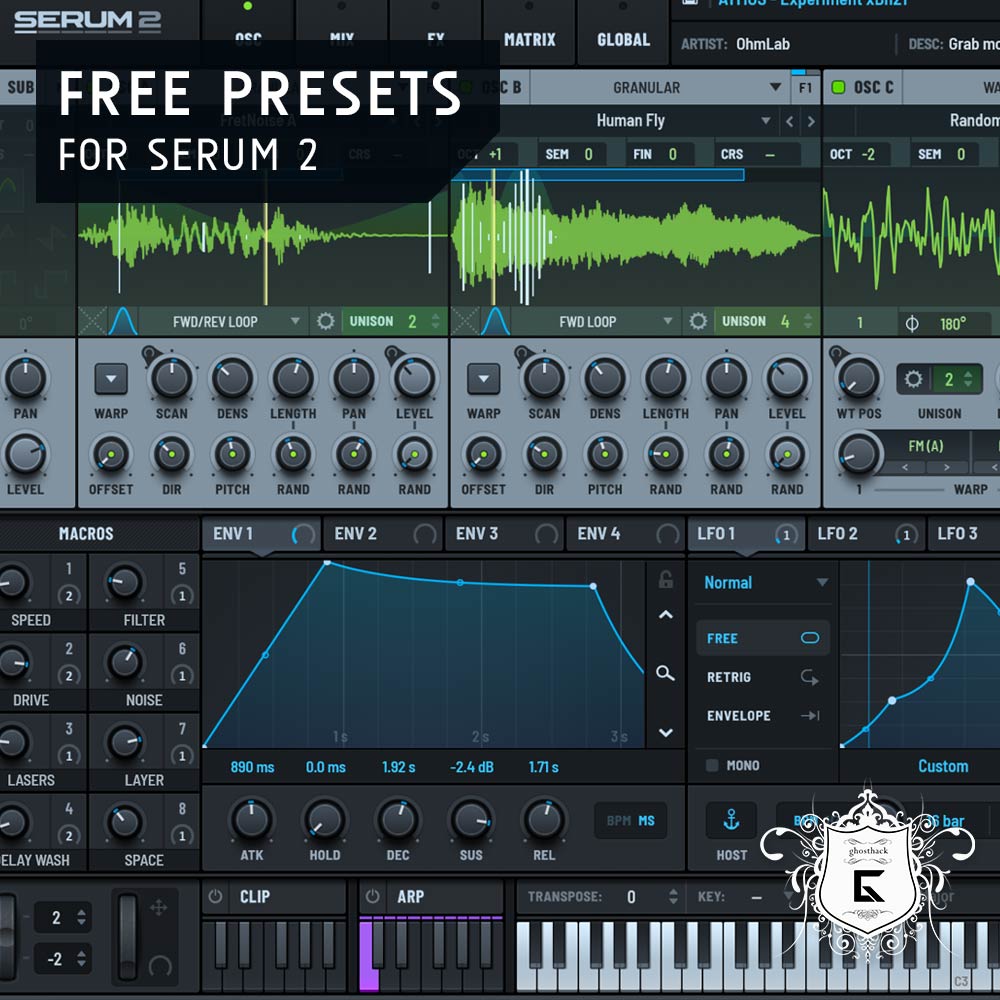
Free Serum 2 Presets by Ghosthack is a compact free soundbank created for producers using Xfer Records Serum 2.
The collection contains 11 presets covering atmospheric textures, basslines, leads and sound effects. Every patch uses all eight macro controls, giving producers immediate ways to reshape the sound without opening every modulation page.
The pack is designed specifically for Serum 2. It is not a standalone plugin, and Serum 2 must already be installed before the presets can be loaded.
Free download: Ghosthack provides the complete preset pack without payment. A name and email address are required, and the download is delivered through the company’s newsletter system.
What Is Ghosthack Free Serum 2 Presets?
This free soundbank is a focused introduction to preset design inside Serum 2. Rather than offering hundreds of loosely organised sounds, Ghosthack provides 11 patches covering several practical production roles.
The collection includes sounds for melodic writing, low-end production, cinematic atmosphere and creative transitions. This makes it suitable for producers who want a small bank they can explore quickly instead of another preset folder that requires its own search committee.
Main advantage: Every preset uses all eight Serum 2 macros, providing direct control over tone, movement, effects and performance characteristics.
What Is Included?
- 11 presets created for Xfer Records Serum 2
- Atmospheric and evolving textures
- Bassline presets
- Lead sounds
- Sound effects
- Eight assigned macros on every preset
- Royalty-free usage rights
- Free delivery by email
Ghosthack does not publish a detailed filename-by-filename preset list on the visible download page. The confirmed categories are atmospheres, basslines, sound effects and leads.
Eight Macros for Faster Sound Shaping
The use of all eight macro controls is one of the most useful aspects of the pack. Macros can combine several internal parameters under a single control, making complex changes easier to perform and automate.
Depending on the preset, a macro may influence filter movement, distortion, oscillator balance, spatial effects, envelope timing or modulation depth.
This makes the sounds more flexible than static patches. Instead of loading a preset and accepting its original character, producers can adjust its intensity and behaviour to match a specific arrangement.
Automation idea
Record macro movement during a breakdown or transition, then render the performance to audio. One preset can produce several risers, textures and evolving layers without opening another instance of the synth.
Atmospheric Presets
The atmospheric sounds can provide background movement, ambient layers and cinematic textures. They are suitable for intros, breakdowns and quieter sections where a static pad might feel too predictable.
Producers can use the macro controls to change the density or brightness of a patch gradually. Slower automation can create an evolving bed behind chords, vocals or melodic instruments.
For more original results, record a long note or chord to audio, then reverse, stretch or pitch the recording. This can transform a synth preset into a transition or atmospheric sample unique to the project.
Bassline Presets
The bass sounds provide starting points for electronic low-end parts. They can be used for repeating basslines, drop sections or layered with a cleaner sub-bass when additional weight is required.
Before adding external distortion, explore the assigned macros and Serum 2’s internal processing. The preset may already contain enough harmonic movement to remain audible on smaller playback systems.
Bass tip: Keep the lowest frequencies stable and check the patch in mono. Wider movement can remain in the midrange while the fundamental stays focused around the centre.
Lead Sounds
The lead presets can support hooks, melodic phrases and energetic drop sections. Their macro assignments provide quick ways to change expression during a performance.
Try automating one macro at the end of every phrase rather than applying the same setting throughout the entire arrangement. Small changes in brightness, movement or effect intensity can make a repeated melody feel less mechanical.
When a lead sounds impressive in isolation but disappears inside the mix, reduce unnecessary reverb and delay before adding more EQ or volume. A drier lead often remains clearer above busy drums and basses.
Sound Effects
The sound-effect presets can be used for transitions, impacts, sweeps and more experimental production details.
Because every patch includes eight macros, producers can record several variations from the same preset. Changing macro positions before each render can create a personalised folder of effects without designing every sound from an empty patch.
Transitions: Record longer macro movements and place them before drops or section changes.
Impacts: Render shorter sounds, then layer them with drums or cinematic hits.
Textures: Stretch atmospheric effects and place them quietly behind the main arrangement.
Resampling: Reverse, pitch or process recorded variations to create new material.
Best Uses
EDM: Use the leads, basses and effects for drops, builds and melodic sections.
House and Techno: Adapt the basslines and atmospheric patches for club-oriented arrangements.
Drum and Bass: Resample bass patches and automate macros for additional movement.
Ambient and cinematic music: Use the atmospheres for evolving backgrounds and transitions.
Experimental production: Record macro performances and transform them into new audio material.
How to Make the Presets More Original
Begin with the macro controls because they were intentionally programmed to change important parts of each sound.
After finding a useful macro position, adjust the envelope timing to fit the rhythm of the track. Shorter releases can tighten basses and leads, while longer settings are more suitable for atmospheres.
Next, reduce or rebalance the built-in effects. Factory-style preset demonstrations often use generous reverb and delay because spacious sounds are impressive when auditioned alone. Inside a complete mix, less can be considerably more useful.
Mixing reminder: Do not increase every macro simultaneously simply because eight knobs are available. Sound design is still music production, not trying to unlock a safe before the chorus arrives.
Serum 2 Requirement
This preset pack requires Xfer Records Serum 2. The synthesizer is not included with the download.
- Required instrument: Xfer Records Serum 2
- Included content: 11 Serum 2 presets
- Macro controls: All eight macros used on every patch
- Standalone instrument: No
- Serum 2 included: No
- Download method: Email delivery
- Newsletter signup: Required for access
- Usage rights: Royalty-free
How to Download the Presets
The collection is delivered from the official Ghosthack website through an email form.
- Open the official Ghosthack free preset page.
- Enter your name and email address.
- Submit the form to request the free download.
- Check the inbox and spam folder for the delivery email.
- Download and extract the supplied archive.
- Place the files inside the appropriate Serum 2 preset location.
- Refresh the Serum 2 preset browser if the sounds do not appear immediately.
Ghosthack states that submitting the form also gives permission to receive occasional promotional newsletters. Users can unsubscribe later through the link included in those emails.
Final Verdict
Ghosthack Free Serum 2 Presets is a compact but practical soundbank for producers who want to explore several types of Serum 2 patches without downloading a huge collection.
The selection of atmospheres, basslines, leads and effects covers several common production roles, while the eight assigned macros make every preset easier to personalise and automate.
The main limitation is the small number of sounds and the required newsletter registration. However, the pack is free, royalty-free and designed specifically around Serum 2’s performance controls.
For producers who already own Serum 2, these 11 presets provide a useful set of starting points without asking the hard drive to organise another small continent of sounds.
Download the Free Serum 2 Presets
Get all 11 presets from the official Ghosthack website.