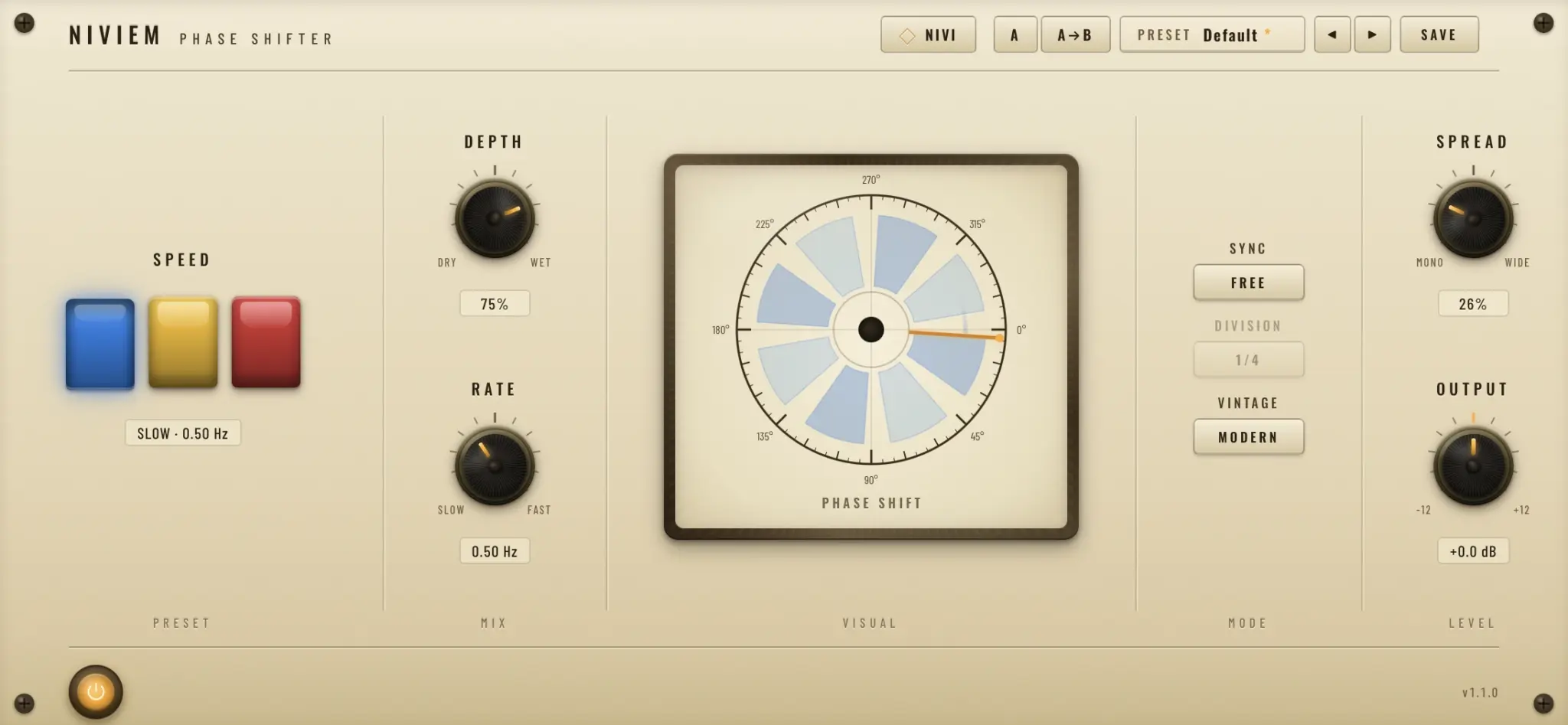

Phase One is a free phaser plugin developed by Niviem and released in May 2026. Inspired by the classic PS-1A Phase Shifter from 1971, it combines vintage six-stage phasing with modern tempo synchronization, stereo controls and flexible rate adjustment.
The plugin is completely free and includes 30 factory presets, A/B comparison and zero-latency processing. It is available in VST3 and Audio Unit formats for compatible Windows and macOS systems.
Main Features
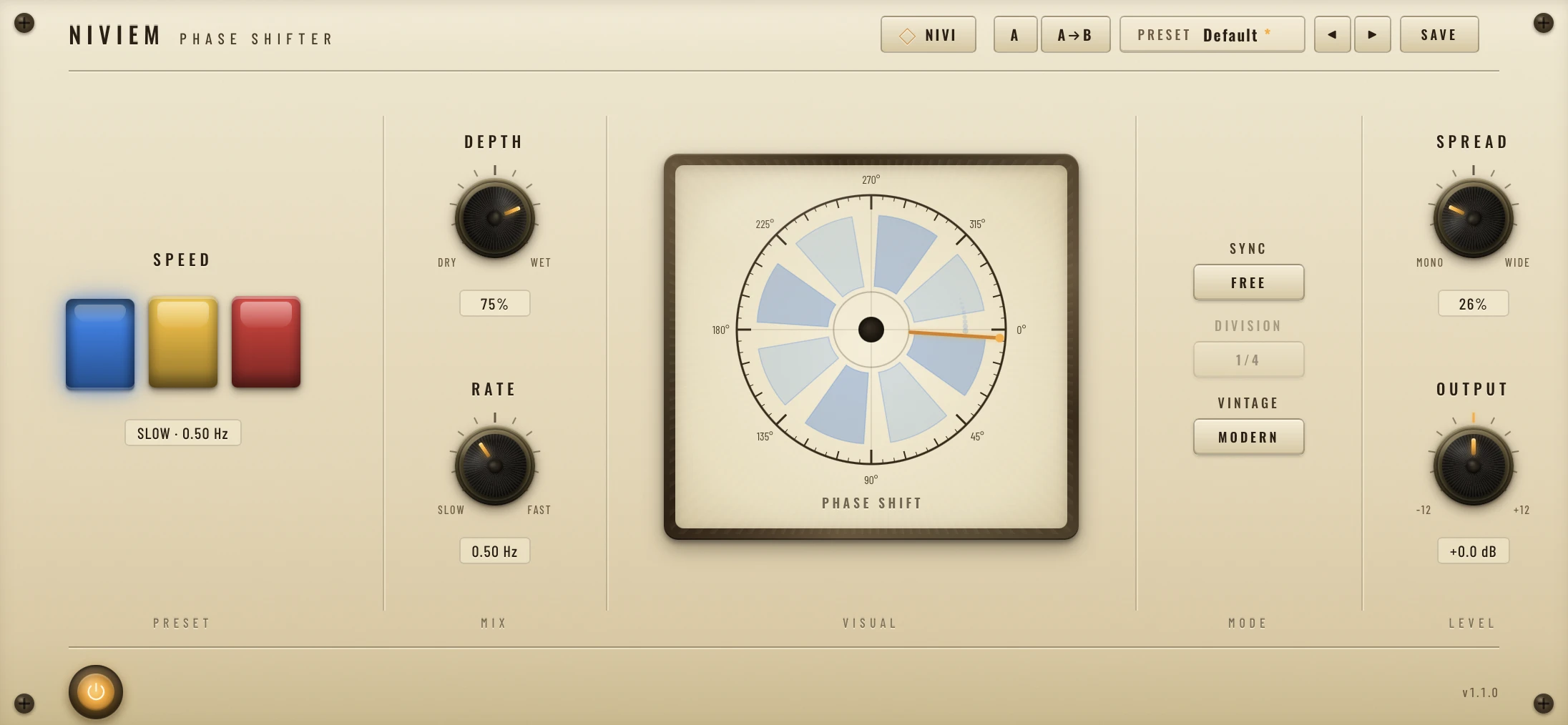
- Six-stage all-pass phaser architecture
- Three sweeping frequency notches
- Slow, Medium and Fast speed presets
- Continuous rate control from 0.05 to 12 Hz
- Tempo synchronization with 15 musical divisions
- Triplet and dotted-note timing options
- Adjustable stereo spread
- Vintage and Modern operating modes
- Leslie-style acceleration and deceleration
- 30 factory presets across seven categories
- A/B comparison system
- Zero-latency processing
Vintage Character with Modern Control
Phase One uses a six-stage all-pass cascade that creates three moving notches across the frequency spectrum. This produces a deeper and more complex modulation effect than simpler two-stage or four-stage phasers.
The Vintage mode focuses on the original signal path and its three fixed speed settings: 0.5 Hz, 1 Hz and 6 Hz. Switching between these speeds creates smooth acceleration and deceleration rather than an abrupt jump, similar to the behaviour of a rotating speaker system.
Modern mode adds continuous rate control, adjustable depth, tempo sync and stereo spread. Producers can therefore move from subtle vintage movement to wider, rhythmically synchronized effects without changing plugins.
Best Uses
Electric Guitars
Phase One works naturally on clean electric guitars, funk rhythms and sustained chords. Slow settings create gentle movement, while faster rates produce more obvious psychedelic and vintage rock textures.
Use moderate depth settings when the guitar needs to remain clear behind a vocal. More extreme settings are better suited to intros, transitions and exposed instrumental sections.
Synths and Keyboards
Pads, electric pianos, organs and analog-style synths can benefit from the plugin’s smooth modulation. Tempo-synchronized settings are particularly useful for arpeggios and rhythmic chord patterns.
The stereo spread control can widen sustained sounds without requiring a separate chorus effect. Keep the spread lower on bass-heavy patches to maintain a stable centre image.
Drums and Percussion
Applied subtly, Phase One can add movement to hi-hats, shakers, cymbals and percussion loops. Faster settings can also create unusual fills and transition effects.
Parallel processing is often the most controlled approach. Place the plugin on an effect return and blend the phased signal beneath the original drums.
Vocals and Sound Design
Background vocals, ad-libs and spoken phrases can be transformed with synchronized phasing. Automating the rate or depth near the end of a phrase can create movement without affecting the entire performance.
The effect can also be used on field recordings, noise textures and cinematic layers to produce evolving sweeps and mechanical atmospheres.
How to Use Phase One
Start by choosing Vintage or Modern mode. Vintage mode is useful for immediate retro movement, while Modern mode provides more detailed control over timing and stereo width.
For a subtle effect, select the Slow speed, reduce the Depth control and keep the stereo spread near the centre. For stronger rhythmic movement, enable tempo sync and select a division that complements the groove.
The included presets are organized into categories such as Subtle, Classic, Modern, Synced, Vintage and Creative. These provide useful starting points before adjusting the controls for a specific track.
Production Tips
Use tempo sync on rhythmic material: Match the modulation cycle to the project tempo when processing arpeggios, percussion or repeating chord patterns.
Keep bass frequencies centred: Reduce stereo spread on basses and low synth parts to avoid weakening the low end.
Automate speed changes: Switching between Slow, Medium and Fast creates smooth ramps that work well during transitions.
Compare at equal volume: Use the output trim to prevent louder settings from appearing automatically better.
Try it before distortion: Placing the phaser before saturation can emphasize its moving harmonics and create a more animated tone.
Compatibility
Phase One is available in VST3 format for Windows 10 or later. macOS users can install either the VST3 or Audio Unit version on macOS 11 or newer.
The macOS build supports Intel and Apple Silicon processors. The plugin operates at sample rates from 44.1 to 192 kHz and introduces no processing latency.
Final Verdict
Phase One is a focused free phaser that successfully combines vintage modulation with practical modern controls. Its six-stage design, smooth speed ramping, tempo sync and stereo spread make it useful for guitars, synths, drums, vocals and experimental sound design.
The interface is clear, the presets are well organized and the plugin avoids unnecessary complexity. It will not repair a dull arrangement, but it can at least make the dull arrangement rotate elegantly around the room.
Download Phase One from the official website:
https://niviem.net/products/phase-one/