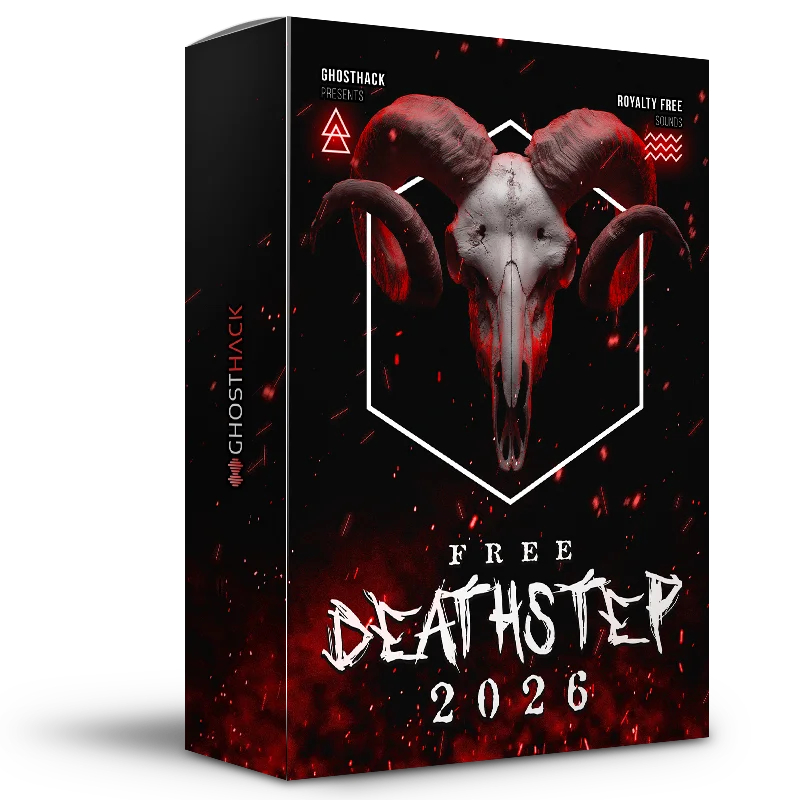
Free Deathstep Sounds 2026 is a complete royalty-free sample pack created by Ghosthack for producers working on Deathstep, Dubstep, Tearout and other aggressive forms of bass music. The library contains 205 audio and MIDI files, including bass loops, separated drum stems, melody loops, one-shots and sound effects.
The pack is genuinely free to download from Ghosthack’s official website. It is not limited by a trial period, and all included files can be used in commercial music projects. With 121 MB of production-ready material, it provides enough content to build new ideas without simply acting as a tiny preview of a paid library.
What Is Included?
Free Deathstep Sounds 2026 contains 205 files divided across loops, one-shots and MIDI material. The collection focuses on the core elements required for heavy bass production rather than filling the download with endless variations of the same kick drum.
- Bass loops for aggressive drops and distorted rhythmic sections
- Stem-separated drum loops for more flexible mixing
- Melody loops for intros, breakdowns and atmospheric layers
- Bass one-shots for custom patterns and sampler instruments
- Drum one-shots for building original kits
- Sound effects for transitions, impacts and arrangement details
- Melodic one-shots for resampling and sound design
- MIDI files for changing notes, instruments and harmonies
The complete library has an unpacked size of approximately 121 MB. This makes it relatively compact compared with multi-gigabyte sample bundles, while still offering enough variety for several productions.
Main Features
One of the pack’s strongest features is the combination of ready-made loops and editable production elements. Producers who want to work quickly can drag a bass or drum loop directly into the timeline, while those looking for more control can use the one-shots and MIDI files to build completely new sequences.
The separated drum stems are particularly useful. A full drum loop may sound impressive on its own, but individual stems make it easier to rebalance the kick, snare, cymbals and percussion. They also allow producers to remove unwanted elements or combine different sections from several loops.
The inclusion of MIDI files adds further flexibility. Instead of being locked to the original melody, producers can change the notes, rhythm, key or virtual instrument. A MIDI phrase can therefore become a distorted synth lead, an orchestral layer, a metallic pluck or a completely resampled bass texture.
Best Uses
Deathstep and Heavy Dubstep Drops
The pack is primarily designed for aggressive bass music. Its bass material can be used as the foundation of a drop, layered with sub-bass or chopped into shorter rhythmic phrases. Producers can also resample the loops through distortion, filtering, frequency shifting or granular effects to create more personal variations.
Tearout and Industrial Bass
The harder material can fit Tearout, Industrial Dubstep and hybrid bass productions. Drum stems can be layered with metallic percussion, cinematic impacts or distorted acoustic recordings to make the rhythm section feel larger and less predictable.
Game and Trailer Sound Design
The one-shots and effects are not limited to conventional music production. Bass hits, impacts and aggressive textures can also work in game audio, action trailers, horror cues and dark cinematic sound design.
Short sounds can be pitched down, reversed or stretched to create transitions, creature effects and mechanical movements. Sometimes a bass one-shot only needs a little reverb and poor emotional stability to become a convincing monster sound.
Experimental Resampling
Producers working outside Deathstep can still use the pack as raw sound-design material. A harsh bass loop can be transformed into percussion, ambience or a rhythmic texture through extreme time-stretching and spectral processing.
The melodic content can also be chopped for Trap, Drum and Bass, Industrial Techno or experimental electronic music. The genre label provides direction, but it does not need to become a production contract.
How to Use the Pack
Start by previewing the files at the tempo of your current project. When using loops, check their key and timing before building the arrangement around them. Small timing adjustments can make a large difference in heavy bass music, where the relationship between kick, snare and bass transients needs to remain precise.
For the bass loops, consider splitting the signal into frequency bands. Keep the low frequencies controlled and mono, then process the midrange separately with distortion, compression or stereo modulation. This preserves sub-bass stability while allowing the more audible part of the sound to become wider and more aggressive.
Drum stems can be routed to a dedicated bus for compression and clipping. Avoid pushing every element equally. A heavily clipped snare may work well, while the cymbals and upper percussion often need more headroom to prevent the mix from becoming unnecessarily harsh.
MIDI files should be treated as starting points rather than finished compositions. Change the notes, alter the rhythm and test different synth patches. Even a small edit can move the result away from the original phrase and make it fit the identity of your track.
Production Tips
Build a clean sub layer: Complex bass loops may contain unstable low frequencies. Add a separate sine or triangle sub underneath and high-pass the main bass layer where necessary.
Resample several versions: Process the same bass sound through different effects, record the results and keep only the strongest moments. This often produces a more controlled drop than placing ten processors on one live channel.
Use automation: Automate filters, distortion levels, stereo width and reverb sends to create movement between phrases.
Check the phase: Layered bass sounds and drum samples can lose power when their waveforms conflict. Use polarity inversion, sample alignment or phase tools when the low end feels unexpectedly weak.
Leave space: Heavy production does not require every channel to play continuously. Short silences before major hits can make the drop feel more powerful than another layer of distortion.
Compatibility
The audio files can be imported into any modern DAW or sampler that supports standard audio formats. This includes Ableton Live, FL Studio, Logic Pro, Studio One, Cubase, Reaper, Bitwig Studio, Reason and Pro Tools.
The MIDI files require a virtual instrument or hardware synthesizer. They contain note and performance information rather than audio, allowing users to select their own sounds and adjust the musical content freely.
No dedicated plugin, Kontakt instrument or Ghosthack software is required to use the pack.
Final Verdict
Ghosthack Free Deathstep Sounds 2026 is a focused but versatile library for producers who need aggressive basses, flexible drum material, melodic loops, effects and MIDI files without paying for a larger commercial bundle.
The separated stems and editable MIDI content give it more practical value than a basic folder of finished loops. It can support fast songwriting, detailed resampling and heavier sound-design sessions across Deathstep, Dubstep, Tearout, Industrial Bass and cinematic production.
With 205 royalty-free files and commercial usage rights, the pack offers a substantial free toolkit rather than a decorative handful of samples. Your speakers may file a complaint, but your download folder probably will not.
Download Free Deathstep Sounds 2026 from the official website:
https://www.ghosthack.de/free_sample_packs/advent-calendar-2025-day-12-free-deathstep-sounds-2026