Gain Knob is a free utility plugin released by Parish Audio in July 2026. Designed for simple but essential signal-flow adjustments, it combines gain control, stereo balancing, mono monitoring and polarity inversion inside one compact interface.
The plugin is available as a free VST3 download for Windows and macOS. It can be inserted anywhere in a processing chain to control levels before or after compressors, saturation effects, amp simulators and other plugins.
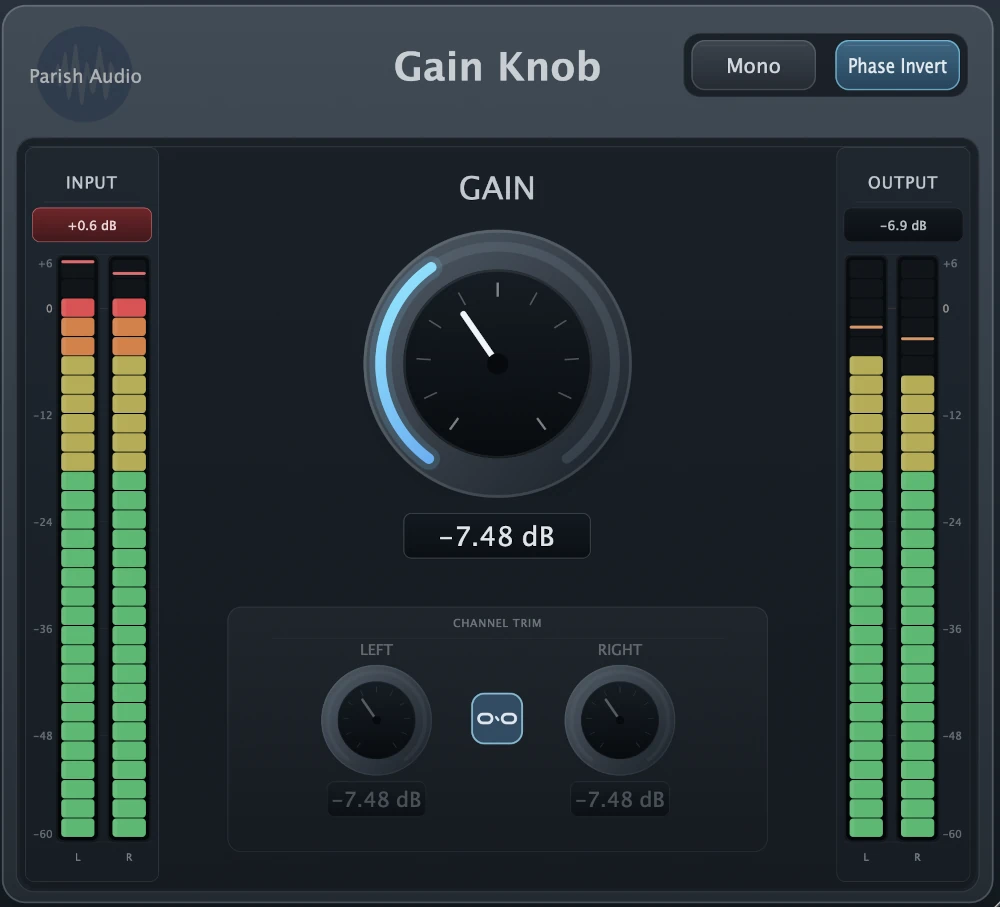
Main Features
- Large central gain control
- Independent left and right channel trims
- Mono monitoring button
- Left and right polarity inversion
- Simple level-matching workflow
- Free VST3 plugin for Windows and macOS
Why Use a Dedicated Gain Plugin?
Most DAWs already include channel faders, but a gain utility serves a different purpose. It can adjust the signal level at a specific point inside the processing chain without changing automation, mixer balance or the final channel-fader position.
For example, Gain Knob can reduce the input level before a compressor or saturation plugin. It can also compensate for volume changes introduced by processing, making it easier to compare the processed and unprocessed signal at a similar loudness.
This matters because louder audio often appears better during quick comparisons, even when the processing itself has not improved the sound.
Best Uses
Plugin Gain Staging
Place Gain Knob before analog-style processors to control how strongly the signal enters them. Lower input levels can produce cleaner results, while higher levels may create more compression, saturation or distortion.
Level Matching
Insert the plugin after an effect to compensate for any increase or decrease in volume. Accurate level matching makes bypass comparisons more useful and prevents louder settings from winning automatically.
Stereo Balance
The independent left and right trims can correct recordings or stereo samples that lean slightly toward one side. They can also be used creatively to rebalance wide effects and layered instruments.
Mono and Phase Checks
The mono control provides a quick way to check whether stereo layers remain clear when collapsed to mono. Polarity inversion can help diagnose phase problems between layered drums, microphones, bass recordings and other related signals.
Production Tips
Use it before saturation: Small level changes can significantly affect the amount of harmonic distortion produced by analog-style plugins.
Match bypass levels: Adjust the output until the processed and dry signals have similar perceived loudness before judging the effect.
Check layered kicks: Try polarity inversion when two kick samples lose low-end impact after being combined.
Test the mix in mono: Stereo width may sound impressive, but disappearing instruments are less impressive and considerably harder to explain.
Compatibility
Gain Knob is available in VST3 format for compatible Windows and macOS systems. It can be used in DAWs supporting VST3 plugins, including Studio One, Ableton Live, FL Studio, Cubase, Reaper and Bitwig Studio.
Logic Pro requires Audio Unit plugins, so compatibility should be confirmed directly on the current Parish Audio download page before installation.
Final Verdict
Gain Knob is not designed to generate dramatic effects or transform a basic loop into a cinematic masterpiece. It is a practical utility for gain staging, stereo correction, mono monitoring and polarity checks.
Its focused interface makes it useful across recording, mixing and mastering sessions. It may be one of the least glamorous plugins released in 2026, but unlike many glamorous plugins, it will probably be used after the first week.
Download Gain Knob from the official website:
https://parishaudio.com/products/gain-knob