By using this site, you agree to the Privacy Policy and Terms of Use.
Accept
AudiartistAudiartistAudiartist
Notification Show More
Font ResizerAa
  • Home
  • Music
    • New Music Releases
    • We Love
    • Afro Music
    • Cinematic
    • Classical Music
    • Electro / House
    • Hard Rock
    • Jazz
    • Latin Music
    • Lo-Fi
    • Pop Music
    • Rock
    • Synthwave
  • Music Production
  • Music Promotion
  • Breaking News
  • Free Music Production Resources
    • Free VST Plugins
      • Free Instrument VST Plugins
      • Free Audio Effects Plugins
      • Free Synth VST Plugins
      • Free Reverb VST Plugins
      • Free Compressor VST Plugins
      • Free Vocal VST Plugins
    • Free Sample Packs
      • Free House Sample Packs
      • Free Afro House Sample Packs
      • Free Hip-Hop & Rap Sample Packs
      • Free Lo-Fi Sample Packs
      • Free Trap Sample Packs
      • Free Techno Sample Packs
    • Free Kontakt Libraries
    • Free VST Presets
      • Free Serum Presets
      • Free Vital Presets
      • Free Diva Presets
      • Free Omnisphere Presets
      • Free Pigments Presets
      • Free Sylenth1 Presets
      • Free Massive Presets
    • Free DAW Templates
    • Free DAWs
  • Free music submission
    • Submit your music for free with DailyPlaylist
    • Our Playlists
    • Afro House Music
    • Afro Music
    • Christmas Music
    • Cinematic Music
    • Classical Music
    • Dance Music
    • Electro Music
    • Hard Rock
    • House Music
    • Latin Music
    • Lo-Fi
    • Mainstream
    • Pop Music
    • Rap & Hip-Hop
    • Reggaeton
    • Rock Music
    • Synthwave
Search
Artists
  • Nodachi
  • Sebastian McQueen
  • Spycho Fox
  • Snake Russell
  • Mister BoO
  • Sébastien BACCI
  • Carlito Home
Reading: How to Mix Vocals
Share
Font ResizerAa
AudiartistAudiartist
  • Home
  • Music
  • Music Production
  • Music Promotion
  • Breaking News
  • Free Music Production Resources
  • Free music submission
Search
  • Home
  • Music
    • New Music Releases
    • We Love
    • Afro Music
    • Cinematic
    • Classical Music
    • Electro / House
    • Hard Rock
    • Jazz
    • Latin Music
    • Lo-Fi
    • Pop Music
    • Rock
    • Synthwave
  • Music Production
  • Music Promotion
  • Breaking News
  • Free Music Production Resources
    • Free VST Plugins
    • Free Sample Packs
    • Free Kontakt Libraries
    • Free VST Presets
    • Free DAW Templates
    • Free DAWs
  • Free music submission
    • Submit your music for free with DailyPlaylist
    • Our Playlists
    • Afro House Music
    • Afro Music
    • Christmas Music
    • Cinematic Music
    • Classical Music
    • Dance Music
    • Electro Music
    • Hard Rock
    • House Music
    • Latin Music
    • Lo-Fi
    • Mainstream
    • Pop Music
    • Rap & Hip-Hop
    • Reggaeton
    • Rock Music
    • Synthwave
Have an existing account? Sign In
Follow US
Audiartist > Blog > Music Production > Music Production Tutorials > How to Mix Vocals
Music ProductionMusic Production Tutorials

How to Mix Vocals

audiartist
Last updated: 17 août 2026 13h12
audiartist
Published: 10 septembre 2025
Share


From Bedroom Studio to Radio-Ready

Introduction

Vocals are the centerpiece of most songs. A great beat or instrumental can grab attention, but it’s the vocals that connect emotionally with listeners. That’s why mixing vocals properly is one of the most important skills in music production. Whether you’re working in a bedroom studio or aiming for a professional release, the right vocal mix can make the difference between sounding amateur and sounding radio-ready.

In this guide, we’ll cover the essential steps and techniques to mix vocals with clarity, presence, and polish—along with some of the best VST plugins (free and paid) to achieve professional results.


1. Start with a Clean Recording

  • Good source = less fixing: Record in a treated space or use portable vocal booths/reflection filters.
  • Pop filter & proper mic technique: Reduces plosives and sibilance.
  • Gain staging: Record at around -12 dB to -6 dB to prevent clipping and leave headroom.

2. Gain Staging and Volume Balance

Before EQ or compression, balance the raw vocal level against the instrumental.

  • Aim for the vocal to sit clearly on top of the mix without being overpowering.
  • Use clip gain to smooth inconsistencies before dynamic processing.

3. EQ: Carve Out Space

Equalization shapes the tone of your vocal.

🔹 Recommended EQ Plugins:

  • FabFilter Pro-Q 3 – Industry-standard EQ with surgical precision.
  • TDR Nova (Free) – A dynamic EQ that’s free and powerful.

4. Compression: Control Dynamics

Compression keeps vocals consistent and upfront.

🔹 Recommended Compressor Plugins:

  • Waves CLA-2A – Smooth, warm compression ideal for vocals.
  • Klanghelm DC1A (Free) – A simple yet effective free vocal compressor.

5. De-Essing: Tame Harsh Sibilance

De-essers target harsh “s” and “sh” sounds.

🔹 Recommended De-Esser Plugins:

  • FabFilter Pro-DS – Transparent and versatile.
  • Spitfish (Free) – Classic free de-esser, still effective in 2025.

6. Add Depth with Reverb and Delay

Reverb and delay give vocals dimension and space.

🔹 Recommended Reverb Plugins:

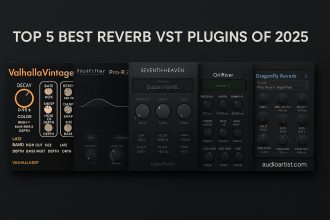
  • Valhalla VintageVerb – Iconic for lush, rich reverbs.
  • OrilRiver (Free) – A free, natural-sounding reverb.

🔹 Recommended Delay Plugins:

  • Soundtoys EchoBoy – Industry-standard for creative delays.
  • Valhalla Supermassive (Free) – Free delay/reverb hybrid, perfect for vocals.

7. Automation for Emotion

Static vocals can feel lifeless. Use automation to:

  • Raise words/phrases for emphasis.
  • Adjust reverb/delay sends between sections.
  • Smooth transitions between loud and soft passages.

8. Vocal Bus Processing

Group all vocal tracks (lead, doubles, harmonies) to a bus.

  • Apply light glue compression for cohesion.
  • Subtle saturation for warmth.

🔹 Recommended Bus Plugins:

  • iZotope Nectar 4 – All-in-one vocal suite with EQ, compression, de-ess, and effects.
  • Melda MModernCompressor (Free) – Solid free compressor for vocal buses.

9. Reference Tracks and Monitoring

Always compare your mix to professional tracks in the same genre.

  • Match tonal balance and vocal level.
  • Check your mix on monitors, headphones, cars, and even phones.

10. Final Polish (Optional Mastering Prep)

  • Ensure the vocal doesn’t clip the master bus.
  • Leave around -6 dB headroom for mastering.
  • Bounce a version and listen the next day with fresh ears.

Conclusion

Mixing vocals is both a technical process and an artistic one. With the right plugins—EQs, compressors, de-essers, reverbs, and delays—you can turn a bedroom vocal recording into something that sounds radio-ready.

The secret lies in balancing clarity, presence, and emotion so the vocal not only sounds polished but also connects with the listener.


 

TAGGED:best vocal pluginscompression for vocalsde-esser pluginEQ for vocalsFabFilter Pro-Q 3how to mix vocalsmix vocals VSTNectar 4radio-ready vocalsSoundtoys EchoBoyValhalla VintageVerbvocal delayvocal mixing tipsvocal reverbWaves CLA-2A
Share This Article
Facebook Whatsapp Whatsapp Tumblr Telegram Threads Bluesky Email Copy Link Print
Free Music Production Resources
  • Free VST Plugins
    • Instrument VST Plugins
    • Audio Effects Plugins
    • Compressor Plugins
    • Reverb Plugins
    • Mastering Plugins
    • Delay & Echo Plugins
    • Vocal Plugins
    • EQ Plugins
    • Saturation Plugins
    • Panning Plugins
    • Chorus Plugins
    • Clipper Plugins
    • Limiter Plugins
  • Free Sample Packs
    • House Sample Packs
    • Hip-Hop & Rap
    • Afro House
    • Lo-Fi
    • Afrobeat & Afrobeats
    • R&B & Soul
    • Deep House
    • Multi-Genre
  • Free Presets
  • Free DAWs
  • Free Kontakt Libraries
  • Free DAW Templates

Lasts Posts

Sound engineer analyzing audio on a computer
AI Music Detectors Can Struggle With Edited Human Audio, New Study Finds
Breaking News
Technology professional with laptop in Bengaluru
Warner Music Is Building a Major Data and AI Engineering Team in Bangalore
Breaking News
Creator using a synthesizer and laptop for digital music production
Alibaba Is Preparing HappyShrimp, an AI Music Platform Built for Text-to-Song Creation
Breaking News
Runner using earphones during an urban workout
Spotify Running Mode Turns Personalized Music Into a Guided Workout
Breaking News

Buy Me A Coffee


Buy me a coffee

Popular

Galdr free wavetable and subtractive synth VST interface by Sognevo
Galdr: A Free Dark Wavetable Synth for Heavy Sound Design
Free Instrument VST Plugins Free VST Plugins
NEBO Calls for Unity with “Song of Peace”
Music New Music Releases Pop Music We Love
20 Free Serum 2 Presets for Melodic Techno and House
Free Music Production Resources Free Serum Presets Free VST Presets
TapeMachine 2 free tape emulation plugin by Dusk Audio
TapeMachine 2 by Dusk Audio: A Free Dual Tape Emulation Plugin
Free Audio Effects Plugins Free Music Production Resources Free VST Plugins

Find Us on Socials

News

  • AI Music Detectors Can Struggle With Edited Human Audio, New Study Finds
  • Warner Music Is Building a Major Data and AI Engineering Team in Bangalore
  • Alibaba Is Preparing HappyShrimp, an AI Music Platform Built for Text-to-Song Creation
  • Spotify Running Mode Turns Personalized Music Into a Guided Workout
  • D’Addario Admits Suno AI Was Used in Guitar Promo After Weeks of Denials

You Might Also Like

Music ProductionMusic Production Tutorials

How to Create Movement in Your Track with Automation

4 avril 2026
Music Production

Create a Wide Stereo Mix with Free Plugins

30 mai 2025
Music Production

Top 10 Free VSTi Synths for Music Production

22 mai 2024
Music Production

Simple Tweaks, Big Impact

12 juin 2025
Previous Next
© Audiartist. All Rights Reserved.
Welcome Back!

Sign in to your account

Username or Email Address
Password

Lost your password?