
openDAW: A Free Browser-Based DAW with No Sign-Up
Record audio and MIDI, program drums, build arrangements and mix complete projects directly inside a modern web browser.
openDAW is a free and open-source digital audio workstation developed by André Michelle and a growing community of contributors.
Instead of installing a large desktop application, producers can open the studio in a compatible browser and begin creating music immediately. No mandatory account, subscription, advertising system or paid feature unlock is required.
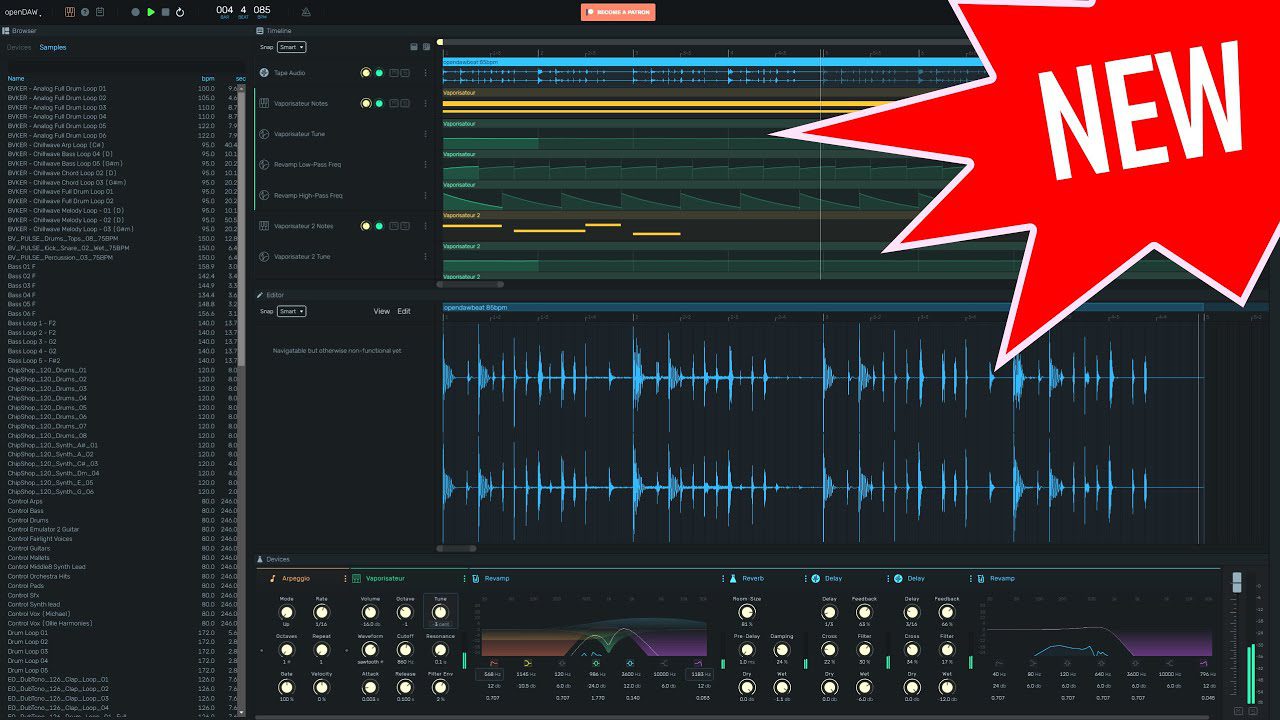
The platform provides audio and MIDI recording, a multitrack arrangement, a note editor, mixing channels, auxiliary buses, automation, built-in instruments, audio effects, MIDI processors and stem export.
openDAW is particularly interesting for beginners, schools, Chromebook users and musicians who regularly move between different computers. It can also be used as a fast musical sketchbook when opening a complete desktop studio would be unnecessary.
What Is openDAW?
openDAW is a complete music production environment that runs through web technologies rather than a conventional desktop installer.
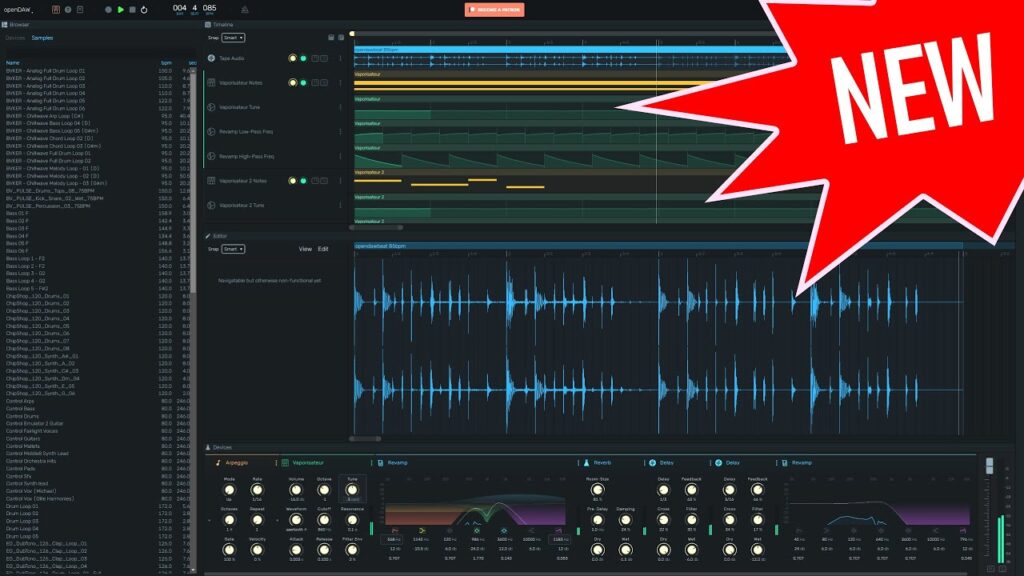
Its main view follows a familiar linear arrangement workflow. Audio and MIDI tracks are placed along a timeline, while the lower panel provides access to note editing, instruments and effects.
A dedicated mixer brings the tracks together with volume, panning, insert effects, sends and auxiliary buses. Producers can therefore move beyond basic loop creation and construct a structured mix inside the browser.
Projects can also be exported as separate stems inside a ZIP archive. This is useful when the production needs to be transferred into another DAW for additional recording, mixing or mastering.
Audio and MIDI Recording
openDAW supports both audio and MIDI recording. Individual tracks can be armed, or several tracks can be selected for simultaneous recording.
Audio inputs can be selected from the devices available to the browser, with options for input monitoring and mono recording. MIDI performances can be captured from connected keyboards and controllers.
Loop recording can create multiple takes on separate tracks, allowing musicians to compare several performances before choosing the strongest version.
The note editor also provides step recording for entering MIDI notes without performing the complete musical part in real time.
Browser permission must be granted before openDAW can access a microphone, audio interface or MIDI device. For the most reliable experience, use a current browser and test the input configuration before beginning an important recording.
Built-In Instruments
openDAW includes several instruments covering synthesis, drums, sampling and external MIDI control.
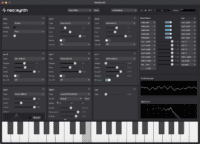
- Vaporisateur: A subtractive synthesizer with two oscillators, resonant filtering, envelopes, LFO modulation, unison and glide.
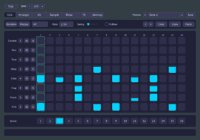
- Playfield: A sample-based drum machine with a grid of playable pads and individual processing chains.
- Nano: A simple sampler that maps one audio file chromatically across the keyboard.
- Soundfont: A player for SF2 sound libraries containing instruments such as pianos, strings, brass and orchestral sounds.
- Tape: An audio-region playback device presented through a reel-to-reel inspired interface.
- MIDI Output: A device for sending notes and controller information to compatible external MIDI hardware.
The included devices provide enough material to begin composing without downloading a separate plugin collection.
openDAW is not currently presented as a conventional VST3 host. Producers who depend heavily on desktop VST instruments should treat it as a complementary creative environment rather than a complete replacement for their primary DAW.
Drum Programming with Playfield
Playfield provides a grid-based environment for creating drum kits and triggering one-shot samples.
Audio files can be dragged onto individual pads and played with a mouse or MIDI controller. Each sound includes controls for its start and end positions, attack, release and exclusive group.
Exclusive groups are useful for sounds such as open and closed hi-hats because triggering one sample can stop another from continuing to play.
Individual effect chains make it possible to process each drum sound separately. A snare can receive reverb and saturation while the kick remains dry and focused.
Playfield can be used for electronic drums, Hip-Hop kits, percussion, sound effects and experimental resampling.
Audio Effects
openDAW includes a growing collection of processors for mixing and creative sound design.
- Revamp: Seven-band parametric EQ with real-time spectrum analysis.
- Compressor: Dynamic processing with lookahead and external sidechain support.
- Gate: Noise control and creative sidechain gating.
- Maximizer: Brickwall limiting and automatic makeup gain.
- Dattorro Reverb: A dense algorithmic reverb for vocals, pads and cinematic spaces.
- Delay: Tempo synchronization, crossfeed, filtering and modulation.
- Stereo Tool: Volume, panning, stereo width, phase and channel controls.
- Tidal: Tempo-synchronized tremolo and auto-pan processing.
- Crusher: Bit-depth and sample-rate reduction for Lo-Fi and digital distortion.
- Fold: Oversampled wavefolding for more complex harmonic distortion.
- Neural Amp: Guitar and equipment modelling based on Neural Amp Modeler captures.
These processors cover the essential stages needed to shape individual sounds and prepare a basic mix without relying on external plugins.
MIDI Effects and Note Editing
The note editor provides familiar piano-roll tools alongside additional parameters such as probability, fine tuning and play count.
Scale and harmonic guidance can help beginners keep notes within a selected musical structure. More experienced producers can use the probability controls to introduce variations into drums, melodies and sequenced patterns.
Built-in MIDI effects include:
- Arpeggio: A synchronized arpeggiator with several directions, octave ranges and note lengths.
- Pitch: Octave, semitone and fine-tuning adjustments.
- Zeitgeist: Swing and groove processing for rigid MIDI patterns.
- Velocity: Dynamic adjustment, humanization and velocity targeting.
These tools can create rhythmic movement before the MIDI data reaches the selected instrument.
Privacy and Open-Source Development
openDAW places unusual emphasis on privacy for a browser-based creative application.
The official project states that no registration, advertising, user profiling, tracking, paywall or data-mining system is required.
The source code is published under the AGPL version 3 licence. Developers can examine the project, contribute improvements or use its SDK to build new educational and musical applications.
This transparency is particularly relevant for schools and institutions that want greater control over student projects and long-term access to the software.
Optional storage integrations may be available, but users should still keep separate backups of important projects and exported audio files.
Current Limitations
A browser-based studio has different limitations from a mature desktop DAW.
Compatibility can depend on the browser, operating system, audio interface and permissions granted to the web application. Very large sessions may also place more pressure on the browser and computer than a simple project containing a few tracks.
openDAW does not currently offer the same third-party plugin ecosystem, hardware integration, editing depth or long-term project compatibility as established applications such as Studio One, Ableton Live, Logic Pro or Cubase.
The platform is still evolving rapidly, so functions and interfaces may change between updates. Save regularly and export important stems before relying on the project for a commercial deadline.
These limitations do not prevent openDAW from being useful. They simply make it better suited to learning, experimentation, collaboration and fast creative work than to replacing every professional studio workflow immediately.
Best Uses
Beginners: Learn recording, MIDI sequencing, synthesis, effects and mixing without purchasing software.
Schools: Open the same production environment on different computers without installing individual licences.
Chromebook users: Create music on systems that cannot run many traditional desktop DAWs.
Quick musical sketches: Begin a beat, chord progression or arrangement directly from a browser.
Collaboration and teaching: Share production workflows and demonstrate concepts through an accessible platform.
Audio programming: Build custom audio and MIDI processors in JavaScript using Werkstatt and Spielwerk.
Compatibility and Access
- Platform: Modern web browser
- Operating systems: Windows, macOS, Linux and ChromeOS through a compatible browser
- Installation: Not required for the online studio
- Account: No mandatory sign-up
- Audio recording: Supported through browser audio permissions
- MIDI recording: Supported with compatible browsers and devices
- Built-in instruments: Synthesizer, drum machine, samplers, Soundfont player and MIDI output
- Export: Mix and stem export options
- Licence: AGPL v3 or later
- Price: Completely free
For the best results, use an updated desktop browser and connect headphones or an audio interface before beginning a recording session.
Final Verdict
openDAW is one of the most interesting free alternatives for musicians who want to begin producing without installing software or creating another online account.
Its combination of audio and MIDI recording, note editing, instruments, drum programming, mixing, effects and stem export gives it considerably more depth than a basic browser sequencer.
The open-source approach and privacy-focused design also distinguish it from many online creative platforms built around subscriptions, advertising or mandatory cloud accounts.
It is not yet a complete replacement for a mature desktop DAW filled with commercial plugins. For education, experimentation, quick arrangements and accessible music creation, however, openDAW offers a genuinely useful production environment at no cost.
It even removes the traditional excuse that the DAW takes too long to install. Producers will now need to find a different reason for not finishing the track.