Free Modular DAW
SunVox: A Free Modular DAW and Tracker for Electronic Music
Build custom synths, sequence patterns, record samples and export complete tracks with a lightweight studio for Windows, macOS and Linux.
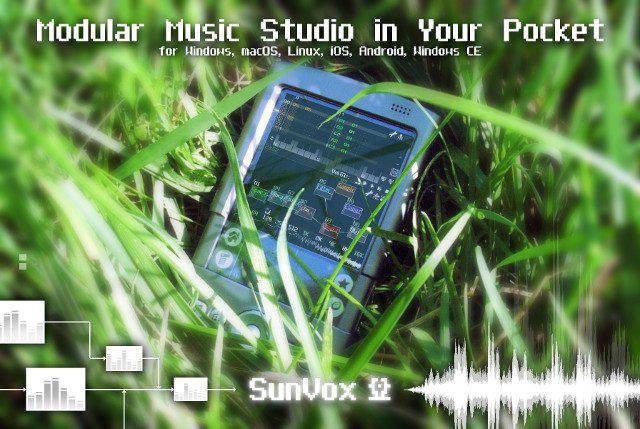
SunVox is a free modular music studio developed by Alexander Zolotov. It combines a pattern-based tracker, a modular synthesis environment, audio recording, MIDI tools and a complete collection of internal instruments and effects.
The desktop version is free for Windows, macOS and Linux. Mobile editions are also available for iOS and Android, but those versions are commercial products.
SunVox is not designed like a conventional linear DAW. Instead of placing every musical event inside a traditional piano-roll arrangement, users create patterns, enter notes and commands into tracker columns, then arrange those patterns on a timeline.
This unusual workflow requires some learning, but it provides precise control over notes, effects, automation and generative processes while remaining remarkably lightweight.
| Developer | Alexander Zolotov |
|---|---|
| Software type | Modular synthesizer and tracker-based DAW |
| Current desktop version | 2.1.4d |
| Free platforms | Windows, macOS and Linux |
| Sequencing | Patterns, tracker editor and arrangement timeline |
| Audio recording | Microphone, line input and internal resampling |
| MIDI | MIDI input, output, import and export |
| Audio export | WAV, including multitrack export |
| Price | Free on desktop platforms |
A Tracker-Based Production Workflow
SunVox uses a tracker editor where notes, instruments, velocity values, effects and automation commands are displayed in vertical columns.
Patterns contain short musical sections that can be repeated, cloned or arranged across the timeline. This approach is efficient for electronic music, Breakbeat, Drum and Bass, Chiptune, IDM and styles that rely on detailed rhythmic programming.
The tracker interface may initially appear more technical than a conventional piano roll. Once the essential commands are understood, it provides extremely precise control over timing, pitch, velocity and modulation.
Modular Instruments and Effects
The modular area allows instruments and effects to be connected visually. A synthesizer can be routed into a filter, distortion processor, delay, reverb and final output, while modulation modules can control several parameters simultaneously.
Included sound generators cover analog-style synthesis, FM, spectral synthesis, drums, sampled instruments and bass-drum creation. The Sampler can load or record audio, while MetaModule allows complete SunVox projects or instruments to operate as reusable modules.
Effects include compression, EQ, filters, delay, echo, reverb, distortion, flanging, pitch shifting, waveshaping, vocal filtering and modulation tools.
This architecture makes it possible to create simple instruments quickly or build complicated generative systems that would normally require a dedicated modular environment.
Audio Recording and Sampling
SunVox can receive audio from a microphone or line input through its Input module. The Sampler can record that signal or capture audio generated internally by connected modules.
Recorded material can be edited, looped, reversed, pitched and used as an instrument. Supported sample formats include WAV, AIFF, OGG, MP3, FLAC and XI.
This workflow is useful for recording short vocals, percussion, environmental sounds and instrument phrases. SunVox is less convenient for editing long multitrack band sessions because its design remains centered on patterns, modules and samples rather than conventional waveform tracks.
MIDI and External Hardware
External MIDI keyboards and controllers can play SunVox instruments and record notes directly into patterns. Hardware knobs can also be assigned to module parameters.
MIDI output allows patterns to control external synthesizers, drum machines and other compatible equipment. Complete MIDI files can be imported or exported when transferring arrangements between SunVox and another production environment.
SunVox can also receive MIDI synchronization, making it useful as part of a larger hardware or software setup.
Generative and Experimental Music
SunVox contains tools for random note selection, probability-based events, randomized controller values and automatic modulation.
These functions can generate evolving rhythms, melodies and textures without repeating every event identically. Producers can define controlled randomness rather than allowing the software to make every musical decision.
Microtonal sequencing also allows notes outside standard twelve-tone equal temperament. This makes SunVox particularly interesting for experimental composition, alternative tuning systems and unusual electronic sound design.
Exporting Finished Music
Completed projects can be exported as WAV files. SunVox also provides multitrack WAV export, allowing individual parts to be rendered separately for mixing in another DAW.
MIDI export is available for transferring note and controller information. Recent versions also provide seamless-loop export, which mixes the project tail into the beginning of the rendered file.
This is useful for game music, sample creation and tracks designed to repeat continuously without an audible cut.
Best Uses
- Electronic and experimental music
- Breakbeat, Drum and Bass and Jungle
- Chiptune and tracker composition
- Modular synthesis and sound design
- Generative music systems
- Game music and seamless loops
- Microtonal composition
- Music production on older or lightweight computers
Official SunVox Video
Compatibility and Installation
The desktop package includes versions for Windows, macOS and several Linux architectures, including x86, x64, ARM and ARM64 where supported.
Windows and Linux installations are portable ZIP downloads. Users extract the archive and launch the appropriate executable without creating an account or completing an online activation.
The official macOS requirement begins at macOS 10.13. Linux users need a modern distribution with SDL2 installed.
The desktop version is free. The iOS and Android editions are separate paid applications.
Main Limitations
- The tracker workflow has a significant learning curve
- It is less convenient for long conventional multitrack recordings
- No native hosting of third-party VST or Audio Unit plugins
- The Windows desktop version is not currently available as a VST plugin
- The macOS desktop build is officially listed for x86-64 systems
- Mobile versions are not free
- The interface may feel unfamiliar to producers coming from a traditional DAW
Final Verdict
SunVox is one of the most distinctive free music-production environments available for desktop computers.
Its combination of tracker sequencing, modular routing, internal synthesis, sampling, MIDI, generative tools and multitrack export provides enough flexibility to create complete electronic productions without additional plugins.
It is not the easiest choice for recording a full band or editing many long vocal takes. Producers who enjoy detailed sequencing, modular synthesis and experimental workflows will find a remarkably deep studio inside a lightweight download.
The interface may look as though a spreadsheet has joined a modular synthesizer, but the musical possibilities are considerably more exciting than quarterly accounting.