
Free Browser DAW
Amped Studio: A Free Browser DAW for Music Production
Create beats, record audio, sequence MIDI and arrange complete tracks inside a desktop browser without installing a traditional DAW.
Amped Studio is a browser-based digital audio workstation designed for recording, beatmaking, MIDI sequencing and online collaboration. It runs from a compatible desktop browser, allowing musicians to access their projects without installing a conventional production application.
The free Starter plan provides five cloud projects with up to 16 tracks per project. It includes five virtual instruments, ten effects and access to more than 400 audio and MIDI files. Finished tracks can be exported in MP3 format.
This edition remains permanently free rather than becoming unusable after a trial period. However, its storage, export and plugin limitations make it better suited to sketches, beats, demos and compact productions than large recording sessions.
| Developer | LettoPro SA |
|---|---|
| Software type | Browser-based audio and MIDI workstation |
| Platform | Desktop Chromium-based web browsers |
| Audio recording | Microphone, instrument and audio-interface recording |
| MIDI production | Recording, note editing, virtual keyboard and automation |
| Free project limit | 5 projects with 16 tracks each |
| Included instruments | Drumpler, Volt Mini, GM Player, Dexed and OBXD |
| Included effects | 10 effects for dynamics, EQ, ambience, distortion and mastering |
| Export | MP3 audio only in the free plan |
| Price | Free with permanent feature limits |
A Complete Studio Inside the Browser
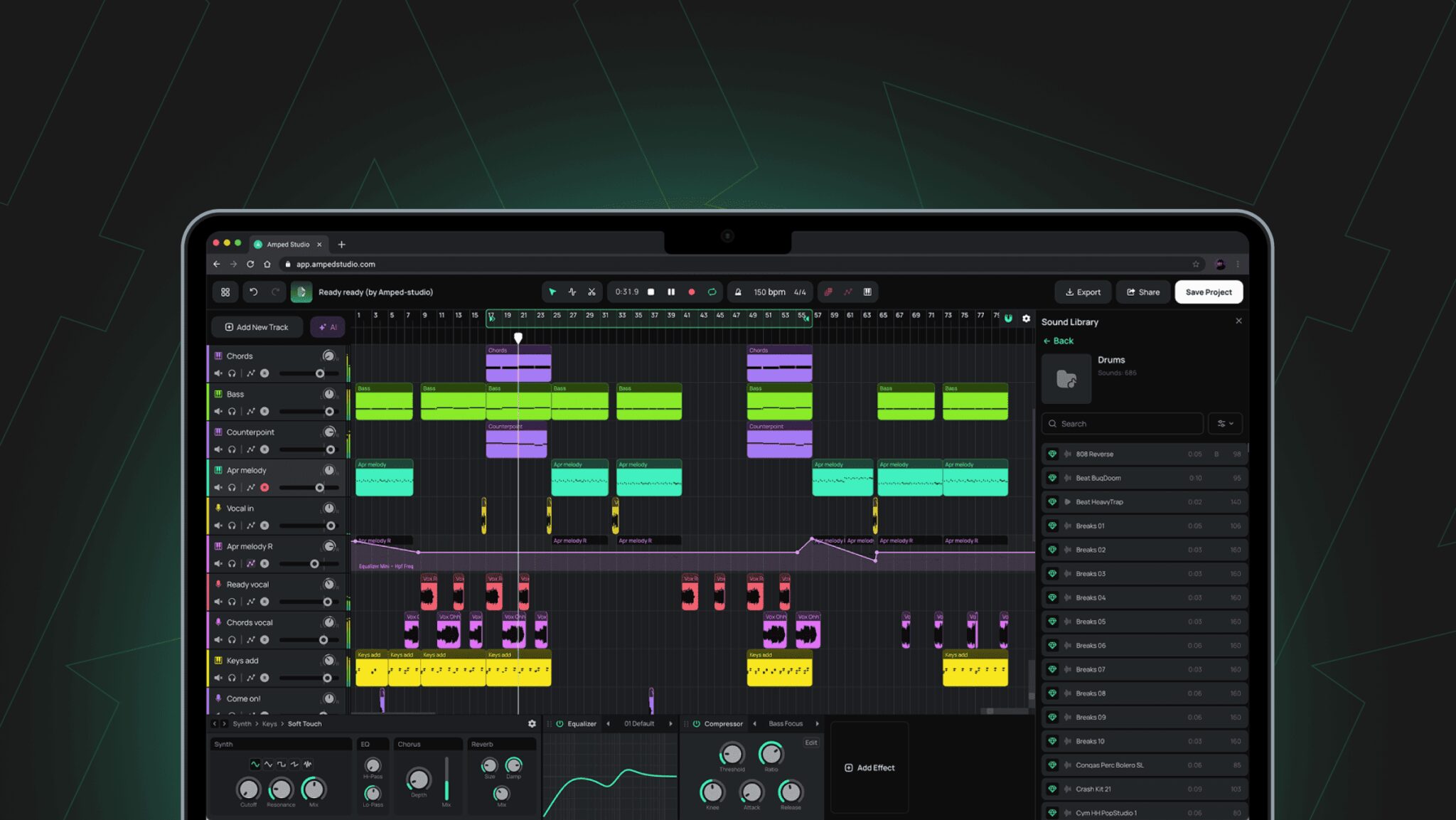
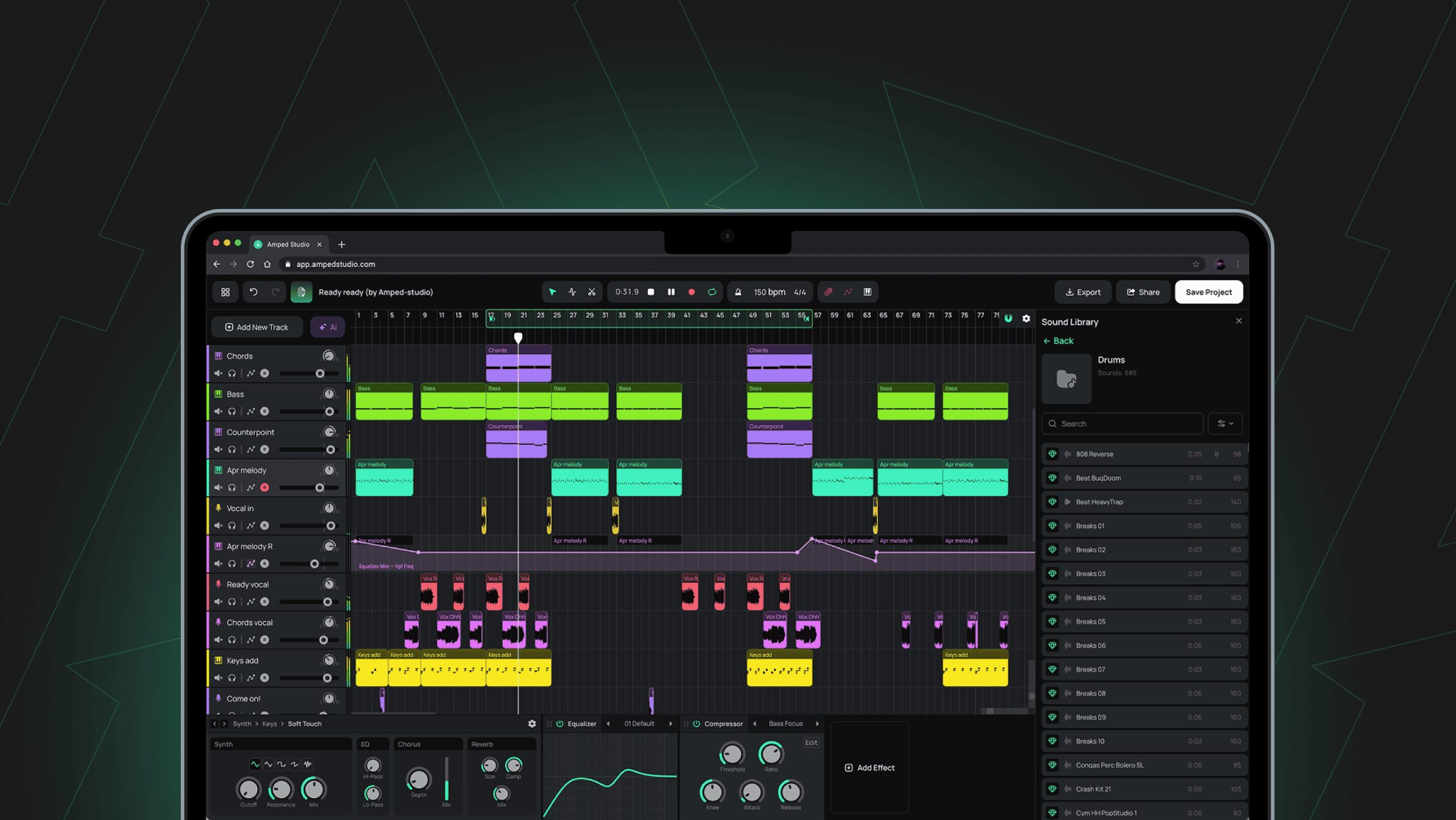
Amped Studio uses a conventional arrangement timeline where audio and MIDI clips can be placed, copied, split and edited. Audio tracks handle imported or recorded material, while instrument tracks play MIDI through the included virtual instruments.
The lower Device Panel displays the instrument and effect chain assigned to the selected track. This layout keeps the arrangement visible while producers adjust synthesis, compression, EQ, delay or reverb settings.
Projects are stored online and can be opened from another compatible computer after signing into the same account. This makes Amped Studio useful for musicians who move between several workstations or cannot install software on a shared computer.
Audio and MIDI Recording
Audio can be recorded from a microphone or compatible audio interface. Input selection, buffer size and latency compensation are available in the studio settings.
MIDI performances can be captured from an external controller or the built-in computer keyboard. Notes remain editable inside the Note Editor, where producers can change timing, pitch, length and velocity.
Automation can also be recorded by moving compatible knobs and faders during playback. This is useful for volume changes, filter movement and evolving effect parameters.
The free plan lists no cloud storage for external audio files and does not allow users to save personal audio or MIDI material to the studio library. Recording-heavy projects are therefore less practical than arrangements built mainly with the included instruments and sounds.
Five Included Virtual Instruments
The free edition includes Drumpler for drum programming, Volt Mini for subtractive synthesis and GM Player for general MIDI sounds.
Dexed provides FM synthesis inspired by classic digital hardware, while OBXD delivers virtual analog tones suited to basses, pads, leads and retro electronic music.
These five instruments cover basic beatmaking and melodic production without requiring external plugins. Drumpler can build rhythmic patterns, Volt Mini and OBXD handle electronic sounds, Dexed adds digital textures and GM Player supplies familiar acoustic-style instruments.
Effects and Mixing
Amped Studio Starter includes ten effects: Amp Sim Utility, Bit Crusher, Compressor Mini, Delay, Clean Machine, Equalizer Mini, Reverb, Metal Machine, Distortion Machine and Limiter Mini.
Effects can be combined inside the Device Panel to create complete track chains. A vocal may use EQ, compression, delay and reverb, while a synth can be shaped with distortion, bit crushing and filtering.
Track headers provide volume, panning, mute, solo, record arming and automation controls. A Master Track collects the full mix and can contain final effects before export.
Beatmaking and MIDI Arrangement
Drumpler provides a straightforward way to load drum sounds and program rhythmic parts. The MIDI editor can then be used to adjust individual hits, velocity and timing.
The free sound library includes more than 400 audio and MIDI files. These resources can provide drum patterns, melodic ideas and arrangement material without using personal storage.
With 16 tracks available, a free project can contain drums, percussion, bass, chords, leads, vocals and several effect layers. The limit remains workable for focused productions, although ambitious arrangements may eventually require bouncing or simplifying parts.
Collaboration and Sharing
Projects can be shared through a generated link, allowing another Amped Studio user to access the session. This is useful for remote songwriting, vocal recording and collaborative beatmaking.
The browser format removes the need for both collaborators to install the same desktop application. They still need compatible accounts, browsers and Internet connections.
Best Uses
- Beginner music production
- Electronic music and beatmaking
- Hip-Hop, House and lo-fi sketches
- MIDI composition and drum programming
- Recording short vocal or instrument parts
- Remote songwriting and collaboration
- Creating music on shared computers
- Exporting quick MP3 demos
Compatibility and Requirements
Amped Studio runs in Chromium-based desktop browsers such as Google Chrome, Microsoft Edge, Opera and Brave. Firefox and Safari are not fully supported.
The studio currently does not offer a functional mobile production interface. A desktop or laptop computer and a stable Internet connection are required.
An Amped Studio account is necessary for saving and reopening projects. Because the application operates online, it cannot function as a completely offline workstation.
Main Limitations
- Maximum of five projects
- Maximum of 16 tracks per project
- Advertisements inside the free plan
- MP3 export only
- No project-file export
- No external VST3 plugin support
- No cloud storage for external audio files
- Personal audio and MIDI files cannot be saved to the library
- No functional mobile studio
- Internet connection and account required
Final Verdict
Amped Studio Starter is a practical free DAW for beginners, beatmakers and musicians who need immediate browser access without installing production software.
Its 16-track projects, MIDI tools, automation, included synths and compact effect collection are sufficient for demos, beats and complete but carefully organized songs.
The lack of WAV export, external plugin support and personal audio storage significantly limits advanced production. It is therefore better suited to learning, sketching and collaboration than professional recording or final mixing.
Still, opening a browser and finding a sequencer instead of another cookie banner feels like a small victory for modern music production.