AV Spread: A Free Stereo Widener VST for Bigger, Wider Mixes
Three widening modes, simple controls and fast stereo enhancement for vocals, synths, drums, bass and samples.
AngelicVibes has released AV Spread, a free stereo widening plugin designed to make sounds feel larger and more spacious without turning stereo processing into a complicated engineering exercise.
The plugin offers three different widening modes, each approaching stereo enhancement in a slightly different way.
Spread can be used on vocals, synths, melodies, drums, basses, samples and other material that needs additional width inside a mix.
AV Spread at a Glance
- Free stereo widening plugin
- Three different widening modes
- Spread control
- Dry/Wet Mix control
- Mode-dependent Time, Detune or Drift control
- Automatable parameters
- Resizable interface
- VST3 for Windows and macOS
- Audio Units for macOS
- Approximately 60 MB
- Free AngelicVibes account required
Three Different Ways to Make a Sound Wider
Instead of providing a single stereo widening algorithm, AV Spread gives producers three different modes.
Each mode creates stereo width using a different technique, allowing the plugin to move from relatively clean expansion to more obvious doubling and detuned effects.
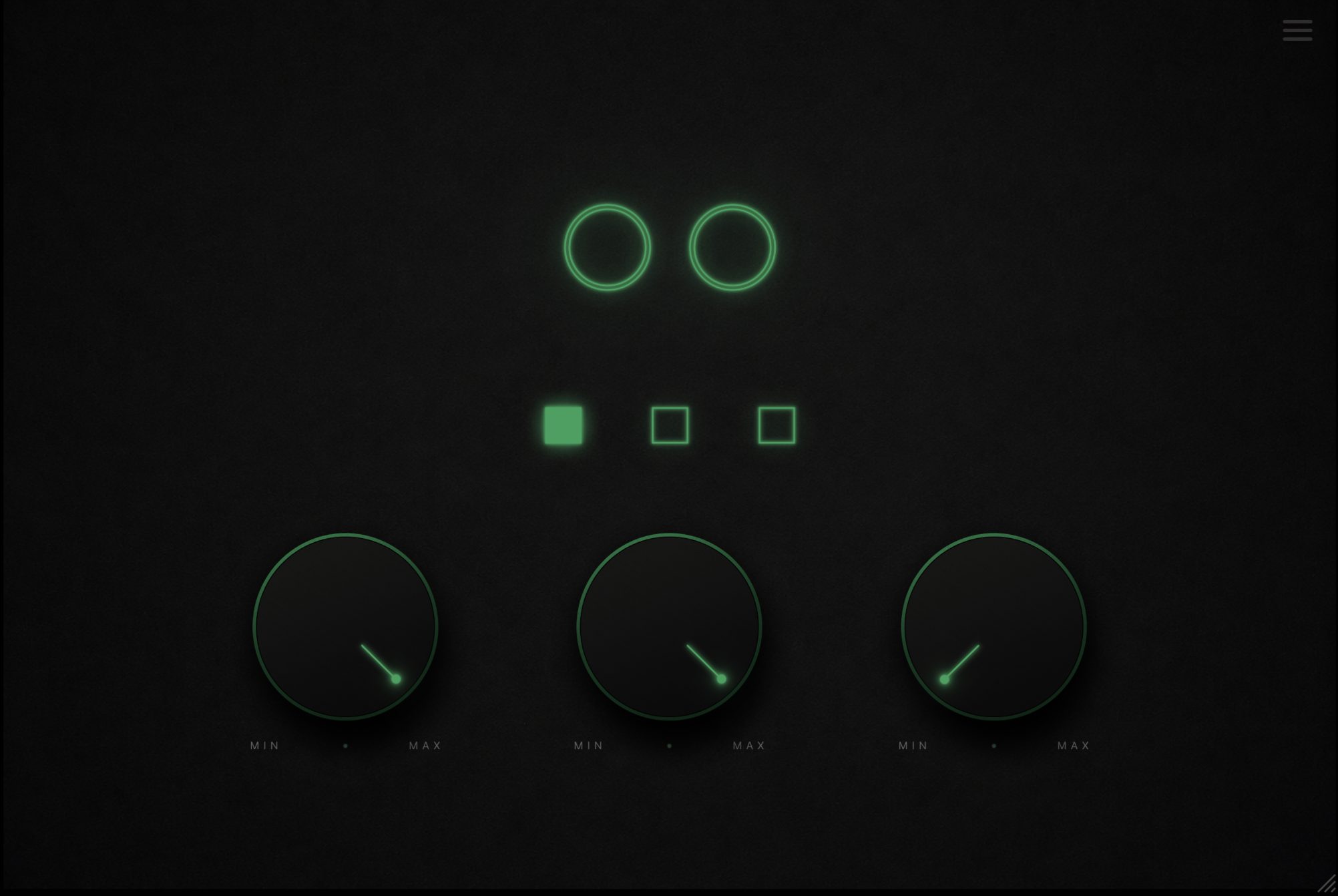
The interface remains intentionally simple, with three mode buttons and three primary controls.
Type 1: Spread
The first mode is the plugin’s signature Spread algorithm.
It uses adjustable delay-based processing to increase the perceived stereo width of the incoming signal.
This mode is particularly useful when you want a sound to occupy more horizontal space while retaining much of its original character.
Try it on synth pads, background vocals, melodic loops or atmospheric elements that currently feel too concentrated around the center of the mix.
The Three Spread Modes
Spread: clean stereo widening with adjustable delay time.
Micro: combines stereo spread with subtle pitch detuning.
Cloud: creates three stacked voices with detuning and gentle stereo movement.
Type 2: Micro
The second mode introduces subtle pitch shifting into the widening process.
This can create a thicker effect similar to a very tight doubling treatment, helping vocals, synth leads and melodies feel larger without adding another recorded or programmed layer.
The additional detuning gives this mode slightly more character than the cleaner Spread algorithm.
Type 3: Cloud
Cloud is the most layered of the three modes.
It creates three stacked voices from the incoming signal, combines them with detuning and then distributes the result across the stereo field.
This can work particularly well on pads, strings, atmospheric synths and vocals where a thicker stereo texture is desirable.
Used more aggressively, it can also become a creative effect rather than simply a mixing utility.
Only Three Main Controls
One of AV Spread’s strengths is that the interface avoids unnecessary complexity.
The Spread knob determines the intensity of the widening effect, while Mix blends the processed signal with the original dry audio.
The third control changes depending on the selected mode:
- Time in Spread mode
- Detune in Micro mode
- Drift in Cloud mode
This provides enough control to adapt the processing while keeping the workflow extremely fast.
Good Sources for AV Spread
- Vocals and backing vocals
- Synth pads
- Melodic loops
- Strings
- Lead synths
- Hi-hats and percussion
- Drum layers
- Bass textures
- 808 layers
Useful on Vocals
Stereo widening is particularly useful for separating backing vocals from a centered lead vocal.
AV Spread can add width to harmonies, doubles and vocal textures while leaving the main vocal focused in the middle.
Micro and Cloud modes are especially interesting here because the small pitch differences can create the impression of additional vocal layers.
Great for Synths and Pads
Electronic producers can use AV Spread to push atmospheric synths toward the sides of the mix.
A wide pad behind a centered kick, bass and lead element can create a greater sense of depth without requiring additional instruments.
Cloud mode is particularly well suited to this role because its stacked voices naturally create a larger stereo texture.
Can You Use It on Bass?
Yes, but stereo processing on bass requires some judgment.
The AngelicVibes demonstrations include bass and 808 examples, showing that Spread is not limited to high-frequency material.
However, widening the deepest frequencies too aggressively can create phase and mono-compatibility problems.
For bass-heavy productions, consider widening only the upper harmonic layer while keeping the deepest sub frequencies centered.
Stereo Mixing Tip
More width does not automatically mean a better mix.
Use AV Spread in context with the rest of the production rather than judging every sound in solo.
After widening an important element, check the mix in mono to make sure the sound does not lose too much level or character.
Keeping the kick, sub bass and main vocal relatively focused can also make the wider elements feel even larger.
Automation Opens Up Creative Possibilities
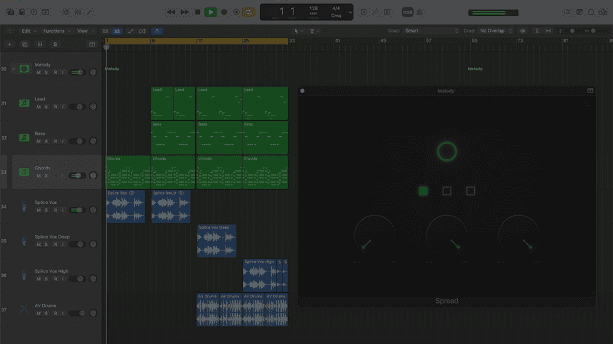
All three main controls can be automated inside a compatible DAW.
This makes Spread useful for more than static stereo enhancement.
You could start a breakdown with a narrow pad and gradually increase the Spread parameter before the drop, or automate the Mix control to make a vocal suddenly expand during selected phrases.
Cloud mode can also be automated to introduce drifting width only during atmospheric sections.
A Resizable Interface
The plugin window can be resized using the handle in the bottom-right corner.
This is a small feature, but an important one when working across laptops, large studio monitors and different display resolutions.
The minimalist interface also keeps the visual focus on the three main controls rather than surrounding them with decorative meters that mainly exist to reassure us that something expensive is happening.
Compatibility
Developer: AngelicVibes
Version: 1.0.1
Windows: VST3
macOS: VST3 and AU
Download Size: Approximately 60 MB
DAWs: Compatible with major VST3/AU hosts, excluding Pro Tools
Price: Free
Free, but an Account Is Required
AV Spread is offered free through the AngelicVibes Free Vault.
You need to create a free AngelicVibes account before downloading the installer.
There is no payment required for Spread itself.
Official AV Spread Download
Download the plugin directly from the official AngelicVibes website.
Three Stereo Modes
Windows & macOS
VST3 / AU
Price: Free
Is AV Spread Worth Downloading?
AV Spread is a good example of a plugin that focuses on doing one job without trying to become an entire mixing suite.
The three modes provide enough variation to handle subtle widening, detuned doubling and thicker stereo textures while keeping the interface extremely simple.
For producers who regularly work with vocals, synths, pads and melodic material, it can provide a quick alternative to building stereo widening chains manually.
Just remember that stereo width works a little like seasoning: useful in sensible quantities, less convincing when everything in the kitchen tastes of it.
Download AV Spread Free
Get the free stereo widening plugin directly from AngelicVibes.
3 Stereo Widening Modes
Automatable Controls
Resizable Interface
VST3 / AU
Windows & macOS
Price: Free