
Free Cloud DAW
BandLab Studio: A Free Cloud DAW for Recording and Collaboration
Record audio, program MIDI, build beats, automate effects and collaborate online without installing a traditional desktop workstation.
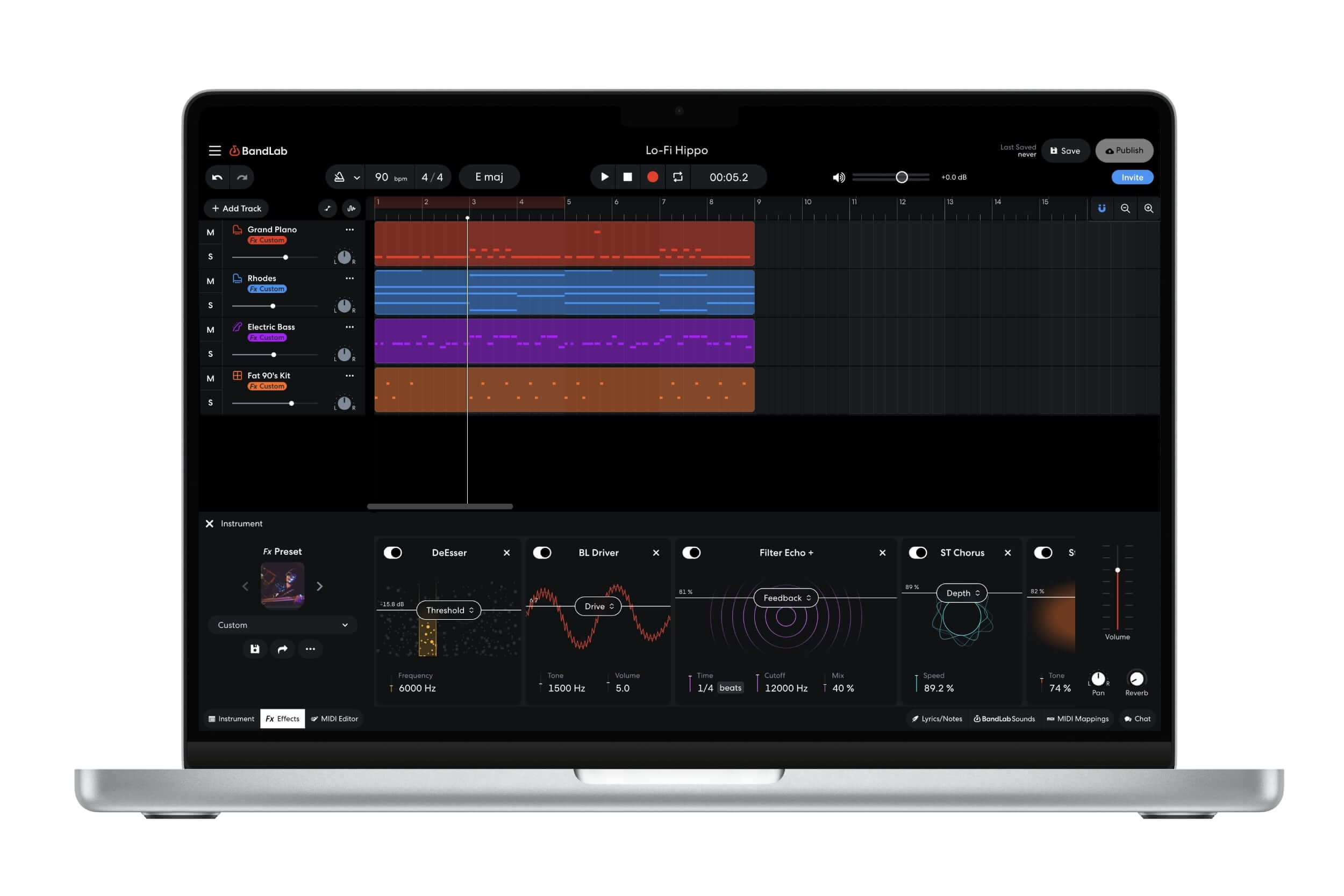
BandLab Studio is a free cloud-based digital audio workstation developed by BandLab. It runs directly inside a compatible web browser and is also available through the BandLab mobile application for iOS and Android.
The free edition supports projects containing up to 16 audio and MIDI tracks, with a maximum duration of 15 minutes. Users can record vocals and instruments, program virtual instruments, edit MIDI, build drum patterns, automate parameters and export finished music.
BandLab Studio is genuinely free and does not impose a temporary trial period. However, some advanced tools and additional content are reserved for BandLab Membership plans. An account and an active Internet connection are also required because projects are stored and synchronized through the cloud.
| Developer | BandLab Technologies |
|---|---|
| Software type | Cloud-based audio and MIDI workstation |
| Platforms | Web browser, iOS and Android |
| Audio recording | Voice, instruments, guitars and imported audio |
| MIDI production | Recording, editing, virtual instruments and MIDI export |
| Free track limit | 16 audio and MIDI tracks |
| Project duration | Maximum 15 minutes |
| Included content | 370+ virtual instruments, effects, Drum Machine, Sampler and royalty-free sounds |
| Price | Free with optional membership features |
Audio and MIDI Recording
BandLab Studio can record vocals, guitars, basses, keyboards and other sources through a USB microphone or compatible audio interface. Users can select the input device and create dedicated Voice, Audio, Guitar or Bass tracks.
MIDI performances can be recorded with a connected controller or the computer keyboard. Notes can then be moved, resized, copied, quantized and adjusted inside the MIDI editor.
The browser edition supports up to two input channels on an individual track. This is suitable for mono microphones, stereo keyboards and compact recording setups, but not for recording a complete drum kit through many independent inputs.
More Than 370 Virtual Instruments
BandLab provides more than 370 free virtual instruments covering drums, pianos, guitars, basses, synthesizers, orchestral sounds and other musical categories.
These instruments can be played from a computer keyboard or external MIDI controller. Octave and sustain controls are available, while performances remain editable as MIDI after recording.
The selection is broad enough for songwriting, beatmaking and electronic music sketches. BandLab Studio does not provide a traditional desktop plugin scanner for external VST3 or Audio Unit instruments, so production remains centered on its own integrated sound library.
Drum Machine and Sampler
The Drum Machine provides a pattern-based workflow for creating beats. Producers can choose a kit, program up to eight patterns and adjust velocity and swing.
Patterns can last one, two or four bars and are created in 4/4 time. They can be dragged into the arrangement, repeated and combined to build verses, choruses, drops and fills.
The Sampler provides 16 pads that can contain recorded sounds, imported audio or samples from BandLab Sounds. Each sample can be cropped, reversed, normalized, pitched and adjusted with attack, release, pan and tone controls.
Effects and Automation
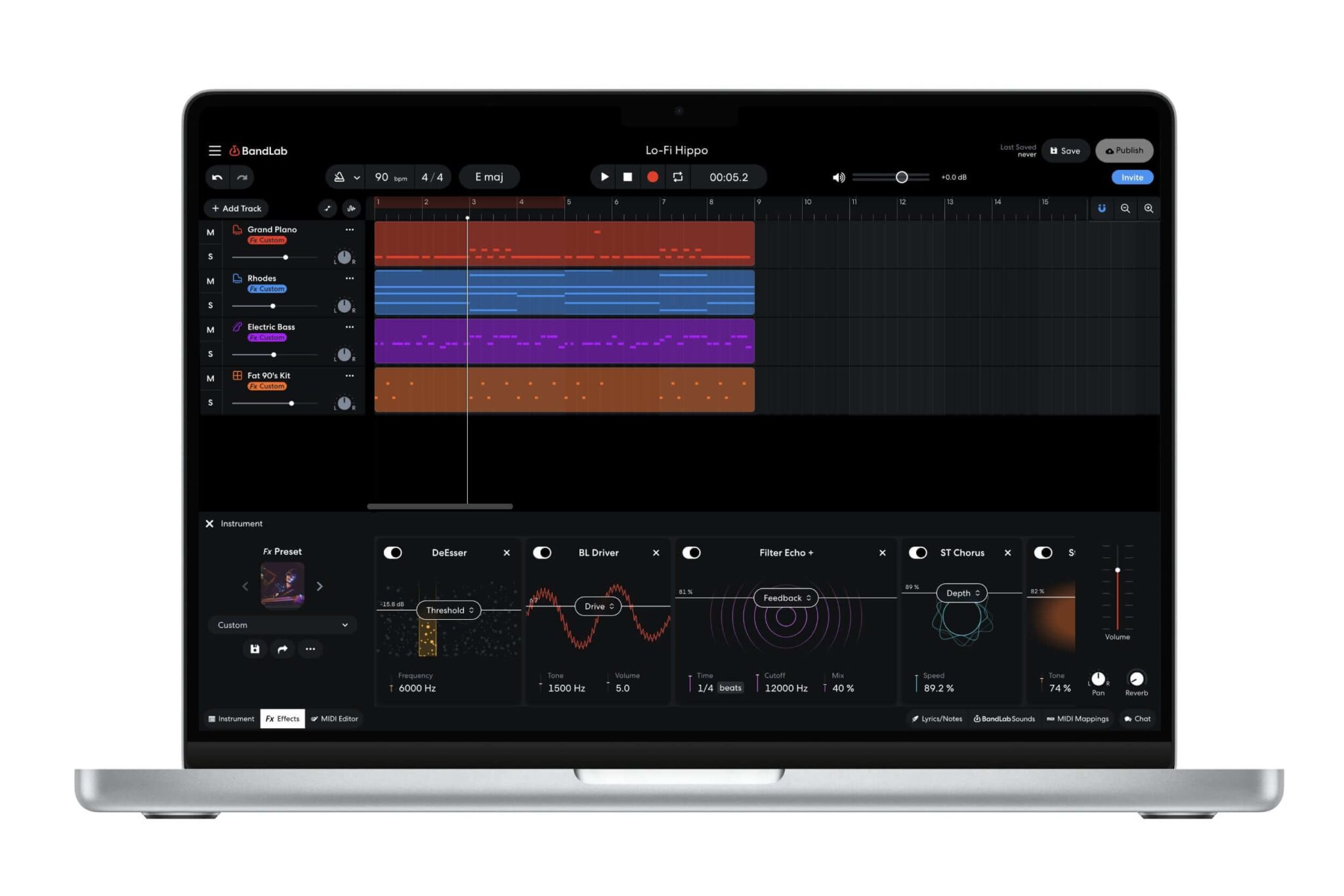
BandLab Studio includes effects for vocals, guitars, basses, mixing and creative sound design. The free edition allows up to ten effects on an individual track, while membership increases this limit.
Users can select prepared effect chains or create and save custom presets. Available processing includes equalization, compression, distortion, delay, reverb, modulation and amp-style effects.
Automation can control track volume, panning and compatible effect parameters. Points may be drawn manually or recorded from an assigned MIDI controller, allowing producers to create fades, filter movements and changing effect levels.
AutoPitch and Vocal Production
AutoPitch provides real-time vocal pitch correction and creative tuning effects. Users select the project key and scale, choose an available vocal character and adjust the intensity of the processing.
The free plan includes at least one option in each AutoPitch category, while additional vocal effects and custom-scale functions require membership.
AutoPitch can be useful for polished Pop vocals, melodic Rap and experimental vocal textures, although careful recording remains more effective than asking the correction algorithm to perform emergency surgery on every note.
Royalty-Free Sounds
BandLab Sounds is integrated directly into the Studio and includes thousands of royalty-free loops, samples and one-shots organized by genre and sound type.
Material can be previewed and dragged into a project without leaving the production environment. Producers can also download sounds to their computer or import their own audio and MIDI files.
The library is useful for Hip-Hop, Pop, electronic music, lo-fi and quick demo production. As with any widely available loop library, editing, chopping and layering the material will help create a more distinctive result.
Cloud Collaboration
BandLab Studio is designed for online collaboration. Projects are saved to the cloud, and creators can invite other BandLab users through their usernames or email addresses.
Collaborators can contribute recordings and create new revisions without manually exchanging project folders. Projects created on mobile can also be reopened through the web edition, although some features differ between platforms.
This workflow is particularly useful for remote vocal sessions, songwriting partnerships and producers working across several devices.
Export Options
The web version can export complete mixdowns as 16-bit WAV files at 44.1 kHz or as M4A files. Individual tracks can be exported as WAV or MIDI.
This makes it possible to begin a production inside BandLab and transfer the stems into another DAW for advanced mixing, mastering or third-party plugin processing.
Imported formats include MIDI, MP3, MP4, WAV, M4A, AAC and OGG in the browser edition.
Best Uses
- Beginner music production
- Hip-Hop, Pop and electronic beatmaking
- Recording vocals and solo instruments
- Creating music on several devices
- Remote collaboration and songwriting
- Building beats with loops and samples
- Quick demos and musical sketches
- Exporting stems into another DAW
Official BandLab Studio Tutorial
The official tutorial covers recording, AutoPitch, loops, the Sampler, virtual instruments, effects, editing and basic mixing. Some interface details may have changed since the video was published.
Compatibility and Requirements
The web edition works on computers capable of running a recent version of Chrome, Firefox or another Chromium-based browser. BandLab recommends the latest version of Google Chrome for the best compatibility.
The mobile application requires Android 8.2 or later or iOS 15.5 or later. Projects can move between web and mobile editions through the user’s BandLab account.
An active Internet connection is required. BandLab Studio is not intended to function as a fully offline desktop workstation.
Main Limitations
- Maximum of 16 tracks in the free plan
- Maximum project duration of 15 minutes
- Active Internet connection required
- BandLab account required
- No traditional third-party VST3 or Audio Unit plugin hosting
- Some effects, instruments and AI tools require membership
- Web recording is limited to two input channels per track
- Mixdown export is limited to 16-bit WAV at 44.1 kHz or M4A
Final Verdict
BandLab Studio is a strong free DAW for beginners, beatmakers, vocalists and musicians who value accessibility and online collaboration.
Its 370-plus virtual instruments, Drum Machine, Sampler, automation, effects and royalty-free sound library provide enough material to create complete songs without purchasing additional software.
The 16-track limit, mandatory Internet connection and lack of external plugin hosting prevent it from replacing a full desktop studio for more advanced productions.
For creating demos, beats, vocals and collaborative projects directly inside a browser or mobile device, BandLab Studio remains one of the most accessible genuinely free production environments available.