
Free DAW
Pro Tools Intro: A Free DAW for Recording, Editing and Mixing
Learn the Pro Tools workflow with free audio and MIDI recording, professional editing tools, automation, virtual instruments and AAX plugin support.
Pro Tools Intro is the permanent free edition of Avid’s professional digital audio workstation. It provides the main recording, editing and mixing workflow used across the wider Pro Tools family, but applies clear limits to track counts, routing and simultaneous inputs and outputs.
The software is designed for beginners, musicians learning Pro Tools, songwriters recording compact projects and producers who need compatibility with sessions created in professional studios.
Pro Tools Intro is not a temporary trial. It can be used without a paid subscription, although an Avid account, an iLok account and an Internet connection are required for installation and initial authorization.
| Developer | Avid |
|---|---|
| Software type | Audio and MIDI digital audio workstation |
| Platforms | Windows and macOS |
| Audio recording | Up to 8 mono or stereo audio tracks |
| MIDI production | Up to 8 MIDI tracks and 8 Instrument tracks |
| Simultaneous I/O | Up to 4 inputs and 4 outputs |
| Plugin support | AAX instruments and effects |
| Included content | 36 effects and instruments, Xpand!2, loops and production sounds |
| Price | Free with permanent track and routing limits |
Professional Audio Recording Tools
Pro Tools Intro can record vocals, guitars, keyboards, microphones and other external sources through a compatible Core Audio or ASIO interface.
The free edition supports up to eight mono or stereo audio tracks and four simultaneous inputs. This is enough for vocals, podcasts, small acoustic sessions, guitar overdubs and compact multitrack productions.
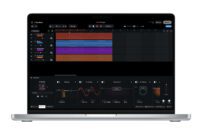
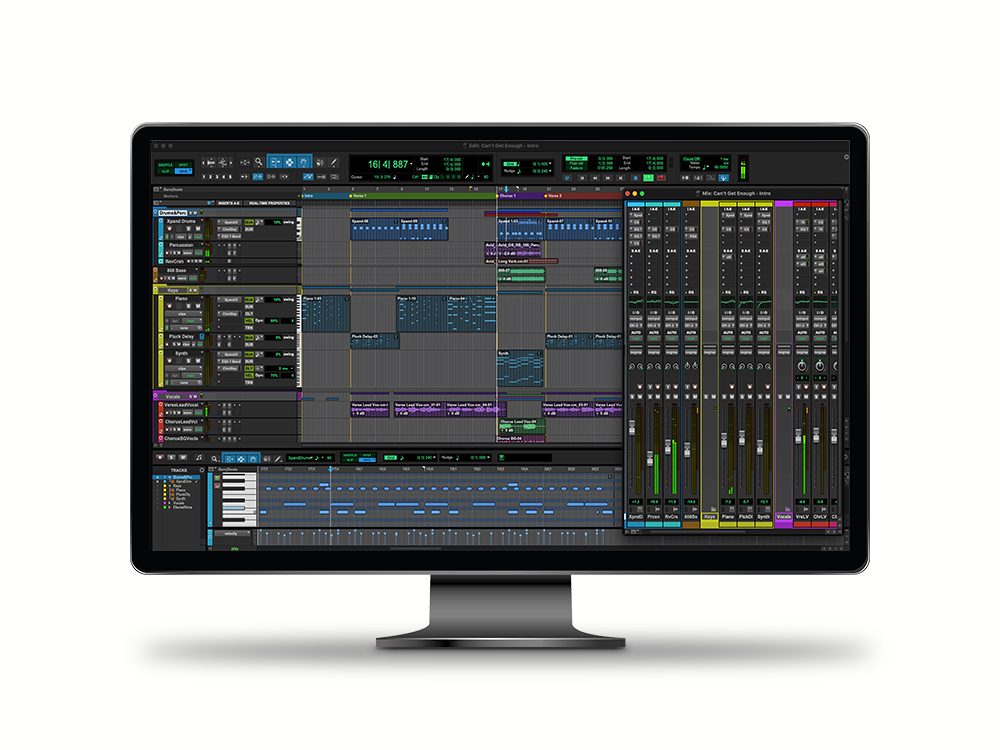
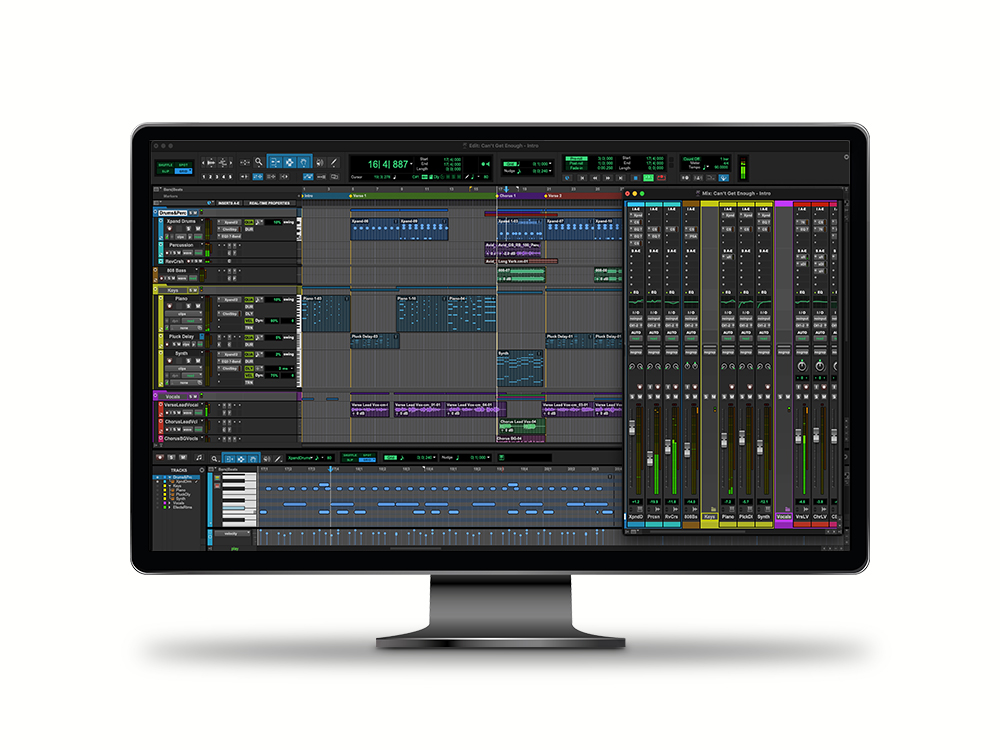
Recording is handled through the same Edit and Mix windows used in the paid Pro Tools editions. Users can create playlists for alternate performances, place recordings precisely on the timeline and edit without modifying the original audio files.
The eight-track limit becomes restrictive for full bands, heavily layered vocals or large drum recordings. Producers can commit or bounce finished sections to free space, but larger sessions are better suited to Pro Tools Artist, Studio or another unrestricted DAW.
Detailed Audio Editing
Editing remains one of the strongest reasons to learn Pro Tools. Intro includes the Zoomer, Trim, Selector, Grabber, Scrubber, Pencil and Smart tools used throughout the professional versions.
Audio clips can be cut, moved, duplicated, trimmed, faded and aligned directly on the timeline. The Smart Tool combines several common actions and allows producers to edit quickly without changing tools for every operation.
Non-destructive processing keeps the original recordings intact, while AudioSuite tools can apply selected processes directly to clips when permanent rendering is useful.
This workflow is particularly effective for vocal editing, dialogue cleanup, guitar comping and any production where timing and clip placement require careful control.
MIDI and Virtual Instruments
Pro Tools Intro supports up to eight MIDI tracks and eight Instrument tracks. Producers can record performances from a MIDI keyboard, edit notes, adjust velocity and automate compatible parameters.
The included Xpand!2 workstation provides more than 1,200 sounds covering drums, basses, pianos, guitars, strings, pads, synthesizers, percussion and orchestral instruments.
Avid also includes Kontakt Player, Massive X Player and selected factory content. These additions provide a useful starting library for beatmaking, songwriting and electronic music without requiring an immediate purchase.
The MIDI workflow is capable, although producers focused primarily on advanced piano-roll composition may find some pattern-based DAWs faster for building large arrangements.
Mixing, Routing and Automation
The Mix window provides channel faders, panning, inserts, sends, mute, solo and routing controls. Intro supports up to ten realtime plugin inserts and ten sends per track, depending on the computer’s performance.
Up to four Auxiliary Input tracks and four Routing Folders can be used for shared reverbs, delays, parallel compression and basic submixes. One Master Fader controls the final output.
Volume, panning and compatible plugin parameters can be automated across the timeline. This allows producers to create fades, vocal rides, effect transitions and changing filter movements.
The routing limits are significant compared with the paid editions, but they remain sufficient for learning sends, buses and automation inside smaller sessions.
Included Effects and Production Tools
Pro Tools Intro includes a practical selection of Avid effects. The collection covers EQ, compression, gating, de-essing, delay, reverb, guitar processing, pitch tools, lo-fi effects and utility processing.
Notable processors include BF-76, Channel Strip, Dynamics III, EQ III, D-Verb, Mod Delay, Eleven Lite and SansAmp PSA-1.
Hundreds of loops are included, while Splice integration provides access to more than 2,500 free loops and samples. These resources can help users start drum patterns, melodic ideas and complete song arrangements.
Third-Party Plugin Support
Pro Tools Intro supports third-party plugins in the AAX format. Compatible AAX instruments and effects can be installed and used alongside the included processors.
VST, VST3 and Audio Unit plugins are not hosted natively. Producers with an existing collection should confirm that AAX editions are included before choosing Pro Tools Intro as their primary DAW.
This format restriction is one of the most important differences between Pro Tools and many other production environments. A folder containing two hundred VST3 plugins may look impressive, but Pro Tools will remain professionally unimpressed.
Best Uses
- Learning the professional Pro Tools workflow
- Recording vocals and solo instruments
- Editing podcasts, dialogue and voiceovers
- Producing compact songs and demos
- Small acoustic recording sessions
- MIDI composition with included instruments
- Mixing projects with a limited track count
- Preparing sessions for professional studios
Compatibility and Installation
The current Pro Tools generation supports qualified Windows 11 and recent macOS systems. Avid currently recommends 16 GB of RAM, approximately 15 GB of installation space and a compatible Core Audio or ASIO audio device.
An Internet connection is required to download and authorize the software. Users must create an Avid account and an iLok account. The free license can then be stored on the computer or on a compatible iLok system.
Once the disk-based license has been activated, Pro Tools Intro can operate without a permanent Internet connection.
Main Limitations
- Maximum of 8 audio tracks
- Maximum of 8 Instrument tracks and 8 MIDI tracks
- Only 4 simultaneous inputs and outputs
- Limited auxiliary tracks and routing folders
- Only one Master Fader
- No native VST, VST3 or Audio Unit hosting
- Avid and iLok accounts are required
- Official support is limited mainly to community resources
- Sessions exceeding the supported limits open with additional tracks ignored
Final Verdict
Pro Tools Intro is a useful free DAW for musicians who want to learn the Pro Tools recording, editing and mixing workflow without purchasing a subscription immediately.
Its editing tools, automation, included effects, Xpand!2 library and session compatibility provide genuine value for vocals, podcasts, demos and compact music projects.
The eight-audio-track ceiling and AAX-only plugin support are major limitations. Intro is therefore better considered as a focused learning and recording platform than an unrestricted production studio.
For producers who want professional editing tools and direct familiarity with an industry-standard workflow, Pro Tools Intro remains a credible free download.