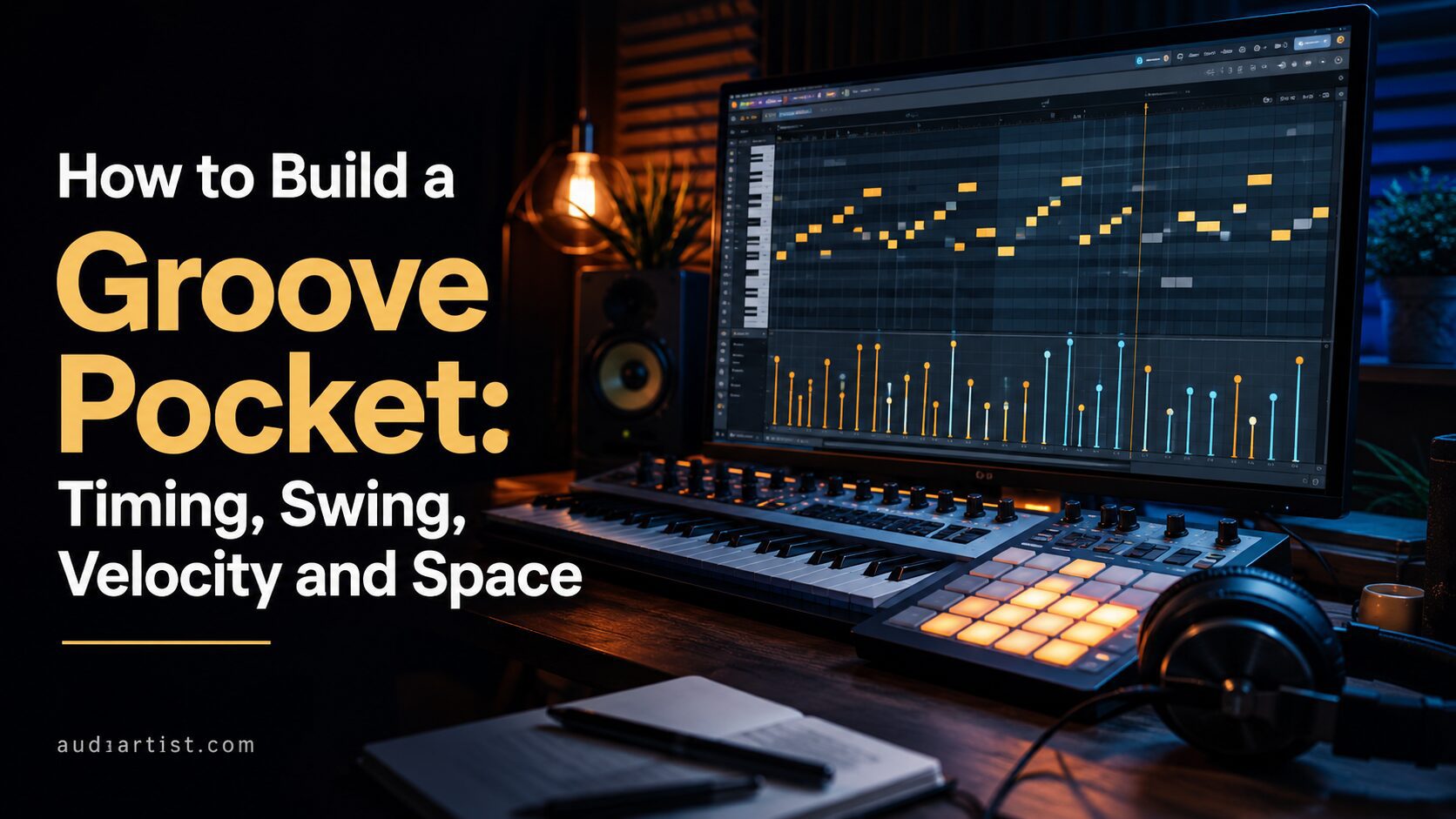

A groove can be perfectly quantized and still feel wrong.
The groove pocket is the place where timing, swing, velocity, space, and feel come together. It is not only about playing behind the beat. It is not only about adding swing. It is not only about randomizing MIDI notes. A real pocket is a relationship between elements. The kick, snare, hi-hats, percussion, bass, chords, and silence all agree on where the body should move.
For beginners, the pocket can feel mysterious. For experienced producers, it becomes one of the most important production decisions in the track. Whether you make house, afro house, hip-hop, trap, lo-fi, funk, pop, synthwave, or electronic music, groove is not decoration. Groove is the engine.
This article explains how to build a groove pocket using timing, swing, velocity, micro-timing, bass interaction, drum spacing, and arrangement restraint. The goal is simple: make programmed music feel like it moves, not like it was assembled by a spreadsheet wearing headphones.
What Is a Groove Pocket?
A groove pocket is the rhythmic space where the beat feels comfortable, intentional, and alive. It is the feeling that the drums and bass are sitting together naturally. The track does not rush. It does not drag by accident. It breathes.
The pocket is created by several details working together:
- Timing: where notes land against the grid.
- Swing: how subdivisions lean or stretch.
- Velocity: how strongly notes are played.
- Space: what is left out.
- Note length: how long sounds speak before they stop.
- Interaction: how drums, bass, and percussion respond to each other.
- Repetition: how patterns repeat without becoming lifeless.
- Variation: how small changes keep the groove moving.
A groove pocket is not created by one magic setting. It is created by listening to relationships.
The Grid Is a Starting Point, Not a Groove
The grid is useful. It keeps the track organized, especially in electronic music. But the grid is not automatically musical. If every note lands exactly on the grid, at the same velocity, with the same length, the groove can feel stiff.
This does not mean every track needs loose timing. Techno, house, trap, EDM, and many forms of electronic music rely on tight rhythmic precision. The point is not to destroy the grid. The point is to decide how each element relates to it.
Some elements should be stable. In many dance tracks, the kick needs to stay consistent and centered. The bass may need to lock tightly to the kick. Other elements can move more freely: hi-hats, shakers, ghost snares, percussion, claps, vocal chops, and small melodic answers.
The pocket often happens when the foundation is stable and the details breathe.
The Foundation: Kick and Bass Agreement
The groove pocket begins with the kick and bass. If they do not agree, the track will feel unstable no matter how many percussion layers you add.
The kick defines impact. The bass defines movement. Together, they create the physical rhythm of the track.
Ask these questions:
- Does the bass start with the kick, after the kick, or between kicks?
- Does the bass note end before the next kick?
- Is the bass too long for the groove?
- Is the kick too long for the bass?
- Does the bass rhythm answer the kick rhythm?
- Does the low end feel like one system or two sounds fighting?
Many groove problems are actually note-length problems. A bass note that rings too long can make a groove feel slow and crowded. A kick with too much tail can blur the pocket. A bassline with no rests can remove bounce.
Before adding swing, check the low-end rhythm. The pocket starts there.
Timing: Ahead, On, Behind
Timing is not only about being correct. It is about feel.
A note can land:
- Ahead of the beat: creating urgency and push.
- On the beat: creating stability and precision.
- Behind the beat: creating relaxation, weight, or laid-back feel.
The trick is to avoid moving everything the same way. If every element is late, the track drags. If everything is early, it feels rushed. If everything is perfectly centered, it can feel mechanical. A pocket often comes from contrast.
For example:
- The kick stays on the grid.
- The snare or clap sits slightly behind.
- The hi-hats have subtle swing.
- The bass locks with the kick but has rests.
- The percussion pushes slightly ahead in selected spots.
This creates motion without chaos.
Swing: More Than a Button
Swing changes the spacing between subdivisions. Instead of every 16th note being evenly spaced, some notes are delayed slightly to create a more human or bouncing feel.
Many DAWs have swing or groove controls. These are useful, but swing is not a one-size-fits-all setting. Applying 60 percent swing to every MIDI part may make the track feel more “groovy” for three seconds, then strangely drunk.
Swing works best when it supports the style.
- House: subtle swing on hats, shakers, and percussion can create bounce.
- Afro house: percussion swing and call-and-response feel are essential.
- Hip-hop: swing can be strong, especially on hats, drums, and samples.
- Trap: hats may use fast rolls and rhythmic variation more than traditional swing.
- Lo-fi: loose swing and slightly late drums can create intimacy.
- Techno: swing may be minimal, with groove coming from repetition and micro changes.
Do not add swing because the track feels boring. First ask what should swing. The kick may not need swing. The shaker might. The ghost snare might. The bass may need to stay steady while the hats lean around it.
Useful Tool: Groove Pizza
Groove Pizza is a browser-based circular rhythm tool developed by the NYU Music Experience Design Lab. It lets you build grooves visually, experiment with rhythmic shapes, and understand how patterns create motion. It is especially useful for beginners because it turns rhythm into something you can see and hear quickly.
Use it for: rhythm experiments, drum pattern ideas, swing exploration, groove education, visual beat creation.
Groove tip: Use Groove Pizza to create a simple kick, clap, and hat pattern. Then remove one note and listen. Often, groove improves when the pattern has more space, not more hits.
Official website
Open Groove Pizza
Velocity: The Groove You Can Feel
Velocity controls how strongly a MIDI note is played. In drum programming, it is one of the fastest ways to make a pattern feel more human.
A hi-hat pattern where every hit has the same velocity can sound stiff. A shaker loop with no dynamic variation can feel robotic. A snare ghost note that is too loud can ruin the pocket. A kick with too much variation can weaken the foundation.
Velocity should follow musical hierarchy.
- Main hits should be clear.
- Ghost notes should be softer.
- Passing notes should support the groove.
- Accents should create movement.
- Repeated notes should have subtle variation.
For a simple 16th-note hi-hat pattern, try this shape:
- Beat accents: stronger.
- Offbeats: medium.
- Passing notes: softer.
- Pre-fill notes: slightly rising.
Do not randomize everything. Random velocity can sound fake if it has no musical logic. A groove pocket is not random. It is intentional.
Ghost Notes: The Small Hits That Create Motion
Ghost notes are quiet rhythmic details that support the main groove. They often sit around the snare, clap, percussion, or hi-hat pattern. They are felt more than heard.
Ghost notes can make a loop feel alive because they create rhythmic conversation between the main hits.
Useful ghost note placements include:
- A soft snare before the main snare.
- A quiet percussion hit after the clap.
- A low-velocity hi-hat before an accent.
- A rim or click between kick hits.
- A shaker note that leads into the next beat.
The danger is making ghost notes too loud. If the ghost note becomes as loud as the main hit, it stops being ghostly and starts demanding rent.
Space: The Most Underrated Groove Element
Groove is not only where notes are placed. It is also where notes are not placed.
Space gives the body room to respond. A pattern that fills every 16th note can feel busy but not necessarily groovy. A groove with well-placed gaps can feel deeper, heavier, and more confident.
Before adding another percussion element, try removing one.
- Mute every second hi-hat for one section.
- Remove a shaker hit before the clap.
- Leave a rest before the bass answer.
- Cut the kick for one beat before the return.
- Remove percussion during the vocal phrase.
- Let the snare or clap breathe.
Space makes rhythm readable. A groove pocket needs air.
The Bass Pocket: Note Length and Silence
The bass pocket is often more about note length than note choice. A bassline can use the right notes and still feel wrong if the notes do not stop at the right time.
Shorter notes create bounce. Longer notes create weight. Sustained notes create pressure. Rests create movement.
Try this exercise:
- Write a simple bassline using only root notes.
- Make every note long and listen.
- Now shorten the notes so they end before the next kick.
- Add one rest before a snare or clap.
- Extend only one note at the end of a phrase.
The groove will change dramatically, even though the notes stay almost the same.
This is why bass editing matters. A bassline is not only melody. It is rhythm.
Useful Tool: Sitala
Sitala is a drum sampler plugin and standalone app built around a simple pad-based workflow. It is useful for groove building because it keeps drum programming fast and direct. You can load samples, shape them quickly, and focus on rhythm rather than getting lost in a giant interface.
Use it for: one-shot drums, beat sketching, simple drum kits, quick groove building, percussion programming.
Groove tip: Load only a few essential sounds first: kick, clap or snare, closed hat, shaker, percussion. Build a pocket with five sounds before adding more. If the groove does not work with five sounds, ten sounds will probably not save it.
Official website
Download / Get Sitala
Micro-Timing: Move Carefully
Micro-timing means moving notes slightly before or after the grid. This can make a groove feel more human, but it can also destroy clarity if used carelessly.
Start with small moves. A few milliseconds can matter. Do not drag notes randomly and call it feel.
Good micro-timing questions:
- Should the clap feel relaxed?
- Should the shaker push the groove forward?
- Should the bass sit tightly with the kick?
- Should the ghost snare be slightly late?
- Should the percussion answer the main rhythm?
A useful approach is to keep the strongest elements stable and move the supporting elements slightly.
For example:
- Kick: on grid.
- Snare or clap: slightly behind.
- Closed hats: slightly swung.
- Shaker: slightly ahead or behind depending on feel.
- Bass: locked to kick, with carefully shaped note length.
This creates pocket without rhythmic collapse.
Quantization Is Not the Enemy
Some producers hear “human groove” and immediately reject quantization. That is a mistake. Quantization is a tool. The problem is not quantization itself, but blind quantization.
Quantize with intention.
- Use full quantization for elements that need precision.
- Use partial quantization for performed parts.
- Quantize drums differently from percussion.
- Use swing only where it helps.
- Keep human timing when it already feels good.
- Correct bad timing without killing feel.
A tight groove can still feel human. A loose groove can still feel bad. Feel is not the same as inaccuracy.
The Clap and Snare Pocket
The clap or snare often defines the character of the groove. If it is too early, the beat can feel rushed. If it is too late, it can feel heavy or lazy. If it is too loud, it can dominate. If it is too dry or short, it may not support the rhythm. If it is too wide, it may lose focus.
Try adjusting the clap or snare in three ways:
- Timing: move it slightly behind the grid for a relaxed feel.
- Velocity: keep main hits strong, ghost notes soft.
- Length: choose a sample that stops before it masks the next element.
A small clap timing change can shift the entire feel of a beat. Do not underestimate it.
Hi-Hats and Shakers: The Groove Detail Layer
Hi-hats and shakers carry a lot of groove information because they often play subdivisions. If they are too static, the beat feels stiff. If they are too busy, the beat feels crowded. If they are too loud, the pocket becomes annoying.
Improve hats and shakers with:
- Velocity accents.
- Subtle swing.
- Small gaps.
- Occasional rolls.
- Alternating closed and open hats.
- Different note lengths.
- Small volume automation.
- Call-and-response with percussion.
One of the fastest ways to improve a groove is to lower the hi-hats slightly and shape their velocity. Beginners often make hats too loud because they confuse brightness with energy.
Percussion: Conversation, Not Decoration
Percussion should talk to the groove. It should not simply fill empty space.
In afro house, organic house, Latin-influenced pop, funk, and many electronic styles, percussion creates movement through call-and-response. One element answers another. A shaker pushes forward. A rim responds. A conga phrase opens the groove. A bell marks a phrase ending.
Before adding percussion, decide its role:
- Is it pushing the groove?
- Is it answering the clap?
- Is it creating swing?
- Is it marking the phrase?
- Is it adding human texture?
- Is it distracting from the main rhythm?
Good percussion feels like a conversation. Bad percussion feels like someone tapping on the table during a serious meeting.
Useful Tool: MT Power Drum Kit 2
MT Power Drum Kit 2 is a drum plugin focused on realistic acoustic drum sounds. It is useful for learning groove because acoustic drum programming immediately reveals weak timing, velocity, and ghost note decisions.
Use it for: realistic drum grooves, ghost note programming, acoustic-style pocket training, rock, pop, funk, and hybrid productions.
Groove tip: Program a simple groove with kick, snare, and hi-hat. Then add ghost snare notes at low velocity. Listen to how the pocket changes before adding any other instrument.
Official website
Download MT Power Drum Kit 2
Groove and Sound Selection
Groove is not only MIDI. Sound selection changes feel.
A short kick creates a different pocket from a long kick. A tight clap creates a different feel from a wide snare. A dry shaker behaves differently from a noisy loop. A soft bass feels different from a distorted mid-bass. A long open hat can make a groove feel lazy or smooth depending on context.
Before editing timing for 30 minutes, ask whether the sound itself supports the pocket.
Good groove sound selection means:
- The kick length fits the bass.
- The clap or snare has the right weight.
- The hats are not too bright or loud.
- The percussion has a clear rhythmic role.
- The bass envelope supports bounce.
- The samples do not mask each other unnecessarily.
Sometimes the groove improves instantly when you choose a shorter kick, a softer hat, or a bass with a cleaner release.
Groove and Arrangement
A groove can become boring if it never evolves. The pocket should stay consistent, but details can change across the arrangement.
Try these arrangement moves:
- Intro: kick and filtered percussion only.
- First groove: add bass and clap.
- Second section: add shaker or hat variation.
- Breakdown: remove kick and let percussion breathe.
- Build-up: increase hat velocity or density.
- Return: bring full groove back with stronger bass.
The pocket does not need constant change. It needs controlled development.
Groove by Genre
House and Tech House
The kick often stays stable and direct. Groove comes from bass rhythm, hats, claps, shakers, and percussion details. Keep the low end tight and let the top movement create bounce.
Afro House and Organic House
Percussion interaction is essential. The pocket often comes from layered rhythms that answer each other. Leave space between percussion parts and avoid making every element too loud.
Hip-Hop
The pocket often comes from drums that push or drag intentionally, bass that supports the swing, and samples that sit slightly loose. Do not quantize away the feel if the performance already moves well.
Trap
Trap groove often comes from snare placement, 808 timing, hat rolls, rests, and velocity shaping. The grid can be tight, but variation in rolls and pauses creates movement.
Lo-Fi
Lo-fi groove often benefits from softer transients, laid-back timing, subtle swing, and relaxed velocity. The pocket should feel human and intimate, not sloppy.
Synthwave
Synthwave groove often uses stable drum machine patterns, pulsing bass, and controlled variation. The pocket comes from bass movement, snare weight, and atmospheric timing.
Useful Tool: Ableton Learning Music
Ableton Learning Music is an interactive browser-based educational platform for learning the basics of beats, basslines, melodies, harmony, and song structure. It is useful for beginners who want to understand rhythmic construction before getting lost inside a full DAW session.
Use it for: beat basics, rhythm understanding, beginner groove practice, interactive learning, simple pattern creation.
Groove tip: Use the beat section to build simple patterns, then recreate them in your DAW with different velocity and timing choices. This helps connect basic rhythm with real production feel.
Official website
Open the beat lessons
The 15-Minute Groove Pocket Exercise
Open your DAW and create a simple drum and bass loop. Do not add chords, leads, risers, or extra textures yet. Spend 15 minutes only on the pocket.
Minute 1 to 3: Build the Basic Pulse
Add kick, clap or snare, and one hat. Keep it simple. The goal is foundation.
Minute 4 to 6: Add Bass
Write a simple bassline. Adjust note length before adding more notes. Make sure the bass and kick are not fighting.
Minute 7 to 9: Shape Velocity
Change hat velocity, add soft ghost notes, and create accents. Listen for movement, not randomness.
Minute 10 to 12: Adjust Timing
Move only supporting elements slightly. Try the clap slightly behind. Try hats with subtle swing. Keep the kick stable.
Minute 13 to 15: Remove Notes
Mute unnecessary hits. Add rests. Leave space before important accents. Compare the crowded version with the simpler version.
At the end, the loop should feel better without adding more sounds.
The Groove Pocket Checklist
Before adding more layers, ask:
- Does the kick and bass relationship feel clear?
- Are the bass notes too long?
- Do the hats have velocity movement?
- Are ghost notes soft enough?
- Does the clap or snare sit correctly?
- Is the percussion answering the groove or cluttering it?
- Does the beat have enough space?
- Is swing applied only where it helps?
- Are supporting elements moving around a stable foundation?
- Does the groove still work at low volume?
If the answer is no, fix the pocket before adding another instrument.
Common Groove Mistakes
Everything Is Quantized the Same Way
Different elements need different timing relationships. The kick, bass, clap, hats, and percussion do not always need identical quantization.
Velocity Is Flat
Flat velocity makes repeated notes sound mechanical. Shape accents and ghost notes with intention.
Too Many Percussion Layers
More percussion does not always mean more groove. It often means less pocket.
The Bass Has No Rests
Bass rests create bounce. A constant bassline can remove movement if it never breathes.
Hi-Hats Are Too Loud
Loud hats can make a beat feel amateur quickly. Lower them and shape their velocity.
Swing Is Applied Blindly
Swing should support the style. Too much swing on the wrong element can make the track feel unstable.
Final Thoughts: The Pocket Is a Relationship
A groove pocket is not a preset. It is not a swing percentage. It is not random MIDI humanization. It is a relationship between timing, velocity, space, sound choice, note length, and rhythmic intention.
To build a better pocket, start with the kick and bass. Shape note length. Give the hats and percussion dynamic movement. Use ghost notes softly. Move supporting elements carefully around the grid. Leave space. Remove notes. Listen to how the parts answer each other.
The best grooves often sound simple, but they are not careless. They are balanced. The body understands them before the brain analyzes them.
When your beat feels stiff, do not immediately add more sounds. Improve the pocket. A strong groove can carry a track with very few elements. A weak groove will struggle even with 80 layers.
The pocket is where the track starts to breathe.