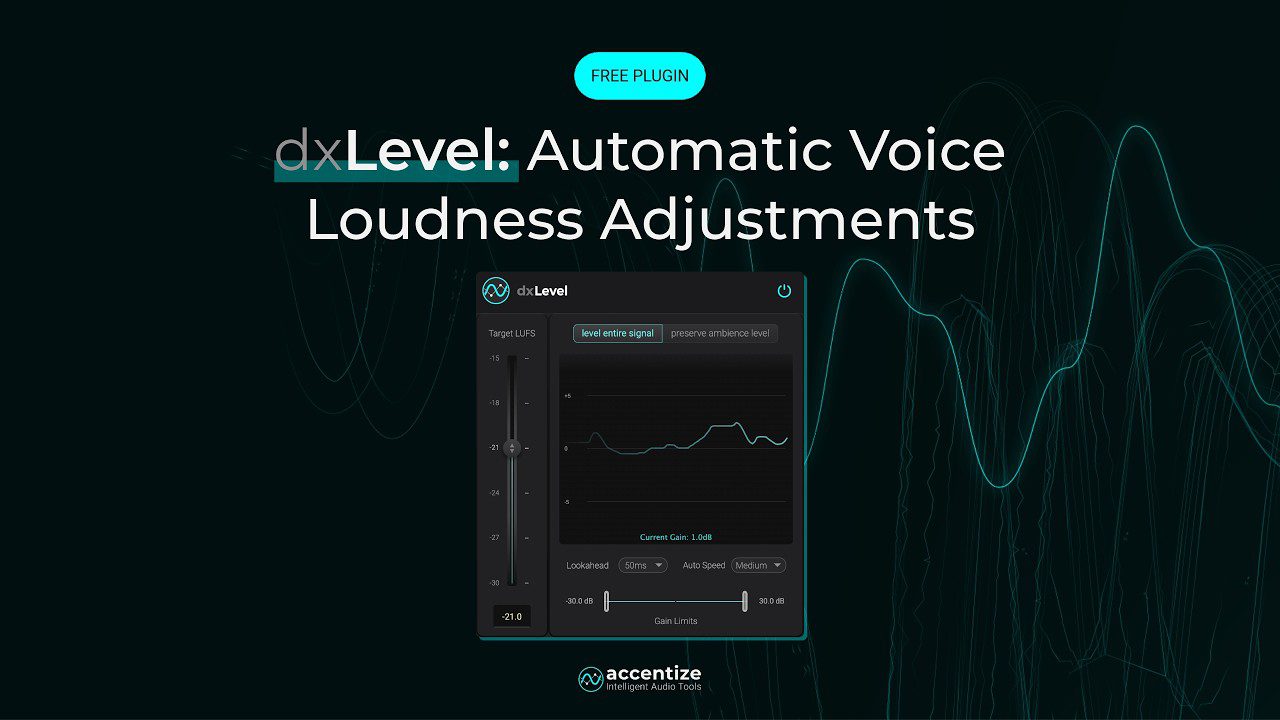
dxLevel by Accentize is a free voice leveling VST plugin designed for podcasters, video editors, dialogue editors, YouTubers, livestream creators, post-production engineers and anyone who works with spoken voice. Instead of forcing users to manually automate every quiet sentence, loud reply or inconsistent speaker level, dxLevel automatically adjusts speech loudness toward a chosen LUFS target while keeping the background ambience more natural.
This is a very practical release. Many free VST plugins are built for synth sounds, distortion, reverb, compression or creative effects. dxLevel is different. It solves a problem that appears every day in podcasts, interviews, voiceovers, YouTube videos, documentaries, livestreams and film dialogue: speech levels that refuse to behave like professionals.
What Is dxLevel by Accentize?
dxLevel is a free loudness leveling plugin from Accentize, a developer known for dialogue restoration and intelligent post-production audio tools. The plugin is designed to automatically balance speech and dialogue, helping users achieve more consistent voice loudness without spending hours on manual clip gain or volume automation.
The plugin is especially useful when recordings contain different speakers, changing microphone distance, inconsistent voice projection or dynamic speech that moves from quiet to loud too quickly. It analyzes speech, adjusts the voice level and helps the dialogue sit closer to a selected loudness target.
dxLevel is available as a full free version for subscribers to the Accentize mailing list. It supports VST3, AU and AAX formats, works in mono and stereo, and supports common sample rates from 44.1 kHz to 192 kHz.
Why This Free Voice Leveling VST Plugin Matters
The free voice leveling VST plugin category is important because spoken-word production has exploded. Podcasts, YouTube channels, interviews, online courses, documentaries, livestreams, short-form videos and creator media all depend on clear, stable and intelligible voice audio.
The problem is that real voice recordings are rarely perfect. One guest leans away from the mic. Another speaks too loudly. The host laughs into the microphone. A quiet sentence disappears under background ambience. A video editor imports five clips recorded in five different rooms and suddenly the timeline sounds like a committee meeting held inside a washing machine.
Manual gain riding can solve these issues, but it takes time. dxLevel is built to reduce that workload by automatically smoothing speech loudness and helping dialogue remain consistent across clips, speakers and scenes.
Main Features
- Free loudness leveling plugin for speech, dialogue, podcasts, voiceovers and video production.
- Automatic LUFS-based voice leveling for consistent perceived loudness.
- Speech-aware loudness analysis designed specifically for spoken voice.
- Preserve Ambience mode to keep background ambience more natural while adjusting dialogue.
- Balances multiple speakers on a single microphone.
- Smooths level changes caused by moving voices and inconsistent recordings.
- Adjustable lookahead for controlling how the plugin reacts to upcoming level changes.
- Adjustable leveling speed for tighter or more natural correction.
- Suitable for live and post-production workflows.
- Mono and stereo support.
- VST3, AU and AAX formats.
- Supports 44.1, 48, 88.2, 96 and 192 kHz sample rates.
- Compatible with major DAWs and video software, including Pro Tools, Cubase, Nuendo, Reaper, Ableton Live, Logic Pro, Adobe Premiere, Final Cut and DaVinci Resolve.
- Full version available free for Accentize mailing list subscribers.
A Plugin Built for Dialogue, Not Generic Volume Automation
Leveling speech is not the same as turning a track up and down. Dialogue contains breaths, pauses, consonants, emotional changes, sudden laughs, mic movement and background ambience. A simple volume processor can easily make a recording sound unnatural by lifting the room tone, pumping the noise floor or overreacting to non-speech sounds.
dxLevel is built specifically around speech and dialogue. Its goal is to adjust the voice more intelligently, so the spoken content becomes more consistent without making the background sound obviously manipulated.
This is where Preserve Ambience mode becomes important. Traditional leveling can raise background ambience along with the voice. That often makes a room sound like it is breathing in and out with every sentence. dxLevel aims to preserve the natural background while adjusting the dialogue toward the target loudness.
Automatic LUFS-Based Voice Leveling
LUFS has become a central loudness reference for broadcast, podcasting, streaming video and professional audio delivery. A voice can peak at a safe level but still feel too quiet or too loud compared with the rest of a program. LUFS-based leveling focuses on perceived loudness, which is much closer to how listeners actually experience speech.
dxLevel lets users choose a target loudness and automatically adjusts speech toward that target. This can save a huge amount of time when working with long-form content, interviews, voiceovers or multi-speaker recordings.
For podcast editors, this means fewer manual clip-gain moves. For video creators, it means dialogue that feels more stable from scene to scene. For post-production engineers, it means a faster first pass before final mix decisions.
Preserve Ambience Mode: The Feature That Makes It Interesting
The most important feature in dxLevel is Preserve Ambience mode. In many real-world recordings, the dialogue is not isolated from the room. There may be air conditioning, street noise, camera noise, room tone, crowd ambience or natural environmental sound.
When a normal leveler boosts quiet speech, it often boosts that background as well. The result can sound unnatural because the ambience rises and falls with every phrase. This is one of the classic problems in dialogue editing, especially for documentaries, interviews and on-location video.
dxLevel addresses that problem by focusing the adjustment on speech while keeping the original background ambience more stable. That makes it especially useful for real-world dialogue, not only clean studio voiceovers.
Lookahead and Leveling Speed
dxLevel includes adjustable lookahead and leveling speed controls. These settings allow the plugin to react differently depending on the material.
Lookahead helps the plugin anticipate incoming speech level changes. This can be useful when dialogue has sudden loud phrases or fast transitions. Leveling speed controls how quickly dxLevel responds to level differences. Faster settings can feel tighter and more controlled. Slower settings can sound more natural on dynamic speech.
This matters because a podcast interview, a film dialogue scene, a YouTube tutorial and a live stream do not all need the same response. Some voices need transparent smoothing. Others need stronger leveling to remain intelligible.
Sound and Workflow
dxLevel is not a creative effect. It is not designed to add warmth, grit, reverb, stereo width or musical character. Its value is workflow and intelligibility. It helps voices stay clear and consistent.
In a podcast workflow, dxLevel can sit early in the chain to even out speech before EQ, compression and limiting. In a video workflow, it can help stabilize dialogue before final loudness processing. In post-production, it can serve as a time-saving leveling pass before more detailed restoration, editing or mixing.
Used correctly, the best result is not dramatic. The listener should not think, “What an amazing leveler.” The listener should simply understand every word without reaching for the volume control. Boring, yes, but boring in the best professional way.
Why Voice Leveling Matters for Creators
Bad speech levels can destroy otherwise good content. Viewers may forgive imperfect lighting, simple editing or a basic camera setup, but they rarely forgive dialogue that is too quiet, too loud or constantly changing level.
This is especially true on mobile devices, laptops, earbuds and social platforms. If a voice disappears under room noise or suddenly jumps too loud, the audience loses patience quickly.
For independent creators, dxLevel can be useful because it targets one of the most common audio problems without requiring advanced post-production knowledge. It gives content creators a faster way to make speech sound controlled and professional.
Who Should Use dxLevel?
dxLevel is ideal for podcasters, video editors, YouTubers, livestream creators, voiceover editors, dialogue editors, documentary producers, interview editors, broadcast engineers and post-production professionals.
It is especially useful for people who regularly work with spoken voice but do not want to spend hours manually adjusting gain. If your sessions contain interviews, tutorials, narration, dialogue, panel discussions, online courses or content recorded in changing acoustic conditions, dxLevel is directly relevant.
It is less suited to producers looking for a standard music mixing plugin. dxLevel is not a compressor for drums, a vocal color box or a mastering maximizer. It is a voice leveling tool. Do not put it on a snare bus and expect enlightenment.
Best Use Cases for Producers and Creators
Podcast Editing
Use dxLevel to smooth host and guest levels, especially when speakers move around the microphone or speak at different volumes.
YouTube Dialogue
Apply dxLevel to spoken sections in tutorials, reviews, interviews and commentary videos so the voice stays consistent across cuts.
Voiceover Work
Use it to maintain a stable voice level before compression, EQ and final loudness processing.
Documentary Audio
Use Preserve Ambience mode on location recordings where the room tone or environmental background needs to remain natural.
Interviews
Balance different speakers recorded on one microphone, especially when one person is closer or louder than another.
Livestream Preparation
Use dxLevel in supported live or semi-live workflows to keep speech more stable before broadcasting.
Video Post-Production
Place dxLevel on dialogue clips or buses before final mix processing in video editing software or a DAW.
Compatibility and Download Details
dxLevel is available from the official Accentize website. The plugin is free for Accentize mailing list subscribers and is provided as a full version with no trial time limit or feature restriction.
- Official website: dxLevel by Accentize
- Download: Sign up and download dxLevel for free
- Formats: VST3, AU, AAX
- Channels: mono and stereo
- Sample rates: 44.1 kHz, 48 kHz, 88.2 kHz, 96 kHz and 192 kHz
Industry Impact: Free Tools for the Creator Economy
dxLevel is important because it targets a very modern production reality. A huge amount of audio is now made outside traditional studios. Podcasts are recorded at home. Interviews happen over imperfect setups. Video creators shoot in untreated rooms. Livestreamers need fast, reliable speech control. Independent filmmakers often deal with dialogue recorded in difficult locations.
In that environment, automatic voice leveling is not a luxury. It is a practical need. A free plugin that helps creators control speech loudness can improve the quality of a large amount of everyday content.
It also shows how post-production technology is moving into more accessible territory. Tools that once felt reserved for broadcast and dialogue specialists are now becoming relevant to creators, musicians, editors and small studios.
What Happens Next
dxLevel already addresses a clear workflow problem, but its long-term value will depend on how well it performs across different types of speech recordings: clean studio narration, noisy interviews, moving speakers, livestreams, documentaries and fast social video edits.
The best way to test it is simple: take a messy voice recording with inconsistent levels, set a target loudness, adjust the leveling speed and compare the result with manual gain automation. If the voice becomes easier to follow without the room tone pumping like an overexcited air mattress, dxLevel has done its job.
Final Verdict
dxLevel by Accentize is a genuinely useful free voice leveling VST plugin for anyone working with speech, dialogue, podcasts, interviews, YouTube videos, livestreams, voiceovers or post-production audio.
With automatic LUFS-based voice leveling, Preserve Ambience mode, adjustable lookahead, leveling speed, mono and stereo support, VST3, AU and AAX formats, and compatibility with major DAWs and video editors, it offers a serious workflow advantage for spoken-word production.
For creators and engineers tired of endless manual gain riding, dxLevel is absolutely worth downloading. It will not write your podcast, fix your guest’s microphone technique or stop someone from recording next to a fridge, but it can make the voice levels much easier to control.