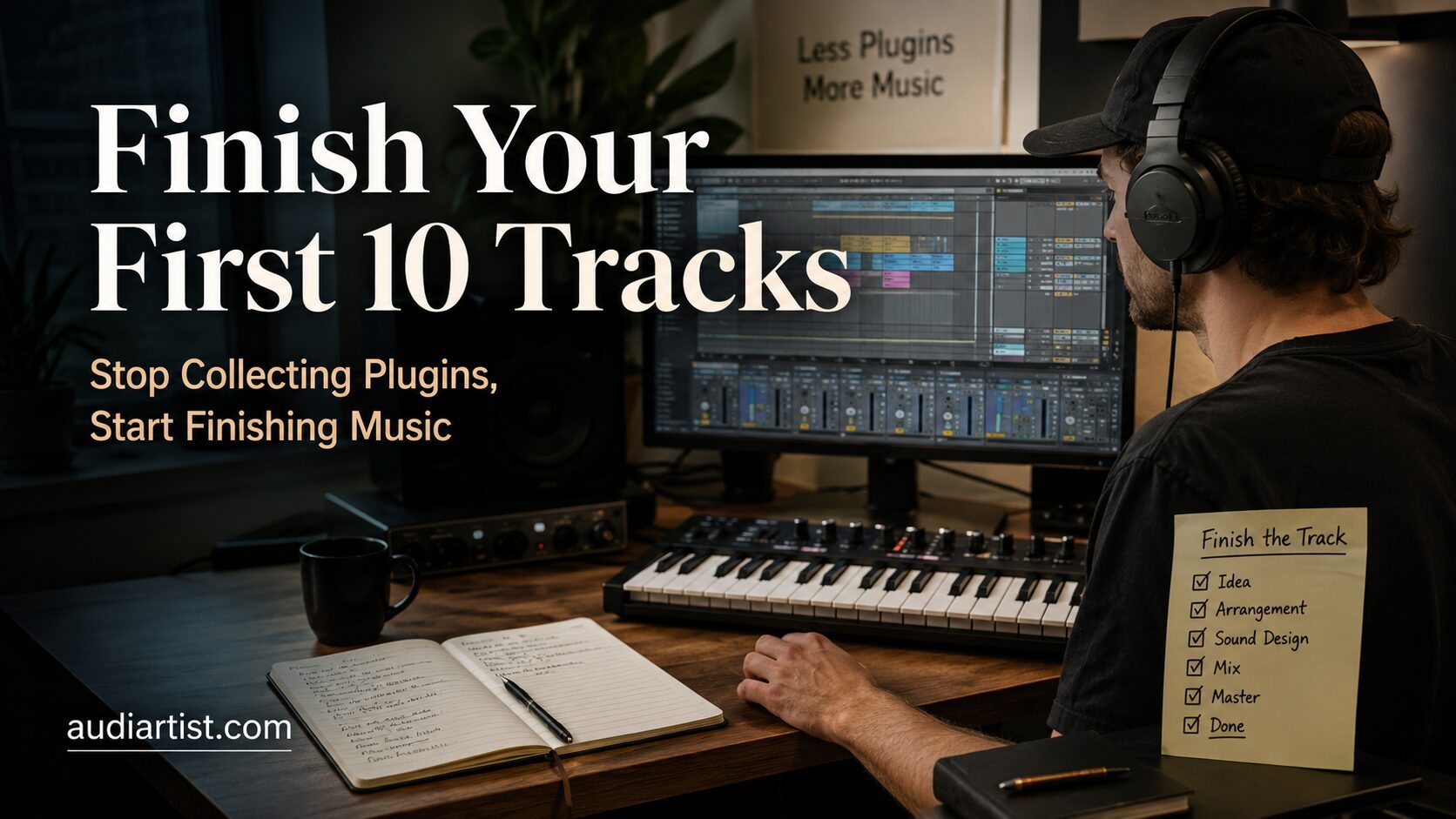

Every beginner producer reaches the same dangerous crossroads sooner or later. One road leads to finished songs, better decisions, sharper ears, and real musical progress. The other road leads to 300 downloaded plugins, 42 unfinished loops, a desktop full of installers, and the strange belief that the next free compressor will finally unlock creativity.
Modern music production has never been more accessible. Free synths, EQs, compressors, reverbs, analyzers, samplers, creative effects, and mastering tools are everywhere. That is a beautiful thing, but it also creates a quiet problem: beginners often confuse having more tools with becoming a better producer. In reality, the first major milestone is not building the biggest plugin folder. It is finishing music.
The goal of this article is simple: help you finish your first 10 tracks with a focused, realistic, creative workflow. Not perfect tracks. Not industry-ready masterpieces. Finished tracks. Because finishing 10 imperfect productions will teach you more than endlessly polishing one eight-bar loop with 19 different saturators.
The Plugin Collector Trap
Plugin collecting feels productive because it looks like preparation. You download a new synth, install a new EQ, watch a demo, scroll presets, test a few sounds, and feel like you are moving forward. The problem is that this often replaces the harder work: arranging, editing, balancing, committing, exporting, listening back, and improving.
A plugin collector asks: “What tool do I need next?”
A producer asks: “What does this track need next?”
That difference matters. One question opens a marketplace. The other opens a song.
When you are starting out, too many plugins create too many decisions. Should you use this compressor or that compressor? This reverb or the new one everyone is talking about? This wavetable synth or another one with a nicer interface? Before you even write a bassline, your brain is already acting like a tired studio manager with a spreadsheet addiction.
The first 10 tracks should not be about unlimited choice. They should be about repetition, discipline, listening, and completion.
The 10-Track Rule
Your first 10 tracks are not supposed to define your artistic identity forever. They are training sessions. Each one should teach you something specific.
- Track 1 teaches you how to start.
- Track 2 teaches you how to arrange.
- Track 3 teaches you how to finish even when you are bored of the loop.
- Track 4 teaches you that drums need movement.
- Track 5 teaches you that bass is not just low notes.
- Track 6 teaches you that mixing cannot save weak sound selection.
- Track 7 teaches you that transitions matter.
- Track 8 teaches you that less can sound more professional.
- Track 9 teaches you how to export and compare.
- Track 10 teaches you that you are no longer the same producer who made Track 1.
This is why the challenge is powerful. You are not trying to make the perfect track. You are trying to become the kind of producer who can finish tracks.
The Minimal Plugin Toolkit
You do not need 300 VST plugins to finish your first 10 productions. You need a small, reliable toolkit that covers the essential jobs: sound generation, EQ, dynamics, space, analysis, loudness, and a few creative effects.
Here is a focused free toolkit that can take you surprisingly far.
1. Vital, for Modern Synth Sounds
Vital is a powerful wavetable synthesizer with a visual interface, deep modulation, flexible sound design options, and enough range to cover basses, leads, pads, plucks, textures, and experimental sounds. For beginners, it is especially useful because you can see what modulation is doing instead of guessing in the dark.
Use it for: basses, leads, pads, arps, atmospheric layers, electronic hooks.
Rule: For your first 10 tracks, create or choose no more than three Vital sounds per track. One bass, one lead, one texture. That is enough.
Official website
Download / Get Vital
2. Surge XT, for Deep Synthesis Without Spending Money
Surge XT is one of the strongest free synthesizers available. It is not just a beginner toy. It is a serious open-source instrument with multiple synthesis methods, a flexible modulation system, filters, effects, and a large sound palette.
Use it for: evolving pads, melodic synth lines, bass patches, cinematic textures, experimental sound design.
Rule: Do not open both Vital and Surge XT every time you need a sound. Pick one synth for the track and stay with it. Limitation creates speed.
Official website
Download Surge XT
3. TDR Nova, for EQ and Dynamic Control
TDR Nova is more than a free EQ. It can work as a clean parametric equalizer, a dynamic EQ, a frequency-selective compressor, and a problem-solving tool for harshness, mud, resonances, and vocal or synth peaks.
Use it for: cleaning muddy sounds, controlling harsh frequencies, taming resonant synths, shaping drums, refining vocals, polishing buses.
Rule: Use it to solve problems, not to redesign every sound. If you add six EQ points and the sound still feels wrong, choose a better sound.
Official website
Download TDR Nova Free
4. Valhalla Supermassive, for Reverb, Delay and Space
Valhalla Supermassive is a free reverb and delay plugin capable of huge atmospheric spaces, lush delays, ambient washes, wide transitions, and creative sound design. It can make a simple sound feel cinematic, wide, and emotional.
Use it for: atmospheric reverb, delay throws, transitions, pads, breakdowns, vocal effects, dreamy synth tails.
Rule: Use one main reverb send per track before adding more. Beginners often drown a mix because every sound has its own giant reverb. Space is powerful, but too much space turns a track into soup.
Official website
Download Valhalla Supermassive
5. Voxengo SPAN, for Seeing What You Are Hearing
SPAN is a free spectrum analyzer that helps you understand frequency balance, low-end buildup, harshness, stereo behavior, and overall mix shape. It should not replace your ears, but it can confirm what your ears are starting to notice.
Use it for: checking low-end balance, spotting excessive sub frequencies, comparing references, observing frequency buildup.
Rule: Look at SPAN after listening, not before. The analyzer is a mirror, not a producer.
Official website
Download Voxengo SPAN
6. Youlean Loudness Meter, for Exporting With Confidence
Youlean Loudness Meter helps you understand LUFS, true peak level, and perceived loudness. Beginners often export either too quiet or crushed beyond recognition. A loudness meter gives you a clearer picture of what is happening before you share the track.
Use it for: checking loudness, avoiding clipping, preparing demos, comparing exports, understanding streaming-friendly levels.
Rule: Do not chase loudness while writing the song. Use Youlean near the end, once the production and mix already make musical sense.
Official website
Download Youlean Loudness Meter
7. MeldaProduction MFreeFXBundle, for Utility Effects
MFreeFXBundle is useful because it gives you many practical effects in one place: EQ, compression, modulation, stereo tools, analyzers, creative processing, and mixing utilities. It is powerful, but it must be handled with discipline.
Use it for: utility processing, modulation, stereo control, creative effects, extra mixing tools.
Rule: Do not install a bundle and then test every plugin for three hours. Pick two or three tools from the bundle and learn them properly.
Official website
Download MFreeFXBundle
8. Kilohearts Essentials, for Fast Creative Effects
Kilohearts Essentials is a free collection of focused effects. The strength is speed. Simple tools like delay, chorus, compressor, transient shaper, distortion, tape stop, pitch shifter, reverb, and filter effects can help you create movement without getting lost in overly complex interfaces.
Use it for: quick transitions, creative FX, drums, movement, sound design, simple mix tasks.
Rule: Use creative effects to support the arrangement, not to hide the lack of one.
Official website
Download Kilohearts Essentials
The One-Synth Rule
For your first 10 tracks, choose one main synth per song. It can be Vital, Surge XT, or any synth already included in your DAW. The point is not which synth is objectively “best.” The point is learning how to finish a piece of music without escaping into endless sound hunting.
Here is a simple rule:
- One synth for bass.
- One synth for chords or pads.
- One synth for lead or hook.
- One sampler or drum rack for drums.
- One reverb send.
- One delay send.
- One EQ for correction.
- One analyzer for checking.
This may sound restrictive, but restrictions are often the fastest way to improve. Great producers do not make every decision available. They make the right decisions faster.
Track 1 to 3: Build the Habit of Finishing
Your first three tracks should be simple. Do not try to create a genre-defining anthem. Build a complete structure with an intro, main section, breakdown or variation, return, and ending.
A beginner-friendly structure could look like this:
- Intro, 8 or 16 bars
- Main groove, 16 bars
- Breakdown, 8 or 16 bars
- Main groove returns, 16 bars
- Outro, 8 or 16 bars
The arrangement can be basic. What matters is reaching the end. A finished simple track has more value than an impressive loop that never leaves the hard drive.
During these first three tracks, avoid advanced mixing decisions. Do not spend two hours comparing compressors. Do not automate 17 parameters on a hi-hat. Focus on structure, contrast, and export.
Track 4 to 7: Improve Movement
Once you can finish a basic structure, your next goal is movement. This is where many beginner productions fall flat. The drums loop. The bass repeats. The chords stay static. Nothing develops. The listener feels like the track is technically playing, but emotionally parked.
Movement does not always mean adding more tracks. It can come from small changes:
- Mute the kick for one bar before a drop.
- Add a short drum fill every 8 or 16 bars.
- Open a filter slowly during a build-up.
- Change the bass rhythm in the second section.
- Automate reverb send on one vocal or synth phrase.
- Introduce a background texture only in the chorus or drop.
- Remove elements before adding new ones.
This is where a plugin like Valhalla Supermassive or Kilohearts Essentials can help, but only if the arrangement has a purpose. Effects are seasoning. They are not the meal.
Track 8 to 10: Make Better Decisions Faster
By tracks 8 to 10, you should start noticing patterns. Maybe your intros are too long. Maybe your drops arrive without enough tension. Maybe your bass is always too loud. Maybe your melodies are good but your transitions are weak. This is progress. You are no longer guessing. You are diagnosing.
At this stage, begin building a repeatable checklist:
- Is the main idea clear within the first minute?
- Does the track change every 8 or 16 bars?
- Is the low end controlled?
- Are the drums strong enough without overprocessing?
- Does the arrangement have contrast?
- Are effects supporting the emotion?
- Can the track survive on small speakers?
- Is the export clean, with no clipping?
This checklist will do more for your progress than another random plugin download.
The 48-Hour Finish Method
One of the best ways to fight plugin collecting is to use time limits. Give yourself 48 hours to finish a track. Not 48 hours of total work, but a two-day window.
Day one is for writing and arrangement. Day two is for editing, basic mixing, export, and notes.
Day One: Write the Track
- Choose a tempo.
- Pick a reference track for energy, not for copying.
- Create drums.
- Create bass.
- Add chords or atmosphere.
- Add one lead, hook, or vocal idea.
- Arrange the full structure before mixing deeply.
Day Two: Clean and Export
- Balance volumes.
- Pan supporting elements.
- Remove unnecessary sounds.
- Use EQ only where needed.
- Add reverb and delay sends.
- Check low end with SPAN.
- Check loudness and true peak with Youlean.
- Export a WAV and MP3 demo.
- Write three notes for the next track.
This method keeps you moving. You are not trying to finish by perfection. You are finishing by decision.
Why Sound Selection Beats Mixing
Beginners often think mixing is where the magic happens. It is not that simple. Mixing matters, but sound selection is the foundation. A great kick and bass relationship will need less repair. A well-chosen pad will sit better. A lead with the right tone will cut through without aggressive EQ. A vocal or sample with the right character will feel musical before processing.
Before reaching for TDR Nova, ask yourself:
- Is the sound already close to what I need?
- Is it fighting another element?
- Is the part itself useful?
- Would muting it make the track better?
Sometimes the best mix move is deleting the sound.
How to Avoid the Preset Black Hole
Presets are useful. They can teach you, inspire you, and help you move quickly. The danger is endless browsing. One minute you are looking for a bass. Thirty minutes later, you are testing cinematic bells for a house track and wondering where your evening went.
Use this method instead:
- Give yourself five minutes to find a preset.
- Choose the closest option, not the perfect one.
- Adjust envelope, filter, octave, and volume.
- Commit it to the arrangement.
- Do not reopen the preset browser unless the sound clearly fails in context.
A finished track with a good preset is better than an unfinished track waiting for the perfect one.
The Export Folder That Makes You Better
Create a folder called “First 10 Finished Tracks.” Inside it, save every export with a clear name:
- Track_01_Date_BPM_Key.wav
- Track_02_Date_BPM_Key.wav
- Track_03_Date_BPM_Key.wav
After every export, write three short notes:
- What worked?
- What felt weak?
- What will I improve in the next track?
Do not rewrite the same track forever. Carry the lesson into the next one. That is how producers grow.
The “No New Plugin” Challenge
For your first 10 tracks, try this rule: no new plugin downloads once the challenge begins.
Choose your DAW tools, your small free toolkit, and stop there. If a problem appears, solve it with what you already have. This forces you to learn technique instead of shopping for solutions.
If the bass is weak, learn layering, octave placement, saturation, and arrangement. If the mix is muddy, learn sound selection, EQ, and volume balance. If the track is boring, learn automation, transitions, and contrast. If the drop is flat, learn tension and release.
Plugins can help, but they cannot replace musical decisions.
What Your First 10 Tracks Should Teach You
By the end of this challenge, you should understand your weaknesses more clearly. That is not failure. That is the point.
You may discover that your drums are strong but your melodies are weak. Or that your sound design is interesting but your arrangement collapses after one minute. Or that your mixes are clean but emotionally flat. These discoveries are valuable because they tell you what to study next.
After 10 finished tracks, you will also know which tools you actually use. Maybe Vital becomes your main synth. Maybe Surge XT fits your sound better. Maybe you realize that one good dynamic EQ, one analyzer, one reverb, and your DAW stock plugins are enough for most tasks.
That is when buying or downloading new plugins becomes intelligent. Not because you are bored, but because you understand the gap.
Final Thoughts: Finish First, Expand Later
The plugin collector is always preparing. The producer is always finishing.
Your first 10 tracks do not need to impress the entire music industry. They need to exist. They need beginnings, middles, endings, mistakes, lessons, and exports. They need to move you from theory into practice.
Use a small toolkit. Build complete arrangements. Export often. Listen back. Take notes. Start the next track. Repeat until finishing becomes normal.
Once you have finished 10 tracks, you will have something more valuable than a plugin folder: experience. And experience is the one tool that never needs an update, a serial number, or another “limited-time free download” email at 2 a.m.