
Free vs paid VST plugins remains one of the most persistent debates in music production. Some producers believe professional results require premium software, while others argue that modern freeware can deliver the same sound for absolutely nothing.
The truth is more complicated than either side would like to admit.
A paid plugin does not automatically sound better, and a free plugin is not necessarily a limited alternative designed only for beginners. In many mixing situations, listeners may struggle to identify which version was processed with expensive software. However, premium plugins can still offer meaningful advantages in workflow, flexibility, consistency and extreme processing conditions.
To understand what producers are really paying for, we need to separate three very different questions:
- Can listeners identify the more expensive plugin?
- Can an experienced engineer hear technical differences?
- Can the paid plugin produce the result more quickly?
The central conclusion: listeners usually hear the quality of the production before they hear the price of the plugins. Premium software becomes more valuable when speed, precision, advanced routing and repeatability matter.
You can also explore our broader guide to free vs paid VST plugins in 2026 and our selection of the best VST plugins by genre.
Why Most Free vs Paid Plugin Comparisons Are Unreliable
Many online plugin comparisons are unintentionally biased before the first note is played.
One version may be slightly louder. The paid plugin may use a brighter preset. Different attack, release or resonance values may be entered without checking whether the controls behave in the same way. The reviewer may also know which plugin is active, allowing the interface, brand and price to influence the judgment.
A difference of less than one decibel can make one version appear clearer, wider or more powerful. Louder is regularly interpreted as better, even when the actual processing is less accurate.
A reliable comparison must therefore remove as many visual and loudness-related clues as possible.
How to Conduct a Fair VST Listening Test
A serious blind test should follow a repeatable protocol. Comparing two random presets is entertaining, but it does not tell us whether free plugins can compete with paid alternatives.
1. Use the Same Source Material
Both plugins must receive exactly the same audio or MIDI information. The notes, velocities, automation, gain staging and timing should remain identical.
2. Match the Result, Not the Knob Position
A ratio of 4:1 in one compressor may not behave exactly like 4:1 in another. Equalizers can also use different definitions of bandwidth and resonance.
The goal is not to copy the displayed values. The goal is to create the closest possible audible result.
3. Match Loudness Carefully
Processed files should be matched by perceived loudness, not simply by peak level. Automatic gain compensation can help, but it should always be verified with metering and careful listening.
4. Hide the Plugin Names
Export the examples as anonymous files such as A, B and C. Include a duplicate file where possible. If listeners describe the two identical files differently, expectation bias is already influencing the results.
5. Test More Than One Musical Situation
A plugin that performs well on a pad may behave differently on a bass, vocal, drum bus or complete master. Short loops can expose small differences, while full arrangements reveal whether those differences remain important inside a mix.
6. Use Several Playback Systems
Listen through studio monitors, professional headphones, consumer earbuds, a smartphone speaker and a car system. A difference that disappears outside the studio may not justify rebuilding an entire plugin collection.
Test One: Vital vs Serum 2
The first comparison places one of the most capable free synthesizers against one of the best-known premium instruments in electronic music production.
Vital: The Free Wavetable Synthesizer
Vital is a spectral-warping wavetable synthesizer available through a free Basic package. The free edition includes the complete synthesis engine, while paid packages expand the included presets, wavetables, samples and modulation resources.
Vital provides visual wavetable editing, drag-and-drop modulation, audio-rate modulation, custom LFO shapes, stereo modulation, filters, effects and a highly readable interface.
Serum 2: The Premium Hybrid Synthesizer
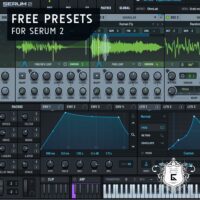
Serum 2 expands beyond traditional wavetable synthesis with several oscillator types, including wavetable, sample, multisample, granular and spectral engines.
It also includes flexible effects routing, a clip sequencer, an arpeggiator and a substantial factory library. These additions make Serum 2 more than a direct premium version of Vital. It is a broader sound-design environment with a larger collection of immediately usable material.
Can Listeners Hear Which Synth Is More Expensive?
When Vital and Serum 2 are programmed to create a simple saw bass, pluck, lead or pad, identifying the paid synthesizer can be extremely difficult.
Both instruments can generate clean oscillators, complex modulation and polished electronic sounds. Inside a complete mix, the difference between two carefully matched patches may become less important than the notes, layering, processing and arrangement.
The comparison changes when Serum 2 uses features that Vital does not directly reproduce. Granular processing, multisample instruments, spectral resynthesis and the larger factory library can lead to sounds that require additional plugins or more preparation in a free setup.
Synthesizer verdict: Vital can deliver professional electronic sounds without payment. Serum 2 earns its value through a broader engine, a deeper factory ecosystem and faster access to complex results. The advantage is not simply a mysterious improvement in audio quality.
Test Two: TDR Nova vs FabFilter Pro-Q 4
Equalizers provide an even more revealing comparison because basic digital EQ processing can often be matched very closely.
TDR Nova: A Free Dynamic Equalizer
TDR Nova is a free parallel dynamic equalizer. Its four main bands include dynamics controls, allowing the plugin to perform static equalization, dynamic EQ, frequency-selective compression and multiband processing.
It also includes high-pass and low-pass filters, a spectrum analyzer, equal-loudness functions, preset management, undo and redo controls, and A/B comparison.
FabFilter Pro-Q 4: Premium Precision and Workflow
FabFilter Pro-Q 4 is a premium equalizer designed around speed, detailed visual feedback and advanced frequency control.
Its feature set includes up to 24 bands, dynamic and spectral processing, mid-side operation, linear and natural phase modes, EQ matching, spectrum collision detection, an instance list and extensive display options.
Can TDR Nova Match Pro-Q 4?
For conventional high-pass filtering, broad tonal shaping, resonance control and basic dynamic EQ, TDR Nova can produce results that are fully suitable for professional releases.
A listener hearing the final mix is unlikely to announce that the vocal was cleaned with a free equalizer. There is no secret watermark floating above the chorus.
Pro-Q 4 becomes more clearly differentiated when the engineer needs numerous bands, rapid editing, per-band mid-side control, spectral dynamics, EQ matching, collision analysis or control over multiple plugin instances.
In these situations, the premium plugin may not merely sound different. It can make a complicated task easier to understand and significantly faster to complete.
Equalizer verdict: TDR Nova is powerful enough for serious mixing and mastering. Pro-Q 4 offers a broader toolset and a more efficient environment for demanding sessions. The price primarily buys control, visibility and speed.
The Complete Mix Test: Free Chain vs Paid Chain
The most meaningful test is not a five-second solo comparison. It is a complete production built twice using the same recordings, MIDI arrangement, automation and creative decisions.
| Production Stage | Free Plugin | Paid Plugin |
|---|---|---|
| Synthesis | Vital | Serum 2 |
| Equalization | TDR Nova | FabFilter Pro-Q 4 |
| Compression | TDR Kotelnikov | FabFilter Pro-C 3 |
| Reverb and Delay | Valhalla Supermassive | FabFilter Pro-R 2 |
| Final Limiting | LoudMax | FabFilter Pro-L 2 |
This is not a perfectly symmetrical comparison. Supermassive and Pro-R 2, for example, are designed around different reverb concepts. That is precisely why the test should focus on achieving the same artistic purpose rather than forcing every control into an artificial one-to-one match.
Rules for the Full Mix Comparison
- Use the same arrangement and source recordings.
- Keep the number of processing stages similar.
- Match integrated loudness and true-peak level.
- Do not reveal which mix uses the premium chain.
- Judge the complete song before listening to isolated tracks.
- Repeat the test on several playback systems.
- Ask listeners to explain what they hear instead of simply choosing the expensive version.
What Listeners Are Most Likely to Hear
Listeners respond strongly to musical and production decisions. These include vocal performance, groove, arrangement, sound selection, frequency balance, dynamics, stereo placement and overall loudness.
The brand of equalizer used on the hi-hat is much further down the hierarchy.
A strong mix created with free plugins will usually outperform a weak mix created with premium software. Expensive tools cannot repair poor monitoring, uncontrolled low frequencies, excessive processing or an arrangement in which every instrument competes for the same space.
This does not mean all plugins sound identical. Differences can become audible when:
- Compression is pushed aggressively.
- Limiters are asked to produce extreme loudness.
- Oversampling becomes important.
- Nonlinear saturation generates different harmonics.
- Reverbs are exposed on sparse instruments.
- Modulation reaches audio rate.
- Phase behaviour affects parallel processing.
- Many small differences accumulate across a large session.
The mistake is assuming that every audible difference automatically makes one plugin better. Different is not the same as superior.
Can a Null Test Settle the Debate?
A null test reverses the polarity of one signal and combines it with another. If the two files are identical, they cancel completely. Any remaining signal represents a difference between them.
This technique is useful for comparing static equalization, gain changes and other repeatable processes. However, it does not provide a universal ranking of plugin quality.
Compressors, analog-modelled processors, reverbs, modulation effects and synthesizers may respond differently over time. Some also introduce random variation, nonlinear distortion or signal-dependent behaviour.
A visible difference in a null test proves that two signals are different. It does not prove that listeners can hear the difference, prefer it or consider it musically important.
What Are Producers Actually Paying For?
The strongest argument for paid VST plugins is often not raw sound quality. It is the complete production experience.
Faster Workflow
Premium plugins frequently reduce the number of steps required to complete a task. Better visualisation, intelligent solo functions, automatic gain compensation, preset tagging and faster modulation systems can save time during every session.
Advanced Features
A free EQ may handle ordinary corrective work perfectly. A premium alternative may add spectral processing, session-wide instance control, immersive audio support and sophisticated external sidechain options.
Consistency Across Large Projects
Professional engineers often need dependable recall, predictable automation and compatibility across hundreds of sessions. A well-maintained plugin can become valuable because it remains part of a stable long-term workflow.
Factory Content
Paid synthesizers often include larger preset, sample and wavetable libraries. The sound engine may not always be fundamentally better, but the producer can reach a suitable starting point more quickly.
Support and Updates
Commercial developers can offer structured technical support, documentation and continued compatibility work. Free plugins can also be maintained exceptionally well, but abandoned freeware remains a risk when reopening older projects.
When Free VST Plugins Are the Better Choice
Free plugins make sense when the producer is still learning the fundamentals, has a limited budget or needs a straightforward tool for a specific task.
They are also the better choice when:
- The free plugin already produces the required result.
- The paid alternative would duplicate existing tools.
- The purchase is motivated mainly by a temporary discount.
- The producer has not yet mastered the stock plugins included with the DAW.
- The plugin will only be used occasionally.
- The money would be better spent on monitoring, acoustic treatment or education.
A small collection of well-understood free plugins is more useful than a folder containing hundreds of premium processors that the producer barely knows how to operate.
When a Paid Plugin Becomes a Sensible Investment
A premium plugin becomes worthwhile when it solves a clearly identified problem.
Consider upgrading when:
- A missing feature repeatedly slows down your sessions.
- You need more precise metering or visual feedback.
- You work with large projects and need faster navigation.
- Your current plugin creates audible artifacts under demanding conditions.
- You need dependable cross-platform recall.
- The new tool replaces several separate plugins.
- You have tested the demo in real projects and can explain exactly why it improves your work.
The best reason to purchase a plugin is not that other producers own it. The best reason is that it removes friction from your own production process.
Common Mistakes in Free vs Paid VST Tests
Comparing Presets Instead of Plugins
A premium preset may simply be louder, wider or more processed than the free alternative. This says more about preset design than the underlying synthesis engine.
Using Identical Control Values
Two plugins can display the same attack time, threshold or Q value while reacting differently. Matching numbers is not the same as matching behaviour.
Ignoring Gain Staging
Some processors react differently depending on input level. This is especially important with compressors, clippers, saturators and analog-style plugins.
Listening Only in Solo
A microscopic difference may appear dramatic on an isolated snare but become irrelevant when the full arrangement is playing.
Allowing the Interface to Influence the Result
A polished interface can make a processor feel more precise before any audio has been evaluated. Good design has real workflow value, but it should not be confused with automatic sonic superiority.
Final Verdict: Can Listeners Hear Free vs Paid VST Plugins?
Sometimes they can. Frequently they cannot. The answer depends on the task, the settings, the source material, the listening environment and the experience of the person taking the test.
For basic synthesis, equalization, compression and mixing, modern free VST plugins can produce release-ready results. Vital and TDR Nova demonstrate that zero-cost software can provide sophisticated sound design and dynamic processing without behaving like a temporary beginner solution.
Premium tools such as Serum 2 and FabFilter Pro-Q 4 justify their price through expanded features, deeper ecosystems and highly refined workflows. They may also perform better in specialised or extreme situations. Their greatest advantage, however, is often the speed and confidence they provide to the person using them.
A listener does not hear your receipt. They hear the song.
The producer’s knowledge, monitoring, decisions and musical judgment remain more important than the price displayed on a plugin store.
Frequently Asked Questions
Can You Make Professional Music with Free VST Plugins?
Yes. Modern free synthesizers, equalizers, compressors, reverbs and limiters are capable of producing music suitable for commercial release. Professional results still depend on arrangement, sound selection, mixing ability, monitoring and experience.
Do Paid VST Plugins Always Sound Better?
No. Some premium plugins provide unique processing or better performance under demanding conditions, but price alone does not guarantee superior sound. Many purchases primarily improve workflow, flexibility and access to presets.
Is Vital Good Enough to Replace Serum?
Vital can cover a large amount of wavetable synthesis and is powerful enough for professional electronic music. Serum 2 offers additional oscillator types, factory content and sequencing tools, so the two instruments are not exact replacements for each other.
Is TDR Nova Suitable for Professional Mixing?
Yes. TDR Nova provides static EQ, dynamic EQ and frequency-selective compression. FabFilter Pro-Q 4 offers a larger and faster environment for advanced workflows, but Nova remains a serious production tool.
Should Beginners Buy Premium Plugins?
Beginners should first learn their DAW’s stock tools and a small selection of reliable free plugins. Premium software becomes more valuable after the producer can identify a specific technical or workflow limitation.
What Is the Best Way to Compare Two Plugins?
Use identical source material, match the audible processing, compensate for loudness differences, hide the plugin names and evaluate the results on several playback systems. Never rely on preset volume or identical knob positions.