By using this site, you agree to the Privacy Policy and Terms of Use.
Accept
AudiartistAudiartistAudiartist
Notification Show More
Font ResizerAa
  • Home
  • Music
    • New music release
    • We love
    • Afro Music
    • Cinematic
    • Classical Music
    • Electro / House
    • Jazz
    • Latina Music
    • Lo-fi
    • Pop Music
    • Rock
    • Synthwave
  • Music Production
  • Music Promotion
  • Breaking News
  • Freebie (VST, Samples, Presets)
    • FREE VST
    • Free Sample Pack
    • Free Kontakt sound
    • Free Serum Preset
    • Free Preset
    • Free FL Studio template
  • Free music submission
    • Submit your music for free with DailyPlaylist
    • Afro House
    • Afro music
    • Christmas Music
    • Cinematic Music
    • Classical Music
    • Dance Music
    • Electro Music
    • Hard Rock
    • House Music
    • Latina Music
    • Lo-fi
    • Mainstream
    • Pop Music
    • RAP & Hip Hop
    • Reggaeton
    • Rock Music
    • Synthwave
Search
Reading: Generate a Bassline Easily on a DAW
Share
Font ResizerAa
AudiartistAudiartist
  • Home
  • Music
  • Music Production
  • Music Promotion
  • Breaking News
  • Freebie (VST, Samples, Presets)
  • Free music submission
Search
  • Home
  • Music
    • New music release
    • We love
    • Afro Music
    • Cinematic
    • Classical Music
    • Electro / House
    • Jazz
    • Latina Music
    • Lo-fi
    • Pop Music
    • Rock
    • Synthwave
  • Music Production
  • Music Promotion
  • Breaking News
  • Freebie (VST, Samples, Presets)
    • FREE VST
    • Free Sample Pack
    • Free Kontakt sound
    • Free Serum Preset
    • Free Preset
    • Free FL Studio template
  • Free music submission
    • Submit your music for free with DailyPlaylist
    • Afro House
    • Afro music
    • Christmas Music
    • Cinematic Music
    • Classical Music
    • Dance Music
    • Electro Music
    • Hard Rock
    • House Music
    • Latina Music
    • Lo-fi
    • Mainstream
    • Pop Music
    • RAP & Hip Hop
    • Reggaeton
    • Rock Music
    • Synthwave
Have an existing account? Sign In
Follow US
Audiartist > Blog > Music Production > Generate a Bassline Easily on a DAW
Music Production

Generate a Bassline Easily on a DAW

audiartist
Last updated: 7 juin 2024 10h30
audiartist
Published: 7 juin 2024
Share
SHARE

How to Easily Generate a Bassline on a DAW

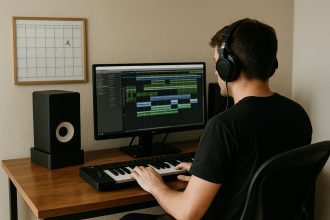
Creating a compelling bassline can transform a simple composition into a powerful and engaging track. Here’s a step-by-step guide to easily generate a bassline on a Digital Audio Workstation (DAW).

Contents
  • Choose the Right Virtual Instrument
  • Set the Tempo and Key
  • Use Basic Patterns
  • Add Variation
  • Use MIDI Editing Tools
  • Add Effects
  • Listen and Adjust
  • Conclusion
  • AUDIARTIST

Choose the Right Virtual Instrument

The first step is to select a good virtual bass instrument. Many DAWs offer built-in instruments, but there are also numerous high-quality third-party plugins such as Kontakt, Trilian, or Ample Bass.

Tip: Choose a bass sound that matches your music style. A synthetic bass works better for electronic music, while an acoustic bass fits jazz or folk music better.

  • Kontakt
  • Trilian
  • Ample Bass
  • EZbass by Toontrack
  • MODO Bass by IK Multimedia

Set the Tempo and Key

Ensure you know the tempo and key of your track. This will guide your bassline composition. If your track is in A minor, start experimenting with the notes from the A minor scale.

Tip: Use a metronome to keep the rhythm while you compose.

Use Basic Patterns

Popular basslines often follow simple patterns. Here are some basic pattern ideas to try:

  • Root Notes: Play primarily the root note of each chord in your progression.
  • Ostinato: Repeat a short sequence of notes throughout the track.
  • Riff: Create a catchy riff that repeats with slight variations.

Example: For a chord progression of C, F, G, you could play the notes C, F, G in sync with the chords.

Add Variation

To prevent your bassline from becoming monotonous, add variations. Change the rhythm, add passing notes, or use techniques like slide, hammer-on, or pull-off if your DAW allows it.

Tip: Use quantization to adjust the timing of your notes and ensure perfect synchronization with other track elements.

Use MIDI Editing Tools

Most DAWs offer powerful tools for editing MIDI notes. Use these tools to adjust velocity, note length, and create modulation curves that add dynamism to your bassline.

Tip: Don’t hesitate to experiment with automation to modulate the filter, volume, or other parameters throughout the track.

Add Effects

Effects can transform a simple bassline into something more complex and interesting. Here are some commonly used effects:

  • EQ: To sculpt the sound and give it more presence in the mix.
  • Compression: To smooth out dynamics and add punch.
  • Overdrive/Distortion: To add warmth and character.
  • Reverb/Delay: To create space and depth.

Tip: Use these effects sparingly to avoid overwhelming the bass sound.

Listen and Adjust

Once your bassline is created, listen to it in the context of the entire track. Make adjustments to ensure it fits well and supports the song without dominating it.

Tip: Take regular breaks to rest your ears and listen to your work with a fresh perspective.

Conclusion

Creating a bassline on a DAW can be a simple and fun process if you follow these steps. By experimenting with different sounds, patterns, and techniques, you can create basslines that add depth and energy to your compositions. Remember, practice and experimentation are key to developing your music production skills.

Loading

AUDIARTIST

Music news, production & promotion updates, the best VSTs, free presets.

We don’t spam! Check our privacy policy for more information.

Check your inbox or spam folder to confirm your subscription.

TAGGED:automationbasslinecompressionDAWeffectsEQMIDImusic productionpluginsvirtual instrumentVSTi
Share This Article
Facebook Email Print

Subscribe to our newsletter

AUDIARTIST

Music news, production & promotion updates, the best VSTs, free presets.

We don’t spam! Check our privacy policy for more information.

Check your inbox or spam folder to confirm your subscription.

Buy Me A Coffee


Buy me a coffee

Popular

The Best Free Guitar VSTs (2026-Ready) — Instruments, Amps, IRs, and a Pro Workflow
FREE VST Freebie Music Production
Mixea: Online Mastering That Gets Your Track Release-Ready Fast
Music Production
Free VST January 2026
FREE VST Music Production
Spotify Faces a Massive “Scrape & Rip” Claim
Breaking News
Free (or Almost Free) Music Distribution in 2026
Music Promotion
Lila Blu: when care meets sound, meditation gets its soundtrack
Cinematic Music New music release We love
Streaming Platforms You Can Use Without a Distributor in 2026
Music Promotion
Carlito Home — “Embrace the Morning” turns jazz-lofi into a sunrise ritual
Lo-fi Music New music release We love
© Foxiz News Network. Ruby Design Company. All Rights Reserved.
Welcome Back!

Sign in to your account

Username or Email Address
Password

Lost your password?