By using this site, you agree to the Privacy Policy and Terms of Use.
Accept
AudiartistAudiartistAudiartist
Notification Show More
Font ResizerAa
  • Home
  • Music
    • New music release
    • We love
    • Afro Music
    • Cinematic
    • Classical Music
    • Electro / House
    • Hard Rock
    • Jazz
    • Latina Music
    • Lo-fi
    • Pop Music
    • Rock
    • Synthwave
  • Music Production
  • Music Promotion
  • BREAKING NEWS
  • Freebie (VST, Samples, Presets)
    • FREE VST
    • Free Sample Pack
    • Free Kontakt sound
    • Free Serum Preset
    • Free Preset
    • Free FL Studio template
  • Free music submission
    • Submit your music for free with DailyPlaylist
    • Our playlists
    • Afro House
    • Afro music
    • Christmas Music
    • Cinematic Music
    • Classical Music
    • Dance Music
    • Electro Music
    • Hard Rock
    • House Music
    • Latina Music
    • Lo-fi
    • Mainstream
    • Pop Music
    • RAP & Hip Hop
    • Reggaeton
    • Rock Music
    • Synthwave
Search
Artists
  • Nodachi
  • Sebastian McQueen
  • Spycho Fox
  • Snake Russell
  • Mister BoO
  • Sébastien BACCI
  • Carlito Home
Reading: Understanding the Loudness Penalty
Share
Font ResizerAa
AudiartistAudiartist
  • Home
  • Music
  • Music Production
  • Music Promotion
  • BREAKING NEWS
  • Freebie (VST, Samples, Presets)
  • Free music submission
Search
  • Home
  • Music
    • New music release
    • We love
    • Afro Music
    • Cinematic
    • Classical Music
    • Electro / House
    • Hard Rock
    • Jazz
    • Latina Music
    • Lo-fi
    • Pop Music
    • Rock
    • Synthwave
  • Music Production
  • Music Promotion
  • BREAKING NEWS
  • Freebie (VST, Samples, Presets)
    • FREE VST
    • Free Sample Pack
    • Free Kontakt sound
    • Free Serum Preset
    • Free Preset
    • Free FL Studio template
  • Free music submission
    • Submit your music for free with DailyPlaylist
    • Our playlists
    • Afro House
    • Afro music
    • Christmas Music
    • Cinematic Music
    • Classical Music
    • Dance Music
    • Electro Music
    • Hard Rock
    • House Music
    • Latina Music
    • Lo-fi
    • Mainstream
    • Pop Music
    • RAP & Hip Hop
    • Reggaeton
    • Rock Music
    • Synthwave
Have an existing account? Sign In
Follow US
Audiartist > Blog > Music Production > Understanding the Loudness Penalty
Music Production

Understanding the Loudness Penalty

audiartist
Last updated: 20 octobre 2025 11h12
audiartist
Published: 20 octobre 2025
Share

What Every Music Producer Should Know

What Is Loudness?

In music production, loudness refers to how loud a track sounds to the human ear — not just its peak volume, but its overall perceived energy and intensity. Two songs may hit the same peak level, yet one feels louder due to compression, limiting, or EQ shaping that enhances perceived volume.

Modern mastering often pushes tracks to sound louder to stand out on playlists or the radio, but excessive loudness can cause distortion, ear fatigue, and poorer results once streaming platforms normalize playback levels.
What Is LUFS?

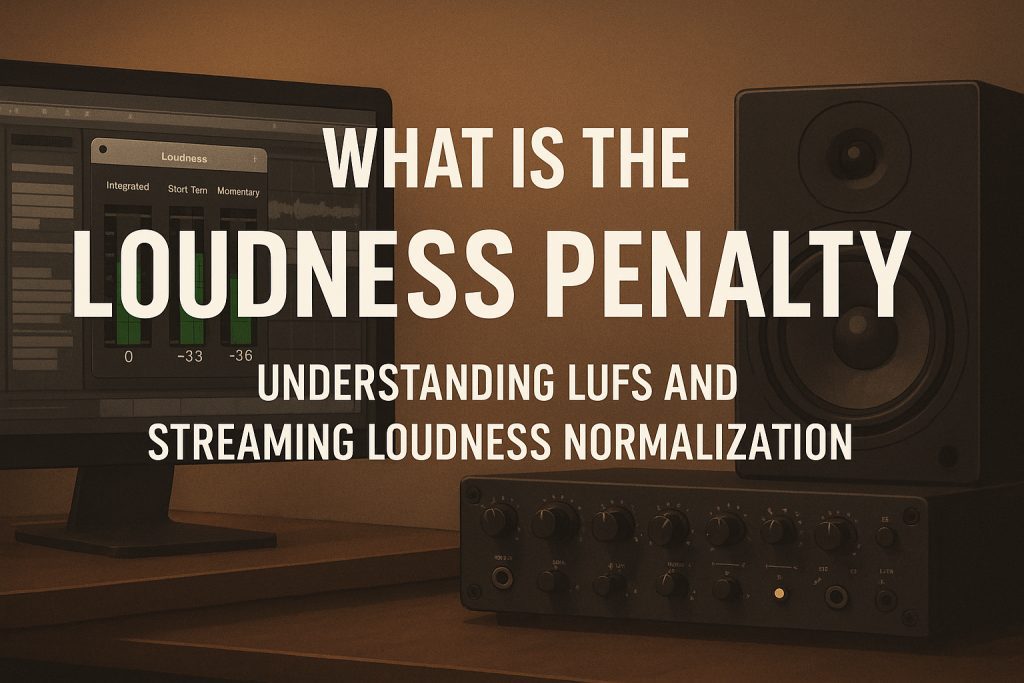
LUFS (Loudness Units Full Scale) is the standard unit for measuring perceived loudness. It calculates how the human ear experiences sound over time, not just instantaneous peaks.

  • Integrated LUFS measures the overall loudness of an entire track.
  • Short-term LUFS focuses on brief sections of a few seconds.
  • Momentary LUFS shows real-time loudness changes.

Different streaming platforms have different target LUFS levels:

  • Spotify: about -14 LUFS
  • YouTube: about -13 to -14 LUFS
  • Apple Music: about -16 LUFS
  • Tidal: about -14 LUFS

Tracks louder than these targets are automatically turned down. That reduction is what’s known as the loudness penalty.

What Is the Loudness Penalty?

The loudness penalty refers to how much a streaming service reduces the volume of a track that exceeds its loudness target. It’s not a punishment — it’s an automatic adjustment to maintain consistent playback loudness between songs.

For example, a master at -8 LUFS uploaded to Spotify will be reduced by roughly -6 dB. That means heavily compressed or limited tracks lose their loudness advantage and may even sound flatter compared to more dynamic mixes.

In simple terms: pushing your master louder won’t make it sound better online; it will just get turned down.

Loud vs. LUFS: What’s the Difference?

“Loud” is subjective — it’s about how powerful and energetic a mix feels. LUFS is objective — a numerical value that represents perceived loudness.
A well-balanced track can sound big and dynamic even at -14 LUFS, while a mix mastered too hot may sound harsh or lifeless after normalization. The goal is to strike the right balance between punch, dynamics, and clarity.

What Does LoudnessPenalty.com Do?

LoudnessPenalty.com is a free online analysis tool created by MeterPlugs and mastering engineer Ian Shepherd. It allows artists and engineers to preview how their music will be adjusted by major streaming services before release.

By uploading a WAV or MP3, you can instantly see how much each platform will reduce your track’s loudness:

  • Spotify
  • YouTube
  • Apple Music
  • Tidal
  • Pandora

The tool displays results as decibel offsets, such as “Spotify: -5.4 dB” or “YouTube: -6.2 dB,” and lets you preview how your track will sound after normalization. This helps determine if your master is too loud and whether it maintains its intended impact across platforms.

Why the Loudness Penalty Matters

Understanding the loudness penalty helps producers master smarter. It encourages preserving dynamics and clarity instead of crushing them with heavy limiting. Your track will sound consistent across platforms, avoid unexpected playback drops, and deliver a more pleasant listening experience.

The loudness penalty isn’t an obstacle — it’s a guide. By mastering for streaming standards, you ensure your mix translates cleanly everywhere.

Tools for Managing Loudness

  • Youlean Loudness Meter – free LUFS meter for real-time monitoring
    https://youlean.co/youlean-loudness-meter
  • MeterPlugs Dynameter – visualizes dynamic range and loudness balance
    https://www.meterplugs.com/dynameter
  • iZotope Insight 2 – professional loudness and metering suite
    https://www.izotope.com/en/products/insight.html
  • Waves WLM Plus Meter – advanced broadcast-standard loudness monitoring
    https://www.waves.com/plugins/wlm-loudness-meter

Final Thoughts

The loudness penalty reminds producers that louder isn’t always better. A balanced, dynamic mix will always sound more musical and engaging than one pushed to its limits. Rather than competing for volume, focus on emotion, groove, and depth — because streaming platforms have leveled the playing field.

TAGGED:Apple Music LUFSaudio engineeringaudio masteringDynameterdynamic rangeIan Shepherdintegrated LUFSiZotope Insightloud vs LUFSloudness meterloudness normalizationloudness units full scaleLUFSLUFS masteringmastering engineermastering for streamingmastering tipsMeterPlugsmixing loudnessmusic loudness standardsmusic productionoudness penaltysound loudnessSpotify loudness targetSpotify LUFS targetstreaming loudness standardsTidal normalizationWaves WLMYoulean loudness meterYouTube loudness
Share This Article
Facebook Whatsapp Whatsapp Tumblr Telegram Threads Bluesky Email Copy Link Print

Lasts Posts

CloudReverb: A Free Algorithmic Reverb for Huge Atmospheric Spaces
FREE VST Freebie
Free Tech House Serum Presets by Tech House Market
Free Preset Free Serum Preset Freebie
Black Cat Sample Pack 1: 58 Free Loops for Hip-Hop and Lo-Fi
Free Sample Pack Freebie
Simple Little Bitcrush: A Free VST3 Plugin for Digital Distortion
FREE VST Freebie

Buy Me A Coffee


Buy me a coffee

Popular

Jeesonic EQ Pro free dynamic EQ VST plugin interface
Jeesonic EQ Pro: A Free Dynamic EQ VST Plugin for Surgical Mixing and Mastering
FREE VST Freebie
Greenland by OVM Plugin free synth VST plugin
Greenland by OVM Plugin: A Free Synth VST Plugin With Sequencer, Chord Generator and Randomizer
FREE VST Freebie
FAULTLINE by X-Audio free glitch VST plugin interface
FAULTLINE by X-Audio: A Free Glitch VST Plugin for Beat Repeat, Freeze and Digital Destruction
FREE VST Freebie
Heavy Machinery by Noise Factory free industrial techno sample pack
Heavy Machinery by Noise Factory: A Free Industrial Techno Sample Pack for Hard, Mechanical Production
Free Sample Pack Freebie

Find Us on Socials

News

  • CloudReverb: A Free Algorithmic Reverb for Huge Atmospheric Spaces
  • Free Tech House Serum Presets by Tech House Market
  • Black Cat Sample Pack 1: 58 Free Loops for Hip-Hop and Lo-Fi
  • Simple Little Bitcrush: A Free VST3 Plugin for Digital Distortion
  • DuskVerb: A Free Algorithmic Reverb Plugin With 11 DSP Engines

You Might Also Like

Music Production

Micro-Automation: The Small Moves That Make a Production Feel Alive

17 juillet 2026
Music Production

How to Make a Mix Translate From Studio to Car, Phone, and Club

7 mai 2026
Music Production

How to Structure a Song

13 juin 2025
Music Production

Free Saturation Plugins That Rival Paid Ones

30 mai 2025
Previous Next
© Audiartist. All Rights Reserved.
Welcome Back!

Sign in to your account

Username or Email Address
Password

Lost your password?