By using this site, you agree to the Privacy Policy and Terms of Use.
Accept
AudiartistAudiartistAudiartist
Notification Show More
Font ResizerAa
  • Home
  • Music
    • New music release
    • We love
    • Afro Music
    • Cinematic
    • Classical Music
    • Electro / House
    • Hard Rock
    • Jazz
    • Latina Music
    • Lo-fi
    • Pop Music
    • Rock
    • Synthwave
  • Music Production
  • Music Promotion
  • BREAKING NEWS
  • Freebie (VST, Samples, Presets)
    • Free VST plugins
    • Free Sample Pack
    • Free Kontakt sound
    • Free Preset
      • Free Serum Preset
      • Free Vital Preset
    • Free DAW template
    • Free DAW
  • Free music submission
    • Submit your music for free with DailyPlaylist
    • Our playlists
    • Afro House
    • Afro music
    • Christmas Music
    • Cinematic Music
    • Classical Music
    • Dance Music
    • Electro Music
    • Hard Rock
    • House Music
    • Latina Music
    • Lo-fi
    • Mainstream
    • Pop Music
    • RAP & Hip Hop
    • Reggaeton
    • Rock Music
    • Synthwave
Search
Artists
  • Nodachi
  • Sebastian McQueen
  • Spycho Fox
  • Snake Russell
  • Mister BoO
  • Sébastien BACCI
  • Carlito Home
Reading: Organizing Your Plugins for Quick Access
Share
Font ResizerAa
AudiartistAudiartist
  • Home
  • Music
  • Music Production
  • Music Promotion
  • BREAKING NEWS
  • Freebie (VST, Samples, Presets)
  • Free music submission
Search
  • Home
  • Music
    • New music release
    • We love
    • Afro Music
    • Cinematic
    • Classical Music
    • Electro / House
    • Hard Rock
    • Jazz
    • Latina Music
    • Lo-fi
    • Pop Music
    • Rock
    • Synthwave
  • Music Production
  • Music Promotion
  • BREAKING NEWS
  • Freebie (VST, Samples, Presets)
    • Free VST plugins
    • Free Sample Pack
    • Free Kontakt sound
    • Free Preset
    • Free DAW template
    • Free DAW
  • Free music submission
    • Submit your music for free with DailyPlaylist
    • Our playlists
    • Afro House
    • Afro music
    • Christmas Music
    • Cinematic Music
    • Classical Music
    • Dance Music
    • Electro Music
    • Hard Rock
    • House Music
    • Latina Music
    • Lo-fi
    • Mainstream
    • Pop Music
    • RAP & Hip Hop
    • Reggaeton
    • Rock Music
    • Synthwave
Have an existing account? Sign In
Follow US
Audiartist > Blog > Music Production > Organizing Your Plugins for Quick Access
Music Production

Organizing Your Plugins for Quick Access

audiartist
Last updated: 19 mai 2025 17h28
audiartist
Published: 19 mai 2025
Share

As your collection of plugins grows, finding the right VST can become time-consuming and frustrating. Organizing your plugins effectively not only speeds up your workflow but also makes your DAW environment more intuitive. Here’s how to set up your plugins for quick access.

Step 1: Create a Centralized Plugin Folder

Start by designating a single folder where all your plugins are stored.

  • Windows: Typically, use C:\Program Files\VSTPlugins or a custom folder.
  • Mac: Use Library/Audio/Plug-Ins/ for AU and VST plugins.
  • Why It’s Important: Centralizing your plugins makes it easier for your DAW to scan them efficiently.

Step 2: Categorize Your Plugins

Instead of having one massive folder, categorize your plugins for quicker access.

  • By Type: EQ, Compressor, Synth, Reverb, Delay.
  • By Developer: Native Instruments, Waves, FabFilter.
  • By Purpose: Mixing, Mastering, Sound Design.
  • Tip: Use subfolders to break down categories further (e.g., “Mixing > Dynamics”).

Step 3: Use Favorites and Tags

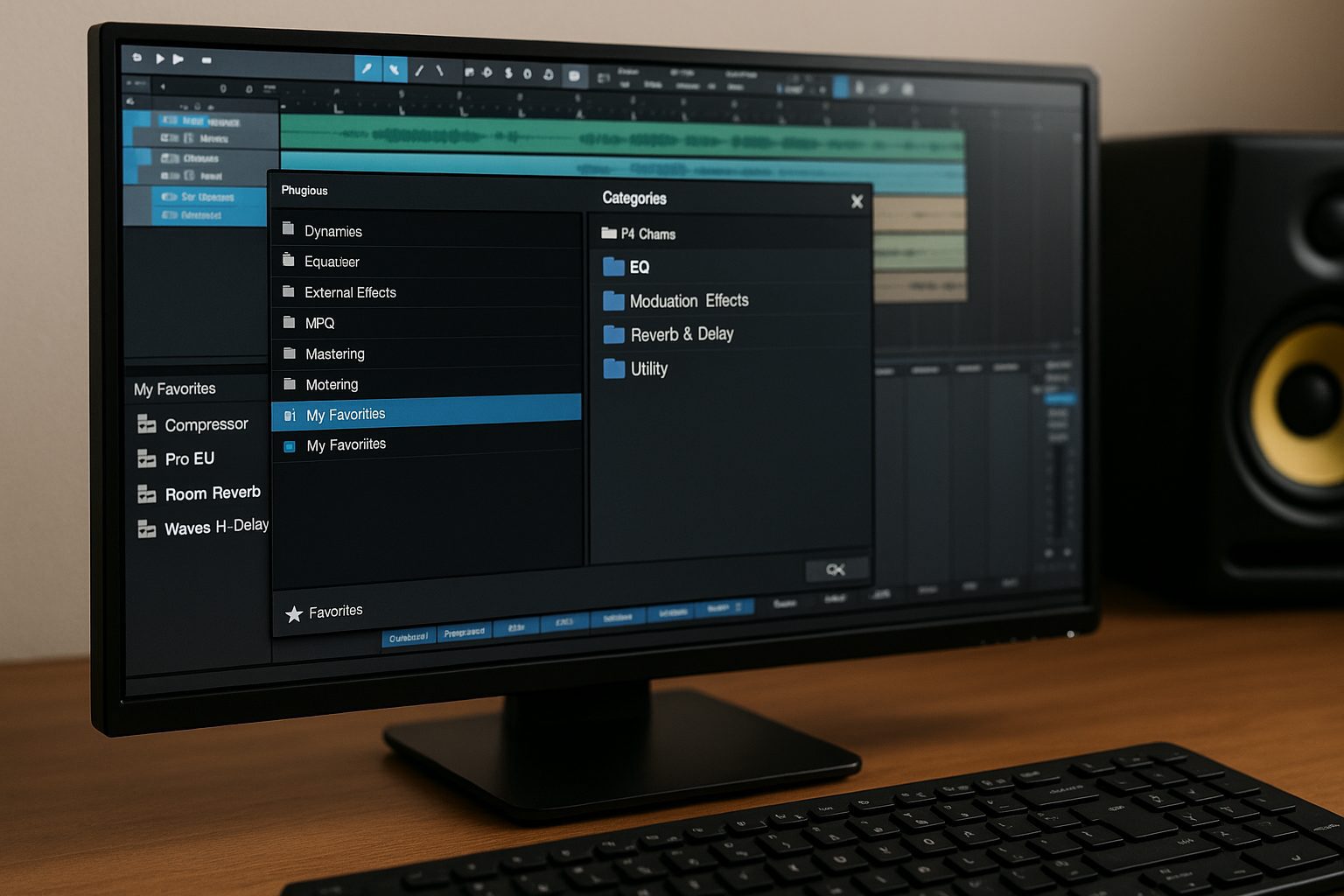
Many DAWs allow you to mark plugins as favorites or tag them for easy retrieval.

  • Studio One: Use the “Favorites” section to pin commonly used VSTs.
  • Ableton Live: Use Collections to color-code plugins by function.
  • FL Studio: Create custom plugin categories in the Plugin Database.
  • Tip: Regularly update your favorites list as your workflow evolves.

Step 4: Customize Your Plugin Browser

Most modern DAWs allow you to customize the way your plugins appear in the browser.

  • Rename Plugins: Use more intuitive names (e.g., “FabFilter Pro-Q3” to “Pro-Q”).
  • Rearrange Order: Place your most-used plugins at the top.
  • Hide Unused Plugins: Reduce clutter by hiding VSTs you rarely use.
Step 5: Create Plugin Preset Folders

Save your favorite plugin presets in accessible folders within your DAW.

  • User Presets: Save frequently used chains and custom settings.
  • Genre-Specific Folders: For instance, “House Bass Presets” or “Lo-Fi Drum Chains.”
  • Plugin Chains: Save combinations of plugins that you often use together.

Step 6: Utilize Plugin Organizers

Third-party tools can help manage your plugin collection more efficiently.

  • Plugin Boutique’s Plugin Manager: Organize and scan plugins automatically.
  • PluginDoctor: Analyze and compare plugins for functionality.
  • MetaPlugin by DDMF: Host and manage plugins within a single interface.

Step 7: Regular Maintenance

Maintain your organized setup by regularly cleaning and updating your plugins.

  • Delete Unused Plugins: Remove outdated or redundant VSTs.
  • Backup Your Presets: Save your configuration files periodically.
  • Update Plugins: Keep your most-used plugins updated for optimal performance.

Final Thoughts

Taking the time to organize your plugins not only boosts your productivity but also reduces creative frustration. Implement these steps to maintain a streamlined workflow, allowing you to focus more on making music and less on searching for the right tool.


TAGGED:best plugin organization tipsDAW customizationDAW plugin managementoptimize plugin workfloworganize VST pluginsplugin foldersquick access to pluginsVST favorites
Share This Article
Facebook Whatsapp Whatsapp Tumblr Telegram Threads Bluesky Email Copy Link Print

Lasts Posts

Bowed Effigy Primal Strings free Kontakt instrument
Bowed Effigy: Free Primal Strings for Kontakt
Free Kontakt sound Freebie
Beneath World: 8 Free Vital Presets for Dark Cinematic Sound Design
Free Preset Free Vital Preset Freebie
STVTIQ D-Verb free algorithmic reverb plugin
STVTIQ D-Verb: A Free Algorithmic Reverb VST With Shimmer and Ducking
Free Reverb VST plugins Free VST plugins Freebie
Afro Rhythms: 107 Free Afro House Shaker Samples
Free Sample Pack Freebie

Buy Me A Coffee


Buy me a coffee

Popular

Redemption LITE free Vital presets by DixonBeats
Redemption LITE: 12 Free Vital Presets for Dark Trap and R&B
Free Preset Free Vital Preset Freebie
Afro Tech Freedom: 150 Free Royalty-Free Loops for Afro House Producers
Free Sample Pack Freebie
Galdr free wavetable and subtractive synth VST interface by Sognevo
Galdr: A Free Dark Wavetable Synth for Heavy Sound Design
Free instruments VST plugins Free VST plugins
Monosounds Producer Starter Collection with 271 free Serum 2 presets
271 Free Serum 2 Presets by Monosounds for House, Techno and EDM
Free Preset Free Serum Preset Freebie

Find Us on Socials

News

  • Bowed Effigy: Free Primal Strings for Kontakt
  • Beneath World: 8 Free Vital Presets for Dark Cinematic Sound Design
  • STVTIQ D-Verb: A Free Algorithmic Reverb VST With Shimmer and Ducking
  • Afro Rhythms: 107 Free Afro House Shaker Samples
  • Vocal Labs: A Free Modular Vocal Channel Strip VST

You Might Also Like

Music Production

iZotope Neutron

8 septembre 2025
Music Production

10 Best EQ VST Plugins for Music Production, Free and Paid

7 mai 2026
Music Production

The Art of Lo-fi Music: History, Structure, and Instruments

22 janvier 2025
Music Production

How to Produce Rap Music in 2026: Free VST Instruments, Effects and Mixing Plugins

27 juillet 2026
Previous Next
© Audiartist. All Rights Reserved.
Welcome Back!

Sign in to your account

Username or Email Address
Password

Lost your password?