PULSEMELT by MFKNE: Free Ducking Delay & Reverb VST3
Space that gets out of the way by itself
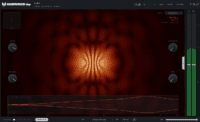
PULSEMELT is a free creative effect from MFKNE that combines delay, reverb, saturation, bitcrushing and pitch drift inside one VST3. The interesting part is not simply the number of effects: the entire wet path is designed to duck automatically under the incoming signal, so attacks can stay clear while the processed tail blooms into the gaps.
Released in August 2026 for macOS and Windows, PULSEMELT is particularly suited to drums, vocals, synths and electronic production where you want obvious atmosphere without building a separate sidechain routing setup.
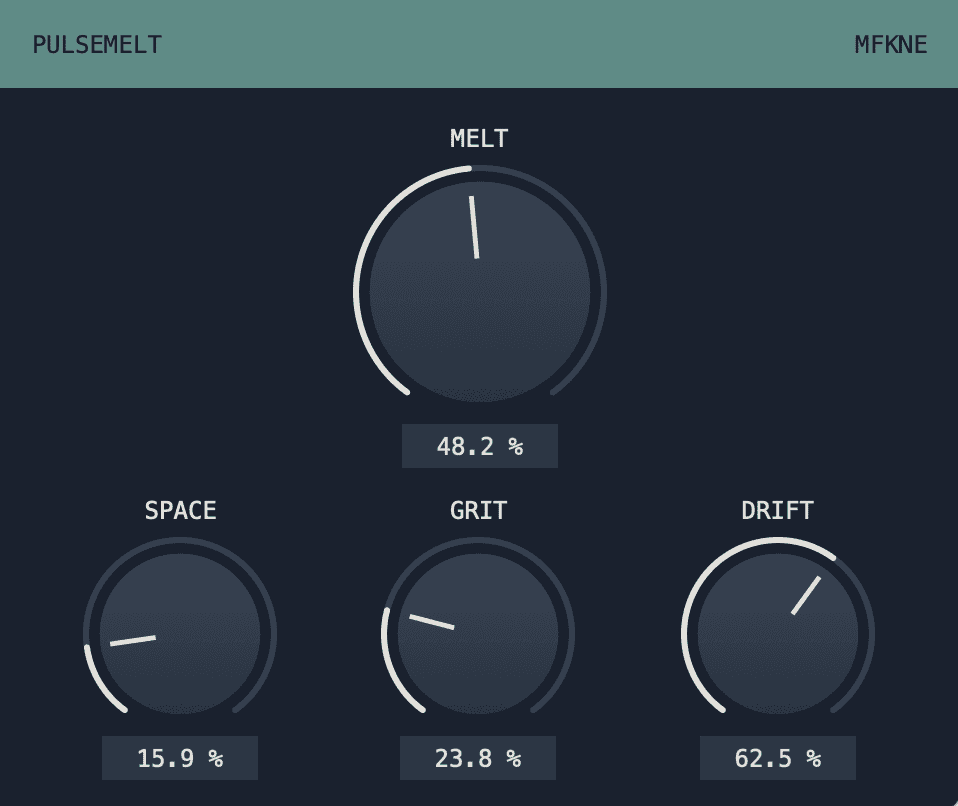
What PULSEMELT does
The plugin starts with a tempo-synchronised dual-tap delay and blends reverb behind it. As the SPACE control rises, separate rhythmic echoes can move toward a more continuous ambience. The wet signal then passes through the GRIT stage, which moves from cleaner processing into tape-like saturation and finally toward bit and sample-rate reduction.
DRIFT introduces asynchronous pitch modulation using several LFO movements, adding unstable width and motion rather than a perfectly repeating chorus pattern. The MELT macro ties the effect together by controlling the wet balance and ducking intensity.
Automatic ducking without extra routing
PULSEMELT uses a 3 ms lookahead detector and reports that latency to the host. The processed tail can therefore be reduced before a transient arrives, while the dry signal remains structurally clean apart from the compensated delay. A fixed 150 Hz high-pass filter in the wet path also helps prevent low-end buildup.
Best uses
- Drums: add a long, dirty space while keeping kick and snare attacks forward.
- Vocals: build rhythmic delay-reverb tails without manually configuring sidechain compression.
- Synth leads: combine tempo movement with pitch instability and texture.
- Transitions: push GRIT and DRIFT for degraded fills and breakdown effects.
- Ambient layers: turn short sounds into moving, less predictable tails.
A fast starting workflow
- Insert PULSEMELT directly on the source.
- Raise SPACE until the delay and reverb occupy the amount of room you want.
- Add MELT until the tail sits behind the original transient instead of covering it.
- Use GRIT for character and DRIFT for movement.
- Check the low end in context, especially on bass-heavy sources.
Compatibility
Price: Free
Formats: VST3
Systems: macOS and Windows
Developer: MFKNE
Why it is worth trying
PULSEMELT is useful because its effects are designed as one connected signal path rather than five unrelated modules. The built-in ducking is especially practical for producers who want large spatial effects but do not want to create another bus, compressor and sidechain every time a sound needs room around its transient.
It can be clean enough for subtle rhythmic space, but its tape, bitcrush and pitch-drift stages make it equally comfortable in more damaged territory. In other words, it starts as a delay-reverb and can end up somewhere much less well behaved.
Official MFKNE download page