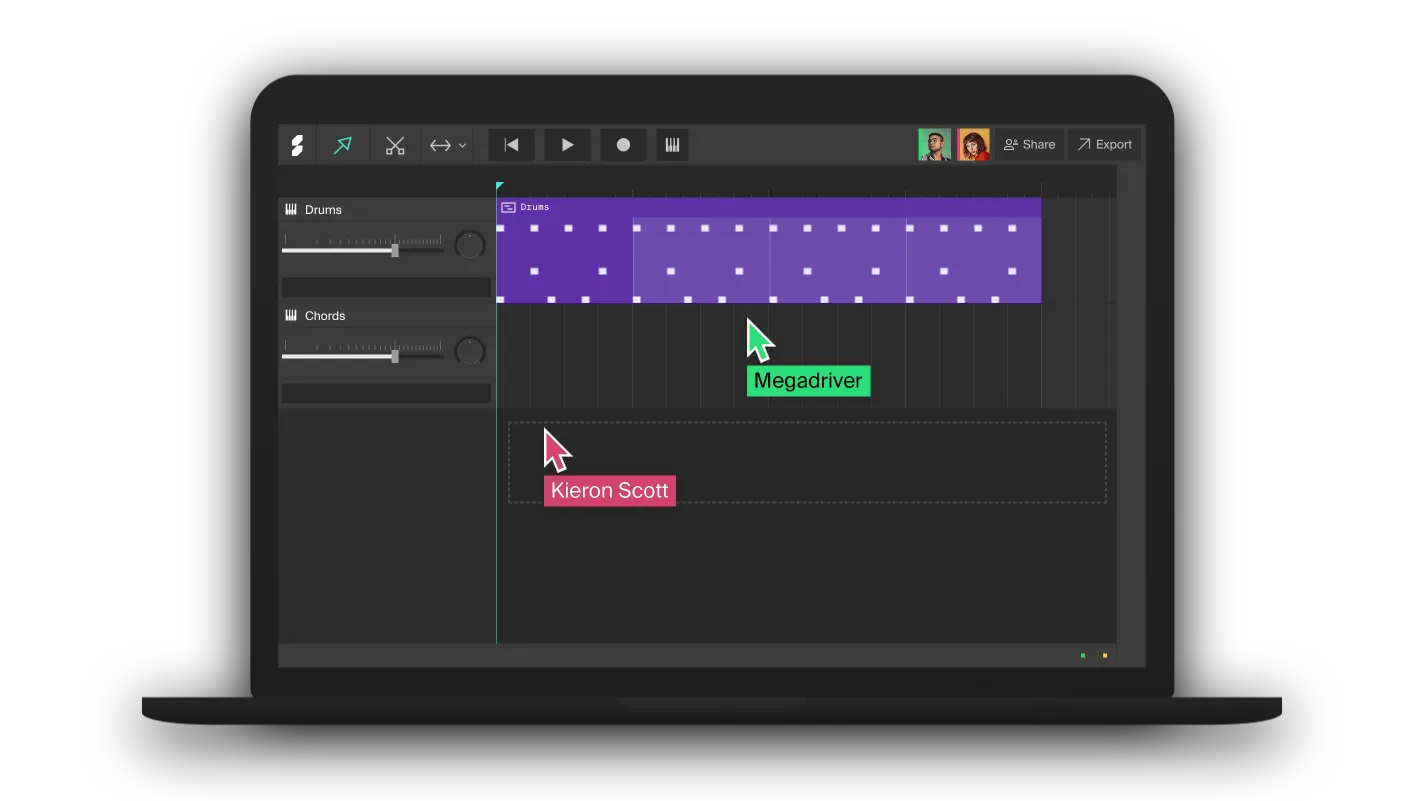

Soundation: A Free Online DAW for Music Production and Collaboration
Record audio, sequence MIDI, build beats and collaborate with other musicians directly inside your browser.
Soundation is a browser-based digital audio workstation that provides a practical way to create music without installing a traditional desktop DAW.
The platform combines audio recording, MIDI sequencing, virtual instruments, drum programming, effects, automation and online collaboration inside a single production environment.
A permanent free plan is available, making Soundation particularly interesting for beginners, beatmakers and musicians who want to start producing immediately from a compatible web browser.

A Complete Studio Inside the Browser
Soundation is built around a familiar multitrack arrangement workflow. Audio recordings, MIDI performances and loops can be placed along the timeline, edited and combined into complete arrangements.
Because the studio runs online, there is no large DAW installer to manage. Projects are automatically saved to the cloud while you work, allowing sessions to be reopened from another compatible computer.
This approach makes Soundation particularly useful for producers working between several machines, students, travelling musicians or anyone who wants a quick environment for developing ideas.
Make Your First Song in Soundation
Record Vocals and Instruments
Soundation includes audio channels for recording vocals, guitars and other external sources through a microphone or compatible audio interface.
Multiple layers can be recorded and arranged inside the same project, while built-in processing tools provide additional control over the resulting recordings.
The studio includes effects such as compression, equalization, reverb and delay, allowing basic vocal and instrument processing without immediately relying on external software.
MIDI Recording and Editing
Electronic producers can record MIDI directly from a controller or use the computer keyboard as a virtual musical keyboard.
MIDI performances can then be edited in Soundation’s note editor, where timing, note length and velocity can be adjusted.
MIDI clips can also be exported, making it possible to sketch an idea in Soundation and continue developing it later inside another DAW.
Virtual Instruments and Beatmaking
Soundation includes several virtual instruments and production tools covering drums, synthesized sounds and sampling.
The Beatmaker provides a quick environment for programming drum patterns using ready-made kits or imported sounds.
The Simple Sampler can transform an imported or recorded audio sample into a playable instrument, while synthesizers such as Supersaw provide additional options for electronic production.
Loops and Royalty-Free Sounds
The complete Soundation platform includes a large library of more than 20,000 loops and samples covering drums, basslines, melodies and numerous musical styles.
Access to the complete catalogue varies according to the account plan, but the Sound Library remains an important part of the production workflow.
Soundation states that its sounds and loops are royalty-free when used according to its licensing terms, allowing producers to incorporate them into original music without paying additional royalties.
Real-Time Collaboration
One of Soundation’s most distinctive features is its real-time collaborative workflow.
Several musicians can work on the same project remotely and see changes appear immediately. Audio and MIDI can be uploaded to the shared project instead of repeatedly sending stems and session files between collaborators.
It works much like a collaborative online document, but inside a music production environment.
Automatic Cloud Saving
Projects are automatically saved while you work, removing the need to constantly press a manual save command.
This also makes projects accessible from another compatible computer after logging into the same Soundation account.
Free-plan users should still keep backups of important work. Soundation states that inactive projects belonging to free accounts may be removed after 24 months without modification, following notification attempts.
Free Plan Limitations
Soundation Free provides genuine access to the online studio, but the complete Soundation ecosystem is not unlocked at no cost.
Some sounds, storage options and advanced features are associated with paid Starter, Creator or Pro subscriptions.
Audio recording and MP3 saving are available to free users, while higher-quality export options may require a paid account.
Soundation also depends on an Internet connection for its cloud-based workflow, making it less suitable for producers who specifically need a fully offline studio.
Soundation Free at a Glance
Developer: Soundation AB
Type: Online digital audio workstation
Platform: Web browser
Audio recording: Yes
MIDI recording: Yes
MIDI editing: Yes
Virtual instruments: Yes
Beatmaker: Yes
Sampler: Yes
Built-in effects: Yes
Automation: Yes
Real-time collaboration: Yes
Cloud saving: Yes
Free plan: Available
Start Producing With Soundation for Free
Soundation can be opened directly from its official website. Create a free account and start a new project inside the online studio.
Final Thoughts
Soundation offers an accessible alternative to a conventional desktop DAW, particularly for beatmaking, songwriting and remote collaboration. Audio and MIDI recording, virtual instruments, sampling, effects and cloud projects provide enough tools to move from an initial idea to a complete arrangement. The free plan does not unlock everything in the Soundation ecosystem, but producers looking for a fast browser-based studio can start creating without purchasing a DAW licence.
« `