
Free Open-Source DAW
Zrythm Basic: A Free DAW for Audio, MIDI and Plugin Production
Record instruments, edit MIDI, automate parameters, host external plugins and export complete mixes with a free cross-platform workstation.
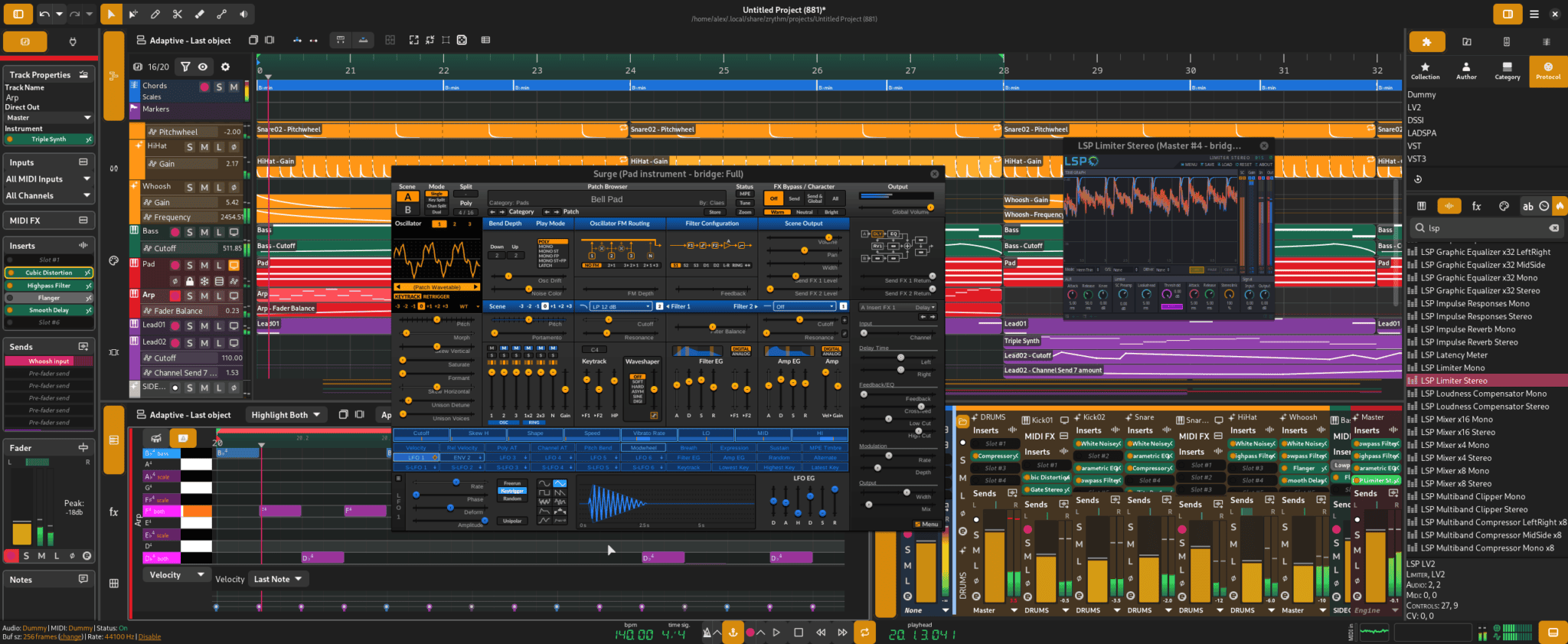
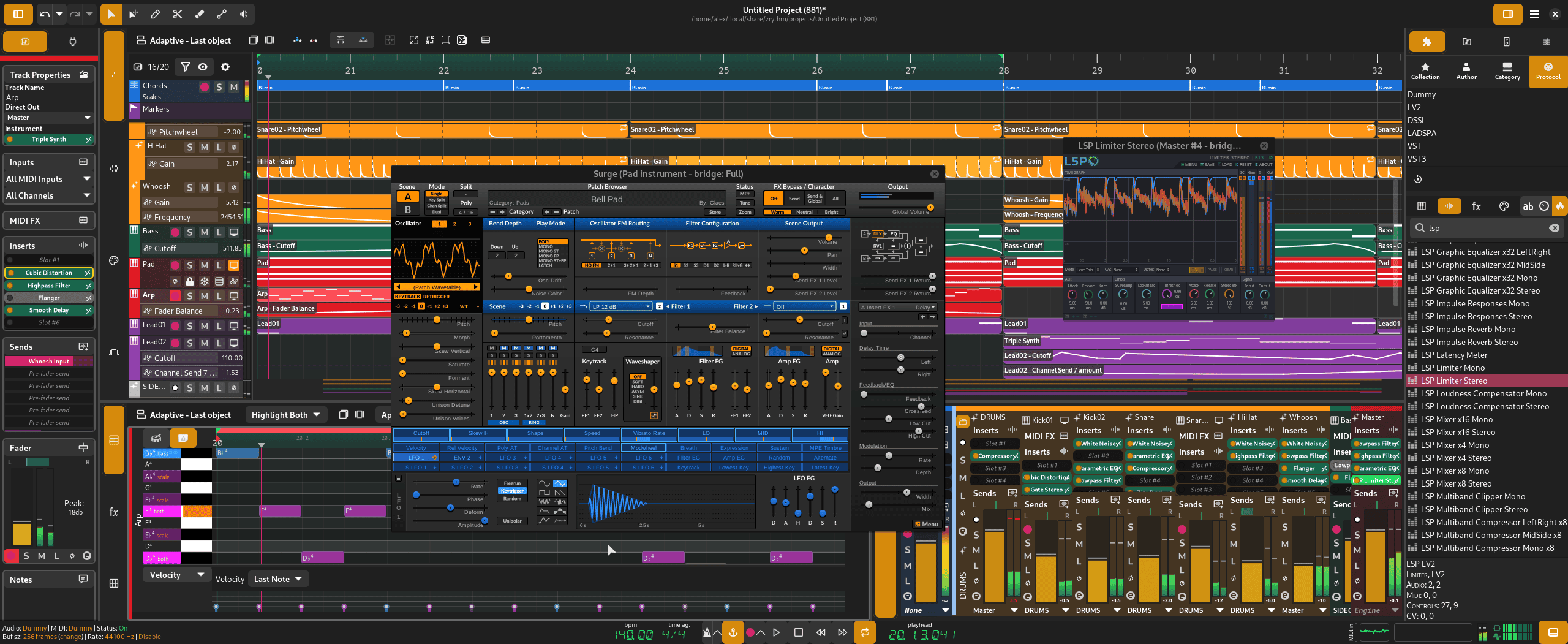
Zrythm Basic is the free edition of the open-source Zrythm digital audio workstation. It provides a modern environment for composing, recording, arranging, editing, mixing and exporting audio and MIDI projects.
The official Basic installer supports projects containing up to 25 tracks and includes a selection of basic plugins. It is available for Windows, macOS and GNU/Linux, making it a useful option for producers who need the same general workflow across several operating systems.
Unlike a browser-based studio, Zrythm runs locally on the computer. Projects, recordings and plugins remain available without a permanent Internet connection after installation.
The main limitation is the 25-track ceiling. Paid editions remove this restriction and add the developer’s wider Z Series plugin collection, but the free version retains the essential recording, editing, automation and mixing workflow.
| Developer | The Zrythm contributors |
|---|---|
| Software type | Audio and MIDI digital audio workstation |
| Free edition | Zrythm Basic |
| Track limit | Up to 25 tracks |
| Platforms | Windows, macOS and GNU/Linux |
| Recording | Audio, MIDI and automation recording |
| Plugin support | VST3, CLAP, LV2, AU, VST2, JSFX, SFZ and SF2, depending on platform |
| Export | Mixdown, stems and MIDI |
| Price | Free |
Audio and MIDI Recording
Zrythm can record audio from microphones, instruments and compatible audio interfaces. MIDI performances can be captured from keyboards, pad controllers and other connected devices.
The recording system includes punch-in and punch-out controls for replacing selected sections of a performance. Multiple takes can be placed on track lanes, allowing producers to compare recordings and create a final composite performance.
Automation can also be recorded in latch or touch modes. Moving a fader, plugin control or assigned hardware knob during playback creates automation data that remains editable afterward.
Timeline and Audio Editing
The main timeline supports audio, MIDI, automation and chord regions. Clips can be moved, resized, cloned, linked, looped, split and stretched.
Track lanes allow several recordings or musical variations to remain inside one track. This is useful for vocal takes, guitar performances, alternative MIDI phrases and layered arrangements.
The audio editor provides clip gain, fades and detailed region editing. Producers can also send selected audio to an external application when more specialized restoration or waveform processing is required.
A bounce-in-place function can render selected material to audio. This can reduce processor use, preserve a complicated plugin chain or prepare a section for further editing.
Piano Roll, Drum Editor and Chord Tools
MIDI notes are edited inside a dedicated piano roll with velocity controls, quantization and chord integration.
A drum view changes the editor into a layout better suited to kicks, snares, hi-hats and one-shot percussion instruments. Producers can draw notes, change velocity and build patterns without working across a conventional melodic keyboard.
Zrythm also includes chord pads and a chord track. Users can generate chords from scales, audition different inversions and drag progressions into the arrangement.
These tools are useful for electronic music, Pop, House, Hip-Hop and other styles where MIDI programming forms an important part of the production.
External Plugin Support
Zrythm supports a broad range of plugin technologies. The official feature list includes VST2, VST3, CLAP, LV2, Audio Unit and JSFX, with availability depending on the operating system.
SFZ and SF2 sound libraries can also be loaded as instrument plugins. This provides access to free sampled instruments, SoundFonts and community sound libraries without requiring a commercial sampler.
The plugin browser can filter installed instruments and effects by creator, format, category or user collection. Compatible plugins can be placed on instrument tracks, insert slots, effect channels or MIDI-processing chains.
Plugin bridging and sandboxing are available through Carla. This can help isolate plugins from the main application, although compatibility still depends on the individual plugin and operating system.
Mixing and Flexible Routing
Zrythm provides group tracks, effect tracks, insert slots and pre-fader or post-fader auxiliary sends.
Audio and MIDI signals can be routed between compatible tracks and plugin ports. This supports shared reverbs, parallel compression, sidechain processing, instrument groups and more experimental modular connections.
The mixer includes conventional volume, pan, mute and solo controls, while the monitor section manages the signal sent to the main listening output.
Automation curves can control plugin parameters, mixer settings, tempo and even the project time signature. Straight lines, ramps and shaped curves are available for creating precise movement.
Best Uses
- Electronic music and MIDI composition
- Recording vocals and solo instruments
- Producing with VST3, CLAP and LV2 plugins
- Linux-based music production
- Automation-heavy arrangements
- Mixing projects with up to 25 tracks
- Using SFZ and SF2 sound libraries
- Exporting stems into another DAW
Audio and MIDI Export
Finished projects can be exported as a complete stereo mix or as separate stems for selected tracks.
Stem export is useful when transferring drums, basses, vocals and instruments into another DAW or sharing individual parts with a mixing engineer.
Zrythm supports audio formats provided through libsndfile, including common lossless formats such as WAV and FLAC. MP3 files can be imported, although MP3 is not listed as an audio export option in the current manual.
MIDI can be imported or exported as Standard MIDI Files in Type 0 or Type 1 format.
Compatibility and Audio Drivers
The official platform matrix supports 64-bit Windows, macOS and GNU/Linux. Apple Silicon and Intel-based macOS systems are included in the current architecture table.
Supported audio systems include JACK, PipeWire, WASAPI and Core Audio. Linux users receive the broadest range of native backend options.
The official Windows build does not include native ASIO support because of licensing conflicts with the open-source components used by Zrythm. Windows producers can use WASAPI or configure a separately built JACK or RtAudio system with ASIO support.
This limitation is important for musicians using interfaces that depend heavily on dedicated ASIO drivers for low-latency recording.
Free Basic Edition Versus Paid Versions
Zrythm Basic limits projects to 25 tracks and includes the basic plugin collection. It remains capable of recording, editing, automating, mixing and exporting complete songs.
The paid Snapshot, Bundle and Subscription editions remove the track restriction and add the wider Z Series plugins. Some paid plans also provide access to later releases, nightly builds and downloadable PDF documentation.
The source code remains available under a free-software license. Advanced users may build Zrythm themselves or obtain packages from compatible software distributions.
Main Limitations
- Maximum of 25 tracks in Zrythm Basic
- Only the basic plugin collection is included
- No native ASIO support in the official Windows build
- The advanced Z Series plugins require a paid edition
- Some plugin formats are platform-specific
- The flexible routing and automation system has a learning curve
- The version 2 branch is still presented separately as Alpha software
- Users may need external instruments for a broader factory sound library
Final Verdict
Zrythm Basic is a capable free DAW for producers who want audio recording, MIDI sequencing, external plugin support and detailed automation in one cross-platform application.
The 25-track limit is generous enough for demos, electronic productions, vocal projects and carefully organized full songs. Plugin support and stem export also make it possible to expand the system or move sessions into another workstation later.
The lack of native ASIO support in the official Windows build is its most significant practical weakness. Linux and macOS users receive a more straightforward audio-backend experience.
For producers interested in open-source software and flexible routing, Zrythm Basic offers considerably more than a simple beginner sequencer. The mixer may permit almost anything to connect to almost anything, so naming the tracks before the routing becomes philosophical is strongly recommended.
« `