
BandLab Studio: A Powerful Free Online DAW for Music Production
Record, produce, mix and master music directly in your browser with instruments, samples, effects and collaboration tools.
BandLab Studio is one of the easiest ways to start producing music without buying or installing a traditional desktop DAW.
The cloud-based production environment works directly inside a web browser and is also available through the BandLab mobile apps.
Despite being free, BandLab Studio includes audio and MIDI recording, virtual instruments, a sampler, effects, automation, royalty-free sounds and integrated mastering tools.
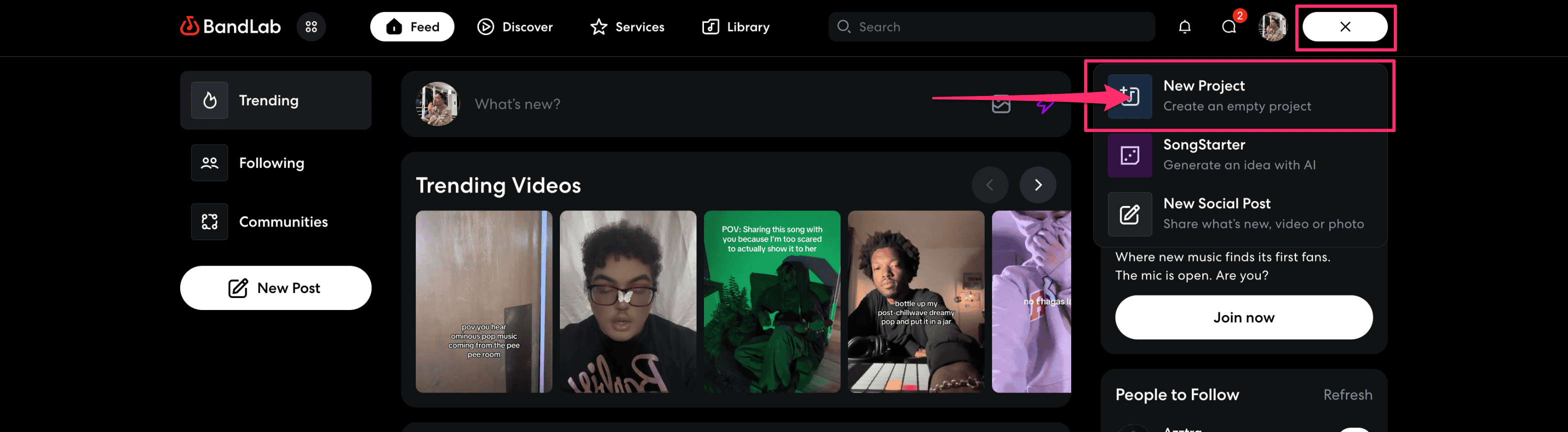
BandLab Studio at a Glance
- Free cloud-based DAW
- Up to 16 audio and MIDI tracks
- Projects up to 15 minutes long
- Audio recording
- MIDI sequencing
- 370+ free virtual instruments
- 16-pad sampler
- Built-in drum machine
- Automation
- Integrated effects
- Royalty-free BandLab Sounds library
- Free mastering presets
- Web, Android and iOS support
A DAW That Runs Inside Your Browser
One of BandLab Studio’s biggest advantages is accessibility.
On a computer, you can open BandLab in a modern web browser, sign in and start a new project without installing a large desktop application.
Projects are stored within the BandLab ecosystem, making it possible to continue working from another compatible device.
This makes BandLab particularly useful for beginners, students, musicians working on several computers or producers who simply want a quick environment for sketching ideas.
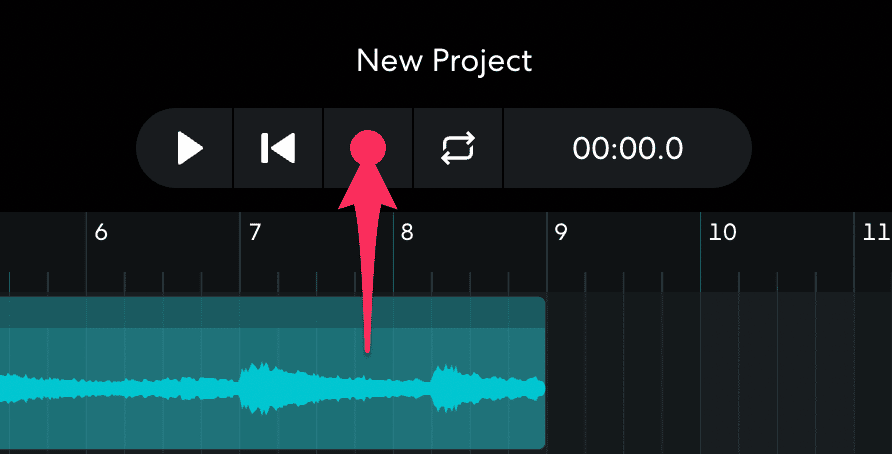
Record Audio and MIDI
BandLab Studio supports both audio and MIDI tracks.
You can connect a microphone or compatible audio interface to record vocals, guitars, bass or other instruments directly into a project.
MIDI tracks can be recorded using a connected MIDI keyboard or programmed directly inside the editor.
For quick ideas, your computer keyboard can also be used to play BandLab’s virtual instruments.
More Than 370 Free Virtual Instruments
BandLab currently provides access to more than 370 free virtual instruments.
The collection covers a wide variety of sounds including:
- Pianos
- Drums
- Synthesizers
- Basses
- Guitars
- Orchestral sounds
- Electronic instruments
This makes it possible to begin producing immediately without building a separate plugin collection first.
Ideal for Quick Music Creation
BandLab Studio is particularly useful for producers who want to start creating quickly.
Virtual instruments, drum programming, samples and effects are integrated into the same environment, so you can build an entire demo without downloading additional software.
A Built-In 16-Pad Sampler
BandLab also includes a flexible 16-pad Sampler.
You can record your own sounds, import audio files from your computer or select material from BandLab’s sample collection.
Samples can then be cropped, pitched, reversed, looped and adjusted with controls for volume, pan, attack, release and tone.
This makes the sampler useful for drum kits, vocal chops, one-shots and experimental sound design.
Thousands of Royalty-Free Sounds
BandLab Sounds provides thousands of royalty-free loops, samples and one-shots covering a wide variety of modern styles.
Sounds can be previewed and added directly to Studio projects, making the library particularly convenient for beatmakers.
You can use loops as starting points or chop and process them to create completely different arrangements.
Watch the Official BandLab Studio Tutorial
BandLab demonstrates recording, beatmaking, samples, virtual instruments, effects and mixing in this official Studio tutorial.
Built-In Effects and Presets
BandLab Studio provides effects for vocals, guitars, bass and general music production.
The free tier allows up to 10 effects on each track.
BandLab also offers dozens of ready-made effect presets, including more than 50 vocal presets, over 40 guitar presets and more than 20 bass presets.
Individual effect parameters can be edited, allowing producers to build and save their own processing chains.
Automation for More Dynamic Mixes
Automation allows volume, panorama and compatible effect parameters to change throughout a song.
Automation points can be manually drawn into the project, making it possible to create filter movements, volume fades, evolving effects and more complex arrangements.
For a free browser-based DAW, this provides considerably more control than a basic recording application.
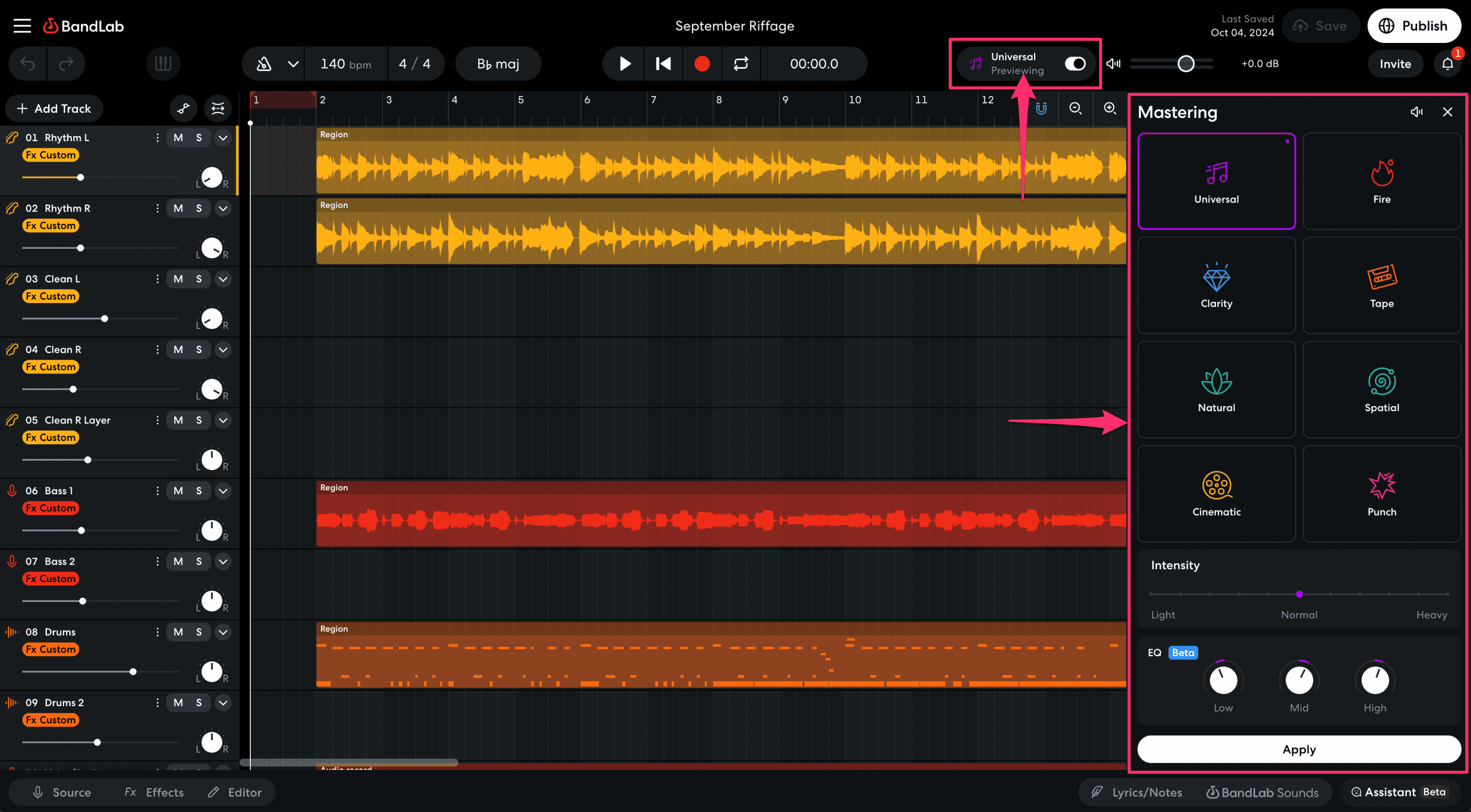
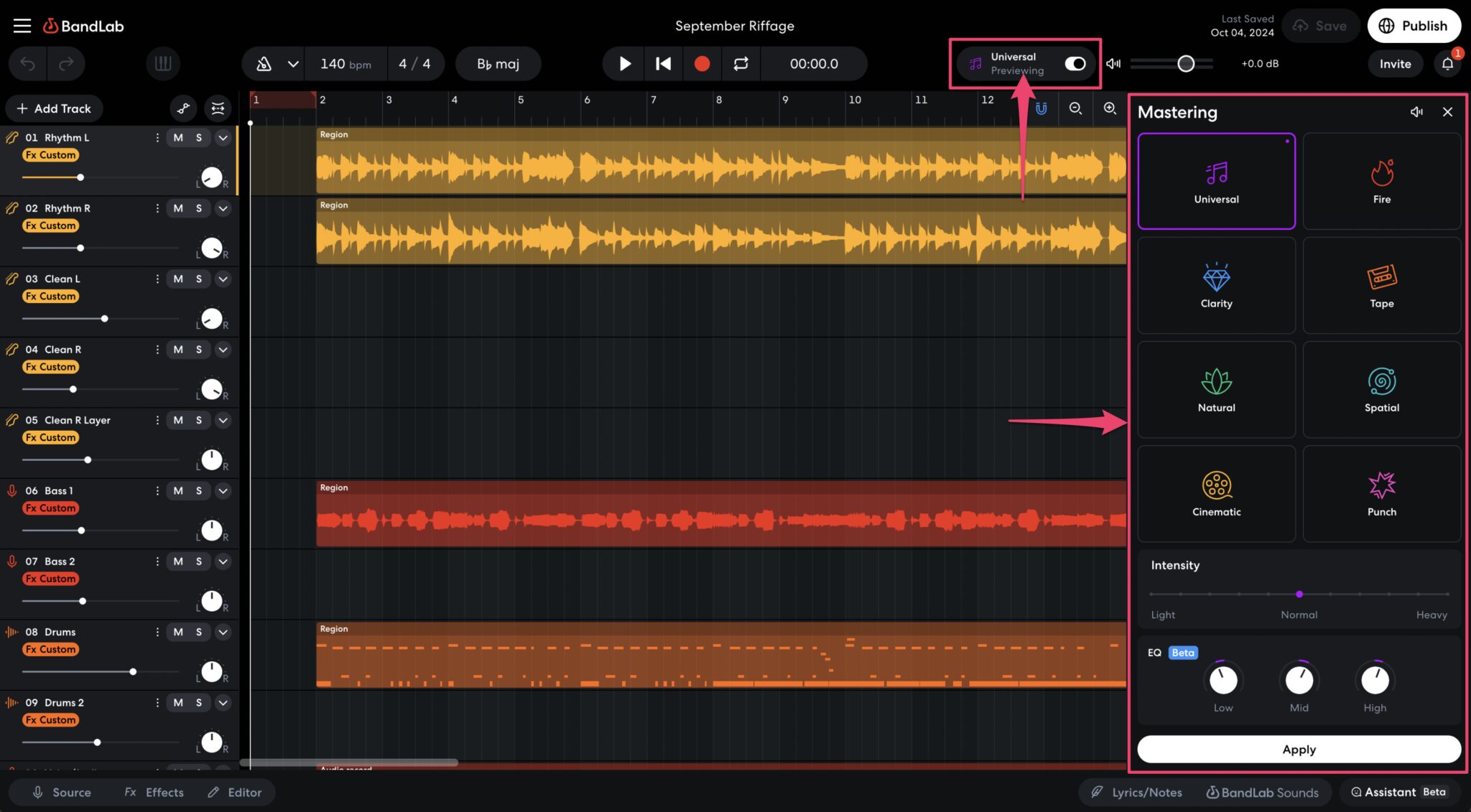
Free Mastering Is Included
BandLab Studio also includes an integrated mastering system.
The free tier currently provides four mastering styles:
- Universal
- Fire
- Clarity
- Tape
This allows producers to quickly create a finished version of a mix without exporting the project into another application.
Additional mastering options are available through BandLab’s paid memberships, but the four core presets remain available to free users.
Free Version Limits
Maximum tracks: 16 audio and MIDI tracks
Maximum project duration: 15 minutes
Effects: Up to 10 effects per track
Platform: Cloud-based
Internet: An active connection is required to use the BandLab ecosystem.
Web and Mobile Music Production
BandLab can be accessed through a computer browser and through dedicated Android and iOS applications.
Mobile and browser projects can remain connected to the same BandLab account, making it easy to begin an idea on one device and continue working elsewhere.
This portability is one of the reasons BandLab has become especially popular with new producers and musicians who create while travelling.
Compatibility
Web: Modern Chrome, Firefox or Chromium-based browsers
Android: Android 8.2 or later
iOS: iOS 15.5 or later
Account: Free BandLab account required
Price: Free
Who Is BandLab Studio For?
BandLab Studio is particularly suitable for:
- Beginner music producers
- Beatmakers
- Singers and songwriters
- Hip-Hop and Trap producers
- Lo-fi producers
- Electronic musicians
- Mobile music creators
- Musicians looking for a fast sketching DAW
More experienced producers may still prefer a traditional desktop DAW for very large sessions, but BandLab is extremely effective for ideas, demos and lightweight productions.
Is BandLab Studio Worth Trying?
Yes, especially if you want to start producing without buying software or spending an afternoon installing plugins before writing the first note.
The 16-track limitation means BandLab Studio is not intended to replace every professional desktop workflow, but its combination of audio recording, MIDI, virtual instruments, samples, effects and mastering is impressive for a free platform.
For beginners, it provides almost everything needed to understand the foundations of modern music production.
Official BandLab Studio
BandLab Studio can be used directly from the official BandLab website.
Start Making Music with BandLab Studio
Create, record, edit and mix music directly in your browser or on mobile.
16 Audio & MIDI Tracks
370+ Virtual Instruments
16-Pad Sampler
Royalty-Free Sounds
Free Mastering
Price: Free