
A clipper can increase perceived loudness, control sharp transients and reduce the amount of work performed by the final limiter. Used carefully, clipping can make drums hit harder and masters sound louder without obvious pumping.
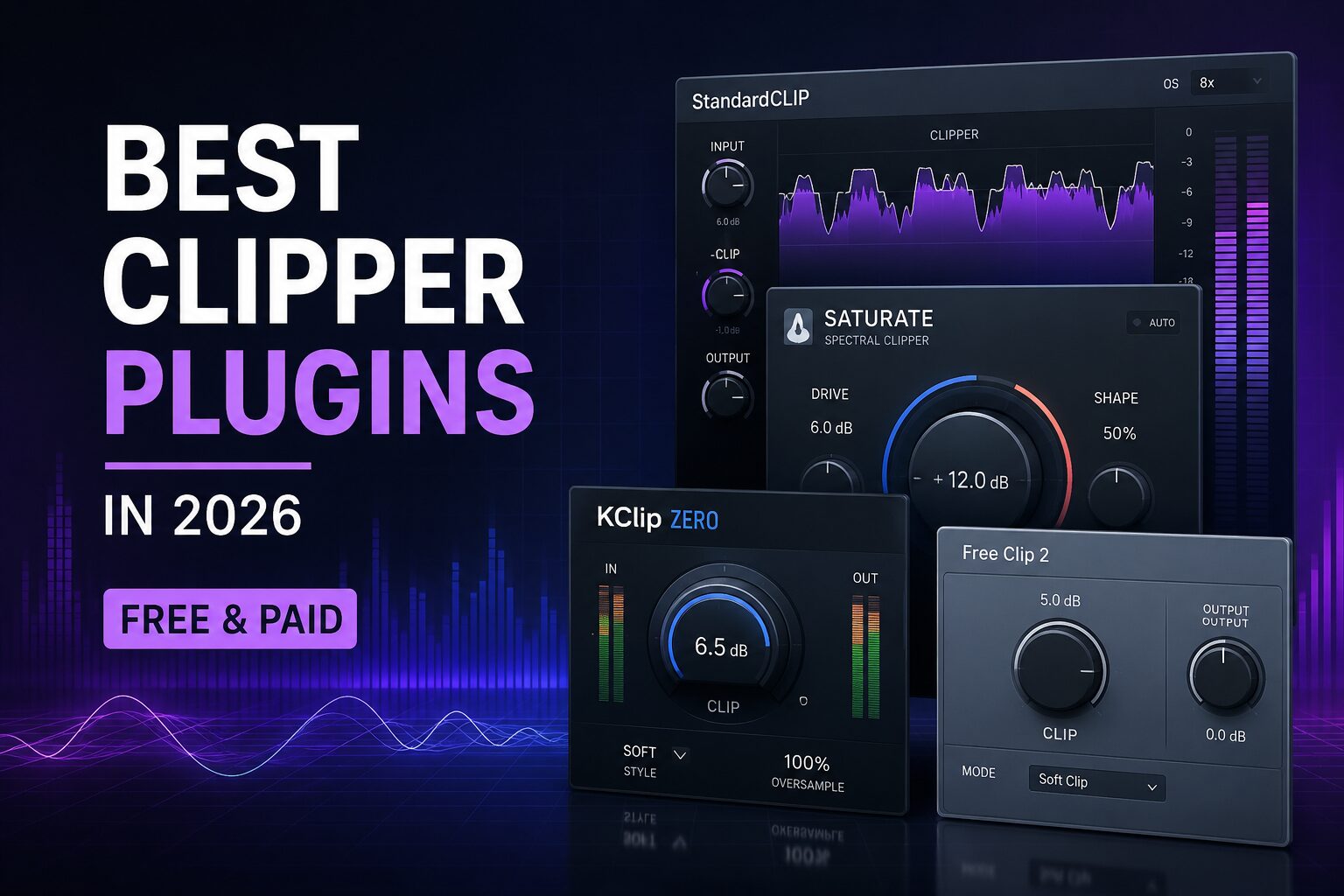
This guide compares four of the best clipper plugins in 2026: StandardCLIP, Newfangled Audio Saturate, KClip Zero and Venn Audio Free Clip 2.
Best Clipper Plugins: Quick Comparison
| Plugin | Price Type | Best For | Difficulty |
|---|---|---|---|
| StandardCLIP | Paid | Precise mixing and mastering | Intermediate |
| Newfangled Audio Saturate | Paid | Transparent loudness and saturation | Easy |
| KClip Zero | Free | Fast peak control | Easy |
| Free Clip 2 | Free | Simple clipping and learning | Very easy |
What Does a Clipper Plugin Do?
A clipper prevents audio peaks from exceeding a selected ceiling. Instead of gradually compressing peaks like a limiter, it reshapes or cuts the waveform when it reaches the clipping threshold.
Hard clipping creates a more aggressive result, while soft clipping rounds the waveform more gradually. Both methods introduce harmonics, but the amount and character of the distortion depend on the clipping curve, oversampling and input level.
Clippers are commonly used on:
- kick drums and snares;
- drum buses;
- 808s and basslines;
- distorted synths;
- mix buses;
- mastering chains before the final limiter.
1. StandardCLIP: Best Overall Clipper Plugin
StandardCLIP by SIR Audio Tools is a precise and flexible clipper designed for individual tracks, buses and mastering.
The plugin provides adjustable hard and soft clipping, separate input and output controls, multiple clipping modes and extensive oversampling. Oversampling helps reduce aliasing created by nonlinear processing, particularly when clipping bright or complex material.
StandardCLIP is especially effective on drum buses. Increasing the input level until the loudest transients are reduced by a few decibels can create a denser and more controlled drum sound before compression or limiting.
Advantages
- precise clipping controls;
- hard and soft clipping modes;
- high oversampling options;
- adjustable clipping ceiling;
- useful for tracks, buses and masters;
- accessible price for a professional tool.
Limitations
- more technical than basic one-knob clippers;
- high oversampling increases CPU use;
- aggressive settings can reduce transient definition.
Verdict: StandardCLIP is the best all-round choice for producers who want detailed control over clipping behaviour without paying a premium price.
Visit the official StandardCLIP page
2. Newfangled Audio Saturate: Best for Transparent Loudness
Newfangled Audio Saturate is a spectral clipper designed to control peaks while preserving the tonal balance of the source.
The Drive control increases the amount of clipping, while the Shape control moves between harder clipping and smoother saturation curves. The plugin can add up to 24 dB of overdrive and is designed to retain tonal balance even under strong processing.
Saturate works particularly well on basses, drum buses and full mixes that need more density without becoming excessively bright or thin.
Advantages
- very simple interface;
- preserves tonal balance well;
- useful as both a clipper and saturator;
- effective on bass, drums and masters;
- easy to level-match.
Limitations
- fewer detailed controls than StandardCLIP;
- less suitable for producers who want several clipping algorithms;
- heavy drive settings can still flatten transients.
Verdict: Saturate is the best choice for producers who want fast loudness and harmonic density without spending time configuring a complex clipping curve.
Visit the official Saturate page
3. KClip Zero: Best Free Clipper for Fast Results
KClip Zero by Kazrog is the free edition of the KClip clipping processor. It offers a streamlined workflow for controlling peaks and increasing loudness.
KClip Zero is designed as a simple clipper that can be placed on drums, basses, instrument buses or the master channel. It remains available as a free plugin in Kazrog’s dynamics range.
Its simplified interface makes it useful for producers who want immediate results without choosing between numerous clipping curves and advanced routing options.
Advantages
- completely free;
- fast and straightforward workflow;
- suitable for drum and master clipping;
- low learning curve;
- good introduction to clipping.
Limitations
- fewer controls than the full KClip version;
- limited creative shaping options;
- less flexible than StandardCLIP for mastering.
Verdict: KClip Zero is one of the best free choices for quickly controlling transients before a compressor or limiter.
4. Venn Audio Free Clip 2: Best Free Simple Clipper
Free Clip 2 by Venn Audio is part of the developer’s free collection of lightweight cross-platform audio plugins.
Free Clip 2 focuses on essential clipping controls without unnecessary complexity. The developer describes the Free Suite as a lightweight, resizable and completely free collection for multiple platforms.
It is well suited to beginners, quick drum processing and situations where a producer needs a basic clipper that consumes few resources.
Advantages
- free and lightweight;
- simple visual interface;
- easy to use on drums and buses;
- resizable interface;
- available as part of a larger free plugin suite.
Limitations
- limited advanced mastering controls;
- fewer algorithms than premium clippers;
- not designed for detailed multiband processing.
Verdict: Free Clip 2 is an excellent starting point for producers who need a simple and efficient clipping plugin.
Free vs Paid Clipper Plugins
| Free Clippers | Paid Clippers |
|---|---|
| Ideal for learning and simple peak control | More clipping curves and detailed controls |
| Suitable for drums and basic mastering | Better oversampling and metering options |
| Fast and lightweight | More flexible for professional mastering |
| Limited advanced shaping | Greater control over distortion character |
Free plugins such as KClip Zero and Free Clip 2 are sufficient for basic transient control. A paid clipper becomes more useful when you need precise oversampling, adjustable clipping curves and reliable mastering controls.
Clipper vs Limiter: What Is the Difference?
A limiter reduces peaks using gain reduction over time. A clipper reshapes the waveform when it crosses the selected threshold.
Clipping can preserve more perceived punch because it only affects the highest part of a transient. However, it also creates harmonic distortion. A limiter generally sounds smoother, but it may produce pumping or soften drums when pushed too hard.
A common mastering chain uses both:
- clip the fastest peaks by approximately 1 to 3 dB;
- send the controlled signal into the final limiter;
- allow the limiter to handle the remaining level and true peaks.
How to Use a Clipper Correctly
Use Oversampling
Oversampling can reduce audible aliasing, especially on cymbals, distorted synths and full mixes. Use higher settings during export if real-time CPU consumption becomes excessive.
Listen to the Transients
A clipper may increase loudness while removing too much attack. Pay close attention to kick drums, snares and percussion when increasing the input level.
Level-Match the Comparison
The louder version will often appear better. Lower the output level and compare the clipped and unclipped signals at similar loudness.
Do Not Chase a Number
The acceptable amount of clipping depends on the material. A distorted techno kick may tolerate aggressive clipping, while an acoustic piano master may reveal distortion immediately.
Which Clipper Plugin Should You Choose?
Best overall: StandardCLIP
Best for transparent loudness: Newfangled Audio Saturate
Best free all-round option: KClip Zero
Best free option for beginners: Venn Audio Free Clip 2
Frequently Asked Questions
What Is the Best Clipper Plugin in 2026?
StandardCLIP is the strongest overall option for detailed clipping during mixing and mastering. Newfangled Audio Saturate is better for producers who prefer a simpler workflow.
What Is the Best Free Clipper Plugin?
KClip Zero is an excellent free option for drums, buses and basic mastering. Free Clip 2 is another lightweight alternative with a beginner-friendly interface.
Should a Clipper Go Before a Limiter?
In most mastering chains, the clipper is placed before the final limiter. It removes short peaks so the limiter can achieve the target loudness with less gain reduction.
Can Clipping Damage a Mix?
Yes. Excessive clipping can create harsh distortion, reduce punch and remove depth. The effect should normally be judged by listening rather than by the amount of gain reduction alone.
Final Verdict
StandardCLIP offers the best balance of precision, flexibility and price. Newfangled Audio Saturate is an excellent alternative for fast spectral clipping and controlled saturation.
For free options, KClip Zero provides immediate peak control, while Free Clip 2 offers a lightweight solution for beginners and producers working on modest