
Halide: A Free Granular and Spectral Smear VST
Transform vocals, synths, instruments and field recordings into evolving clouds, infinite pads and cinematic spectral textures.
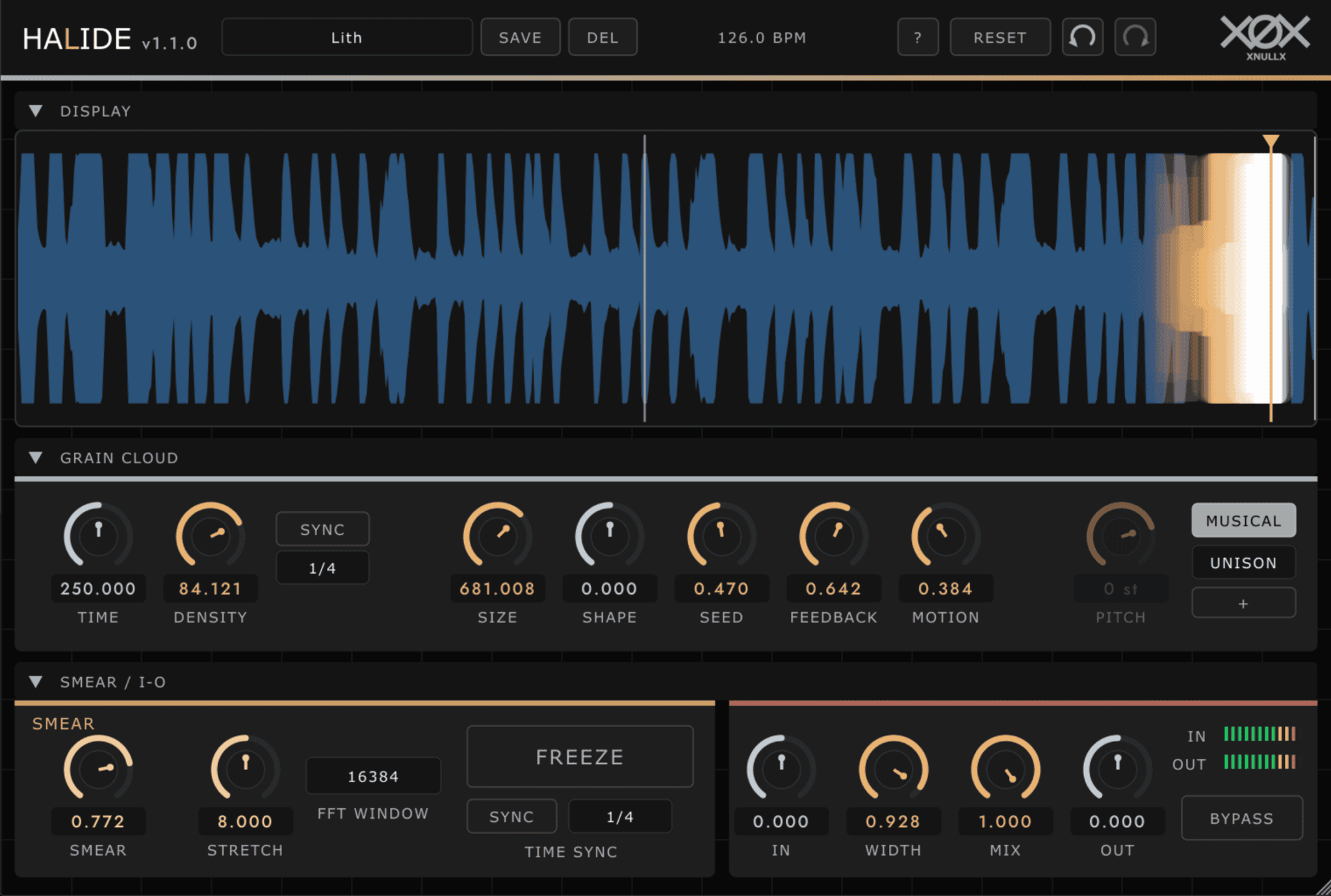
Halide is a free granular and spectral processing plugin developed by XNULLX. It combines a wideband grain cloud with a Paulstretch-style smear engine to transform incoming audio into ambient washes, shifting harmonies, frozen textures and slowly evolving soundscapes.
Unlike an effect that simply places granular processing and spectral stretching in parallel, Halide connects the two stages in series. The output of the grain cloud is sent directly into the spectral engine, allowing grain size, density, pitch and movement to shape the material that is subsequently stretched and dissolved.
Halide 1.1.0 is distributed as donationware. The full plugin can be downloaded and used without a payment, licence key, subscription or restricted demonstration mode. Optional donations support the developer and future updates.
What Is Halide?
Halide is a real-time audio effect rather than a virtual instrument. It processes audio received from a vocal, synthesizer, instrument, sample, field recording or effects bus inside a compatible DAW.
The incoming stereo signal is written continuously into a rolling 16-second buffer. A grain cloud reads fragments from that buffer before sending the result into the spectral smear section.
Up to 256 overlapping grains can be generated. These grains can remain rhythmic and clearly connected to the source, or become increasingly diffuse through changes to density, size, shape, pitch and randomisation.
The result can range from a subtle atmospheric layer behind the original sound to a fully transformed texture with little resemblance to the initial recording.
Granular Cloud Controls
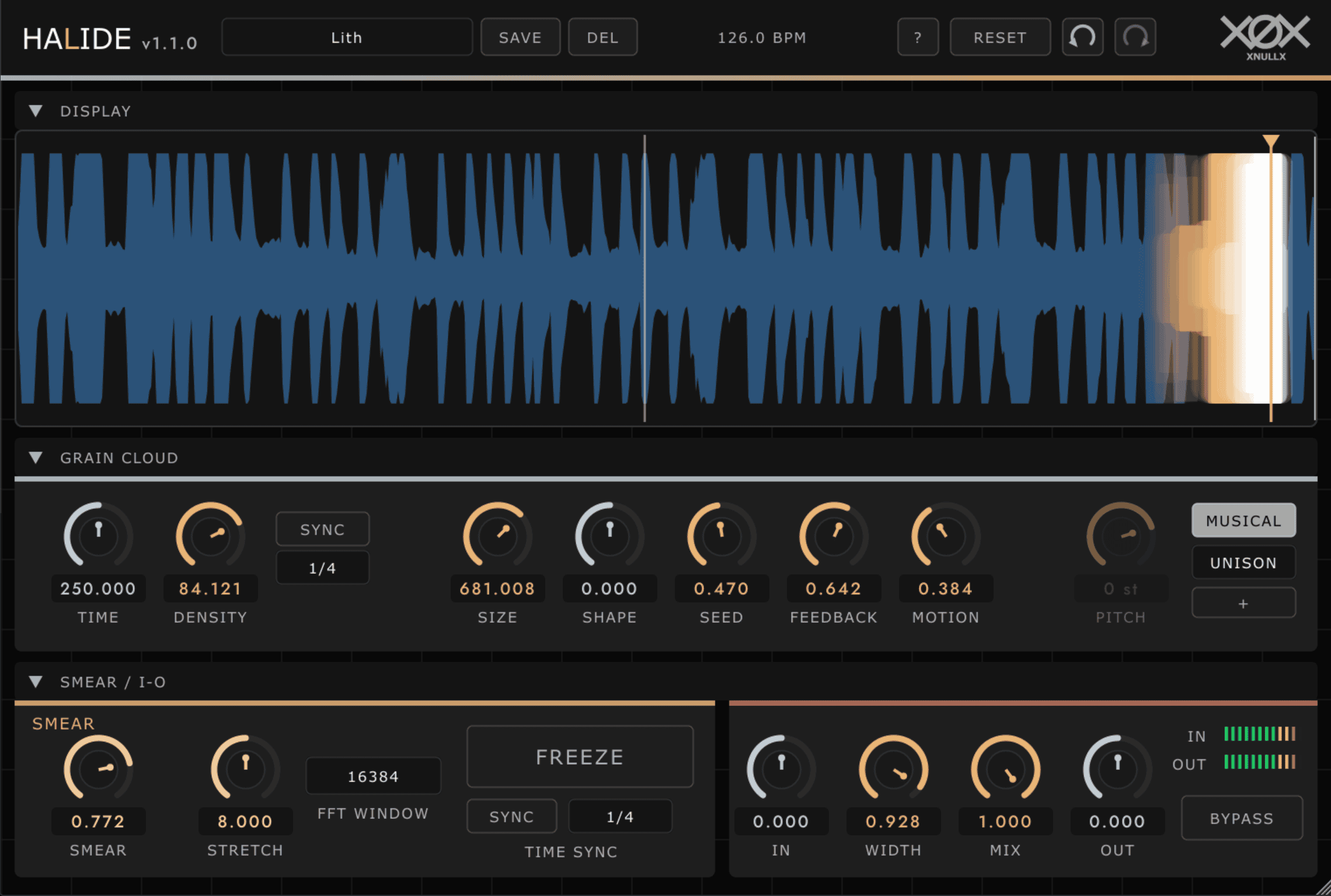
The Grain Cloud section contains the principal controls used to determine how Halide reads and reconstructs the incoming audio.
- Time: Selects the position inside the 16-second buffer from which grains are generated.
- Density: Controls how frequently new grains appear, from isolated fragments to a continuous wall of sound.
- Size: Adjusts grain duration between 20 milliseconds and six seconds.
- Shape: Changes the envelope of each grain from reverse-style swells to faster percussive attacks.
- Seed: Introduces variation into grain timing, pitch and stereo position.
- Feedback: Sends part of the processed output back into the buffer to create longer and increasingly transformed textures.
- Motion: Adds slow movement to the read position, keeping frozen sounds from becoming completely static.
- Pitch: Transposes individual grains by up to two octaves in either direction.
Density and Time can both be synchronised to the host tempo. Available divisions extend from whole notes to sixty-fourth notes, including triplet values. This allows Halide to create rhythmic granular patterns as well as free-running ambient clouds.
Musical Pitch Mode
Halide includes a Musical mode that replaces a fixed pitch shift with predefined intervals and chord structures.
Instead of transposing every grain by the same amount, the plugin can select notes from a major or minor triad, suspended chord, seventh chord, octave, fifth or other musical interval.
The original source acts as the harmonic root, so no separate key selection is required. When the source changes pitch, the generated granular harmony follows it.
This feature is particularly useful for vocals, melodic synthesizers and sustained instruments. A single vocal line can become a layered harmony, while a simple synth note can develop into a wide chordal pad.
The direction can also be reversed, placing the generated harmony below the original source. Higher intervals create brighter shimmer textures, while downward transposition produces darker and heavier atmospheres.
Spectral Smear and Freeze
After the granular stage, the processed signal enters a Paulstretch-style spectral engine. The Smear control determines how strongly the individual grains are dissolved into a continuous wash.
The Stretch parameter extends the spectral material by up to 100 times its original duration. Low values preserve more rhythmic detail, while higher settings blur attacks and movement into a sustained texture.
The FFT Window control changes the character of the spectral processing. Smaller windows produce a more immediate and watery tone, while larger windows create smoother, glassier and more choir-like results.
The Freeze button stops new audio from entering the buffer and preserves the current 16-second capture. Halide can then continue reading, moving and processing that material indefinitely.
Freeze is especially effective for creating pads from short recordings. Play a chord, vocal note or instrument phrase, activate Freeze at the right moment and use Motion, Feedback and Pitch to develop an evolving background layer.
Best Uses
Ambient production: Transform simple chords, piano notes and field recordings into long atmospheric beds.
Cinematic sound design: Create drones, emotional textures, transitions and backgrounds from short instrumental sources.
Vocal processing: Generate harmonies, frozen vowel pads and diffuse vocal atmospheres behind a lead performance.
Electronic music: Process synths and melodic loops for introductions, breakdowns and evolving transitions.
Organic House and Afro House: Turn guitars, flutes, voices or percussion into atmospheric layers that retain a connection to the original performance.
Experimental resampling: Record several processed passes, then edit the most interesting fragments into new samples and instruments.
Halide can also be placed on an effects return. This makes it possible to blend the processed texture beneath several tracks while preserving the clarity of the original channels.
How to Use Halide
Insert Halide on a melodic or sustained audio source and begin with the default 50 percent Mix setting. Increase Grain Size for smoother textures or reduce it for more fragmented processing.
Use a lower Density value when individual grains should remain audible. Increase Density when the objective is to create a continuous pad or spectral cloud.
For tempo-based effects, enable Density Sync and select an eighth-note or sixteenth-note division. Synchronising Time as well creates a more controlled rhythmic pattern.
To build a shimmer texture, increase Feedback and set Pitch to one octave above the source. Downward pitch settings create darker repeating layers that gradually descend into the feedback loop.
When the sound reaches an interesting moment, activate Freeze. Add a small amount of Motion to keep the captured material evolving instead of repeating like a conventional frozen loop.
Production Tips
Granular and spectral effects can quickly produce a large amount of low-mid energy. Use the Input and Output controls carefully and apply an external EQ when the processed layer competes with vocals, bass or piano.
For cleaner arrangements, render the Halide output to audio. The resulting file can be trimmed, faded, reversed or placed only where the texture adds something useful.
Use the Width control with restraint when the source already contains significant stereo information. Very wide textures can sound impressive alone but may weaken the centre of a complete mix.
The Mix control uses a ducked equal-power blend. As the processed texture grows, the dry signal is reduced slightly, helping the granular fog replace the source instead of simply stacking more volume on top of it.
Feedback settings above unity can produce long self-regenerating textures. Monitor the output level carefully, because even a beautiful infinite pad eventually has to respect the master bus.
Compatibility and Installation
Halide is available for Windows and macOS as a 64-bit audio effect.
- Windows: VST3 installer
- macOS: VST3 and Audio Unit installer
- Plugin type: Audio effect
- MIDI input: Not required
- Interface: Resizable from 50 to 200 percent
- Price: Free donationware
- Current version: 1.1.0
The Windows installer is digitally signed, although Microsoft SmartScreen may temporarily display a warning while the developer’s certificate builds reputation.
The interface includes preset saving, undo and redo, collapsible sections and contextual hover help. Its window size and layout are remembered between sessions.
Final Verdict
Halide is a distinctive free plugin for producers who want granular processing to remain musical rather than becoming random digital debris.
Its serial grain-to-smear architecture gives the effect a coherent identity. Grain density, size, pitch and movement directly influence the material entering the spectral stage, creating a close relationship between the original source and the final atmosphere.
Musical Pitch mode is especially useful for vocals and melodic instruments, while Freeze, Motion and Feedback make it easy to generate long pads and evolving cinematic textures from a short recording.
Halide is not intended for corrective mixing or transparent processing. It is a creative effect for transforming familiar audio into something softer, wider and less predictable.
For ambient music, cinematic production, electronic sound design and atmospheric House arrangements, it offers a generous collection of tools at no cost. Just remember to press record when the perfect texture appears. Granular clouds, rather like actual clouds, are not famous for waiting patiently.
Download Halide from the official XNULLX website: