By using this site, you agree to the Privacy Policy and Terms of Use.
Accept
AudiartistAudiartistAudiartist
Notification Show More
Font ResizerAa
  • Home
  • Music
    • New music release
    • We love
    • Afro Music
    • Cinematic
    • Classical Music
    • Electro / House
    • Jazz
    • Latina Music
    • Lo-fi
    • Pop Music
    • Rock
    • Synthwave
  • Music Production
  • Music Promotion
  • Breaking News
  • Freebie (VST, Samples, Presets)
    • FREE VST
    • Free Sample Pack
    • Free Kontakt sound
    • Free Serum Preset
    • Free Preset
    • Free FL Studio template
  • Free music submission
    • Submit your music for free with DailyPlaylist
    • Afro House
    • Afro music
    • Christmas Music
    • Cinematic Music
    • Classical Music
    • Dance Music
    • Electro Music
    • Hard Rock
    • House Music
    • Latina Music
    • Lo-fi
    • Mainstream
    • Pop Music
    • RAP & Hip Hop
    • Reggaeton
    • Rock Music
    • Synthwave
Search
Reading: How to Export Your Stems Properly
Share
Font ResizerAa
AudiartistAudiartist
  • Home
  • Music
  • Music Production
  • Music Promotion
  • Breaking News
  • Freebie (VST, Samples, Presets)
  • Free music submission
Search
  • Home
  • Music
    • New music release
    • We love
    • Afro Music
    • Cinematic
    • Classical Music
    • Electro / House
    • Jazz
    • Latina Music
    • Lo-fi
    • Pop Music
    • Rock
    • Synthwave
  • Music Production
  • Music Promotion
  • Breaking News
  • Freebie (VST, Samples, Presets)
    • FREE VST
    • Free Sample Pack
    • Free Kontakt sound
    • Free Serum Preset
    • Free Preset
    • Free FL Studio template
  • Free music submission
    • Submit your music for free with DailyPlaylist
    • Afro House
    • Afro music
    • Christmas Music
    • Cinematic Music
    • Classical Music
    • Dance Music
    • Electro Music
    • Hard Rock
    • House Music
    • Latina Music
    • Lo-fi
    • Mainstream
    • Pop Music
    • RAP & Hip Hop
    • Reggaeton
    • Rock Music
    • Synthwave
Have an existing account? Sign In
Follow US
Audiartist > Blog > Music Production > How to Export Your Stems Properly
Music Production

How to Export Your Stems Properly

audiartist
Last updated: 30 mai 2025 16h41
audiartist
Published: 30 mai 2025
Share
SHARE

Essential Tips Before Mastering or Collaborating

In the world of modern music production, collaboration is constant and mastering is often outsourced. That means your session isn’t always the final product — your stems are. Whether you’re sending them to a mixing engineer, a vocalist, or a mastering specialist, the way you export your stems can make or break the next stage.

Contents
  • Essential Tips Before Mastering or Collaborating
    • What Are Stems (And Why They Matter)?
    • Pre-Export Checklist
    • Exporting Stems the Right Way
    • Labeling and Delivering
  • Final Thoughts
  • AUDIARTIST

Here’s how to export your stems cleanly, clearly, and professionally — and earn respect as a reliable producer.


What Are Stems (And Why They Matter)?

Stems are individual audio files that represent key elements of your track: drums, bass, synths, vocals, FX, and more. They allow others to remix, re-mix, master, or build upon your production without needing your full session or plugins.

Sending stems:

  • Makes collaboration easier
  • Prepares your track for remixers
  • Helps mastering engineers improve your final sound
  • Future-proofs your music across systems and platforms

Pre-Export Checklist

Before you hit export, take a few moments to prep your session:

  1. Name Your Tracks Clearly
    No more “Audio 12” or “VST Track 6.” Use names like Lead_Vocal, Kick, Clap+Snare, 808_Sub.
  2. Clean Up the Project
    Delete unused channels. Disable plugins you’re not using. Bounce any CPU-heavy virtual instruments to audio if necessary.
  3. Check Your Gain Staging
    Make sure nothing is clipping. Keep levels clean and consistent, ideally peaking around -6dB to -3dB for headroom.
  4. Turn Off Your Master Bus Processing (unless you’re exporting mix stems for reference)
    You want the mastering engineer to work with raw, uncolored audio.
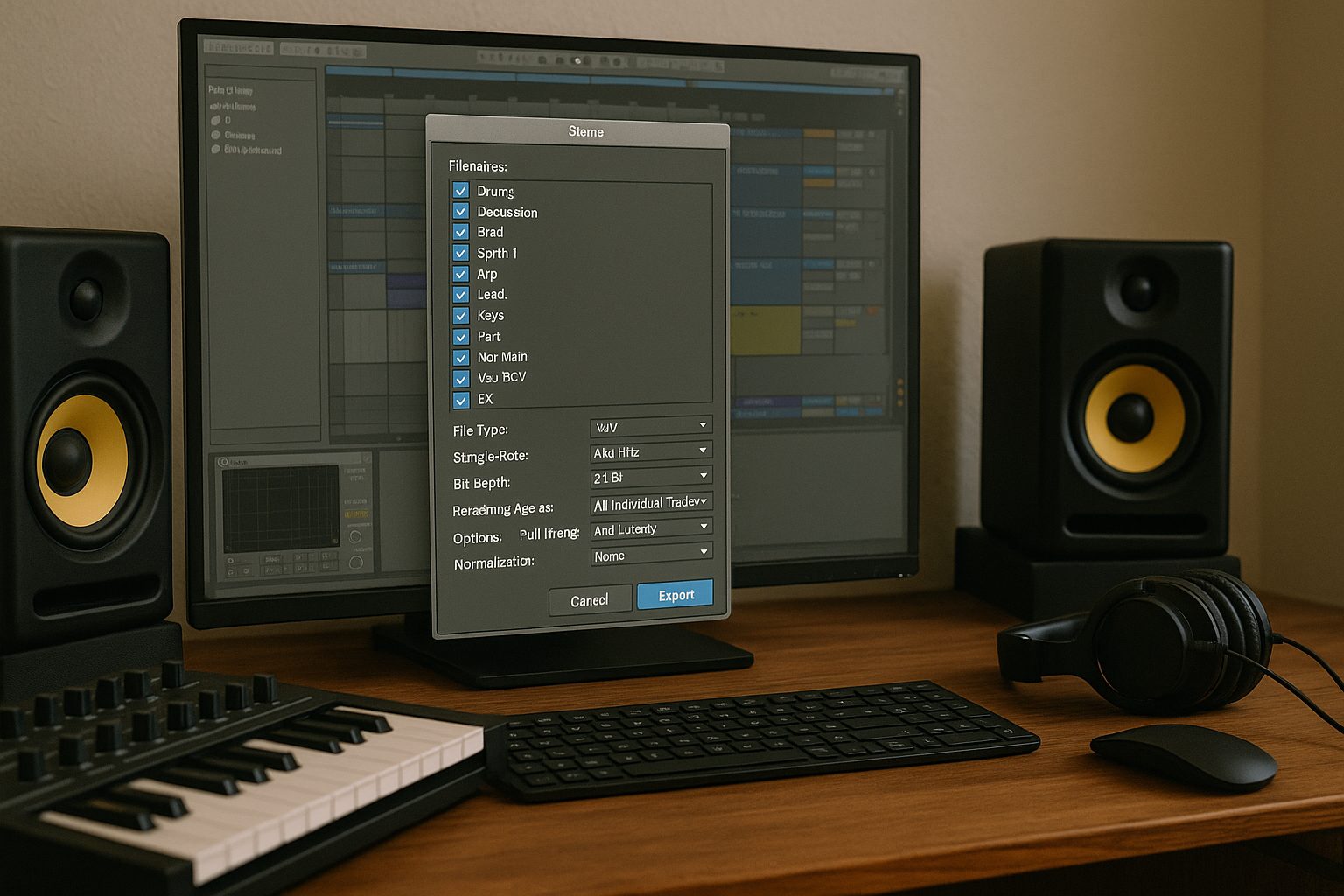

Exporting Stems the Right Way

Here are essential tips for exporting stems like a pro:

  • Solo and Export One Stem at a Time (or use batch export if your DAW supports it)
    Ensure FX tails and automation are included.
  • Export From Start to Finish
    Every stem should start at bar 1, even if the sound comes in later. This keeps everything perfectly aligned.
  • Render With Effects (unless asked otherwise)
    Include your channel FX like EQ, compression, saturation — but exclude mastering chain effects like limiters or stereo wideners unless the recipient requests it.
  • Use High-Quality Settings
    WAV, 24-bit, 44.1kHz or 48kHz. Avoid MP3 unless specifically requested.
  • Double Check
    Re-import all stems into a fresh session and listen. If they line up and sound like your mix, you’re good.

Labeling and Delivering

  • Organize into folders: /DRUMS, /SYNTHS, /VOCALS, /FX, etc.
  • Compress the folder into a ZIP or RAR
  • Use cloud delivery: Google Drive, WeTransfer, Dropbox — avoid cluttered email attachments

Optional: Include a rough mix for reference — it helps the person receiving your stems understand your vision.


Final Thoughts

Exporting stems isn’t glamorous, but it’s one of the most underrated skills in music production. Done right, it opens the door to smooth collaborations, professional masters, and respectful partnerships.

So the next time someone asks you to “send over the stems,” don’t rush it. Export with care, clarity, and consistency.

That’s how pros work.

Loading

AUDIARTIST

Music news, production & promotion updates, the best VSTs, free presets.

We don’t spam! Check our privacy policy for more information.

Check your inbox or spam folder to confirm your subscription.

TAGGED:audio production tipsclean stem exportDAW export stemsexport stemsexporting audio for masteringmusic collaboration workflowmusic production tipsprepare stems for mixingstem export guidestem mixing
Share This Article
Facebook Email Print

Subscribe to our newsletter

AUDIARTIST

Music news, production & promotion updates, the best VSTs, free presets.

We don’t spam! Check our privacy policy for more information.

Check your inbox or spam folder to confirm your subscription.

Buy Me A Coffee


Buy me a coffee

Popular

The Best Free Guitar VSTs (2026-Ready) — Instruments, Amps, IRs, and a Pro Workflow
FREE VST Freebie Music Production
Mixea: Online Mastering That Gets Your Track Release-Ready Fast
Music Production
Free VST January 2026
FREE VST Music Production
Spotify Faces a Massive “Scrape & Rip” Claim
Breaking News
Free (or Almost Free) Music Distribution in 2026
Music Promotion
Lila Blu: when care meets sound, meditation gets its soundtrack
Cinematic Music New music release We love
Streaming Platforms You Can Use Without a Distributor in 2026
Music Promotion
Carlito Home — “Embrace the Morning” turns jazz-lofi into a sunrise ritual
Lo-fi Music New music release We love
© Foxiz News Network. Ruby Design Company. All Rights Reserved.
Welcome Back!

Sign in to your account

Username or Email Address
Password

Lost your password?