Bitsonic Melody Harmonizer: Free MIDI Chord Generator VST3/AU
Melody Harmonizer by Bitsonic is a free MIDI harmony generator designed to turn a melody into an editable chord progression without taking the songwriting decisions away from the producer.
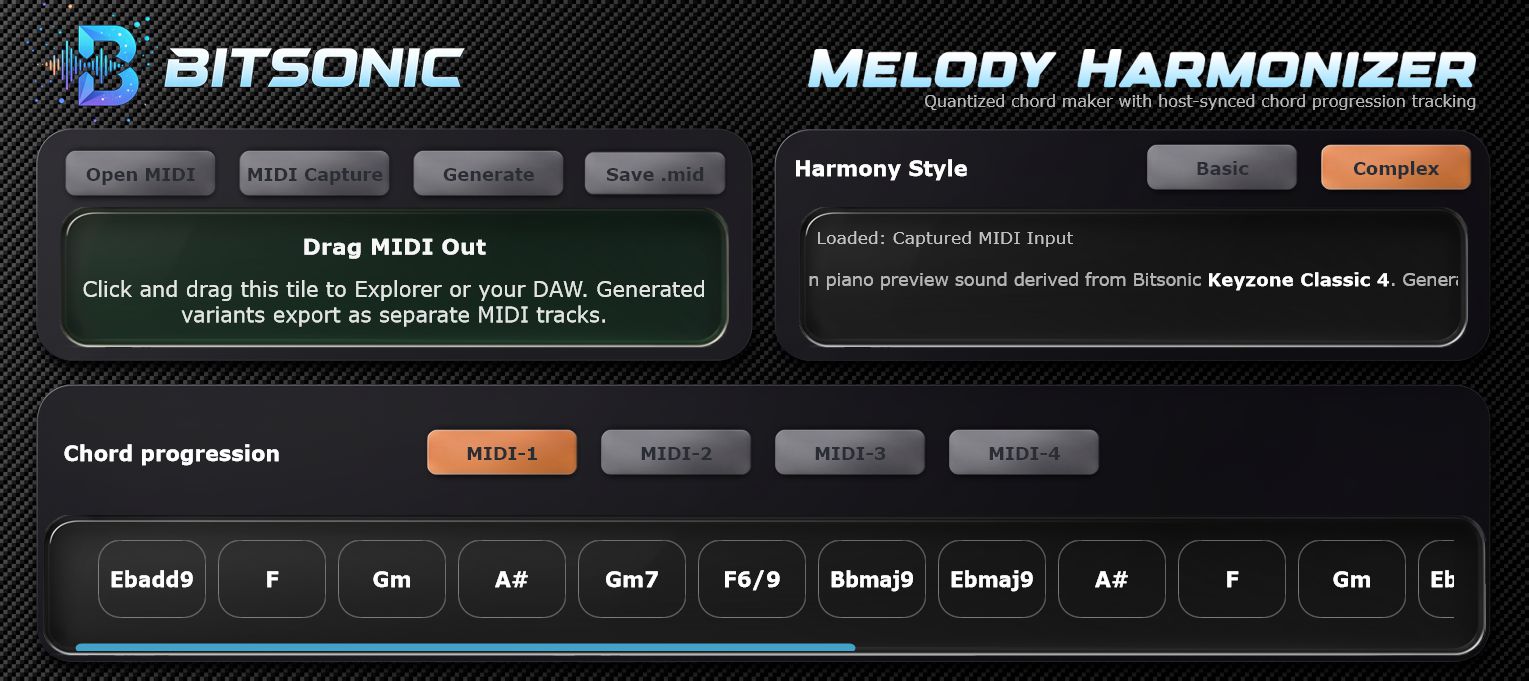
Released for the KVR Developer Challenge 2026, it can capture MIDI from a DAW or load a MIDI file, generate harmonic alternatives, preview them with a built-in piano sound and send the resulting chords back to the project as MIDI.
What Is Melody Harmonizer?
Melody Harmonizer is focused on one practical songwriting problem: the melody arrives first, but finding a useful chord progression can interrupt the creative flow. Instead of generating a finished song, the plugin creates editable MIDI harmony that can be changed, simplified, reharmonized or completely replaced inside the DAW.
You can load an existing MIDI melody or capture MIDI directly from host playback. Once the melody is available, choose between Basic and Complex harmony modes and let the plugin generate chord progression ideas around it.
Main Features
- Free MIDI harmony and chord progression generator
- Loads standard MIDI files
- Captures MIDI from DAW playback
- Basic and Complex harmony modes
- Built-in piano preview sound
- Generated chord variants remain editable MIDI
- Drag generated MIDI back into the DAW
- Available for Windows, macOS and Linux
A Useful Workflow for Songwriters
The strongest part of Melody Harmonizer is that the result does not have to remain inside the plugin. Generated progressions can be dragged back into the arrangement as MIDI, so producers keep full control over voicings, rhythm, inversions and instrumentation.
That makes the plugin more useful as an idea generator than as an automatic composer. A progression can be treated as a starting point, with only the interesting parts kept for the final production.
Basic vs Complex Harmony
Basic mode is intended for more direct harmonic results, while Complex mode explores richer chord choices. Testing both against the same melody is a quick way to hear how different harmonic contexts can change the emotional direction of a track.
This can be especially helpful for producers who are comfortable writing melodies but want faster harmonic alternatives before committing to an arrangement.
Compatibility
Windows: 64-bit, VST3 compatible DAW.
macOS: macOS 14.5 or later, Intel or Apple Silicon, AU or VST3 compatible DAW.
Linux: 64-bit, VST3 compatible DAW.
The plugin is currently listed as free with no copy-protection system on KVR.
At a Glance
Developer: Bitsonic
Plugin: Melody Harmonizer
Price: Free
Type: MIDI harmony / chord generator
Formats: VST3 and AU depending on platform
Best for: Songwriting, chord progression ideas, melody harmonization and MIDI workflow
Why It Is Worth Trying
Melody Harmonizer is most useful when treated as a fast harmonic sketchpad. It can help beginners understand how a melody can support different chord choices, while more experienced writers can use it to generate alternatives before manually reshaping the MIDI.
The workflow remains producer-friendly because the final result is not locked into proprietary audio or a closed arrangement. Everything can return to the DAW as MIDI.
Download Melody Harmonizer
Melody Harmonizer can be downloaded from the official Bitsonic website and from its KVR Developer Challenge page.
Final Thoughts
For a free plugin, Melody Harmonizer offers a focused workflow rather than unnecessary complexity. It will not replace harmonic judgment, and that is precisely the point: it is a tool for generating editable ideas quickly while leaving the musical decisions in the hands of the producer.