
In many cases, the problem is not the synth, the sample pack, the compressor, or the DAW. It is MIDI velocity.
MIDI velocity is one of the most overlooked tools in music production, especially for beginners. It can make programmed drums groove, sampled pianos breathe, synth basslines move, strings swell naturally, and electronic music feel less mechanical without losing its precision. It is not glamorous. It does not come with a shiny interface or a dramatic preset browser. But used correctly, velocity can transform a stiff loop into a musical performance.
This is where many producers get trapped. They download another drum plugin, another piano library, another “humanizer” tool, another miracle groove pack, while the real issue is already sitting inside the piano roll. Velocity is the difference between notes that simply happen and notes that feel played.
What Is MIDI Velocity?
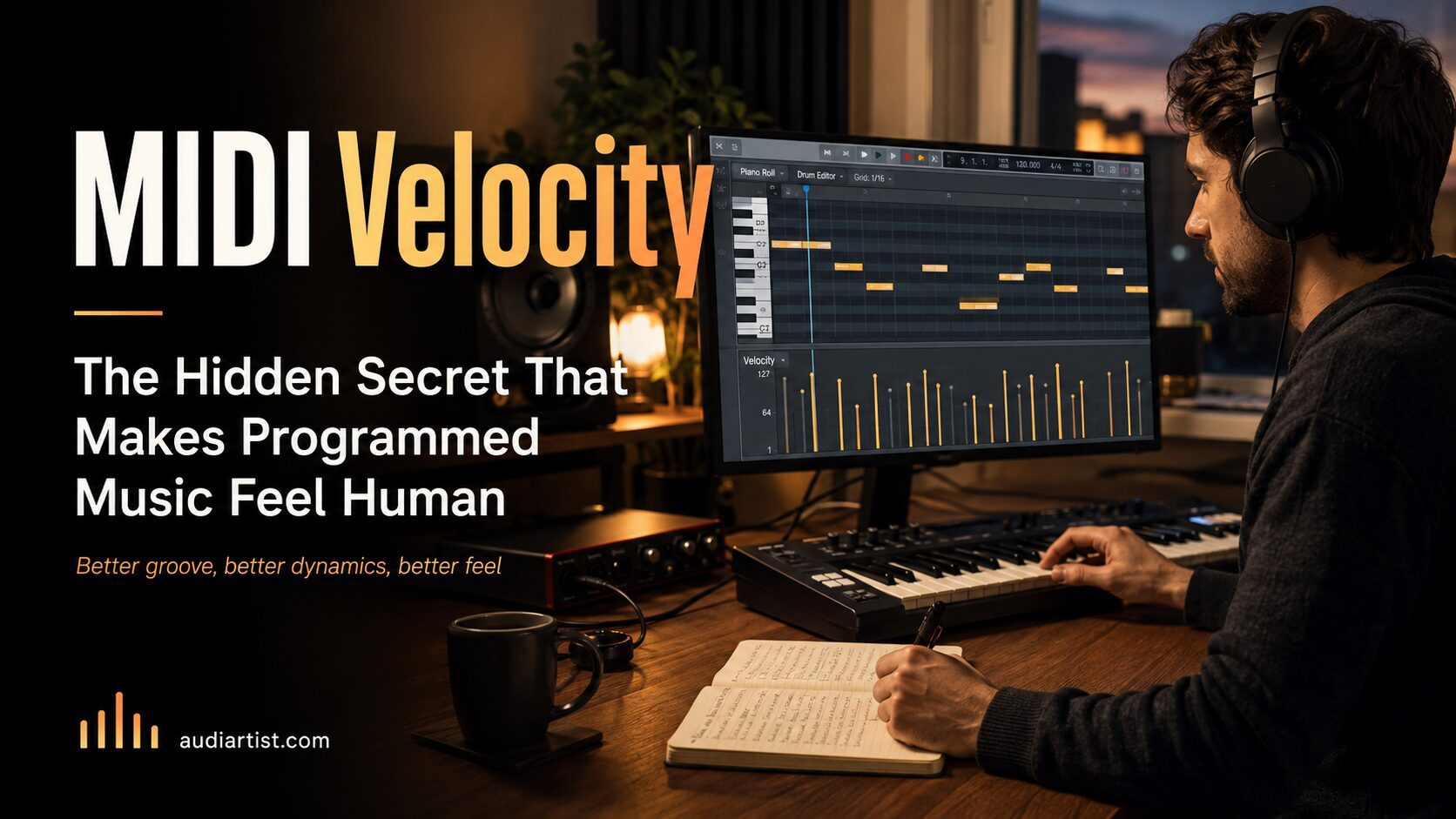
MIDI velocity describes how strongly a MIDI note is triggered. In most DAWs, it appears as a vertical value under each note in the piano roll. The higher the velocity, the stronger the note is played. The lower the velocity, the softer the note feels.
At its simplest level, velocity controls volume. But in many virtual instruments, it does much more than that. A good drum plugin may trigger different sample layers depending on velocity. A piano plugin may sound darker at low velocity and brighter at high velocity. A string library may change attack, intensity, or dynamic expression. A synth patch may use velocity to control filter cutoff, envelope amount, modulation depth, or distortion intensity.
In other words, velocity is not just loudness. It is performance information.
When every note has the same velocity, the music often sounds flat. Not always bad, but flat. Like a sentence where every word is spoken at the exact same volume, with the exact same emotion. It may communicate the message, but it will not make anyone lean forward.
Why Beginners Ignore Velocity
Beginners usually focus on more visible production problems: choosing plugins, finding presets, adding effects, mixing louder, widening the sound, or chasing a professional master. Velocity feels small by comparison. It is hidden in the lower lane of the MIDI editor, not advertised in plugin newsletters, and rarely presented as the secret weapon it really is.
But velocity is where musical realism begins.
A live drummer never hits every hi-hat with the same force. A pianist does not strike every chord tone equally. A bassist does not attack every note with identical energy. Even electronic music, when it feels hypnotic and locked, usually contains subtle movement in dynamics. Human performance is built on variation.
That variation does not need to be random. In fact, random velocity can sound just as artificial as flat velocity if it has no musical logic. The goal is not to make every note different for no reason. The goal is to create intention.
The Difference Between Random and Musical Velocity
Random velocity says: “Let the computer vary everything.”
Musical velocity says: “Let the groove decide what matters.”
This distinction is crucial. A hi-hat pattern with random values from 40 to 127 may technically be varied, but it may not groove. A snare ghost note louder than the main snare hit will sound wrong. A piano chord where the wrong note is too dominant can ruin the emotion. A bassline with too much velocity variation can lose its foundation.
Good velocity programming follows musical hierarchy. Strong beats usually have stronger velocity. Passing notes are often softer. Ghost notes sit low. Accents create movement. Repeated notes breathe by rising and falling slightly. The pattern has shape.
Think of velocity as phrasing. It tells the listener what is important.
Velocity in Drum Programming
Drums are the easiest place to hear velocity problems. Program a basic 16th-note hi-hat pattern at the same velocity and it will often sound stiff. Lower every offbeat slightly and add small accents on selected steps, and suddenly the pattern starts breathing.
Here is a simple starting point for hi-hats:
- Main accents: velocity 90 to 110
- Regular hits: velocity 65 to 85
- Ghost or passing hits: velocity 35 to 60
- Build-up accents: gradually rising velocity
For snares and claps, keep the main backbeat strong and consistent, but use softer ghost notes before or after the main hit. In hip-hop, neo-soul, funk, house, afro house, and organic electronic music, ghost notes can add incredible movement without making the rhythm feel busy.
For kicks, be more careful. The kick often defines the energy of the track, especially in dance music. Too much velocity variation can weaken the groove. In house and techno, the main four-on-the-floor kick may stay consistent, while percussion and top loops carry the human movement. In trap or hip-hop, velocity changes can help create bounce, especially in rolls, fills, and syncopated kick patterns.
Velocity and the “Machine Gun” Effect
The machine gun effect happens when repeated notes trigger the same sample at the same velocity, with the same timing and tone. It is especially obvious on drums, percussion, picked instruments, and fast repeated synth or orchestral parts.
Velocity is one of the best ways to reduce this effect. Lowering some repeated notes, changing accents, and creating small dynamic waves can make the part feel less mechanical. If the plugin supports multiple sample layers or round robins, velocity becomes even more powerful because different velocity values may trigger different recordings or tonal responses.
For fast repeated notes, avoid a flat line. Try a shape like this:
- Strong, medium, soft, medium
- Strong, soft, medium, soft
- Medium, medium, strong, soft
- Soft build into strong accent
The goal is not chaos. The goal is motion.
Free Drum Plugins That Respond Well to MIDI Velocity
You can practice velocity programming with stock drum instruments in your DAW, but some free drum plugins are especially useful because they make dynamic changes easy to hear.
MT Power Drum Kit 2
MT Power Drum Kit 2 is a free acoustic drum plugin designed for pop, rock, and metal production. It is useful for learning velocity because acoustic drums immediately reveal whether your MIDI part feels played or simply programmed. Hi-hats, snares, crashes, and toms all benefit from careful dynamic shaping.
Best use: realistic drum grooves, rock demos, pop arrangements, acoustic-style programming, velocity training.
Official website
Download MT Power Drum Kit 2
Steven Slate Drums 5.5 Free
Steven Slate Drums 5.5 Free gives producers a polished acoustic drum sound with a free kit and ready-to-use presets. It is a strong option for learning how velocity affects realism, impact, ghost notes, and fills. A basic programmed groove can sound much more convincing when the hi-hats, snares, toms, and cymbals are shaped with intention.
Best use: modern drum programming, rock, pop, alternative, hybrid productions, drum realism practice.
Official website
Download Steven Slate Drums 5.5 Free
Velocity in Piano and Keys
Piano is one of the most revealing instruments for velocity. A chord progression with every note at the same level usually sounds heavy, blocky, and artificial. Real piano performance is shaped by touch. The melody note often needs to be louder than the inner chord tones. Bass notes may need weight, but not so much that they swallow the harmony. Repeated chords need slight movement to avoid sounding copy-pasted.
A simple piano velocity method:
- Top melody note: slightly stronger
- Inner chord notes: softer
- Bass note: controlled, not always maximum
- Repeated chords: small variations between repetitions
- Emotional phrases: velocity rises and falls naturally
This is not just about realism. It is about emotion. A chord with the right velocity balance can feel intimate, bright, dark, fragile, confident, or tense. The notes may be the same, but the touch changes the story.
Free Sample Instruments for Practicing Velocity
Decent Sampler
Decent Sampler is a free sample player that opens a large world of creative sampled instruments. It is especially useful for producers who want to explore expressive sounds beyond standard synth presets. With velocity-sensitive libraries, it becomes a strong learning tool for dynamics, touch, and phrasing.
Best use: pianos, experimental instruments, organic textures, cinematic sounds, lo-fi layers, expressive sampled instruments.
Official website
Download Decent Sampler
Spitfire Audio LABS
Spitfire Audio LABS offers free creative instruments with a focus on texture, atmosphere, and musical character. These sounds can be excellent for learning how dynamics affect emotion, especially with pianos, strings, pads, and soft cinematic instruments.
Best use: soft piano, strings, pads, ambient textures, cinematic layers, emotional arrangements.
Official website
Download / Install via Spitfire Audio App
Velocity in Synth Basslines
Synth bass is where many electronic producers misunderstand velocity. If the bass patch is not programmed to respond to velocity, changing MIDI velocity may do nothing. But if velocity is mapped to filter cutoff, envelope amount, distortion, volume, or attack, it becomes a powerful groove tool.
For basslines, the goal is controlled movement. Too much variation can make the low end unstable. Too little variation can make the bass feel static. The best solution is often subtle velocity shaping on accents, passing notes, and syncopated hits.
Try this approach:
- Keep the main root notes stable.
- Make passing notes slightly softer.
- Accent notes that answer the kick.
- Use velocity to open the filter slightly on important notes.
- Avoid huge jumps unless the style requires aggression.
In house, afro house, tech house, synthwave, and bass-driven pop, this can make a loop feel more alive without adding more layers.
Velocity in Chords and Pads
Chords and pads can also benefit from velocity, but the effect depends heavily on the instrument. Some synth pads barely respond to velocity unless you map it manually. Others become brighter, louder, or more expressive as velocity increases.
For chord parts, velocity can create a sense of push and release. The first chord of a phrase may be stronger. The final chord may soften. A build-up may increase velocity gradually. A breakdown may use lower velocity to feel more intimate.
This is a simple way to create movement without adding new instruments. The arrangement stays clean, but the performance breathes.
How to Program Velocity Like a Musician
The best way to program velocity is to imagine the physical performance. Even if the instrument is electronic, ask yourself how the part would be played by a human.
For drums:
- Which hits are accents?
- Which hits are ghost notes?
- Would a real drummer hit every cymbal equally?
- Does the groove lean forward or sit back?
For piano:
- Which note carries the melody?
- Which notes support the harmony?
- Should the phrase rise emotionally?
- Should the ending soften?
For bass:
- Which notes lock with the kick?
- Which notes are passing notes?
- Where does the groove need weight?
- Where does it need space?
For synths:
- Should velocity affect brightness?
- Should some notes open the filter more?
- Should accents drive more saturation?
- Should softer notes sit behind the main groove?
The 80/20 Velocity Method
Beginners often overdo velocity editing because they think every note needs a unique value. That is not necessary. A faster method is the 80/20 approach.
First, identify the 20 percent of notes that define the groove or emotion. These are usually:
- Main accents
- Ghost notes
- Melody notes
- Transition notes
- Repeated notes that sound too mechanical
- Notes before or after key moments
Edit those first. Leave the rest mostly stable. This keeps the part controlled while adding human feeling where it matters most.
Velocity Curves: The Advanced Producer’s Shortcut
Many MIDI controllers, drum pads, and virtual instruments include velocity curve settings. A velocity curve changes how your playing is translated into MIDI values. For example, a soft curve may make gentle playing easier to capture, while a hard curve may require stronger physical input to reach high velocities.
This matters because not every controller responds the same way. If your keyboard always records notes too loud, adjust the curve. If your drum pads never reach strong hits, adjust the curve. If your performance feels unnatural before editing, the issue may be the controller response rather than your playing.
Advanced producers often solve performance problems before the MIDI even reaches the instrument. That is faster than repairing every note later.
Humanization Is Not Just Timing
When producers talk about humanizing MIDI, they often think about moving notes slightly off the grid. Timing matters, but velocity matters just as much. A perfectly quantized rhythm can still feel alive if the velocity pattern is musical. A loose rhythm can still sound fake if every note hits at the same strength.
The strongest grooves usually combine three elements:
- Timing: where the note lands
- Velocity: how strongly the note speaks
- Articulation: how the note starts, sustains, and ends
Velocity is the bridge between the grid and the performance. It allows programmed music to keep the precision of MIDI while adding the emotional movement of touch.
Velocity Mistakes That Make Music Sound Amateur
Here are the most common velocity mistakes beginners make:
- Every MIDI note is set to the same value.
- Hi-hats are too loud and too consistent.
- Ghost notes are almost as loud as main hits.
- Piano chords have no internal balance.
- Kick velocity changes too much in dance music.
- Random humanization is used without musical logic.
- Velocity is edited visually but not checked by ear.
- The instrument does not respond to velocity, but the producer keeps editing anyway.
The last point is important. Always listen. If changing velocity does not affect the sound, check the instrument settings. Some synth patches need velocity mapping before the changes become audible.
A Practical 10-Minute Velocity Exercise
Open a simple drum loop, piano progression, or bassline in your DAW. Do not add new plugins. Do not change the sound. Work only with velocity.
Minute 1 to 2: Listen Flat
Set all velocities to the same value and listen. Notice what feels stiff, loud, weak, or repetitive.
Minute 3 to 5: Add Accents
Raise the notes that define the groove. For drums, this may be the backbeat or key hi-hat accents. For piano, it may be the top melody note. For bass, it may be the notes that lock with the kick.
Minute 6 to 7: Lower Supporting Notes
Reduce ghost notes, passing notes, inner chord tones, and repeated hits that should not dominate.
Minute 8 to 9: Create Phrase Shape
Make the part rise, fall, push, or relax. Think in musical sentences, not isolated notes.
Minute 10: Compare
Bypass your edits if possible, or duplicate the original MIDI and compare. The sound should feel more intentional, not simply more random.
Velocity and Genre: Different Styles, Different Rules
Velocity is not applied the same way in every genre.
House and Tech House
Keep the kick stable. Use velocity on percussion, hats, claps, shakers, fills, and bass accents. Groove often comes from the top end and syncopated details.
Afro House and Organic House
Velocity is essential for percussion. Shakers, congas, bells, rim shots, and hand drums need dynamic movement to feel alive. Avoid flat percussion loops unless the aesthetic is intentionally mechanical.
Hip-Hop and Trap
Use velocity for hi-hat rolls, snare ghosts, kick bounce, and melodic sample chops. Some trap patterns intentionally sound tight and digital, but even then, controlled velocity changes can improve bounce.
Lo-Fi
Softer velocities help create intimacy. Piano, Rhodes, drums, and melodic samples often benefit from gentle variation, imperfect touch, and understated accents.
Cinematic and Ambient Music
Velocity can shape emotional expression in piano, strings, mallets, pads, and hybrid textures. Slow builds and soft endings often depend on careful dynamic control.
When Not to Humanize
Not every part needs humanization. Some electronic music works because it is rigid, repetitive, and machine-like. A techno sequence may need mechanical precision. A synth arpeggio may lose power if it becomes too loose. A club kick should often remain stable. A minimal groove may rely on strict repetition.
The point is not to make everything human. The point is to make everything intentional.
If the stiffness supports the style, keep it. If the stiffness makes the track feel unfinished, shape it.
Final Thoughts: The Most Human Tool Is Already in Your DAW
MIDI velocity is not a small technical detail. It is one of the fastest ways to make programmed music feel more alive, more musical, and more professional. It helps drums groove, pianos breathe, basslines move, and synths respond like instruments rather than static presets.
Before downloading another VST, open the piano roll. Look at the velocity lane. Ask what the part is trying to say. Which notes matter? Which notes support? Which notes should whisper, and which should hit with confidence?
The answer may be worth more than another plugin.
A producer with fewer tools but better velocity programming will often sound more musical than a beginner with a giant plugin folder and every note at 127. The groove was never hiding in the download page. It was already there, waiting under the MIDI notes.