Free Beatmaking DAW
MPC Beats: A Free DAW for Hip-Hop and Beatmaking
The classic MPC workflow in a free desktop studio with drum pads, sample chopping, MIDI sequencing, virtual instruments and more than 80 effects.
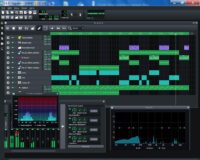
MPC Beats is a free beatmaking DAW developed by Akai Professional. Inspired by the workflow of the company’s legendary MPC samplers, it combines drum programming, sample editing, MIDI sequencing and basic audio recording inside one production environment.
The software is designed primarily for Hip-Hop, Trap, Lo-Fi, R&B, House and sample-based electronic music. It can be used as a standalone application or loaded as a plugin inside another compatible DAW.
MPC Beats includes 2 GB of samples, loops and production content, together with built-in virtual instruments and more than 80 audio effects. No Akai hardware is required, although the software includes automatic mappings for many popular MIDI controllers.
MPC Beats at a Glance
| Developer | Akai Professional |
| Software type | Beatmaking DAW and plugin |
| Included content | 2 GB of samples, loops and instruments |
| Track limits | 8 MIDI or instrument tracks and 2 stereo audio tracks per sequence |
| Platforms | Windows and macOS |
| Price | Free download |
The MPC Workflow on a Computer
MPC Beats is organized around the same pad-based approach that helped define several generations of Hip-Hop production. Its central 4 × 4 grid provides 16 virtual pads for triggering drums, samples, loops and sliced audio.
Sounds can be arranged into programs, with each pad holding a different sample or layer. Velocity, tuning, filtering, envelopes and effects can be adjusted separately, giving producers more control than a basic loop-based application.
The software also includes familiar MPC functions such as Note Repeat, Full Level and 16 Levels. These tools can create repeating hi-hats, fixed-velocity performances, pitched samples and melodic parts from a single sound.
Sample Chopping and Editing
The sample editor allows producers to trim recordings, place slice points and assign individual sections across the 16 pads.
A drum break, melody or vocal phrase can therefore be transformed into a playable instrument. Each slice can be triggered independently, reordered into a new pattern or combined with additional drums.
This workflow is particularly useful for Boom Bap, Lo-Fi and sample-based Hip-Hop. It also works for House vocal chops, R&B textures and experimental electronic arrangements.
Piano Roll and MIDI Sequencing
MPC Beats includes a Piano Roll for programming melodies, basslines, chords and drum patterns. Notes can be recorded from a MIDI controller or drawn directly into the editor.
Each sequence supports up to eight MIDI or virtual instrument tracks. Producers can combine a drum program with bass, keys, pads and melodic layers before arranging the sequences into a complete beat.
Project templates are included for styles such as Trap, Dance and Pop. These templates provide preloaded sounds and routing for users who want a faster introduction to the software.
Best Uses
Hip-Hop, Trap, Boom Bap, Lo-Fi, R&B, sample chopping, drum programming, House beats, instrumental production and quick musical sketches.
Two Stereo Audio Tracks
MPC Beats can record up to two stereo audio tracks per sequence. These tracks can capture vocals, guitars, synthesizers or other external instruments connected through an audio interface.
The limitation makes MPC Beats less suitable for large multitrack band sessions, but it remains sufficient for adding a lead vocal, a guitar part or several short recorded elements to a beat.
Producers who need larger recording sessions can also build the instrumental in MPC Beats and continue the project inside another DAW.
More Than 80 Audio Effects
The software includes more than 80 effects for processing drums, instruments, samples and complete mixes.
The collection covers equalization, compression, filtering, distortion, delay, reverb, modulation and creative sound transformation. Individual pads can be processed separately, while additional effects can be applied to tracks, buses or the master output.
This provides enough mixing and sound-design material to complete a beat without immediately installing a large third-party plugin collection.
Third-Party Plugin Support
MPC Beats supports compatible 64-bit VST2 plugins on Windows and Audio Unit plugins on macOS. External instruments and effects can be scanned and loaded alongside the included Akai content.
VST3 support is not officially listed for third-party plugins. Producers whose plugin collection is exclusively VST3 should consider this limitation before adopting MPC Beats as their main DAW.
The software itself can also run as a plugin inside another DAW. Beats created in MPC Beats can then be exported as audio or MIDI and transferred directly into the main project.
MIDI Controllers and Hardware Integration
MPC Beats works with class-compliant USB MIDI controllers from Akai and other manufacturers. Factory mappings are available for many keyboards and pad controllers, while the MIDI Learn panel can create custom assignments.
Akai MPK and MPD controllers provide particularly direct integration, but they are not required. Producers can also use a conventional MIDI keyboard or program every part with a mouse.
The 16-pad layout is naturally more enjoyable with physical pads, although the virtual grid remains perfectly capable of receiving clicks with quiet professional dignity.
Official MPC Beats Overview
This official Akai Professional video introduces the interface, drum pads, sample browser, Piano Roll and main beatmaking workflow.
Compatibility and System Requirements
- Windows: Windows 10 or Windows 11
- macOS: macOS Ventura through macOS Tahoe
- Processor: Dual-core 2.5 GHz or faster
- Memory: 4 GB RAM minimum, 8 GB recommended
- Storage: At least 2 GB of free disk space
- Internet connection: Required for downloading and setup
The download is managed through Akai Professional and the inMusic Software Center. MPC Beats itself does not require a separate authorization code after installation.
Main Limitations
MPC Beats is more restricted than a conventional unlimited DAW. Eight MIDI tracks and two audio tracks per sequence may become limiting in large arrangements, orchestral projects or productions containing many recorded performances.
Third-party plugin support also focuses on the older VST2 and Audio Unit standards rather than VST3.
For drum programming, sampling and compact beat production, however, these limits are less restrictive. The software remains especially effective when used to develop the core rhythm and musical idea before transferring stems into a larger recording environment.
Final Verdict
MPC Beats is one of the strongest free DAWs for producers interested in sampling, drum programming and pattern-based music creation.
The included 2 GB library, sample editor, Piano Roll, MIDI controller support and collection of more than 80 effects provide a complete starting point for Hip-Hop and electronic production.
Its track limits and lack of VST3 support prevent it from replacing every full-scale DAW. As a free beatmaking studio or an MPC-style plugin inside another application, it remains practical, focused and genuinely useful.
It supplies the pads, samples and MPC swing. Developing impeccable timing while staring thoughtfully at the ceiling remains the producer’s contribution.
Download MPC Beats from the official Akai Professional website: