
Paths by Splice: Free Serum 2 LFO Path Presets
Add unusual rhythmic movement, animated filters and visual modulation shapes to Serum 2 with this free creative preset pack.
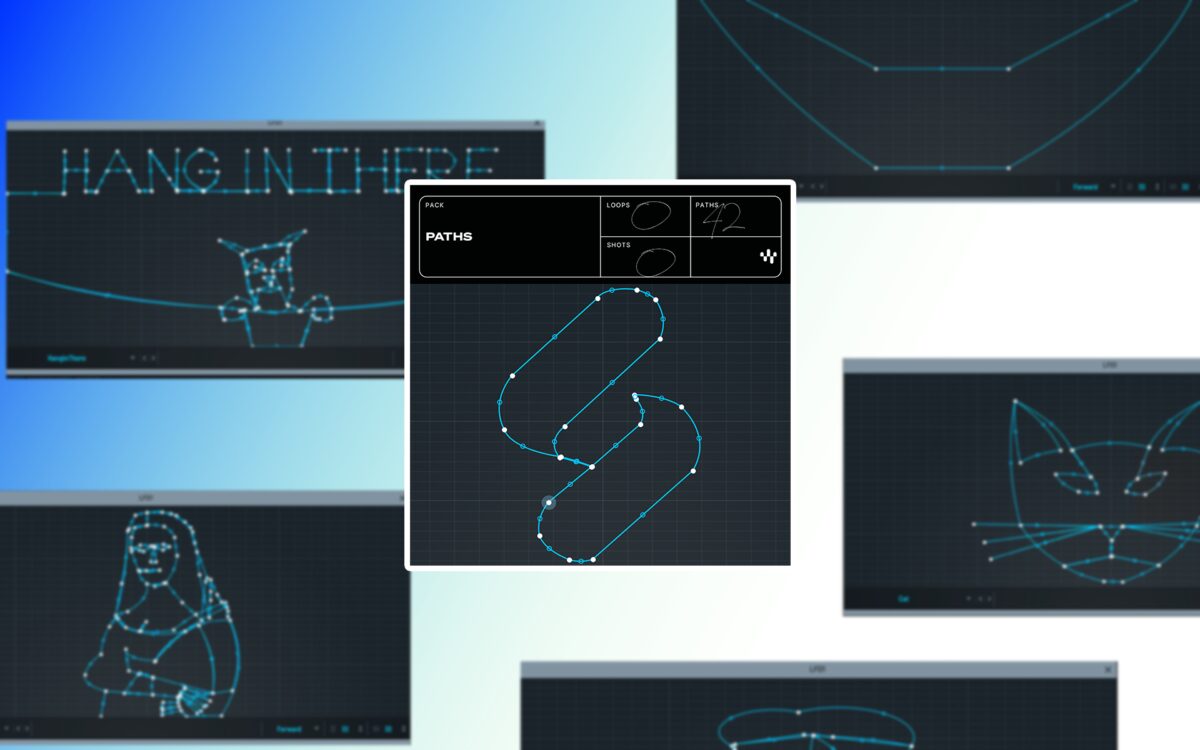
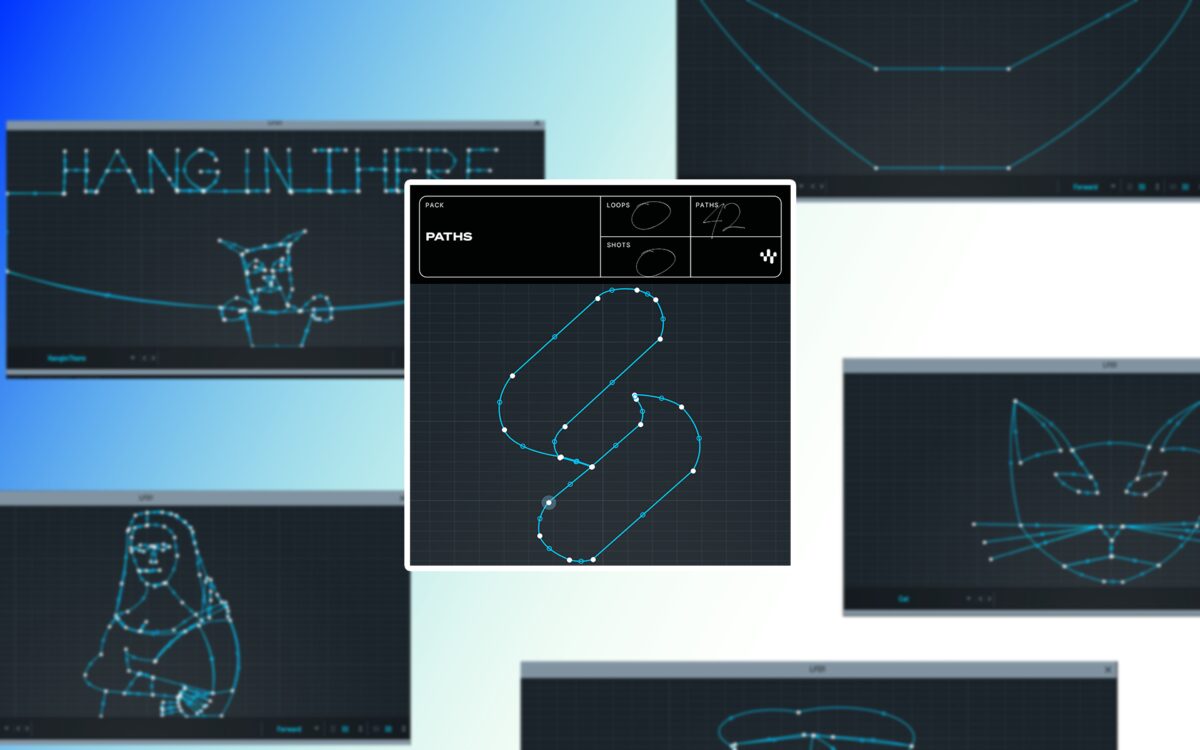
Paths is a free collection of LFO path presets created by Splice for Xfer Records Serum 2.
Rather than providing finished basses, leads, pads or keys, the pack expands Serum 2’s modulation system with illustrated paths that can control several parameters simultaneously.
The included shapes can be used to animate filters, wavetable positions and other sound-design controls. They provide a more visual and less conventional alternative to standard sine, triangle, saw and square LFO patterns.
Completely free: Splice provides the complete Paths pack as a free download from its official website. Xfer Records Serum 2 is required and is not included with the preset collection.
What Is Paths?
Paths is Splice’s first official collection of LFO path presets for Serum 2.
Serum 2 allows an LFO to move through a two-dimensional drawing rather than following only a conventional left-to-right modulation curve. The horizontal and vertical positions of the path can then be assigned separately to different parameters.
Splice uses this system to turn illustrated shapes into modulation sources. Some paths are geometric, while others use more figurative and playful drawings.
Main advantage: One LFO path can generate two connected modulation signals through its X and Y axes, creating movement that would normally require several conventional LFOs.
Not a Traditional Serum Soundbank
Paths should not be confused with a standard Serum preset bank.
The pack does not provide complete synth patches with oscillators, filters, effects and macros already configured. Instead, it supplies modulation shapes that can be loaded into the LFO Path section of an existing Serum 2 sound.
- No finished bass, lead, pad or pluck patches
- Designed specifically for the Serum 2 LFO Path system
- Can be loaded into existing factory or custom presets
- Provides connected X-axis and Y-axis movement
- Suitable for rhythmic and evolving modulation
- Useful for building more personal Serum 2 sounds
This makes the pack particularly useful for producers who already have favourite Serum sounds but want to give them more movement and individuality.
How LFO Paths Work in Serum 2
A conventional LFO normally moves through a waveform from left to right. Its current vertical position determines the modulation value sent to the assigned parameter.
A Serum 2 LFO Path moves across a two-dimensional drawing. Its horizontal position can control one destination while its vertical position controls another.
For example, the X axis can move the filter cutoff while the Y axis changes the wavetable position. As the point travels around the path, both parameters evolve together.
Simple example
Assign the X axis to filter cutoff and the Y axis to wavetable position. The path will change the brightness and oscillator character at the same time, creating more complex movement from one modulation source.
Creative Modulation Ideas
The Paths presets can be assigned to many different Serum 2 parameters. The most useful destinations will depend on the sound and the role it plays inside the production.
Filter cutoff and resonance: Create animated tonal movement and unusual rhythmic sweeps.
Wavetable position: Move between different oscillator frames while the path develops.
Oscillator level: Produce complex tremolo and layered volume patterns.
Pitch: Generate melodic movement, short pitch gestures or experimental effects.
Pan and stereo controls: Move a sound through the stereo field in less predictable patterns.
Distortion and effects: Change the intensity of processing throughout the LFO cycle.
Macro controls: Connect the path to several destinations through one macro for broader sound transformation.
Create Rhythmic Movement
When the path is synchronized to the project tempo, it can add rhythmic movement to sustained sounds.
A static pad can gain a repeating filter pattern. A bass can alternate between darker and brighter tones. A vocal texture can move between different wavetable positions and effect levels without requiring detailed automation in the DAW.
Different path shapes produce different timing relationships between the X and Y axes. This can create modulation patterns that feel less mechanical than a standard repeating ramp or square wave.
Rhythm tip: Start with a synchronized rate of one or two bars. Faster settings can work for basses and effects, but slower movement usually makes the shape of the path easier to hear.
Animate Existing Serum 2 Presets
Paths can be added to Serum 2 factory presets, purchased soundbanks or personal patches.
Load a sound that already works in the track, then assign one of the new paths to a small number of parameters. This preserves the original character while introducing additional movement.
Begin with modest modulation amounts. Large changes to pitch, wavetable position, filter cutoff and effects at the same time can quickly make the sound difficult to control.
Sound-design reminder: An artistic LFO path does not require every available parameter to follow it. The drawing may be complicated, but the mix does not need to become an animated traffic map.
Modulate the Path Itself
Splice also suggests modulating the path controls themselves.
This can prevent the movement from repeating in exactly the same way during every cycle. Another LFO, envelope, macro or automation lane can change the path position or modulation depth over time.
The result can range from subtle variation to evolving textures that continue changing throughout a breakdown, ambient section or cinematic cue.
Advanced idea: Use a slow conventional LFO to change the depth of the X-axis modulation while the Path LFO controls faster movement. This creates a pattern whose intensity rises and falls gradually.
Official Paths Demonstration
The official Splice video below demonstrates the visual path presets and shows how they can add unusual movement to Serum 2 sounds.
Free Serum 2 LFO Path Pack: Paths
How to Install the LFO Paths
- Download the free Paths ZIP archive from the official Splice article.
- Extract the downloaded archive.
- Open Serum 2 inside the DAW.
- Open the main Serum 2 menu.
- Select Open Serum 2 Presets Folder.
- Open the LFO Paths folder.
- Open the User folder.
- Copy the downloaded path preset files into that folder.
- Restart Serum 2 if the new paths do not appear immediately.
How to Use a Path Preset
- Load or create a Serum 2 sound.
- Open an available LFO editor.
- Switch the LFO to its Path mode.
- Open the path preset browser.
- Select one of the installed Paths presets.
- Assign the X and Y outputs to the desired parameters.
- Set the LFO rate, trigger behaviour and modulation depth.
- Adjust the destination amounts while listening inside the complete mix.
Best Uses
Techno: Create evolving filter rhythms, sequenced textures and unusual transition sounds.
House: Add movement to chords, basses, plucks and atmospheric layers.
Future Bass: Animate wavetable positions, stereo width and effects inside expressive chord patches.
Drum and Bass: Build moving bass timbres and complex modulation patterns.
Ambient music: Use slower path cycles for evolving pads, drones and cinematic textures.
Experimental sound design: Connect the two axes to unrelated parameters and resample the most interesting results.
Compatibility
- Required synthesizer: Xfer Records Serum 2
- Compatible with Serum 1: No
- Resource type: LFO Path presets
- Standalone instrument: No
- DAW requirement: A compatible host capable of loading Serum 2
- Download price: Free
- Developer and publisher: Splice
Important: Paths does not include Serum 2. A compatible installation of the commercial Xfer Records synthesizer is required to load these modulation presets.
Final Verdict
Paths is a small but distinctive free expansion for producers exploring the new modulation system inside Serum 2.
It does not provide finished sounds, which may disappoint anyone expecting another folder of basses and leads. Its value lies elsewhere: the pack introduces visual modulation shapes that can transform existing presets and encourage more experimental routing.
The ability to use separate X and Y movement makes each path more flexible than a conventional one-dimensional LFO curve. Producers can connect two parameters, change the speed, adjust the depth and even modulate the path itself.
For Serum 2 users interested in Techno, House, Drum and Bass, Ambient or creative sound design, Paths is a useful free resource that adds movement without adding another synthesizer to the plugin menu.
Download Paths for Serum 2
Get the free LFO Path preset collection directly from the official Splice website.