Free Digital Audio Workstation
SoundBridge Free: A Modern 10-Track DAW for Music Production
Record audio, sequence MIDI, automate parameters, mix with native effects and load external VST plugins inside a streamlined Windows and macOS studio.
SoundBridge Free is the permanent no-cost edition of the digital audio workstation developed by SoundBridge LLC. It provides audio recording, MIDI sequencing, editing, automation, mixing and plugin hosting inside a modern production environment.
The free edition uses the same 192 kHz floating-point audio engine as the paid software, but projects are limited to 10 audio or MIDI tracks. Producers can save and export projects that remain within this limit, while sessions containing more than 10 tracks require a premium licence.
SoundBridge Free is available for Windows and macOS. An online account and an internet connection are required for downloading and authorizing the software.
SoundBridge Free at a Glance
| Developer | SoundBridge LLC |
| Software type | Audio and MIDI digital audio workstation |
| Track limit | 10 audio or MIDI tracks |
| Audio engine | Floating-point processing up to 192 kHz |
| Plugin support | VST2 and VST3 instruments and effects |
| Platforms | Windows and macOS |
| Price | Free with account registration |
Audio and MIDI Production
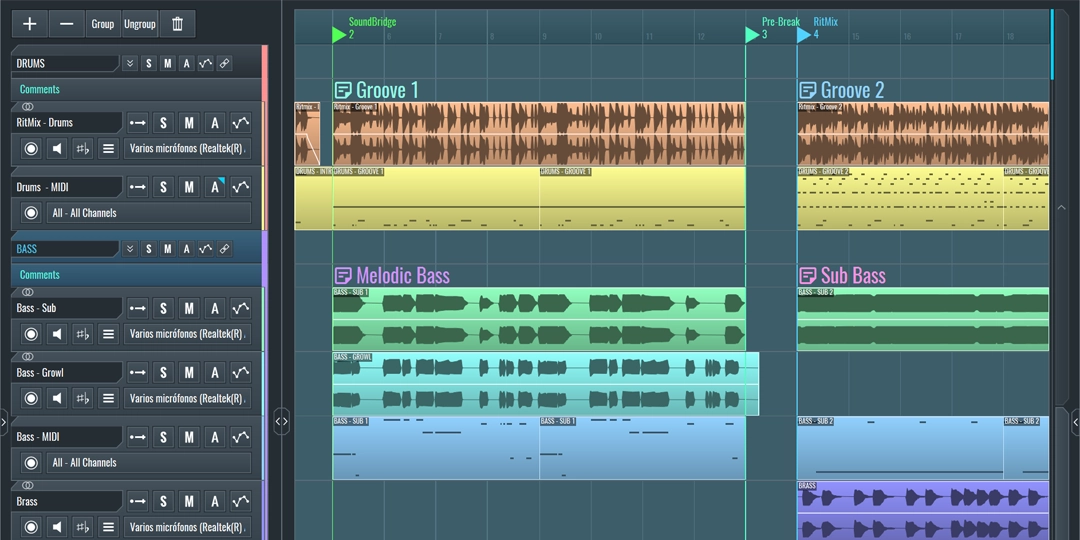
SoundBridge combines audio recording and MIDI composition inside a conventional timeline. Producers can create audio tracks for vocals, guitars and external instruments, while MIDI tracks can control compatible virtual instruments.
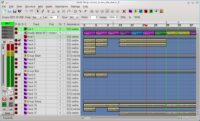
The sequencer provides the central arrangement view for moving, trimming, duplicating and organizing musical sections. A dedicated MIDI editor can be used to program melodies, chords, basslines and drum patterns.
Ten tracks may be enough for demos, compact electronic productions, podcasts, Lo-Fi instrumentals and simple singer-songwriter arrangements. More complex productions will reach the free limit relatively quickly, especially when drums and instruments are separated across several channels.
A Streamlined Recording Interface
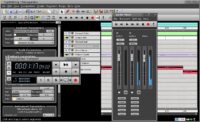
SoundBridge is built around detachable interface sections rather than a large collection of deeply nested menus. The sequencer, mixer, audio editor, plugin browser and automation editor can be opened according to the current stage of production.
The audio editor supports non-destructive editing, fades, gain adjustments and time manipulation. Recordings remain available in their original form while edits are applied inside the project.
ASIO support on Windows and Core Audio support on macOS provide compatibility with common audio interfaces. The actual recording latency will depend on the interface driver, buffer size and computer performance.
VST2 and VST3 Plugin Support
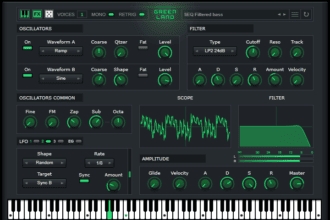
SoundBridge can scan folders containing VST2 and VST3 plugins. External synthesizers, samplers, drum machines and audio effects can then be loaded from the plugin browser.
This is particularly important because the free edition does not include the premium Sound Bank or the integrated 64-slot sampler. Producers can instead expand the DAW with compatible free or commercial VST instruments.
Plugin locations are configured through the Preferences window. After a folder has been added, the browser can rescan the system without requiring a complete restart of the DAW.
Best Uses
Home recording, songwriting, compact electronic productions, Hip-Hop demos, podcast editing, vocal recording, MIDI composition, guitar tracks and learning the fundamentals of a traditional DAW.
Mixer, Routing and Native Effects
The mixer provides channel levels, panning, inserts and routing controls for the tracks used in a project. Effects can be loaded into the insert rack and rearranged through a visual signal chain.
SoundBridge provides native processing tools covering common mixing tasks such as equalization, compression, limiting, gating, reverb, delay, modulation, filtering and distortion.
Automation can control track volume, panning and compatible plugin parameters over time. This allows producers to create fades, filter movements, changing effect levels and other dynamic transitions.
Audio Export Without a Time Limit
The free licence allows completed audio assets to be exported without a temporary trial period. This means producers can render songs and other projects permanently, provided the session remains within the 10-track restriction.
SoundBridge also provides MIDI export for transferring programmed parts into another production environment. This can be useful when a project begins in the free edition but later requires a DAW with a larger track count.
What Is Missing From the Free Edition?
SoundBridge Free is not identical to the premium version. Its most important limitation is the maximum of 10 audio or MIDI tracks. Saving is disabled when a project exceeds that limit.
The free edition also excludes the integrated 64-slot sampler, audio-to-sampler conversion, custom Piano Roll key names, the professional Sound Bank and the advanced Virtual Collaboration system.
Remote recording, integrated webcam communication, bidirectional DAW control, advanced video scoring tools and several interface customization options are reserved for premium licences.
RitMix and reChord are separate paid products. Their temporary trials should not be confused with permanently included instruments inside SoundBridge Free.
Official SoundBridge Overview
This official video introduces the SoundBridge workflow, interface, recording tools and production environment. Some features shown may require the premium version, a separate product or an active subscription.
Compatibility and Installation
- Windows: Windows 10 or Windows 11
- Windows processor: Intel Core i5 or AMD multi-core processor
- macOS: macOS Sonoma 14 or later compatibility listed on the current page
- Mac processor: Intel Core i5 or Apple Silicon
- Memory: 8 GB RAM minimum
- Storage: 2 GB for the basic installation
- Display: Minimum resolution of 1280 × 740
- Internet: Required for account access and authorization
Windows users should use an ASIO-compatible audio device for recording and low-latency monitoring. Mac users can work through the Core Audio system, with a dedicated audio interface recommended for recording.
Free Version vs Premium
SoundBridge Premium removes the 10-track limit and unlocks the complete sampling, collaboration, scoring and customization environment. It is available through a subscription or a separate lifetime licence.
The free version remains useful for learning, writing and completing smaller productions. It is less suitable for orchestral sessions, multitrack bands or heavily layered electronic music where 10 tracks can disappear before the producer has finished organizing the drums.
Final Verdict
SoundBridge Free is a capable introductory DAW for producers who want traditional audio recording, MIDI editing, mixing and VST hosting without paying for the basic software.
Its clean interface, 192 kHz engine, native effects and unlimited audio exports provide a practical starting point for compact projects. The 10-track ceiling and removal of the sampler are significant restrictions, but they are clearly documented rather than hidden behind a short trial period.
Ten tracks can produce an excellent song. They can also disappear instantly after a producer decides that one hi-hat clearly requires three separate layers.
Download SoundBridge Free from the official website: