Waveform Free 14: A Powerful Unlimited DAW from Tracktion
Record, produce, mix and use third-party plugins with one of the most complete free DAWs currently available.
Tracktion has released Waveform Free 14, the latest generation of its completely free digital audio workstation for musicians, producers and recording engineers.
Unlike many free editions of commercial DAWs, Waveform Free is designed to provide a complete production environment rather than simply acting as a short demo.
You can record audio, program MIDI, use virtual instruments, mix complete projects and load third-party plugins without purchasing Waveform Pro.
Waveform Free 14 at a Glance
- Free digital audio workstation
- Audio and MIDI recording
- Third-party VST and VST3 plugin support
- Audio Units support on macOS
- 14 built-in audio effects
- 8 MIDI effects
- 11 utility plugins
- 4 built-in virtual instruments
- New browser with tags and favorites
- Step Clip and inline MIDI editing
- Windows and macOS support
A Free DAW Without the Usual Restrictions
Waveform Free has long been interesting because Tracktion does not treat it like a conventional stripped-down demo.
The DAW provides the essential recording, editing, MIDI sequencing and mixing tools required to build complete music productions.
Third-party plugin support is especially important. Producers can install free or commercial VST and VST3 instruments and effects instead of being restricted to the software bundled with the DAW.
Waveform Free 14 Gets a New Interface
One of the most visible changes in version 14 is the redesigned interface.
Tracktion has refreshed the overall appearance with new light and dark themes, while the customizable color editor allows producers to create their own working environment.
The browser has also been redesigned with tags, favorites and smart lists for organizing plugins, presets, samples, clips and tracks.
Four Instruments Included
Electronic producers can start creating music without immediately downloading additional instruments.
Waveform Free includes four built-in instruments:
- 4OSC synthesizer
- Micro Drum Sampler
- Micro Sampler
- Rompler
These tools cover basic synthesis, drum programming and sample playback, while VST support means your instrument collection can be expanded almost indefinitely.
Good for Electronic Music Production
Waveform Free includes inline MIDI editing and Step Clips for quickly creating rhythmic and melodic patterns.
Its combination of MIDI sequencing, samplers, synthesis and third-party plugin support makes it particularly useful for House, EDM, Hip-Hop, Lo-Fi and other electronic styles.
14 Built-In Audio Effects
The stock DSP collection has also been refreshed.
Waveform Free provides essential mixing and creative processors including compression, limiting, distortion, chorus, delay, reverb and EQ.
The collection includes tools such as a Compressor, Gate, Limiter, Stereo Delay, Distortion, Plate Reverb, Natural Reverb, Impulse Response processor and multiple EQ options.
This means it is possible to create a complete basic mix using only the software included with the DAW.
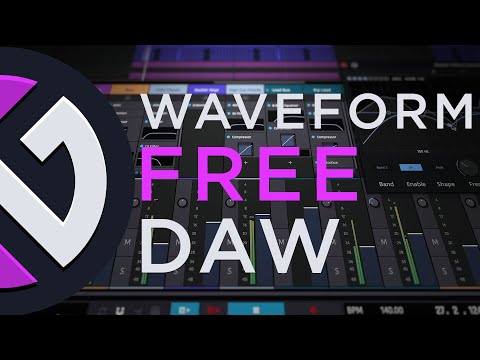
Watch Waveform 14 in Action
Take a closer look at the redesigned Waveform 14 workflow and its latest production features.
Useful Mixing Utilities
Waveform Free 14 also provides a collection of utility plugins for solving practical mixing and routing problems.
The latest version includes tools such as an A/B switch, mono conversion, Mid/Side splitting, spectrum analysis, MIDI CC control and MIDI note-name utilities.
These may not be the glamorous part of music production, but they tend to become the tools you suddenly miss the moment a DAW does not include them.
A New Integrated Assistant
Waveform 14 also introduces an integrated assistant designed to help users navigate the DAW and explore production or composition questions.
The assistant can provide information based on the Waveform documentation and help explain features without forcing producers to leave their session to search through manuals.
The feature can also be hidden if you prefer a more traditional production environment.
Good to Know
The Waveform Assistant is integrated into the free DAW, but some AI functionality can involve external API usage and associated costs depending on how it is configured.
You do not need to use the Assistant to produce music with Waveform Free.
A Completely Reworked Audio Engine
Tracktion has also rewritten the audio engine with the goal of improving CPU efficiency and performance on modern multi-core computers.
The company highlights improved plugin delay compensation and better handling of complex routing configurations.
For producers who tend to accumulate compressors, reverbs and synthesizers until the CPU begins negotiating its resignation, optimization is always welcome.
Who Is Waveform Free For?
Waveform Free can work for several types of creators:
- Electronic music producers
- Beatmakers
- Singers and songwriters
- Bands recording multiple audio tracks
- Home studio musicians
- Podcasters
- Producers learning their first full DAW
Its ability to host third-party plugins also means beginners can start with the free version and gradually build a much larger studio around it.
Current System Requirements
Windows: Windows 10 or Windows 11, 64-bit
macOS: macOS 13 or later
Mac processors: Intel 64-bit and Apple Silicon
Plugin support: VST, VST3 and AU where supported
Linux: Tracktion currently lists Linux support as coming soon for the current release.
Price: Free
Waveform Free vs Waveform Pro
Tracktion still offers Waveform Pro for producers who need additional instruments, advanced production tools and expanded workflows.
The company has also introduced optional expansion packs that allow Free users to add specific features without necessarily purchasing the entire Pro edition.
However, the basic Waveform Free package remains capable of recording and producing complete songs without requiring those paid expansions.
Official Waveform Free Page
Waveform Free 14 is available directly from Tracktion.
Is Waveform Free 14 Worth Downloading?
Waveform Free remains one of the more complete options for producers looking for a DAW without an upfront software budget.
The combination of audio recording, MIDI sequencing, third-party plugins, built-in instruments and a refreshed collection of effects provides enough tools to take a production from the first idea to a finished mix.
The latest redesign also makes Waveform considerably more attractive for producers discovering the software for the first time.
Download Waveform Free 14
Get Tracktion’s free music production DAW for Windows and macOS.
14 Audio Effects
8 MIDI Effects
11 Utility Plugins
4 Virtual Instruments
Third-Party Plugin Support
Price: Free