
This is where many beginners make the same mistake: they add more.
More pads. More percussion. More background textures. More reverb. More stereo width. More synth layers. More risers. More vocal chops. More noise. More “atmosphere” until the track sounds less like a finished production and more like a small airport during a fog warning.
The problem is not always a lack of sounds. Very often, the problem is a lack of depth strategy.
Depth in music production is not created by filling every empty space. It is created by controlling distance, contrast, frequency, stereo placement, dynamics, silence, arrangement, and emotional focus. A track can feel deep with only a few elements if those elements are placed well. A track can also feel flat with 80 tracks if everything is fighting for the same position.
This article explains why your song may sound empty, how to add depth without overloading the arrangement, and how to use a few free tools intelligently instead of turning the mix into a plugin furniture warehouse.
Empty Does Not Always Mean Too Few Sounds
When a song feels empty, the beginner instinct is to add another element. That can work, but only if the new element solves the real problem. If the issue is weak arrangement, unclear harmony, poor sound selection, or flat dynamics, adding more layers may only hide the problem for a few bars.
A production can feel empty for several reasons:
- The main idea is not strong enough.
- The rhythm has no movement.
- The low end lacks support.
- The midrange feels too thin.
- The stereo field is too narrow or too unfocused.
- Everything feels too close to the listener.
- The reverb has no controlled depth.
- The arrangement has no contrast between sections.
- The supporting elements do not create emotional context.
- The track has no silence, tension, or release.
Before adding more tracks, identify what kind of emptiness you are hearing. Is the track harmonically empty? Rhythmically empty? Spatially empty? Emotionally empty? Structurally empty?
Each problem needs a different solution.
The Three Types of Depth
Depth is not one thing. It has at least three major dimensions in music production: front-to-back depth, stereo depth, and arrangement depth.
Front-to-Back Depth
This is the sense that some sounds are close to the listener while others sit farther back. A dry vocal or lead feels close. A reverberant pad feels farther away. A short room reverb can place drums in a believable space. A long tail can push a texture into the distance.
Front-to-back depth is controlled through volume, reverb, delay, high-frequency content, transient sharpness, predelay, and dynamics.
Stereo Depth
This is the width and position of sounds from left to right. Some elements should stay centered, such as kick, bass, lead vocal, snare, or main hook. Other elements can live wider, such as pads, backing vocals, percussion, effects, or atmospheric layers.
Stereo depth is not simply making everything wide. If every sound is wide, the mix loses focus. Width feels powerful only when something remains centered.
Arrangement Depth
This is the musical feeling that the track has layers of meaning, movement, and development. It comes from call and response, variations, silence, evolving parts, transitions, background details, and section contrast.
Arrangement depth is often more important than plugin depth. A track with smart arrangement can feel immersive before mixing begins.
The Most Common Beginner Mistake: Reverb Everywhere
Reverb is beautiful, but it is also dangerous. Beginners often use it as a quick solution for emptiness. A dry synth feels too direct, so they add reverb. The vocal feels lonely, so they add reverb. The drums feel small, so they add reverb. The pad feels thin, so they add reverb. Soon everything is floating in the same undefined space.
The result is not depth. It is distance without focus.
Good reverb use begins with contrast. Some sounds should be dry or nearly dry. Some should have a short room. Some should have a longer tail. Some should use delay instead of reverb. Some should have no spatial effect at all.
A useful rule is simple:
- Keep the main impact elements closer.
- Push support elements farther back.
- Use sends instead of separate reverbs everywhere.
- Control low end going into reverb.
- Use predelay to keep important sounds clear.
- Automate reverb only where the arrangement needs emotion.
Reverb should create a stage, not a swamp.
Useful Tool: Valhalla Supermassive
Valhalla Supermassive is a free delay and reverb plugin capable of huge atmospheric spaces, lush echoes, modulated tails, and cinematic depth. It is especially powerful for ambient textures, breakdowns, transitions, pads, synths, and emotional moments.
Use it for: depth, atmosphere, delay throws, breakdowns, evolving tails, cinematic spaces, transition effects.
Depth tip: Do not put Supermassive on every track. Try using it as a send effect. Send small amounts of selected sounds into it, then automate the send during transitions or breakdowns. The space will feel more intentional and less messy.
Official website
Download Valhalla Supermassive
Depth Starts With Volume, Not Plugins
Before using reverb, delay, or stereo tools, use volume. Volume is the first depth control.
A sound that is louder feels closer. A sound that is quieter feels farther away. This is obvious, but many beginners ignore it because plugins feel more exciting than faders. Yet a simple level change can create depth faster than a complicated chain.
Try this exercise:
- Choose the main sound of the section.
- Make it clearly audible and emotionally present.
- Lower all supporting sounds until they stop competing.
- Bring each support element up only until it is felt.
- Mute each support element to test whether it adds depth or clutter.
Some parts do not need to be heard loudly. They only need to be felt. A background texture, reversed tail, soft pad, subtle shaker, or quiet vocal layer can create depth without taking attention from the hook.
Depth is not always about more sound. Sometimes it is about lower sound.
Use Contrast to Make the Track Feel Larger
A track feels deeper when sections are different from each other. If the intro, verse, drop, chorus, breakdown, and outro all have similar density, the song may feel flat even if the mix is technically clean.
Contrast can come from many decisions:
- A dry section followed by a wide section.
- A narrow intro followed by an open hook.
- A busy drum groove followed by a reduced breakdown.
- A low-pass filtered chord part opening slowly.
- A mono lead followed by wide backing textures.
- A quiet pre-drop followed by full impact.
- A section with no bass followed by a full low-end return.
When a song sounds empty, do not only ask what to add. Ask what should be smaller before the big section arrives. A drop feels powerful because of what came before it. A chorus feels wide because the verse gave it room to expand.
Depth Through Frequency Placement
Frequency balance has a major effect on depth. Bright sounds often feel closer. Darker sounds often feel farther away. Sounds with sharp transients feel closer. Sounds with softened attack feel more distant. Low-mid buildup can make a track feel heavy but not deep. Too much high-end air can make everything feel forward and tiring.
To create depth, think about frequency roles:
- Close sounds: clear presence, defined transients, controlled reverb, strong midrange.
- Distant sounds: softer highs, less transient attack, more ambience, lower volume.
- Wide background sounds: less center information, controlled low end, subtle movement.
- Foundation sounds: centered low end, stable rhythm, minimal unnecessary width.
If a background pad is too bright, it may jump forward and compete with the lead. If a reverb has too much low end, it may make the mix feel cloudy. If a delay return is too loud in the upper mids, it may distract from the vocal or melody.
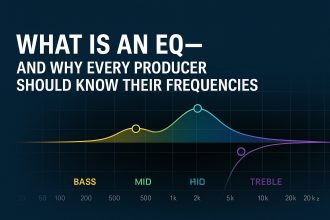
EQ is not only a correction tool. It is a depth tool.
Useful Tool: TDR Nova
TDR Nova is a free dynamic EQ that can help create depth by controlling frequency buildup, harshness, and masking. It can work as a clean EQ or respond dynamically when certain frequencies become too strong.
Use it for: reducing low-mid mud, softening harsh background layers, controlling reverb returns, taming resonant pads, clearing space around vocals or leads.
Depth tip: Put TDR Nova on a reverb return or background pad and gently reduce low-mid buildup. This can make the space feel deeper and cleaner without making the mix thin.
Official website
Download TDR Nova Free
Stereo Width Is Not the Same as Depth
Many producers try to fix emptiness with stereo widening. A pad feels small, so they widen it. A synth feels weak, so they widen it. A vocal chop feels thin, so they widen it. The track becomes wider, but not necessarily deeper.
Width can be impressive, but too much width can remove focus. The center of the mix matters. Kick, bass, snare, lead vocal, and main melodic identity often need a strong center. If the center collapses, the track may feel wide but hollow.
Good width comes from contrast:
- Keep the low end centered.
- Keep the main hook focused.
- Use width on supporting textures.
- Automate width between sections.
- Check mono compatibility.
- Do not widen everything by default.
A narrow verse can make a wide chorus feel larger. A centered bass can make wide pads feel more luxurious. A dry central lead can make background delays feel deeper.
Useful Tool: Voxengo MSED
Voxengo MSED is a free mid-side processing plugin that allows you to adjust mid and side information. It can be useful for understanding stereo width, controlling side levels, and checking whether a sound is helping or hurting the stereo image.
Use it for: mid-side gain control, stereo imaging, side adjustment, mono awareness, checking width problems.
Depth tip: Try slightly reducing the side level on a sound that feels too wide and unfocused, or lowering the mid level of a background texture so it sits more around the main elements. Use small moves. Stereo depth is a scalpel, not a chainsaw.
Official website
Download Voxengo MSED
Depth Through Rhythm and Call-and-Response
A track can sound empty because the parts do not talk to each other. The drums loop, the bass loops, the chords hold, the lead repeats, and everything moves together without conversation.
Call-and-response creates depth without adding many new sounds. A vocal chop answers a synth phrase. A percussion hit responds to the snare. A bass fill answers the lead. A small FX tail appears after a chord. A delayed phrase echoes into the space after the hook.
This creates the feeling of layers because the listener hears interaction.
Try these call-and-response ideas:
- Let the lead play for two bars, then answer with a small FX or vocal texture.
- Leave a gap after the main melody and place a short percussion fill there.
- Use a delay throw only at the end of a phrase.
- Answer a bass movement with a chord stab.
- Use a reversed texture before a new melodic entry.
Depth is not only spatial. It can be conversational.
Useful Tool: Auburn Sounds Panagement
Panagement by Auburn Sounds is a spatialization tool that combines panning, delay, reverb, and distance-style control. It can help position sounds in a more three-dimensional way when used carefully.
Use it for: spatial placement, background movement, stereo positioning, depth effects, creative sound location.
Depth tip: Use Panagement on a supporting texture, not on the most important element first. Try placing a background sound slightly away from the center and farther back, then lower its volume. The goal is not to make the listener notice the plugin. The goal is to make the track feel less flat.
Official website
Download Panagement
Use Background Textures With Purpose
Background textures can add emotion and depth, but they can also become clutter very quickly. A texture should not exist just because the track has an empty frequency range. It should create a mood, movement, or transition.
Useful background textures include:
- Soft noise layers
- Field recordings
- Reverse tails
- Subtle vinyl or tape character
- Filtered percussion loops
- Ambient synth beds
- Low-level vocal atmospheres
- Room tone
- Granular fragments
The key is low volume and clear purpose. Many background textures should be felt more than heard. If the listener notices the texture before the hook, it may be too loud, too bright, or too busy.
Use textures to support the emotional world of the track. Do not use them to avoid writing a stronger arrangement.
The “One Atmosphere at a Time” Rule
A common overload mistake is using multiple atmospheres at once. A pad, a noise layer, a reverb tail, a field recording, a vinyl crackle, and a shimmer effect may all sound good separately. Together, they can flatten the song.
Try the one atmosphere rule:
- Choose one main atmosphere per section.
- Let it support the mood.
- Mute it when the hook needs more focus.
- Change or automate it between sections.
- Replace it instead of stacking another one.
This keeps the track deep but readable. The listener should feel a space, not get lost in a storage room of floating sounds.
Depth Through Silence
Silence is one of the strongest depth tools. It creates the perception of space because it gives the listener contrast. A short gap before a drop, a muted bass before the chorus, a dry vocal phrase before a reverb throw, or a sudden stop in the drums can make the track feel larger.
Many producers are afraid of silence because they think empty space sounds unfinished. But controlled silence sounds professional. It creates tension. It makes the next sound matter.
Try adding silence in these places:
- One beat before the hook.
- Two bars before the main drop.
- At the end of a vocal or lead phrase.
- Before a bass return.
- During a breakdown to create intimacy.
- Before a big reverb or delay throw.
Space is not the absence of production. Space is production.
Useful Tool: Voxengo SPAN
Voxengo SPAN is a free spectrum analyzer that helps you see frequency distribution, low-end buildup, harshness, and overall tonal balance. It is useful when adding depth because it can reveal when “atmosphere” is actually creating mud.
Use it for: checking low-mid buildup, analyzing reverb returns, comparing sections, observing tonal balance, confirming whether added layers are overcrowding the mix.
Depth tip: Watch what happens when you add pads, textures, and reverbs. If the low-mid area starts filling up constantly, the track may feel bigger for five seconds, then muddy forever.
Official website
Download Voxengo SPAN
How to Add Depth by Genre
House and Tech House
Depth often comes from drum groove, bass movement, short reverbs, delays, filtered stabs, and subtle vocal or synth throws. Keep the kick and bass strong in the center. Use background effects to create movement between sections.
Afro House and Organic House
Depth comes from percussion layers, call-and-response, warm bass, emotional chords, and spacious melodic textures. Be careful with reverb on percussion. Too much space can reduce groove clarity.
Lo-Fi
Depth comes from room tone, soft keys, tape-style movement, subtle noise, and intimate dynamics. Avoid covering the main melody with too many nostalgic textures. Lo-fi should feel lived-in, not buried.
Trap and Hip-Hop
Depth often comes from contrast between dry drums, deep 808s, atmospheric melodies, vocal chops, and delay throws. Keep the low end clean. Use space around the snare and vocal or lead motif.
Synthwave
Depth comes from wide pads, gated or long reverbs, pulsing bass, delayed leads, and retro-style spatial contrast. Keep the main bass and drums focused so the atmosphere does not wash away the drive.
Cinematic and Ambient Music
Depth comes from layers of distance, evolving textures, reverb tails, dynamic swells, and controlled frequency space. The danger is too much constant density. Even ambient music needs contrast and movement.
The Depth Ladder: Add in the Right Order
When a track feels empty, add depth in this order before adding new layers:
- Volume balance: place important sounds forward and support sounds lower.
- Arrangement contrast: make sections feel different.
- Frequency control: remove mud and harshness from background parts.
- Reverb sends: create shared space without washing everything out.
- Delay throws: add movement at phrase endings.
- Stereo placement: widen support sounds, keep the center strong.
- Automation: move sounds over time instead of stacking new ones.
- Texture: add one subtle atmosphere if the track still needs it.
This order prevents overload. It forces you to solve depth musically before solving it with more tracks.
The 15-Minute Depth Exercise
Open a track that feels empty. Choose the busiest section, then spend 15 minutes adding depth without adding more than one new sound.
Minute 1 to 3: Choose the Focus
Identify the main element. Is it the vocal, lead, bass groove, chord progression, or drum pattern? Everything else must support it.
Minute 4 to 6: Rebalance the Scene
Lower support elements. Bring the main idea forward. Make background parts felt rather than dominant.
Minute 7 to 9: Create Distance
Use one reverb send or delay send. Push only selected elements back. Keep the main element clearer and closer.
Minute 10 to 12: Create Width Contrast
Keep the center strong. Widen or place only support elements. Check that the mix does not become hollow.
Minute 13 to 15: Add Movement
Automate one parameter: filter cutoff, reverb send, delay throw, volume, pan, or texture level. Movement often creates more depth than another layer.
When the timer ends, compare the new version to the original. If the track feels deeper but not busier, you are on the right path.
The Depth Checklist Before Adding Another Track
Before adding a new layer, ask:
- Is the main idea clear?
- Are the support elements too loud?
- Does the section need contrast instead of more density?
- Could automation create movement?
- Could a delay throw fill the gap?
- Could one sound be pushed farther back?
- Is the low-mid range already crowded?
- Is the stereo field wide but unfocused?
- Would silence make the next section stronger?
- Does the new sound have a real role?
If the new sound does not have a role, do not add it. The track does not need passengers. It needs contributors.
Final Thoughts: Depth Is a Decision, Not a Pile of Layers
A song sounds empty when it lacks dimension, contrast, movement, or emotional context. But the solution is not always more sounds. Often, the solution is better placement.
Move the main idea closer. Push support elements back. Use reverb with intention. Keep the center strong. Add width only where it helps. Automate movement. Create call-and-response. Use silence. Let sections contrast. Choose one atmosphere instead of five.
Depth is not created by overloading the arrangement. It is created by making the listener feel that the track has a front, a back, a center, sides, distance, air, tension, and release.
The best productions do not fill every space. They make space meaningful.
Before adding another pad, another riser, another texture, or another plugin, listen carefully. Your track may not need more. It may need better depth.