By using this site, you agree to the Privacy Policy and Terms of Use.
Accept
AudiartistAudiartistAudiartist
Notification Show More
Font ResizerAa
  • Home
  • Music
    • New music release
    • We love
    • Afro Music
    • Cinematic
    • Classical Music
    • Electro / House
    • Jazz
    • Latina Music
    • Lo-fi
    • Pop Music
    • Rock
    • Synthwave
  • Music Production
  • Music Promotion
  • BREAKING NEWS
  • Freebie (VST, Samples, Presets)
    • FREE VST
    • Free Sample Pack
    • Free Kontakt sound
    • Free Serum Preset
    • Free Preset
    • Free FL Studio template
  • Free music submission
    • Submit your music for free with DailyPlaylist
    • Our playlists
    • Afro House
    • Afro music
    • Christmas Music
    • Cinematic Music
    • Classical Music
    • Dance Music
    • Electro Music
    • Hard Rock
    • House Music
    • Latina Music
    • Lo-fi
    • Mainstream
    • Pop Music
    • RAP & Hip Hop
    • Reggaeton
    • Rock Music
    • Synthwave
Search
Artists
  • Nodachi
  • Sebastian McQueen
  • Spycho Fox
  • Snake Russell
  • Mister BoO
  • Sébastien BACCI
  • Carlito Home
Reading: From Home Studio to YouTube
Share
Font ResizerAa
AudiartistAudiartist
  • Home
  • Music
  • Music Production
  • Music Promotion
  • BREAKING NEWS
  • Freebie (VST, Samples, Presets)
  • Free music submission
Search
  • Home
  • Music
    • New music release
    • We love
    • Afro Music
    • Cinematic
    • Classical Music
    • Electro / House
    • Jazz
    • Latina Music
    • Lo-fi
    • Pop Music
    • Rock
    • Synthwave
  • Music Production
  • Music Promotion
  • BREAKING NEWS
  • Freebie (VST, Samples, Presets)
    • FREE VST
    • Free Sample Pack
    • Free Kontakt sound
    • Free Serum Preset
    • Free Preset
    • Free FL Studio template
  • Free music submission
    • Submit your music for free with DailyPlaylist
    • Our playlists
    • Afro House
    • Afro music
    • Christmas Music
    • Cinematic Music
    • Classical Music
    • Dance Music
    • Electro Music
    • Hard Rock
    • House Music
    • Latina Music
    • Lo-fi
    • Mainstream
    • Pop Music
    • RAP & Hip Hop
    • Reggaeton
    • Rock Music
    • Synthwave
Have an existing account? Sign In
Follow US
Audiartist > Blog > Music Promotion > From Home Studio to YouTube
Music Promotion

From Home Studio to YouTube

audiartist
Last updated: 2 avril 2025 11h45
audiartist
Published: 2 avril 2025
Share


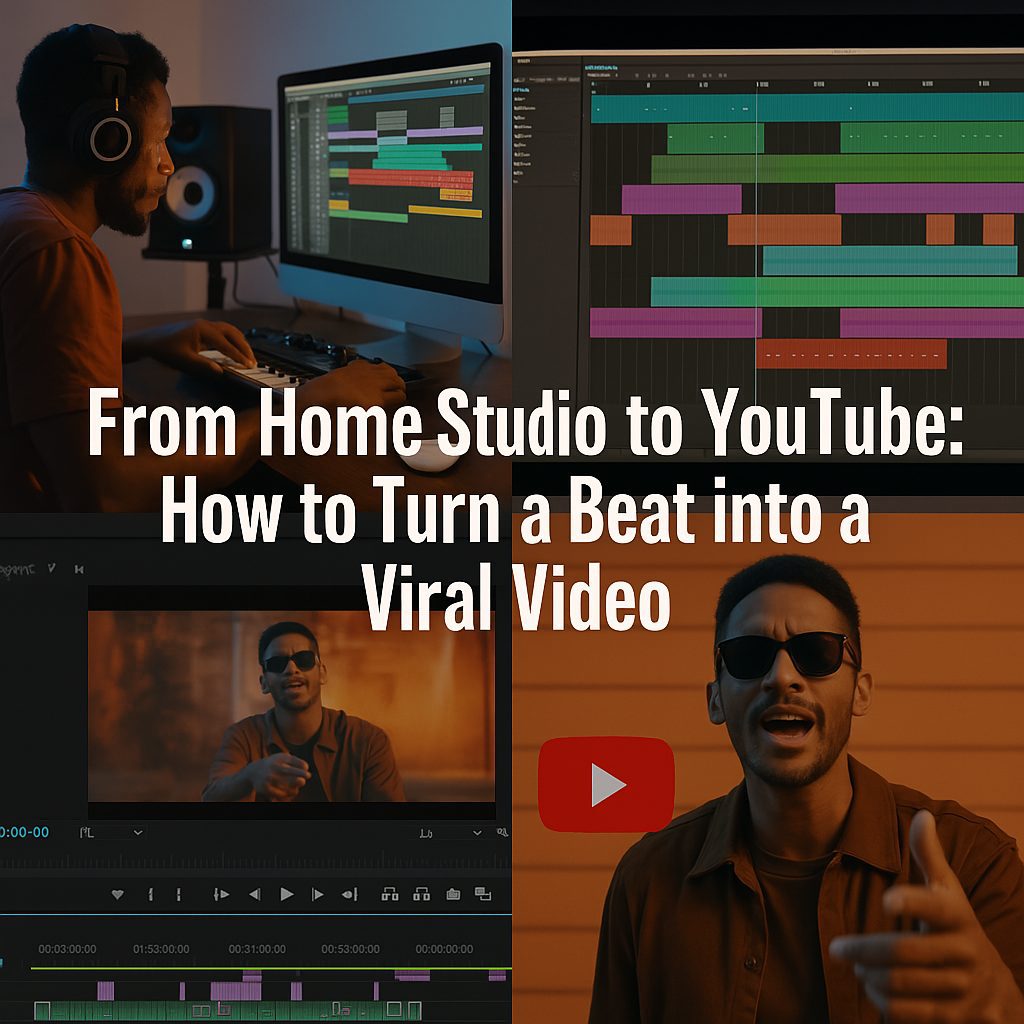
From Home Studio to YouTube: How to Turn a Beat into a Viral Video

Introduction

You’ve crafted a fire beat in your bedroom studio—but now what? In today’s music scene, a great sound isn’t enough. To truly make waves, your beat needs a visual identity that captures attention on platforms like YouTube, Instagram Reels, and TikTok. Turning a beat into a viral video isn’t about luck—it’s about strategy, creativity, and smart execution. Here’s how to take your track from DAW to digital domination.

Step-by-Step: Bringing Your Beat to Life Visually

1. Produce with Purpose

Every viral beat starts in the DAW. Choose a vibe that tells a story—melancholic piano, Afro-house groove, or trap with attitude. Think ahead: what visuals would pair well with this mood?

Use high-quality samples and structure your beat with dynamic transitions to keep listeners hooked even before visuals are added.

🎛️ Try Splice for fresh loops
🎚️ Mix with Ableton Live

2. Visualize the Mood

Before filming or editing, determine the visual concept. Is your beat made for night drives? City rooftops? Anime edits? Build your identity from that emotion.

Use tools like Canva or Adobe After Effects to design motion graphics, or capture your own footage with a smartphone and natural lighting.

➡️ Need free stock footage? Try Pexels or Pixabay

3. Edit Like a Creator

Sync the visuals to your beat. Use fast cuts, zooms, glitch effects, or motion typography to create impact. Keep it short (under 60 seconds) for Reels and Shorts, or go cinematic for YouTube.

🎬 Software to try:

  • CapCut (mobile)
  • DaVinci Resolve (free desktop)

Make your video loopable for even higher watch time—key for triggering YouTube and TikTok algorithms.
4. Upload with Intention

Thumbnail, title, and timing matter. For YouTube, create a bold thumbnail that reflects the energy of the beat. Use keywords and hashtags to improve discoverability.

Examples:

  • “Hard Trap Beat | Street Vibes | Free Download”
  • “Lo-fi Chill Beat | Sunset Edition | Relax & Study”

💡 Add your beat to:

  • YouTube
  • Instagram Reels
  • TikTok

5. Engage & Repurpose

Once uploaded, respond to comments, pin your links, and share on socials. Turn one beat into multiple pieces of content:

  • Beat video
  • Lyric version
  • Behind-the-scenes making-of
  • Loop version for shorts

The more content you squeeze out of one creation, the more reach you gain.

Conclusion

Creating a viral video from your beat is a process of vision, strategy, and execution. It’s about understanding how visuals amplify sound and how to serve content to the right platform in the right way. With consistency, creativity, and a bit of post-production magic, your home studio beat can travel far beyond your desk—and hit the world stage.

🎵 Your sound deserves to be seen. Make it viral.
 

Freebie (Vst, Preset, Sample)

  • Freebie
  • Free FL Studio template
  • Free Kontakt sound
  • Free Preset
  • Free Sample Pack
  • Free Serum Preset
  • FREE VST
TAGGED:beat video creationbeatmaker video strategyDAW to YouTubehome studio to viral videohow to go viral with a beathow to promote a beat on YouTubemake music video from beatmusic producer visual contentpromote music instrumentalsviral music production tipsYouTube beats promotion
Share This Article
Facebook Whatsapp Whatsapp Tumblr Telegram Threads Bluesky Email Copy Link Print

Lasts Posts

How to Build a Release Proof Folder Before Pitching Your Music
Music Promotion
GreenWave by Replicat Audio: A Free Experimental Synth VST3 Plugin
FREE VST Freebie
Up Volt free Serum 2 preset pack by Ultimate Preset
Up Volt: 32 Free Serum 2 Presets With MIDI for Techno Producers
Free Preset Free Serum Preset Freebie
GRN Lite by FRCTL Audio: A Free Granular VST Plugin for Instant Textures
FREE VST Freebie

Buy Me A Coffee


Buy me a coffee

Popular

Jeesonic EQ Pro free dynamic EQ VST plugin interface
Jeesonic EQ Pro: A Free Dynamic EQ VST Plugin for Surgical Mixing and Mastering
FREE VST Freebie
FAULTLINE by X-Audio free glitch VST plugin interface
FAULTLINE by X-Audio: A Free Glitch VST Plugin for Beat Repeat, Freeze and Digital Destruction
FREE VST Freebie
MARYLANE Enter A Darker Rock Era With “Mirror Maze”
Hard Rock Music New music release Rock We love
ABYZOR Genesis free MIDI generator VST plugin interface
ABYZOR Genesis: A Free MIDI Generator VST Plugin for Fast Melodies, Basslines and Chord Progressions
FREE VST Freebie

Find Us on Socials

News

  • How to Build a Release Proof Folder Before Pitching Your Music
  • GreenWave by Replicat Audio: A Free Experimental Synth VST3 Plugin
  • Up Volt: 32 Free Serum 2 Presets With MIDI for Techno Producers
  • GRN Lite by FRCTL Audio: A Free Granular VST Plugin for Instant Textures
  • Blueprint: Wurli by Fracture Sounds: A Free Kontakt Player Electric Piano

You Might Also Like

Music Promotion

Deezer’s Artist-Centric Model

22 septembre 2025
Music Promotion

How Spotify Pays Artists in 2025: A Complete Breakdown

16 juillet 2025
Music Promotion

 The Death of Traditional Music PR: What Actually Replaces Blogs in 2026

15 décembre 2025
Music Promotion

The 7 Metrics Every Artist Should Track After a Release

5 juillet 2026
Previous Next
© Audiartist. All Rights Reserved.
Welcome Back!

Sign in to your account

Username or Email Address
Password

Lost your password?