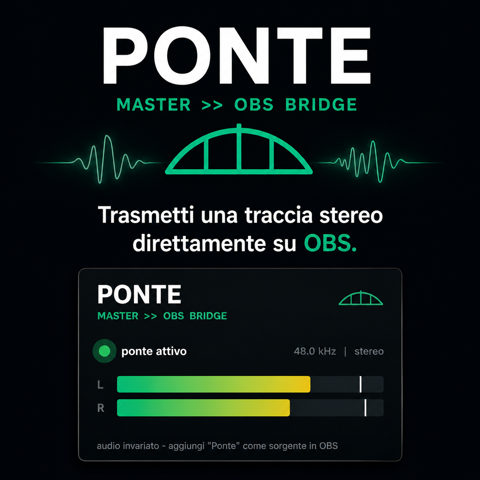
Ponte is a free Windows utility plugin from Creature From The Black designed for a very practical problem: routing audio from a DAW into OBS Studio for streaming or recording.
Instead of relying on virtual audio cable drivers, Ponte uses shared memory. You insert the VST3 on a track, bus or master channel, install the supplied OBS plugin, and the stereo signal becomes available to OBS while remaining transparent to the DAW audio path.
Free utility: Ponte is distributed as a free/pay-what-you-want download and includes both the VST3 component and the OBS-side bridge.
What Is Ponte?
Ponte is essentially a point-to-point audio bridge. The VST3 receives the stereo signal inside the DAW and copies it to a shared-memory area. An OBS plugin reads that memory and exposes the stream to OBS.
Because the bridge operates locally in memory, it avoids the extra system audio devices associated with virtual cable solutions. That can simplify routing for livestreams, tutorials, production videos and screen recordings.
At a Glance
- VST3 utility for Windows 64-bit
- Sends stereo DAW audio to OBS
- Shared-memory transfer
- No virtual audio cable driver required
- Can be inserted on a track, bus or master
- Transparent to the original audio
- Includes ponte.dll for OBS
- Designed for streaming, tutorials and capture
Why Use a DAW-to-OBS Bridge?
Recording a DAW tutorial sounds simple until system routing enters the picture. Audio interfaces often use ASIO drivers, OBS may not see the same output directly, and generic desktop capture can add latency or require loopback support.
Ponte gives the producer another route: send the audio at plugin level rather than trying to intercept the entire operating system output.
Track, Bus or Master Routing
Putting Ponte on the master sends the complete mix to OBS. Placing it on a bus can send a specific group, while using it on a track makes isolated capture possible. This flexibility is useful for tutorials where the presenter may want to demonstrate one synth or processing chain without streaming every DAW channel.
No Virtual Audio Cable
Virtual cable software creates additional audio devices and is useful in many workflows, but it can make routing harder to understand. Ponte avoids that extra driver layer by transferring samples through shared memory.
This does not mean every streaming setup becomes magically configuration-free; OBS still needs the supplied receiver plugin. But the path is direct and purpose-built.
Transparent Audio Path
Ponte is a utility, not an effect. Its role is to copy the stereo signal for OBS rather than color, compress or otherwise process the sound. The DAW continues to handle the original audio normally.
Streaming tip: Put Ponte after your final limiter if you want OBS to receive the exact mastered stream. For production tutorials, place it earlier or on a dedicated bus when you need more flexible routing.
Installation
The package includes the VST3 and an OBS-side DLL. The VST3 belongs in the standard VST3 directory. The supplied ponte.dll must be placed in the appropriate OBS plugin folder so OBS can receive the shared-memory stream.
After restarting the applications, load Ponte in the DAW and add the corresponding source or filter in OBS according to the developer instructions.
Video Tutorial
Creature From The Black provides this official tutorial showing how to send audio from Ableton Live to OBS with Ponte. The same principle applies to other compatible DAWs.
Compatibility
- Format: VST3
- OS: Windows 64-bit
- Destination: OBS Studio
- Audio: Stereo
- Transfer method: Shared memory
- Virtual cable: Not required
How to Download Ponte
- Open the official Ponte Ko-fi page.
- Download the package.
- Copy Ponte.vst3 to your VST3 folder.
- Copy ponte.dll to the OBS plugins/64bit location specified by the developer.
- Restart the DAW and OBS, then configure the bridge.
Final Verdict
Ponte is not glamorous, and that is a compliment. It solves a concrete routing problem with a focused tool and avoids adding another virtual audio device to Windows.
For producers making livestreams, plugin demonstrations, lessons or screen recordings, it can turn one of the least musical parts of the workflow into something pleasantly boring.
Download Ponte for Free