
Scintillate: Free Spectral Reverb VST for Shimmering Textures
A free spectral reverb and sparkle engine for ambient spaces, shimmering tails and experimental sound design.
Scintillate by Sweet Audio is a free spectral reverb created for producers who want something more unusual than another conventional hall, plate or room algorithm.
Released as part of the KVR Developer Challenge 2026, the plugin combines a conventional reverb with a spectral system that generates small bursts of energy inside the reverb spectrum. Sweet Audio calls the result a “Sparkle Engine”.
Depending on the settings, Scintillate can add a subtle shimmering layer around an instrument, turn a sound into a dense moving cloud, produce reverse-like effects or behave almost like a spectral gate.
A Different Kind of Free Reverb
Scintillate starts with a familiar idea: create a reverberant space around the incoming signal. The interesting part happens when the plugin begins generating its spectral sparkles inside that reverb.
Instead of hearing only a smooth tail, individual spectral elements can appear, decay and move around the sound. At restrained settings this can add a light crystalline character. Push the controls further and the original instrument can dissolve into a much more abstract texture.
This makes Scintillate useful both as a normal send effect and as a dedicated sound-design processor.
Spectral Sparkles Inside the Reverb
The core concept is based on generating sparkles from the spectral content of the reverberated signal.
The Rate, Decay and Density controls determine how these elements appear and disappear. A higher density can create a continuous cloud, while reducing it allows only stronger spectral elements to emerge.
At lower densities, the effect can become more selective and rhythmic, giving the impression of a colorful spectral gate rather than a traditional reverb.
This is particularly interesting on sounds with rich harmonic content such as synth pads, piano, vocals, guitars and layered percussion.
Shape Long Shimmering Reverb Tails
Scintillate can move from short animated ambience to extremely long atmospheric tails.
The Length control determines the overall reverb duration, while Decay influences the behavior of the spectral sparkles. Combining a long reverb with slowly decaying spectral material can create sustained textures that continue evolving after the original note has stopped.
This works especially well for ambient music, cinematic transitions, breakdowns and intros where a single chord needs to fill a large amount of space.
Rather than adding another pad track, a producer can use the reverb tail itself as part of the arrangement.
Tone, Shimmer and Width Controls
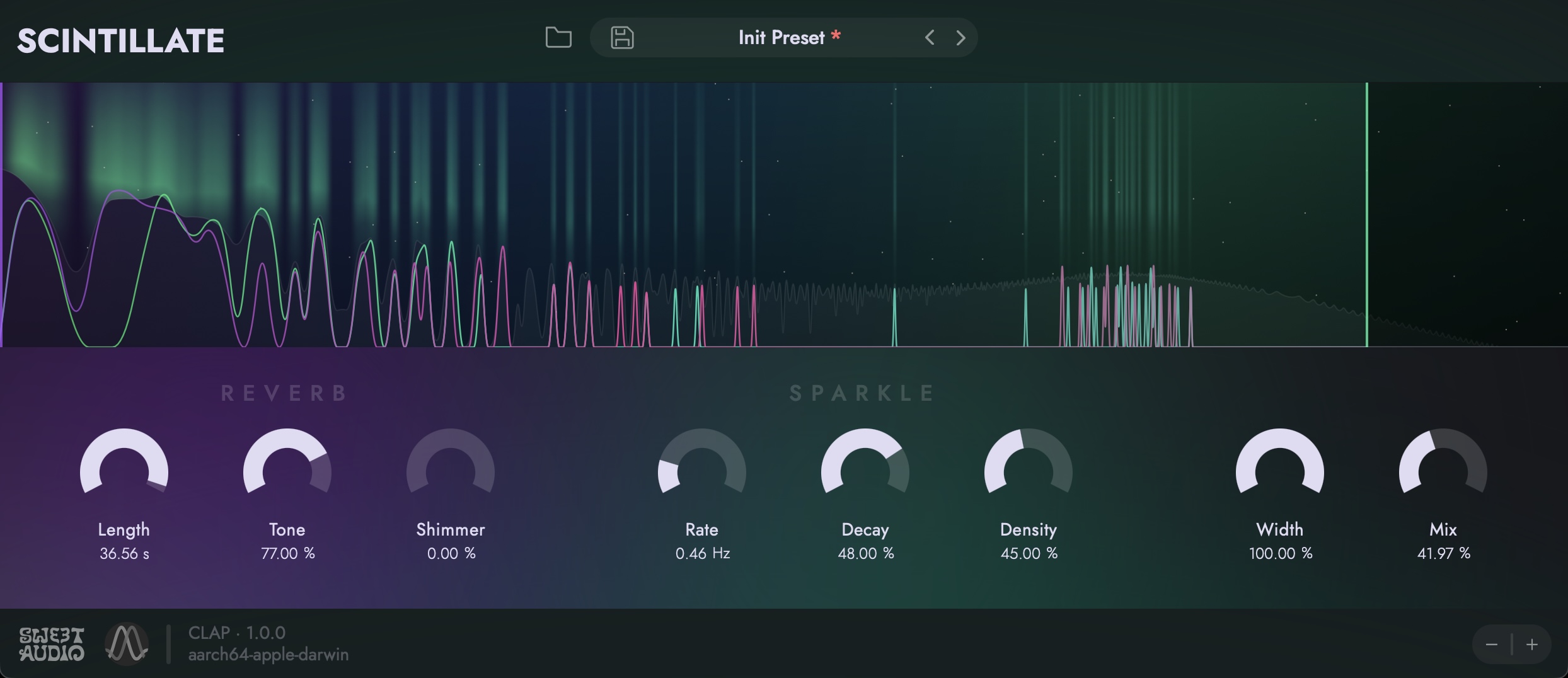
The interface keeps the main controls accessible instead of hiding the spectral engine behind a complicated editing system.
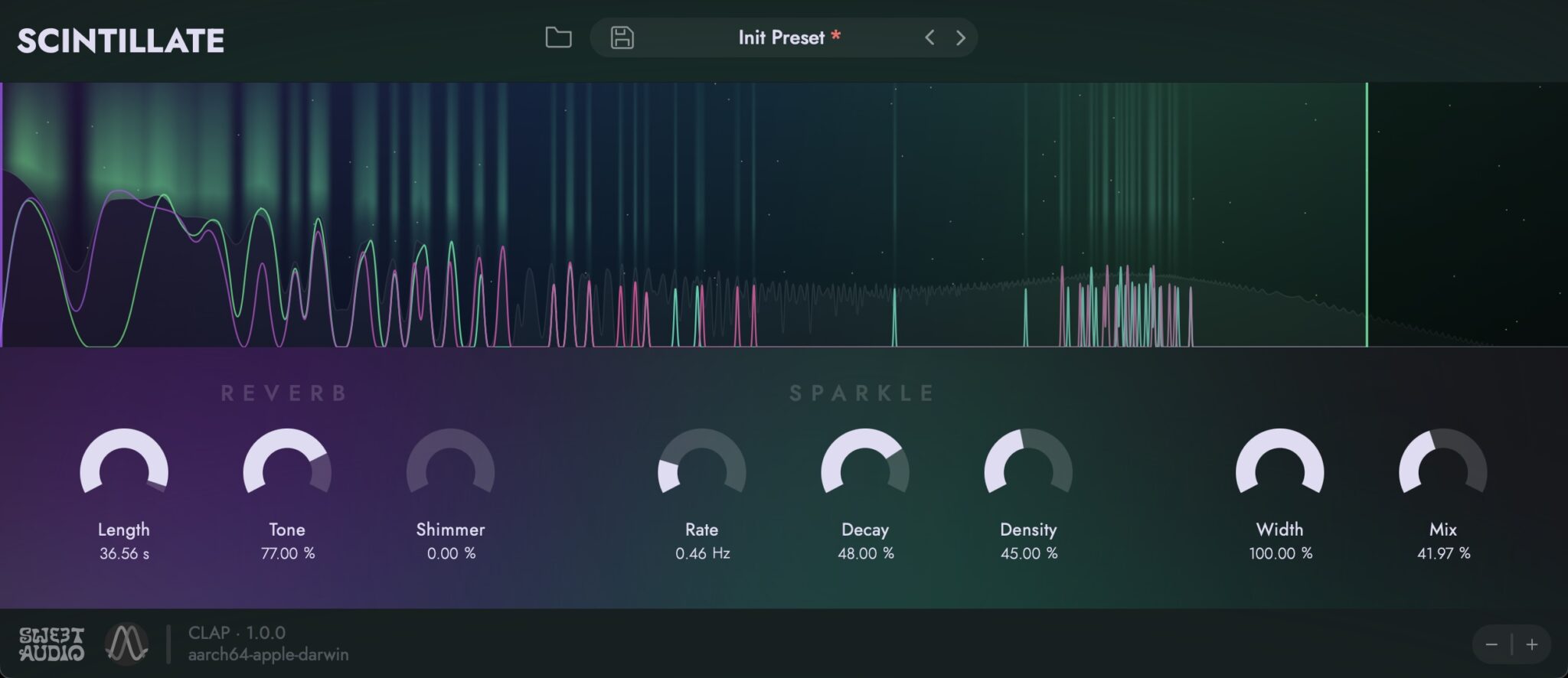
Scintillate provides controls including:
- Length for the overall reverb duration
- Tone for shaping the tonal balance
- Shimmer for brighter, elevated textures
- Rate for controlling sparkle generation
- Decay for the lifetime of spectral elements
- Density for determining how many sparkles are allowed through
- Width for stereo spread
- Mix for balancing the processed and original signals
The combination is simple enough for quick experimentation but flexible enough to move far beyond a standard reverb preset.
Watch Scintillate in Action
Sweet Audio provides an official showcase demonstrating how the sparkle engine reacts to different source sounds and more extreme settings.
Excellent on Pads and Synths
Synth pads are an obvious starting point because they provide enough sustained harmonic information for the spectral engine to work with.
Start with a moderate reverb length and density, then increase the width to build a larger stereo image. Raising the sparkle rate can transform a static pad into a more animated layer without changing the MIDI performance.
For Melodic House, Ambient, Synthwave or cinematic electronic music, this can be an easy way to add movement behind a relatively simple chord progression.
Turn Piano and Guitar Into Atmospheric Layers
Scintillate is also effective on acoustic or semi-acoustic material.
A short piano phrase can generate a long evolving background texture while the original notes remain clear in the foreground. Guitar harmonics and clean arpeggios can become spacious, glass-like layers when the spectral processing is pushed harder.
For a cleaner mix, use Scintillate on an auxiliary send and EQ the return separately. This makes it easier to remove unnecessary low frequencies from a very long reverb tail.
Creative Vocal Processing
Vocals can produce particularly interesting results because their harmonic content changes continuously.
Instead of applying Scintillate across an entire lead vocal, try sending only the final word of a phrase into a long spectral tail. The effect can then become part of the transition into the next section.
Another option is to automate the send amount during a breakdown and gradually increase the density or shimmer. This creates movement without permanently washing the vocal in reverb.
Use Low Density for Spectral Gate Effects
One of Scintillate’s more unusual behaviors appears when the Density parameter is reduced.
Instead of filling the complete spectrum, the processor can allow only the strongest sparkles to pass. This creates a fragmented, selective texture that feels closer to spectral gating than conventional ambience.
Try this on drum loops, percussion or rhythmic synth parts. The reverb can begin responding to only certain spectral peaks, producing small flashes of sound around the dry rhythm.
From Subtle Space to Reverse-Like Effects
Sweet Audio designed the sparkle engine to cover a broad range of behaviors.
At conservative settings, Scintillate can simply provide an unusual sense of air around an instrument. Increase the reverb length, density and spectral activity and the result can become a fluttering wall of sound.
More extreme combinations can even generate reverse-like movement, useful for transitions and sound-design moments where a normal riser or reverse cymbal feels too predictable.
Built Natively for CLAP
Scintillate is written natively as a CLAP plugin. Sweet Audio also provides VST3 and Audio Unit compatibility through the open-source clap-wrapper.
If your DAW supports CLAP, Sweet Audio recommends using that format because it can provide native parameter modulation and better integration with the host’s undo and redo system.
For producers using DAWs without CLAP support, the VST3 version provides broad compatibility on Windows and macOS, while AU is available for compatible Mac hosts.
Windows and macOS Compatibility
Scintillate is currently available for modern Windows and macOS systems.
- Windows: Windows 10 / 11, 64-bit
- macOS: macOS 12 or newer
- Mac processors: Intel and Apple Silicon
- Plugin formats: VST3, AU and CLAP
Linux is not officially released at the time of publication, although Sweet Audio lists Linux support as being on its roadmap.
Free With No Time Limit
Scintillate is not a demo or a time-limited teaser for a paid version.
Sweet Audio states that the plugin is free for music and audio work, including commercial projects, with no time limit.
The plugin also uses no copy-protection system, making it straightforward to install and use in a normal production workflow.
Production Tip: Automate the Sparkle Engine
Scintillate becomes considerably more interesting when its parameters change over time.
Instead of leaving the effect at one static setting, automate Density, Rate or Mix across a transition.
A breakdown can begin with a relatively conventional reverb and gradually become more spectral as the next drop approaches. Reducing the density at the same time can create isolated flashes of reverb before the effect disappears completely.
This kind of automation makes the effect part of the arrangement rather than simply another processor placed at the end of a channel.
Best Genres for Scintillate
- Ambient
- Cinematic Music
- Melodic House
- Melodic Techno
- Organic House
- Synthwave
- Lo-Fi
- Experimental Electronic
- Downtempo
- Electronic Pop
That said, the plugin is not tied to a particular genre. Any production that needs unusual space, spectral movement or evolving reverb tails can benefit from it.
Scintillate at a Glance
Developer: Sweet Audio
DSP: Signalsmith Audio
Plugin: Scintillate
Type: Spectral Reverb / Sparkle Engine
Current version: 1.0.1 at the time of publication
Main controls: Length, Tone, Shimmer, Rate, Decay, Density, Width and Mix
Formats: VST3 / AU / CLAP
Windows: Windows 10 / 11 64-bit
macOS: macOS 12+ / Intel and Apple Silicon
Copy protection: None
Commercial use: Yes
Time limit: None
Price: Free at the time of publication
Download Scintillate for Free
Scintillate is available free from Sweet Audio. The developer’s official website currently links to the KVR Developer Challenge download for the plugin.
Final Thoughts
Scintillate is a good example of why free plugins can still bring genuinely new ideas to music production. Sweet Audio does not simply reproduce another familiar hall or plate reverb. The spectral sparkle engine can move from subtle ambience to dense shimmering clouds, fragmented spectral gates and reverse-like effects while keeping the interface approachable. With VST3, AU and native CLAP versions, no time limit and permission for commercial audio work, Scintillate is an easy recommendation for producers looking for a free reverb that can also function as a creative sound-design instrument.