Waveform Free 14: A Full DAW Without Track Limits
A genuinely free music production environment for recording, composing, editing and mixing on Windows and macOS.
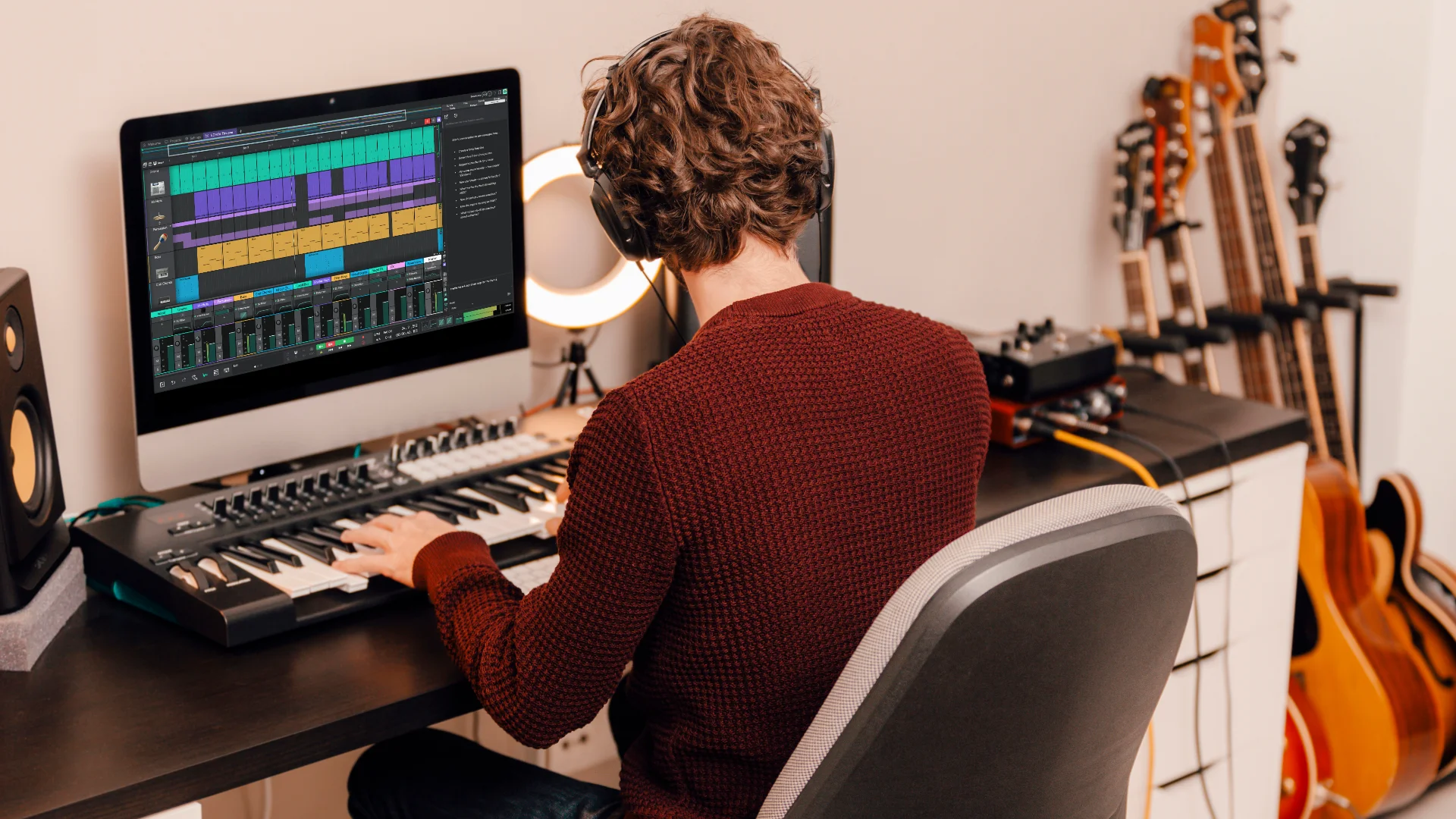
Waveform Free 14 is the permanent no-cost edition of Tracktion Software’s digital audio workstation. It is not the company’s 30-day Waveform Pro trial, and Tracktion presents it as a complete free DAW rather than a temporary preview. The software combines multitrack audio recording, MIDI sequencing, editing, mixing, third-party plugin support and project export in a single application.
That distinction matters. Many free DAWs are useful until a producer needs one more track, wants to load a favorite synth or discovers that exporting is restricted. Waveform Free is designed as a working production platform, with optional paid expansions available separately rather than a timer waiting in the background.
What Is Waveform Free 14?
Waveform Free 14 is the entry-level version of the Waveform ecosystem. Its workflow uses a flexible, single-window interface where recording, arrangement, plugin chains, automation and mixing can be handled without constantly opening separate pages.
The free edition is suitable for electronic production, band recording, songwriting, podcast editing and general audio work. It supports audio and MIDI recording, while its routing and rack environment make it possible to build more elaborate signal chains when a project needs them.
Tracktion does not advertise a track-count cap for Waveform Free. The official page describes the DAW as completely unlimited, making it a more practical option for producers who want to finish full arrangements rather than test a reduced project format.
Main Production Features
Waveform Free 14 includes the essential tools expected from a modern DAW. Producers can record and edit audio, program MIDI parts, automate parameters, arrange clips and mix a complete song. Inline MIDI editing keeps note work close to the arrangement, while Step Clips provide a pattern-oriented way to build drums and repeating sequences.
The rack environment is one of Waveform’s more distinctive features. It allows instruments and effects to be connected in custom chains, which is useful for parallel processing, layered instruments and more experimental routing.
A refreshed browser adds tags, favorites and smart lists, helping users organize plugins and content without turning every session into an archaeological expedition.
Third-party plugin support is another important advantage. Waveform Free supports VST and VST3 plugins on compatible systems, plus Audio Units on macOS. Producers can therefore expand the DAW with free or commercial instruments and effects instead of relying only on the factory collection.
Included Instruments, Effects and Utilities
The free package includes four instruments: 4OSC, Micro Drum Sampler, Micro Sampler and Rompler. Together, they cover basic synthesis, drum programming, sample playback and ready-to-use instrument sounds.
They are not intended to replace a large premium instrument suite, but they provide enough material to start producing before installing additional plugins.
Tracktion also lists 14 audio effects, eight MIDI effects and 11 utility plugins in Waveform Free 14. The audio tools cover everyday processing such as dynamics, equalization, modulation, delay and reverb. MIDI effects help transform or generate note data, while the utility collection supports routing, monitoring and technical tasks.
The rewritten audio engine in version 14 is presented as more CPU-efficient and includes improved plugin delay compensation. For larger sessions, those changes are more useful than a decorative collection of presets because they affect how reliably the DAW handles real projects.
Who Is It Best For?
Waveform Free is a strong fit for beginners who want to learn a complete DAW without immediately paying for a subscription. It is also relevant to experienced producers looking for a secondary workstation, a portable recording setup or a different MIDI and routing workflow.
Electronic producers can use Step Clips, samplers, 4OSC and external plugins to build beat-driven arrangements. Bands and singer-songwriters can record multiple audio sources, edit takes and mix with the included processors. Podcast creators can use the same editing and rendering tools for spoken-word projects.
The interface is different from traditional mixer-first DAWs, so users moving from another platform may need a few sessions to feel comfortable. That is a workflow consideration, not an artificial limitation.
How to Install Waveform Free 14
Open the official Waveform Free page and select the free download. Tracktion requires a user account to install and unlock the software, so registration is part of the process.
After installation, configure the audio device, sample rate and buffer size before starting a project. On Windows, an ASIO driver is generally the appropriate choice when the audio interface provides one. On macOS, select the required Core Audio device.
Next, scan the folders containing third-party plugins. It is sensible to add plugins gradually and confirm that the DAW is stable before importing a giant collection assembled over several years.
Compatibility
- Windows: Windows 10 or Windows 11, 64-bit.
- macOS: macOS 13 or later, Intel and Apple Silicon.
- Linux: listed by Tracktion as coming soon.
- Plugin formats: VST, VST3 and Audio Units on macOS.
Linux producers should not assume that compatibility information published for older Waveform editions applies to the current Waveform Free 14 download. Hardware compatibility also depends on the operating system, manufacturer drivers and the audio or MIDI device being used.
Important Limitations and Paid Options
Waveform Free is a permanent free edition, but it is not identical to Waveform Pro. Tracktion sells optional feature expansions covering areas such as clip launching, advanced MIDI production, multichannel audio, video work, recording tools and additional synthesizers.
These additions are optional and do not turn the base application into a time-limited trial. However, producers who need a specific advanced workflow should compare the free feature set with the relevant expansion or Waveform Pro before committing a major project.
The official product page does not state a special royalty charge or a non-commercial restriction on music exported from Waveform Free. Use of the software remains subject to Tracktion’s account and software terms.
Final Verdict
Waveform Free 14 offers an unusually complete starting point for recording and music production. Its lack of an advertised track cap, third-party plugin support, included instruments and broad editing tools make it capable of producing finished work rather than demonstration projects.
The interface may require a short adjustment period, and some specialist features are sold separately. Even so, the free edition provides enough depth for beginners, independent artists and producers who prefer software budgets that remain quieter than their kick drum.
Official Download
Waveform Free 14 is available from Tracktion Software’s official product page. Create a Tracktion account, download the installer for a supported operating system and use the official registration process to unlock the DAW.
« `