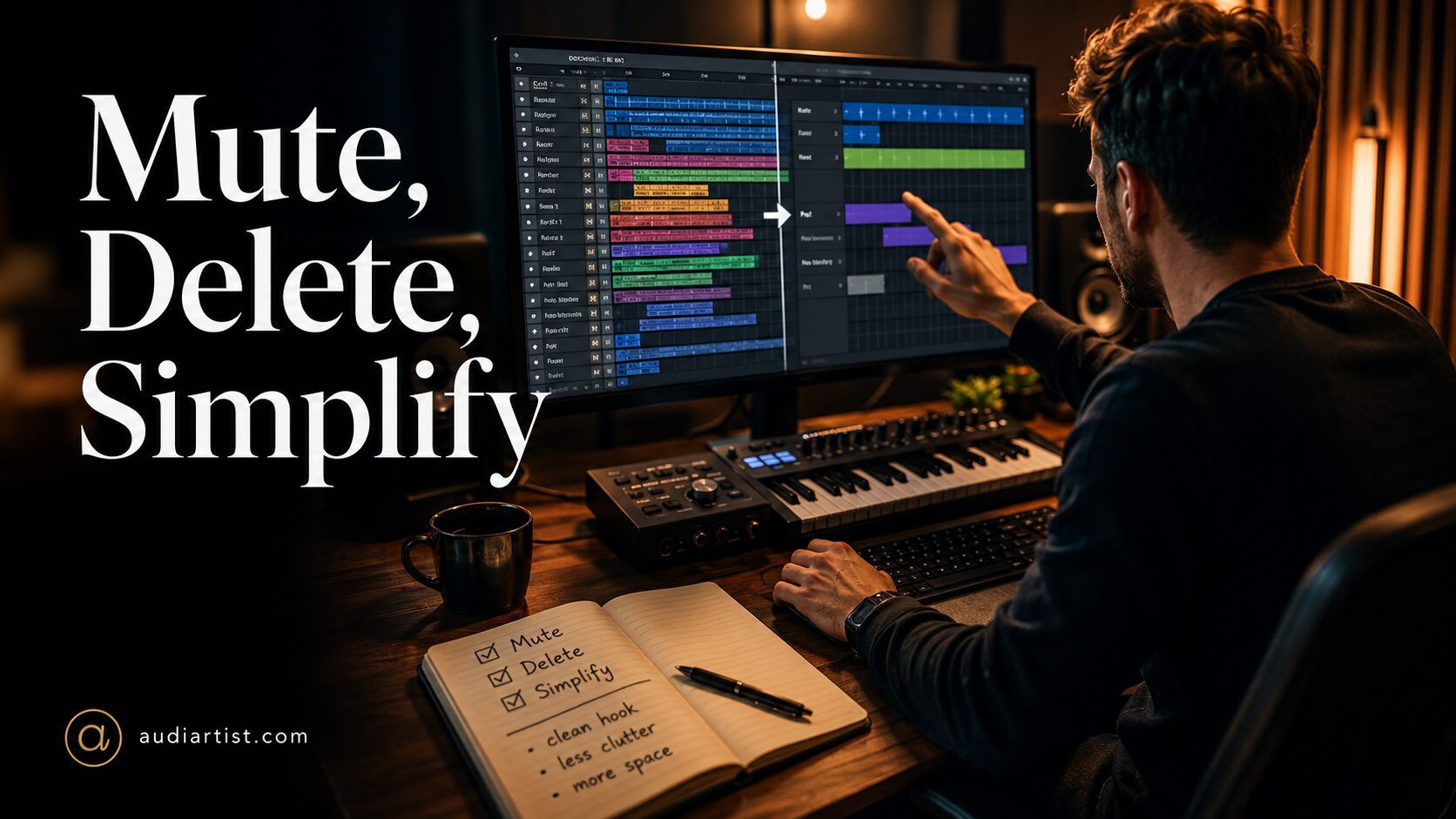

Maybe it needs another pad. Maybe the hook needs a second lead. Maybe the drums need more percussion. Maybe the intro needs texture. Maybe the drop needs more width. Maybe the breakdown needs something atmospheric. Maybe the atmosphere needs a second atmosphere, because apparently even fog now needs backing vocals.
Thirty minutes later, the session has 64 tracks, the original idea has disappeared, the mix is crowded, and the producer is wondering why everything sounds smaller than it did at the beginning.
This is one of the most important lessons in music production: more sounds do not automatically create a bigger track. Very often, they create a weaker one.
Great productions are not built by adding forever. They are shaped by choosing, muting, deleting, simplifying, and protecting the core idea. A professional track is not impressive because every frequency is full at all times. It is impressive because every sound has a role, every section has focus, and every element earns its place.
Before downloading another plugin, before adding another layer, before reaching for another EQ, ask the most uncomfortable question in production:
Does this sound actually make the track better?
The Myth of the Big Session
Beginners often associate professional music with huge sessions. They imagine that a strong production must contain endless drum layers, several bass tracks, wide pads, vocal chops, risers, impacts, background textures, parallel buses, hidden ear candy, and enough automation lanes to frighten a small village.
Some professional productions are large, of course. Film scores, pop records, orchestral hybrids, EDM drops, and vocal-heavy arrangements can involve many tracks. But the number of tracks is not the reason they work. They work because the parts are organized, intentional, and arranged with clear hierarchy.
A weak idea does not become strong because it has more layers. A muddy groove does not become clean because it has more percussion. A boring drop does not become exciting because a riser screams before it. If the foundation is unclear, adding more often makes the problem harder to hear and harder to fix.
A big session can be powerful. A crowded session is just expensive confusion.
Why Fewer Sounds Can Feel Bigger
Space creates impact. This is the part many producers learn late.
A kick feels bigger when it is not fighting six low-mid layers. A bass feels deeper when the chords are not filling the same range. A vocal or lead feels more emotional when it has room in the center. A reverb feels wider when the dry elements are not already smeared across the stereo field. A drop hits harder when the section before it has been reduced.
Size in music is not only about volume or density. It is about contrast.
If everything is loud, nothing feels loud. If everything is wide, nothing feels wide. If every section is full, the drop has nowhere to go. If every element is important, the listener has no idea where to listen.
Better production often means creating space around the important idea. You do not make the main hook stronger by surrounding it with distractions. You make it stronger by clearing the path.
The Mute Button Is a Production Tool
The mute button is one of the most underrated tools in any DAW. It costs nothing, uses no CPU, and can improve a track faster than many plugins.
Muting is not just a way to remove a sound. It is a way to test value.
When you mute an element, listen carefully. Does the track lose emotion, groove, energy, depth, or identity? Or does it suddenly sound cleaner, more direct, and easier to understand?
If the track improves when the sound disappears, the sound was not helping. It may have been interesting in solo, but music is not a solo competition. The listener hears the full arrangement.
Use the mute test often:
- Mute the second pad.
- Mute the extra percussion loop.
- Mute the background texture.
- Mute the duplicated lead layer.
- Mute the riser before the drop.
- Mute the stereo widening effect.
- Mute the reverb return.
- Mute the bass layer that seemed clever at midnight.
If the track feels clearer, you have your answer.
The Delete Test: Stronger Than Muting
Muting is temporary. Deleting is commitment.
Many producers keep muted tracks forever, as if the deleted hi-hat loop might return one day to claim its inheritance. But unfinished clutter affects decision-making. A session full of disabled parts can make the track feel more complicated than it really is.
Once you know a part does not help, delete it or move it to a clearly labeled archive folder outside the active session. The working project should contain only useful material.
Deleting is not a loss. It is editing.
Every strong production is the result of choices. Some sounds make it in. Many do not. The producer’s job is not to keep every idea alive. The producer’s job is to protect the best idea.
Why Solo Mode Lies
Solo mode is useful, but it can be dangerous. A sound can be beautiful alone and terrible in the track. A pad can feel cinematic in solo, then cover the vocal. A bass can sound massive alone, then fight the kick. A percussion loop can feel exciting by itself, then destroy the groove. A wide synth can sound luxurious alone, then make the whole mix feel blurry.
Always judge sounds in context.
Solo mode helps you inspect details. Context tells you the truth.
If a sound only impresses you when everything else is muted, it may not belong in the production. A sound should serve the record, not audition for a plugin demo.
Arrangement Clutter vs Mix Problems
Many mix problems are actually arrangement problems wearing a false moustache.
If the low end is muddy, the issue may not be EQ. It may be too many elements playing in the low-mid range. If the lead does not cut through, the issue may not be compression. It may be that the chords, pads, and effects are occupying the same space. If the drop feels weak, the issue may not be limiting. It may be that the section before the drop is already too full.
Before fixing with plugins, simplify the arrangement.
Ask these questions:
- Are too many elements playing at the same time?
- Do several sounds share the same frequency range?
- Is the main idea hidden behind support elements?
- Does the section need more energy, or more contrast?
- Would removing a part make the groove stronger?
- Is the mix crowded because the arrangement is crowded?
A cleaner arrangement almost always produces a cleaner mix.
The One Main Idea Rule
Each section of a track should have one main idea. That idea can be a vocal, a lead melody, a bass groove, a chord progression, a drum rhythm, or a texture. But the listener needs a center of attention.
Problems begin when several elements compete for the same role.
A lead synth plays a melody. A vocal chop answers it. A guitar line crosses it. A pad has too much movement. A percussion loop is too busy. A riser is too loud. The producer hears detail. The listener hears confusion.
Choose the main idea of each section, then make every other element support it.
Support does not mean boring. It means controlled. A supporting sound can be beautiful, but it should not steal focus from the element that carries the section.
The Frequency Stack Problem
One reason productions become crowded is frequency stacking. This happens when too many sounds live in the same range.
Common examples include:
- Kick, bass, low piano, and warm pad all filling the low mids.
- Lead, vocal, guitar, and synth stab all fighting in the midrange.
- Hi-hats, shakers, noise layers, and bright synths all creating harshness.
- Wide pads, stereo effects, and reverb returns all blurring the sides.
EQ can help, but it should not become a rescue service for bad decisions. If three sounds fight for one space, the best solution may be to remove one, change the octave, shorten the part, reduce the rhythm, or choose a different sound.
Mixing is easier when the arrangement already has space.
Useful Tool: Voxengo SPAN
Voxengo SPAN is a free spectrum analyzer that helps producers see frequency buildup, low-end problems, harshness, stereo behavior, and overall tonal balance. It is especially useful when simplifying a session because it can reveal where the track is overloaded.
Use it for: checking low-end buildup, spotting crowded frequency areas, comparing sections, observing how muting parts changes the mix.
Simplification tip: Play the busiest part of the track, then mute one element at a time while watching the analyzer and listening. If removing a sound clears the mix without weakening the music, the arrangement probably needed less.
Official website
Download Voxengo SPAN
How to Simplify Drums
Drum clutter is one of the fastest ways to weaken a groove. A producer adds a hi-hat loop, then a shaker, then a top loop, then a rim, then a clap layer, then a snare ghost, then a percussion phrase, then another loop for movement. Suddenly, the groove has no pocket.
Good drums need rhythm, contrast, and space. They do not need every subdivision filled.
To simplify drums, start with the essentials:
- Kick
- Snare or clap
- Hi-hat or shaker
- One supporting percussion element
- One fill or transition element
Then listen. Does the groove already move? If yes, do not add more just because there is space on the screen. Empty grid space is not a moral failure.
In house and techno, the groove often benefits from consistent kick and controlled top movement. In afro house, percussion must breathe and answer itself. In hip-hop and trap, hats and rolls need intention, not constant decoration. In lo-fi, fewer drum elements often create more intimacy.
The best drum parts have a pocket. The pocket is where the listener feels invited in.
How to Simplify Bass
Bass clutter is dangerous because it damages the foundation. Producers often layer a sub bass, a mid bass, a distorted bass, a stereo bass texture, and a low synth support. Sometimes this works. Often, it creates instability.
A strong bass part should answer three questions:
- Does it support the kick?
- Does it define the groove?
- Can it be heard clearly on different systems?
If the bass feels weak, do not immediately add another layer. First adjust note length, rhythm, octave, envelope, and relationship with the kick. A shorter release may solve more than a new plugin. A simpler rhythm may create more impact. A cleaner midrange may translate better than a huge sub layer.
If you do layer bass, give each layer a separate role. One layer for sub. One layer for midrange character. No layer should duplicate the same job without a reason.
How to Simplify Chords and Pads
Chords and pads can become emotional fog very quickly. They sound beautiful alone, especially with reverb and width, but they can cover the lead, vocal, bass, and drums if they are too dense.
To simplify chords and pads, try these moves:
- Use fewer notes in the voicing.
- Move the chord part up an octave to avoid low-mid buildup.
- Shorten the release.
- Remove built-in reverb and use a controlled send.
- Filter the sound during sections where the lead needs space.
- Mute the pad during the main hook if it hides the central idea.
Sometimes the best pad is not the one that sounds huge. It is the one that leaves enough oxygen for the rest of the track.
How to Simplify Leads
A lead part should be memorable. That usually requires focus. If the track has a synth lead, vocal chop, guitar riff, counter melody, flute phrase, and a bright pluck all playing together, the listener may remember none of them.
Choose one lead idea per section. If you want variation, answer the lead with a shorter phrase or change its sound between sections. Do not let every melodic idea speak at once.
Try this lead simplification method:
- Keep the strongest hook.
- Mute every competing melody.
- Bring back only the part that improves the hook.
- Use call and response instead of overlap.
- Leave space between phrases.
A hook becomes stronger when the listener has time to understand it.
Useful Tool: TDR Nova
TDR Nova is a free dynamic EQ that can help control frequency problems without overprocessing. It is useful when a sound is almost right but occasionally becomes too muddy, harsh, or dominant in a specific range.
Use it for: cleaning low mids, controlling harsh synths, taming resonant pads, reducing vocal or lead conflicts, shaping busy buses.
Simplification tip: Use TDR Nova after you have muted and deleted unnecessary parts. Do not use dynamic EQ to keep every questionable sound alive. First simplify. Then refine.
Official website
Download TDR Nova Free
FX Should Guide, Not Decorate
FX are essential for modern production, but they are often overused. Risers, impacts, noise sweeps, delay throws, reverse cymbals, downlifters, atmospheric tails, vinyl noise, and transition effects can all help a track move. But if every section contains constant FX, the listener stops feeling surprise.
FX should guide the arrangement.
Use them to:
- Introduce a new section.
- Create tension before a drop.
- Support a breakdown.
- Connect two contrasting parts.
- Create a short emotional moment.
- Emphasize silence or impact.
Do not use FX just because the arrangement feels empty. If the track feels empty, first ask whether the musical idea needs development. FX can decorate a transition, but they cannot replace a strong song structure.
The Automation Alternative
Instead of adding another sound, try changing the one you already have.
Automation can create movement without clutter. A filter opening over 16 bars may do more than adding a new synth. A delay throw on one phrase may create more interest than a second lead. A slight reverb increase in the breakdown may create depth without another pad. A volume fade can make a section feel alive.
Useful automation targets include:
- Volume
- Filter cutoff
- Reverb send
- Delay send
- Pan position
- Distortion amount
- Release time
- Drum decay
- Noise level
Automation turns fewer sounds into more musical movement.
Useful Tool: MeldaProduction MUtility
MUtility is part of MeldaProduction’s free plugin collection and offers practical utility functions such as volume, panorama, phase inversion, stereo tools, DC blocking, delay, RMS and envelope tools. It is not glamorous, but utility plugins are often exactly what a simplified session needs.
Use it for: volume control, phase checks, stereo handling, mono compatibility checks, gain adjustments, practical technical cleanup.
Simplification tip: Use utility tools to make simple decisions clearer. If a stereo layer disappears in mono, rethink the part. If phase inversion improves low-end relationship, investigate the source. If a sound only works when extremely wide, ask whether it is hiding a weak tone.
Official website
Download MUtility with MFreeFXBundle
The 10-Minute Simplification Exercise
Open a busy project. Choose the fullest section of the track, usually the chorus, drop, or final hook. Set a timer for 10 minutes.
Minute 1 to 2: Listen Without Touching Anything
Play the section at a moderate volume. Do not adjust plugins. Do not open the mixer. Listen like a normal listener. What is the main idea? Can you identify it immediately?
Minute 3 to 5: Mute Support Elements
Mute one non-essential element at a time. Pads, percussion loops, background textures, secondary leads, extra FX, duplicated layers. After each mute, ask whether the track became weaker or clearer.
Minute 6 to 7: Delete or Archive
Remove the parts that clearly do not help. If you are nervous, move them into a folder called “Archived Ideas.” Do not leave them active in the main session.
Minute 8 to 9: Rebalance
After deleting, rebalance the important parts. The track may suddenly need less processing because the core elements have more space.
Minute 10: Compare
Compare the simplified version to the original. In many cases, the cleaner version will feel more confident, louder, and more professional, even with fewer sounds.
The Role Checklist
Before keeping any sound, give it a role. If you cannot name the role, the sound is suspicious.
- Groove: does it improve rhythm?
- Foundation: does it support low end or harmony?
- Hook: does it help the listener remember the track?
- Emotion: does it change the feeling?
- Transition: does it help the arrangement move?
- Depth: does it create space without masking?
- Texture: does it add character without clutter?
If a sound does none of these things, it is probably decoration. Decoration is allowed, but only after the structure works.
Useful Tool: Youlean Loudness Meter
Youlean Loudness Meter is a free loudness measurement plugin that helps producers understand loudness, dynamics, LUFS, loudness range, and true peak levels. It is useful after simplifying because a cleaner arrangement often feels louder and more dynamic before heavy limiting.
Use it for: checking loudness, true peak level, dynamic range, export readiness, comparing versions.
Simplification tip: Compare a crowded mix and a simplified mix at similar loudness. The simplified version may feel clearer, punchier, and more open even if it contains fewer elements.
Official website
Download Youlean Loudness Meter
Why Deleting Feels Difficult
Deleting sounds can feel painful because every sound represents time. You searched for it, edited it, processed it, maybe even named it something dramatic like “magic texture final.” Removing it can feel like wasting effort.
But production is not about protecting effort. It is about protecting the music.
A painter does not keep every brushstroke. A film editor does not keep every shot. A writer does not keep every sentence. A producer should not keep every sound.
The fact that a sound took time does not mean it deserves space.
Minimal Does Not Mean Empty
Simplifying does not mean making the track boring. It means removing what weakens the message.
A minimal arrangement can still feel rich if the sounds are strong, the groove moves, the dynamics breathe, and the transitions create tension. A production with fewer parts can feel more expensive because the listener can actually hear the choices.
Think of space as part of the arrangement. Silence, gaps, pauses, reduced sections, dry moments, and smaller textures make the bigger moments matter.
Great production is not about filling every second. It is about controlling attention.
The Before-Mix Simplification Checklist
Before starting a serious mix, run this checklist:
- Can I identify the main idea of each section?
- Does every sound have a clear role?
- Are any two sounds doing the same job?
- Does the track improve when certain parts are muted?
- Is the low end crowded because of arrangement choices?
- Are the chords or pads hiding the lead?
- Are FX supporting movement or creating noise?
- Does the drop feel strong because of contrast?
- Can the track breathe?
- Would a listener remember the hook after one play?
If the answer is no, simplify before mixing. Your EQ will thank you. Your CPU will thank you. Your future self, opening the session three weeks later, may even shed a small tear of gratitude.
Final Thoughts: Make the Track Speak Clearly
Better productions often have fewer sounds because fewer sounds can create stronger focus. When every element has space, the groove becomes clearer, the hook becomes more memorable, the low end becomes more controlled, and the mix becomes easier to finish.
The producer’s job is not to prove how much can be added. The producer’s job is to make the track speak clearly.
Mute first. Listen. Delete what does not help. Simplify the arrangement. Protect the main idea. Use tools to confirm decisions, not to excuse clutter. Let the important sounds breathe.
A powerful production is not always the one with the most tracks. It is the one where nothing feels unnecessary.