
PLUSH by orph: A Free Exciter and Loudness VST
Add controlled air, harmonic detail and perceived weight to individual tracks, buses and finished mixes.
PLUSH is a free mixing and mastering plugin developed by German audio software company orph. It combines a high-frequency brilliance processor with a loudness and harmonic-density stage inside one compact interface.
The plugin is designed as a finishing processor for the end of a channel, bus or mastering chain. It can add air to vocals, presence to drums, brightness to synthesizers and additional weight to a complete mix without requiring a long collection of separate exciters, EQs and saturation plugins.
PLUSH is available as a complete free download. There is no reduced edition, licence activation or time-limited trial. A valid email address is required to receive the download link from the official orph website.
What Is PLUSH?
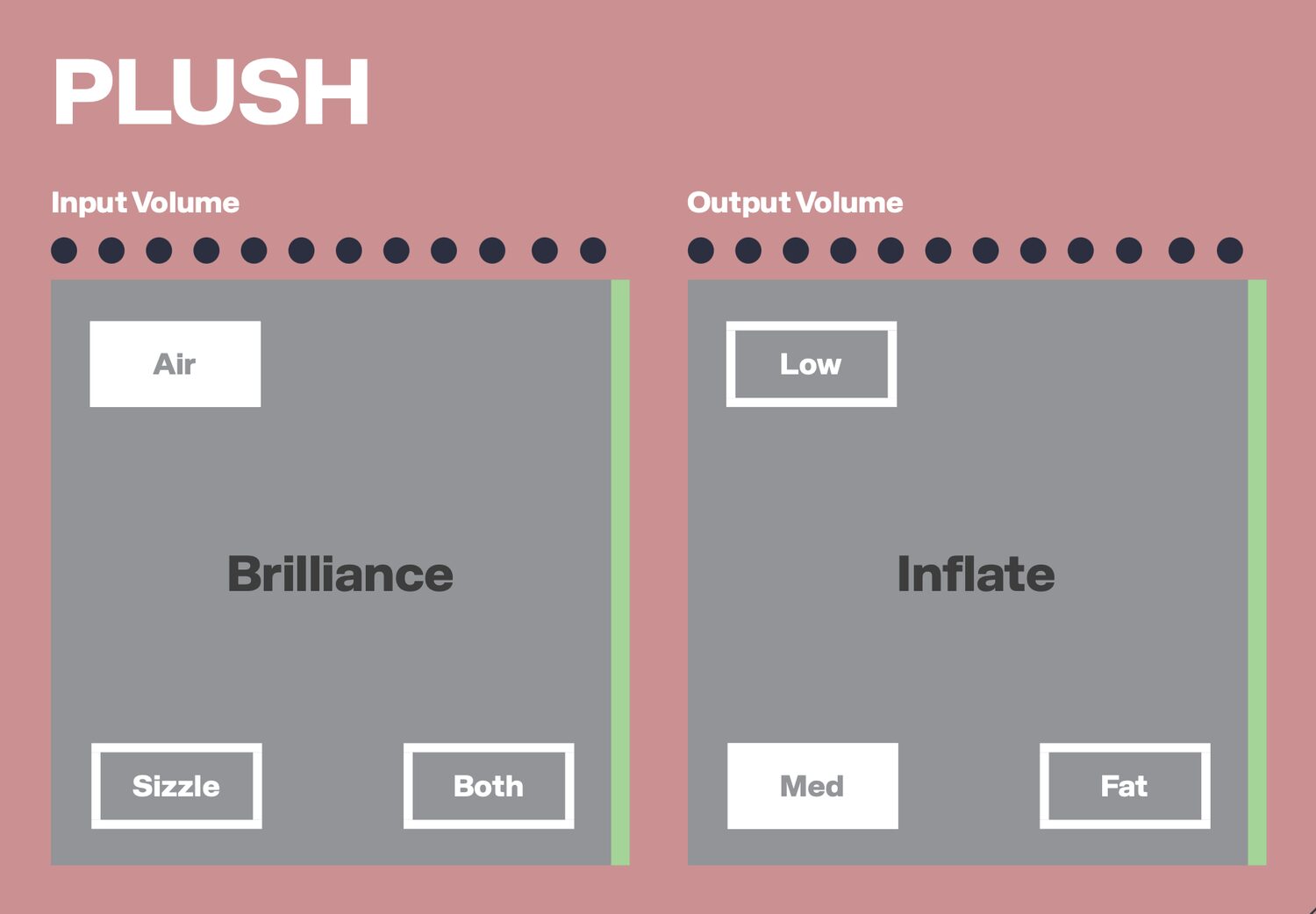
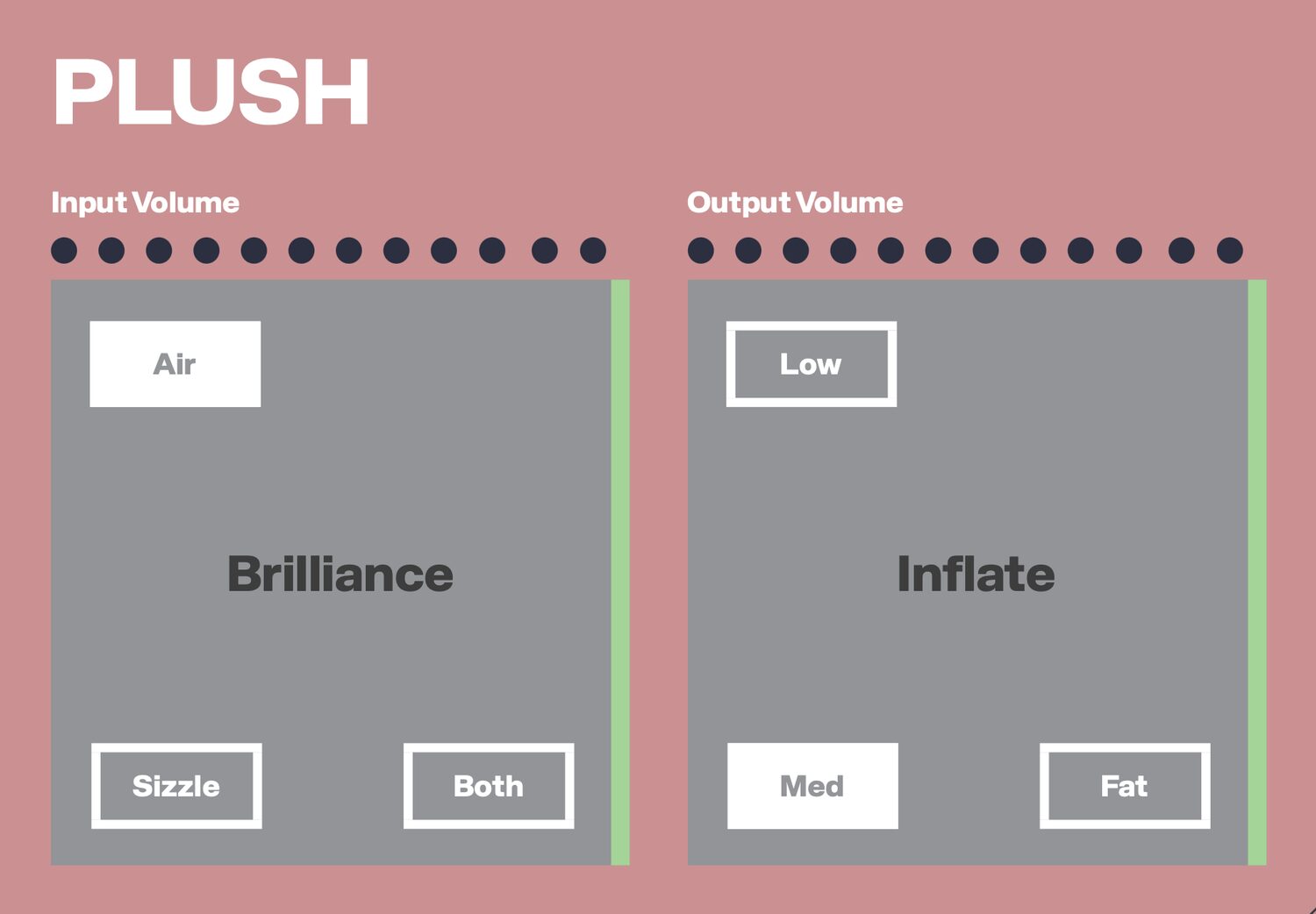
PLUSH brings together two complementary processing stages. The Brilliance section controls high-frequency clarity, while the Inflate section increases harmonic density and perceived loudness.
The plugin is not intended to replace detailed corrective equalization or conventional compression. Its purpose is to provide a final layer of polish after the main tonal balance and dynamics have already been established.
Each section can be activated or disabled independently. Producers can therefore use PLUSH only as an air enhancer, only as a density processor or as a complete finishing tool.
The interface also provides input and output gain controls, allowing the processed signal to be level-matched against the original. This is important because louder audio often appears more detailed and exciting even when the processing has not genuinely improved the mix.
Air, Sizzle and Both Modes
The Brilliance section offers three different approaches to high-frequency enhancement.
- Air: Applies a shelf centred around 12 kHz to create openness and a more spacious top end.
- Sizzle: Generates additional harmonics above approximately 6 kHz for a brighter and more energetic character.
- Both: Combines the two approaches, adding presence and detail across the upper frequency range.
Air mode is generally the most subtle choice. It can help a vocal, acoustic instrument or finished mix feel more open without making the upper mids excessively aggressive.
Sizzle is more characterful because it introduces harmonic content rather than relying only on equalization. It can add bite to drums, percussion, guitars and synthesizers that sound slightly dull.
Both mode provides the strongest enhancement and should be adjusted carefully on already bright material. Cymbals, sibilance and distorted synths can quickly become tiring when too much additional energy is introduced above 6 kHz.
Inflate and Harmonic Density
The Inflate section is designed to add body, weight and perceived loudness. It offers Low, Medium and Fat character settings, allowing the processing to be adapted to different sources.
The full-band mode treats the complete signal as one frequency range. An optional three-band configuration separates the audio with Linkwitz-Riley crossovers at 240 Hz and 2.4 kHz.
This multiband approach allows the low, middle and high-frequency areas to react more independently. It can be useful when a complete mix needs additional density without allowing one dominant frequency range to control the entire effect.
On individual tracks, lower settings can add presence and help a sound remain audible inside a busy arrangement. Stronger settings can produce a more obvious saturated and compressed character.
PLUSH uses 8x oversampling during its nonlinear processing. This helps control unwanted digital artifacts when harmonic density and loudness are increased.
Best Uses
Vocals: Air mode can add openness, while a restrained Inflate setting helps the performance remain present in the mix.
Drum buses: Sizzle can enhance cymbals and percussion, while Inflate adds density to the complete rhythm section.
Synthesizers: Use PLUSH to add upper harmonic detail to pads, leads and bass layers that feel too soft or distant.
Acoustic instruments: Guitars, pianos and strings can benefit from subtle high-frequency enhancement when they need more clarity.
Mix buses: Gentle settings can provide a final sense of brightness and weight before limiting.
Mastering: PLUSH can be placed near the end of a mastering chain, but it should be used conservatively because even small tonal changes affect the complete production.
How to Use PLUSH
Insert PLUSH near the end of the processing chain. Begin with the input and output controls at their default positions and activate only the Brilliance section.
Select Air for gentle clarity or Sizzle for more harmonic energy. Increase the effect until the change becomes clearly audible, then reduce it slightly. High-frequency enhancement usually works best when it is noticed after bypassing the plugin rather than while continuously increasing the control.
Next, activate Inflate and select the character that best matches the source. Use Low or Medium settings for transparent density, and reserve Fat for material that genuinely needs more weight.
Compare the processed and bypassed versions at a similar output level. The plugin includes twelve-point input and output peak meters, but final decisions should still be made by listening rather than watching the display.
Production Tips
Do not use PLUSH to correct a poorly balanced mix. Harsh vocals, excessive cymbals or uncontrolled bass should be addressed with EQ, compression and arrangement decisions before adding final polish.
When using the plugin on a master bus, work at a moderate listening volume. Brightness and loudness processing can feel exciting at first but become tiring during longer playback.
Check the result on several playback systems. Additional air may sound attractive on studio monitors but become aggressive on headphones, phones or smaller speakers.
PLUSH includes true-peak limiting at -1 dBTP, but it should not automatically replace the final limiter in a mastering chain. The built-in protection is part of the plugin’s output stage rather than a complete mastering solution.
Small adjustments are usually enough. A finishing plugin should improve the mix, not arrive wearing a cape and demand a solo.
Compatibility
PLUSH is available for Windows and macOS and supports both mono and stereo processing.
- Windows: VST3 and standalone application
- macOS: VST3, Audio Unit and standalone application
- Mac processors: Intel and Apple Silicon universal binary
- Internal processing: 32-bit floating point
- Sample rates: 44.1 kHz to 192 kHz
- Oversampling: 8x
- Output protection: True-peak limited at -1 dBTP
- Automation: Full parameter automation
- Price: Free
The plugin runs inside any compatible VST3 or Audio Unit host. Its standalone version can also be opened without loading a DAW.
Final Verdict
PLUSH is a focused free finishing plugin for producers who want faster access to brightness, harmonic density and perceived loudness.
Its Air and Sizzle modes cover both equalization-style clarity and exciter-style harmonic enhancement, while the Inflate section adds body and intensity without requiring a separate saturation chain.
The plugin is simple enough for beginners, but its oversampling, multiband option, gain controls and true-peak protection also make it useful in more experienced mixing and mastering workflows.
PLUSH will not repair an unfinished mix, and it should not be used as an automatic “make everything professional” button. Used carefully, however, it can provide the final touch that helps vocals, instruments and complete productions feel clearer and more confident.
« `