Free Digital Audio Workstation
SoundBridge Free: A Modern 10-Track DAW
Record audio, sequence MIDI, automate plugins and mix complete projects inside a streamlined free studio for Windows and macOS.
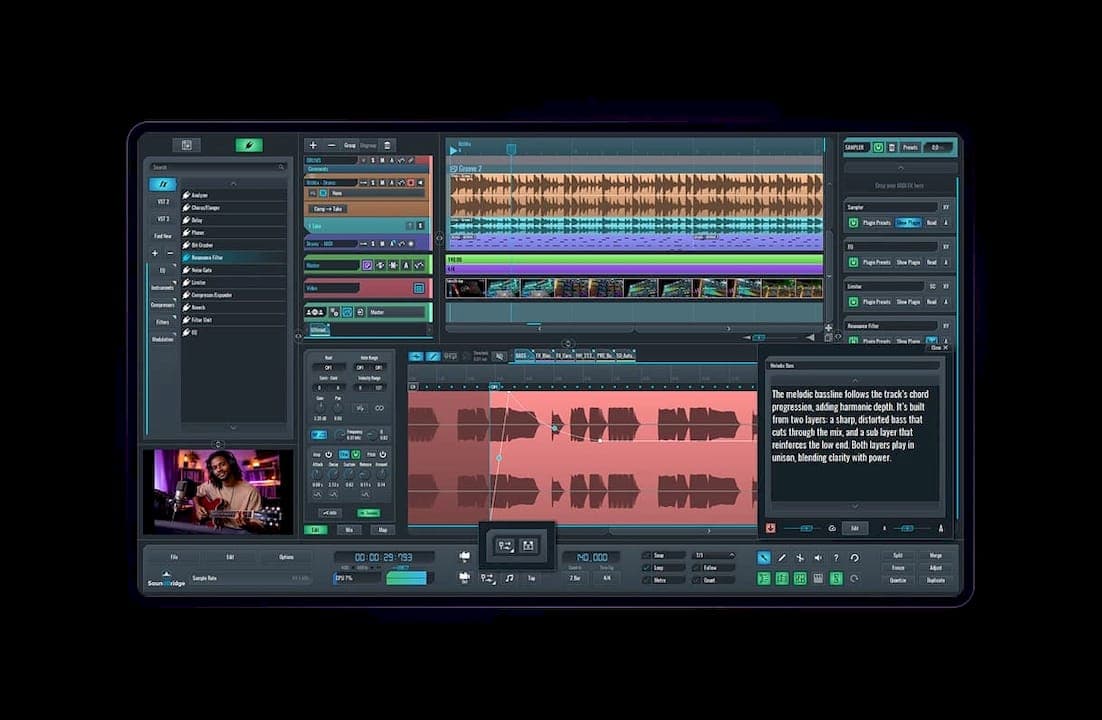
SoundBridge Free is a permanent zero-cost edition of the SoundBridge digital audio workstation. It provides audio recording, MIDI sequencing, automation, mixing, native effects and third-party plugin support inside a modern production interface.
The free version is designed for beginners, solo musicians, beatmakers and producers working on compact projects. It uses the same high-resolution audio engine as the premium edition, but projects are limited to ten tracks.
The current SoundBridge 3 generation is available for Windows and macOS. A free user account and an internet connection are required for installation and authorization.
SoundBridge Free at a Glance
| Developer | SoundBridge LLC |
| Software type | Audio and MIDI digital audio workstation |
| Platforms | Windows and macOS |
| Audio recording | Included |
| MIDI production | Piano Roll, sequencing, automation and MIDI mapping |
| Plugin support | VST2 and VST3 |
| Free track limit | 10 tracks per project |
| Price | Free with optional paid upgrades |
Audio Recording and Editing
SoundBridge Free can record vocals, guitars, synthesizers and other external sources through a compatible audio interface. Windows users can work with ASIO hardware, while macOS uses the Core Audio system.
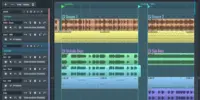
The sequencer supports multitrack arrangement, punch-in recording, comping, non-destructive fades and clip-based editing. Recorded material can be trimmed, moved, copied and processed without permanently changing the original file.
The audio editor also provides gain adjustment, stretching and timing tools. SoundBridge uses zplane Élastique technology for time stretching and aufTAKT for beat detection, helping imported loops follow the project tempo more naturally.
MIDI Sequencing and Piano Roll
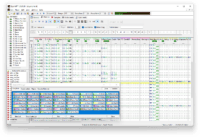
MIDI parts can be recorded from a controller or drawn directly inside the Piano Roll. Notes can be edited by position, length and velocity, making the DAW suitable for drums, basslines, chords and melodic arrangements.
Scale tools, visual swing, quantization and MIDI mapping provide additional control over performances. A virtual keyboard also allows notes to be played from a standard computer keyboard when no MIDI controller is available.
Automation lanes can control volume, panning, native effects and compatible plugin parameters. This makes it possible to create filter movement, delay throws, gradual fades and more complex changes throughout a project.
Best Uses
Songwriting, vocal recording, electronic music, Hip-Hop, House, Pop production, podcast editing, MIDI composition and compact home-studio projects.
The Important 10-Track Limit
The free edition limits projects to ten tracks. Audio, MIDI and routing tracks all contribute to the practical size of the session, so larger productions may require careful organization.
SoundBridge also prevents free users from saving projects that exceed the permitted track count. Producers importing a larger premium project should therefore reduce it to ten tracks before attempting to continue work in the free edition.
Ten tracks are still enough for many compact productions. A typical project could contain drums, bass, two instruments, lead vocals, backing vocals, effects and several supporting layers.
The limitation becomes more restrictive for orchestral arrangements, multitrack drum recording, large vocal sessions and complex electronic productions containing numerous buses and layered instruments.
Mixer, Routing and Automation
SoundBridge includes a full mixer with channel inserts, sends, buses, volume, panning and flexible audio routing. Sidechain inputs can be used with compatible effects for compression, ducking and other dynamic processing.
The interface is modular, allowing editors, the mixer, plugins and browser panels to be detached and positioned across multiple displays.
Channel-strip presets can store processing chains and routing configurations. This is useful for recalling vocal chains, drum processing or frequently used mastering setups without rebuilding them for every session.
Built-In Effects
The DAW includes native effects for common recording and mixing tasks. The official collection covers equalization, compression, gating, delay, reverb, modulation, limiting, filtering, distortion and metering.
The equalizer provides frequency shaping and visual analysis, while the compressor supports sidechain operation. Additional tools include chorus, flanger, phaser, bit crushing, resonant filtering and a spectrum analyzer.
This selection is sufficient for basic mixing without immediately installing external plugins. More specialized processing can be added through the supported VST formats.
VST2 and VST3 Plugin Support
SoundBridge can scan custom plugin folders and load compatible VST2 and VST3 instruments or effects. Plugins are organized in the browser and can be dragged onto tracks or mixer channels.
This allows producers to expand the free DAW with synthesizers, samplers, drum machines, compressors, reverbs and mastering processors from other developers.
Audio Unit and AAX support are not presented as native SoundBridge formats, so Mac users should install VST versions of their third-party plugins when available.
What Is Missing From the Free Edition?
The free edition does not include the SoundBridge sound bank or the integrated 64-slot sampler. Audio-to-sampler functions and custom Piano Roll key names are also reserved for premium licences.
The recently introduced Virtual Collaboration system is not included in the standard free tier. Free users can purchase separate online access, while full collaboration features are included with premium plans.
Premium licences also remove the ten-track limit and provide the larger Sound Bank, advanced sampling functions and additional workflow features.
Audio and MIDI Export
SoundBridge Free permits ongoing audio exports rather than limiting the software to temporary demo renders. Completed mixes can therefore be exported and released without upgrading to the premium edition.
The DAW also supports MIDI export, allowing programmed parts to be transferred into another production environment. This can be useful when a compact idea eventually grows beyond the ten-track project limit.
Compatibility and Installation
- Windows: Windows 10 or Windows 11
- Windows processor: Intel Core i5 or compatible AMD multi-core processor
- macOS: macOS Sonoma 14
- Mac processor: Intel Core i5 or Apple Silicon
- Memory: 8 GB RAM
- Display: Minimum resolution of 1280 × 740
- Storage: Approximately 2 GB for the basic installation
- Internet: Required for authorization
- Account: Free SoundBridge account required
After creating an account, select the free 10-track licence and download the installer for the appropriate operating system. An internet connection is required during the authorization process.
Final Verdict
SoundBridge Free is a capable option for musicians who want conventional audio recording and MIDI production in a modern desktop DAW.
Its native effects, automation, VST support, audio editor and mixer provide enough functionality for complete songs, podcasts and compact studio productions.
The ten-track restriction is the central compromise, while the missing sampler and sound library make third-party instruments more important for electronic producers. Users who can work within those boundaries receive a genuine free production environment rather than a short trial.
Ten tracks may encourage efficient arranging, although the producer with forty-seven backing vocals is unlikely to consider this a personal growth opportunity.
Download SoundBridge Free from the official website: