By using this site, you agree to the Privacy Policy and Terms of Use.
Accept
AudiartistAudiartistAudiartist
Notification Show More
Font ResizerAa
  • Home
  • Music
    • New music release
    • We love
    • Afro Music
    • Cinematic
    • Classical Music
    • Electro / House
    • Jazz
    • Latina Music
    • Lo-fi
    • Pop Music
    • Rock
    • Synthwave
  • Music Production
  • Music Promotion
  • Breaking News
  • Freebie (VST, Samples, Presets)
    • FREE VST
    • Free Sample Pack
    • Free Kontakt sound
    • Free Serum Preset
    • Free Preset
    • Free FL Studio template
  • Free music submission
    • Submit your music for free with DailyPlaylist
    • Our playlists
    • Afro House
    • Afro music
    • Christmas Music
    • Cinematic Music
    • Classical Music
    • Dance Music
    • Electro Music
    • Hard Rock
    • House Music
    • Latina Music
    • Lo-fi
    • Mainstream
    • Pop Music
    • RAP & Hip Hop
    • Reggaeton
    • Rock Music
    • Synthwave
Search
Reading: The Power of Keyboard Shortcuts in Your DAW
Share
Font ResizerAa
AudiartistAudiartist
  • Home
  • Music
  • Music Production
  • Music Promotion
  • Breaking News
  • Freebie (VST, Samples, Presets)
  • Free music submission
Search
  • Home
  • Music
    • New music release
    • We love
    • Afro Music
    • Cinematic
    • Classical Music
    • Electro / House
    • Jazz
    • Latina Music
    • Lo-fi
    • Pop Music
    • Rock
    • Synthwave
  • Music Production
  • Music Promotion
  • Breaking News
  • Freebie (VST, Samples, Presets)
    • FREE VST
    • Free Sample Pack
    • Free Kontakt sound
    • Free Serum Preset
    • Free Preset
    • Free FL Studio template
  • Free music submission
    • Submit your music for free with DailyPlaylist
    • Our playlists
    • Afro House
    • Afro music
    • Christmas Music
    • Cinematic Music
    • Classical Music
    • Dance Music
    • Electro Music
    • Hard Rock
    • House Music
    • Latina Music
    • Lo-fi
    • Mainstream
    • Pop Music
    • RAP & Hip Hop
    • Reggaeton
    • Rock Music
    • Synthwave
Have an existing account? Sign In
Follow US
Home » Blog » Music Production » The Power of Keyboard Shortcuts in Your DAW
Music Production

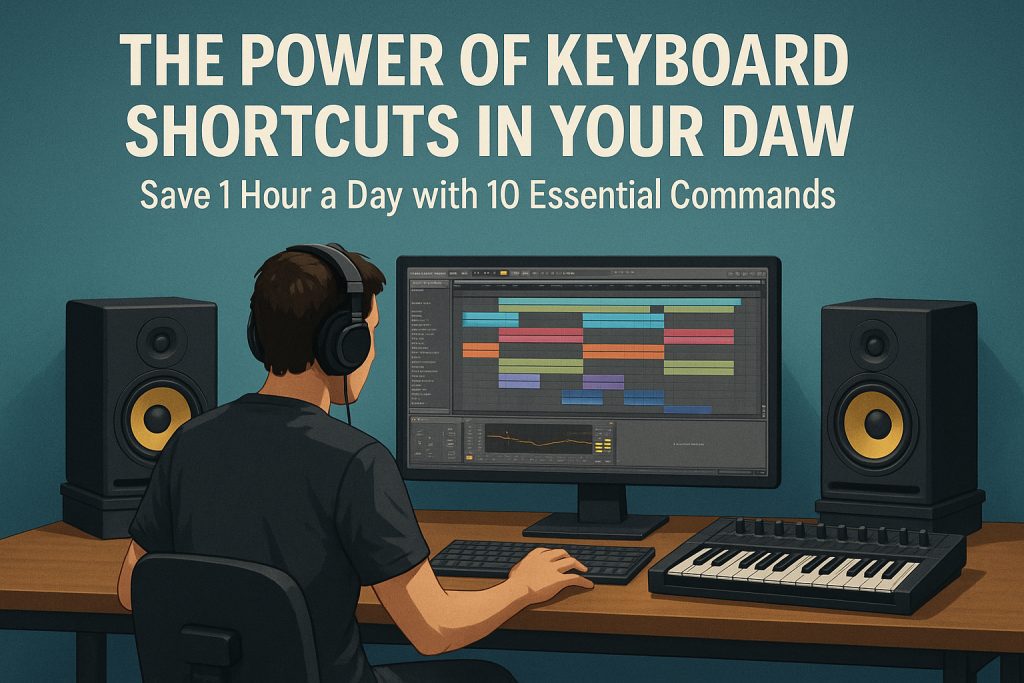
The Power of Keyboard Shortcuts in Your DAW

audiartist
Last updated: 17 septembre 2025 9h52
audiartist
Published: 17 septembre 2025
Share
SHARE

Save 1 Hour a Day with 10 Essential Commands
Contents
IntroductionWhy Keyboard Shortcuts Matter in Music ProductionThe 10 Essential Shortcuts for Any DAW1. Undo / Redo2. Cut / Copy / Paste Clips3. Duplicate Selected Clip/Region4. Split at Cursor5. Quantize6. Zoom In/Out7. Toggle Mixer8. Metronome On/Off9. Loop Selection10. Save As / Incremental SaveBonus: How to Create Custom ShortcutsConclusion

Introduction

Music production is a creative playground—but it can also become a time sink. Producers often lose precious minutes navigating menus, searching for functions, or manually clicking through repetitive actions.
The solution? Keyboard shortcuts.
Whether you’re using Studio One, Ableton Live, FL Studio, or Logic Pro, mastering a handful of hotkeys can literally save you an hour per day, making your workflow smoother and keeping your inspiration alive.


Why Keyboard Shortcuts Matter in Music Production

Time is the most valuable currency in the studio. Here’s why shortcuts are game-changers:

  • Speed: Actions that take 3–4 clicks become instant.
  • Flow: You stay focused on creativity instead of fighting with menus.
  • Consistency: Once in muscle memory, they become second nature.
  • Ergonomics: Less mouse usage means less fatigue.

Think of shortcuts as the “hidden superpowers” of your DAW.


The 10 Essential Shortcuts for Any DAW

1. Undo / Redo

  • Universal: Ctrl + Z (Windows) / Cmd + Z (Mac)
  • Why: The lifesaver. Don’t be afraid to experiment.

2. Cut / Copy / Paste Clips

  • Universal: Ctrl/Cmd + X, C, V
  • Why: Perfect for moving MIDI patterns or duplicating loops instantly.

3. Duplicate Selected Clip/Region

  • Ableton: Ctrl/Cmd + D
  • Studio One: D
  • FL Studio: Ctrl + B
  • Why: Build arrangements 10x faster.

4. Split at Cursor

  • Studio One: Alt + X
  • Ableton: Ctrl + E
  • FL Studio: Ctrl + Alt + C
  • Why: Quick slicing for editing vocals or drums.

5. Quantize

  • Studio One: Q
  • Ableton: Ctrl + U
  • Logic: Q
  • Why: Tightens your groove with one click.

6. Zoom In/Out

  • Universal: Ctrl/Cmd + Mouse Wheel
  • Studio One: E
  • Why: Navigate projects with surgical precision.

7. Toggle Mixer

  • Studio One: F3
  • Ableton: Tab
  • FL Studio: F9
  • Why: Instantly switch between arrangement and mixing views.

8. Metronome On/Off

  • Studio One: C
  • Ableton: Ctrl/Cmd + Shift + M
  • Why: Essential when recording or testing groove variations.

9. Loop Selection

  • Studio One: P
  • Ableton: Ctrl/Cmd + L
  • FL Studio: Ctrl + L
  • Why: Create seamless playback loops to refine ideas.

10. Save As / Incremental Save

  • Universal: Ctrl/Cmd + Shift + S
  • Why: Always keep versions—you’ll thank yourself later.

Bonus: How to Create Custom Shortcuts

Most DAWs allow you to customize hotkeys. This means you can:

  • Assign one key to your most-used actions.
  • Match shortcuts across DAWs if you use several.
  • Build a workflow tailored to your habits.

👉 Example: In Studio One, go to Options > Keyboard Shortcuts and create your own map.


Conclusion

Keyboard shortcuts are not just a productivity hack—they are a creativity booster. By saving time on technical steps, you free your brain to focus on music.

Start with the 10 essentials above, add them gradually into your routine, and soon you’ll notice your workflow speeding up dramatically—sometimes by an hour a day.

⚡ Pro Tip: Print out a shortcut cheat sheet for your DAW and stick it near your setup. In two weeks, they’ll be second nature.
Loading

TAGGED:Ableton shortcutsFL Studio shortcutsLogic Pro shortcutsmusic producer tipsmusic production workflowsave time DAWStudio One shortcuts
Share This Article
Facebook Whatsapp Whatsapp Tumblr Telegram Threads Bluesky Email Copy Link Print

You Might Also Like

Music Production

Studio One 7 – Reinventing the Art of Music Production

13 mars 2025
Music Production

Do Struggling Music Producers All End Up Making Tutorials?

25 juin 2025
Music Production

The Top 5 Best Reverb VST Plugins of 2025 (Free & Paid)

10 octobre 2025
Free PresetFree Serum PresetFreebieMusic Production

Stop Hunting Sounds: Fresh Free Serum Presets

10 janvier 2026
Previous Next
© Audiartist. All Rights Reserved.
Welcome Back!

Sign in to your account

Username or Email Address
Password

Lost your password?